
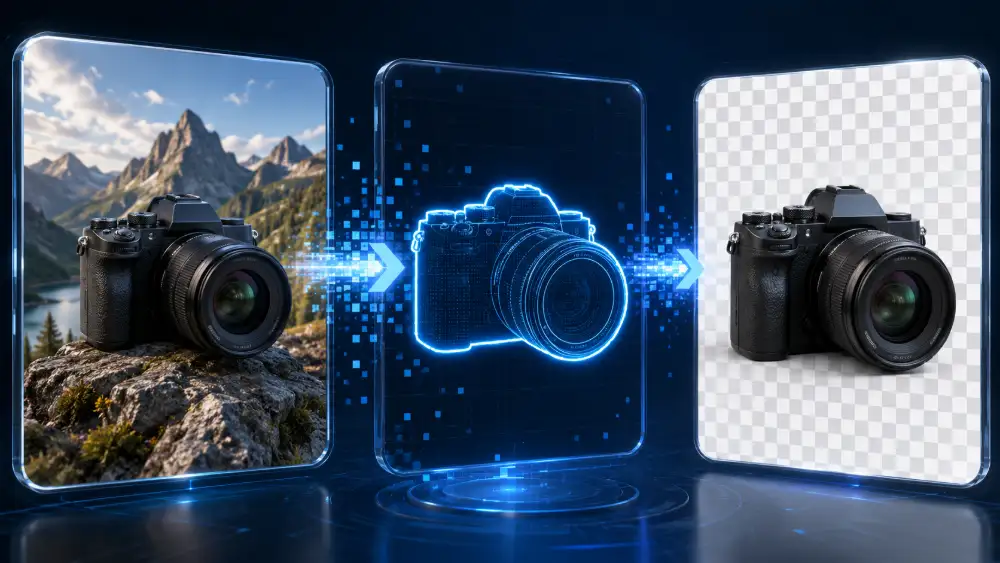
We’re Launching CritiquePlus Images: 68 Free Tools to Process Images Without Sending Them to Our Servers
We have launched CritiquePlus Images, a new image-processing platform available directly in your browser at image.critiqueplus.com.
Our goal is simple: allow anyone to compress, convert, resize, crop, edit, protect or optimize an image for free, without installing software, without advertising and, most importantly, without sending files to our servers.
The platform currently brings together nearly 68 image tools, instantly accessible from a computer, smartphone or tablet.
But beyond the number of tools, we wanted to solve a problem we regularly encounter ourselves at CritiquePlus: why should you still need to install software, create an account, deal with ads or upload a photo to a remote server just to convert a PNG to WebP, compress a JPEG or remove image metadata?
With CritiquePlus Images, we chose a different approach: image processing is performed directly inside the user’s browser whenever the tool is used. The images therefore remain on the device and are not stored on our servers.
Why we created CritiquePlus Images
For years, CritiquePlus has covered digital tools, artificial intelligence, SEO, WordPress, automation and technologies aimed at creators, developers, freelancers and businesses.
But analyzing other companies’ tools does not prevent us from identifying problems that we can try to solve ourselves.
Image processing is one of them.
A content creator may simply need to reduce the size of an image before publishing it. A WordPress site owner may want to convert a photo to WebP. A freelancer may need to resize a logo. A journalist may want to remove metadata from a photo. A company may need to quickly hide a face or sensitive information before sharing a screenshot.
For each of these small tasks, there are dozens of different online services. Some require registration. Others impose artificial limits, add watermarks or fill the interface with advertising.
And, most importantly, many require users to upload their files to a remote server.
We therefore decided to bring these operations together in a single platform.
68 tools in one interface
CritiquePlus Images currently includes nearly 68 tools, organized around the most common image-processing needs.
We have developed tools for image compression, resizing, cropping and rotation.
The platform can also convert files between formats such as JPG, JPEG, PNG, WebP, GIF, BMP, TIFF and HEIC, as well as perform certain operations involving PDF files.
We have also integrated functions designed for creators, including watermarking, photo signatures, borders, rounded corners, visual effects, color adjustments, palette extraction and simple visual-content creation.
Other tools focus more specifically on privacy and user protection.
Users can remove image metadata, blur or pixelate an area, hide a face or protect sensitive information visible inside an image.
Our ambition is not to turn CritiquePlus Images into a Photoshop competitor or a replacement for professional design software.
Instead, we want to build a genuine image utility toolbox: quick to open, easy to understand and complete enough to handle most everyday image-processing tasks.
Your images are not stored on our servers
This is probably the most important technical choice behind CritiquePlus Images.
We do not store the images used in our tools on our servers.
Processing is performed directly inside the user’s browser when the tools are executed.
In practical terms, your own computer or smartphone performs the operation.
When you open an image to resize it, convert it, remove its metadata or apply another compatible operation, the file does not need to be transferred to our infrastructure for us to process it remotely.
This architecture provides an obvious advantage in terms of privacy.
A personal photo, professional document, screenshot or image containing sensitive information should not have to be temporarily stored on external infrastructure simply to undergo a basic operation.
This is a principle we want to keep at the core of the project.
Why we chose local browser processing
Web browsers have become significantly more powerful than they were a few years ago.
Many operations that once required an installed desktop application or a remote server can now be performed directly inside Chrome, Firefox, Edge, Safari and other modern browsers.
We wanted to take advantage of that evolution.
Local processing first reduces the need to transfer files.
It can also improve privacy and removes the need for us to operate infrastructure dedicated to temporarily storing users’ photographs.
It also matches the philosophy behind the platform: a tool should be something you can open, use and leave quickly.
There is naturally a trade-off. Because the operation runs on your own device, performance can depend on the power of your computer or smartphone, as well as on the size of the files being processed.
For common everyday uses, however, we believe this is a particularly worthwhile compromise.
Free and without advertising
We have also made an important decision about the platform’s business model: CritiquePlus Images tools are free to use and available without advertising.
We all know the experience of using certain online tools where it becomes difficult to identify the real download button among banners, pop-ups and advertisements.
We do not want to reproduce that experience.
A compression tool should let you compress an image.
A converter should let you convert a file.
Everything else should remain secondary.
That is why we designed the CritiquePlus Images interface around the tool itself.
You open the function you need, select your image, perform the operation and retrieve the result.
The goal is to make these tasks as immediate as possible.
No installation required
CritiquePlus Images works directly on the web.
You therefore do not need to install a dedicated application on Windows, macOS, Linux, Android or iOS.
This approach makes the platform especially useful for people who work across several devices.
A blogger can prepare an image from a desktop computer.
A community manager can quickly resize an image from a smartphone.
A student can convert a file from a computer they do not own without needing to install software.
The only real interface you need is your browser.
Built for content creators and WordPress users
Image processing is especially important for content creators and website owners.
At CritiquePlus, we work with illustrations, screenshots, cover images and article visuals every day.
We therefore know directly what unnecessarily large image files can do to a website.
An image weighing several megabytes but displayed at a small size on an article is rarely a good idea.
Before uploading a file to WordPress, it may be useful to resize it to the dimensions actually required, compress it and possibly convert it to a more suitable format such as WebP.
That is exactly the kind of workflow we want to simplify.
CritiquePlus Images does not replace automatic image-optimization plugins on a website. It can, however, be used before upload and give creators greater control over their files.
For SEO writers, bloggers, media companies, web agencies and e-commerce businesses, this kind of preparation can also help reduce page weight and improve the user experience.
Useful tools for privacy as well
We did not want to limit the platform to compression and format conversion.
Some functions address much more sensitive needs.
An image may contain metadata the user no longer wants to share.
A photograph intended for publication may show the face of a person who needs to remain anonymous.
A screenshot may contain an identifier, email address or other confidential information.
We therefore added several tools that can remove metadata, blur, pixelate or hide specific parts of an image.
Local processing makes even more sense in this context.
When a user is specifically trying to protect sensitive information, it is logical that the original image should not first be uploaded to a third-party server before being anonymized.
CritiquePlus is gradually moving from media to tools
The launch of CritiquePlus Images also represents an important step for our project.
CritiquePlus remains, first and foremost, a technology publication.
We will continue to analyze ChatGPT, Gemini, Claude, DeepSeek, Mistral AI, AI agents, WordPress, SEO, automation and digital tools with the same editorial approach.
But we also want to gradually go further.
Our experience with the web, content, development and the needs of our readers also gives us the opportunity to build our own solutions.
CritiquePlus Images is part of that strategy.
We no longer want to only explain which tools already exist. When we identify a problem that we are capable of solving in a useful way, we also want to try building an alternative ourselves.
That does not mean every CritiquePlus tool will become a commercial product.
For CritiquePlus Images, our current priority is much simpler: build a toolbox that is genuinely useful, fast and accessible.
What we still want to improve

The launch of CritiquePlus Images is not the end of the project.
The tools currently available form a first foundation.
We want to continue improving the interface, format compatibility, performance and the range of available processing options.
We also want to observe how people actually use the platform.
A catalog of 68 tools only matters if those tools solve real problems.
User feedback will therefore help us identify which tools are used the most, which ones need improvement and which image operations are still missing.
We also want to preserve the simplicity that is currently one of the platform’s main strengths.
Adding features should not turn CritiquePlus Images into a complicated interface where users need ten minutes just to find an image converter.
Our view on CritiquePlus Images
We built this platform ourselves, so our opinion is obviously not that of an external reviewer.
But we can clearly explain what we are trying to achieve.
We are not claiming to have reinvented image processing.
Most of the operations available on the platform already exist in one form or another across many software applications and web services.
What we are trying to change is their accessibility.
Bringing together nearly 68 tools, making them available for free, avoiding server-side image storage and maintaining an ad-free interface can create a much more convenient experience for everyday image tasks.
Our bet is therefore on simplicity rather than one spectacular feature.
If you simply need to reduce the size of an image, convert it to WebP, remove its metadata, change its dimensions or hide sensitive information, we want CritiquePlus Images to become one of the first websites you think of.
What you need to know
We have launched CritiquePlus Images with nearly 68 free tools for compressing, converting, resizing, editing, protecting and optimizing images.
The platform works directly in the browser and images used with the tools are not stored on our servers.
We have also chosen to make the tools available without advertising, with an interface focused on the task itself.
The service is designed especially for content creators, bloggers, WordPress site owners, freelancers, developers, students, SMEs, web agencies and users who want greater control over the privacy of their files.
CritiquePlus Images is available now at image.critiqueplus.com.
Official sources used
CritiquePlus Images — official platform: image.critiqueplus.com
The individual CritiquePlus Images tool pages were also reviewed to confirm the available categories, supported formats and browser-based processing approach.
Also read on CritiquePlus
WordPress site owners can complement this approach with our guide to the best WordPress image optimization plugins to automate part of the optimization process after files are uploaded.
To understand why image size can also affect hosting resources, our guide to 509 Bandwidth Limit Exceeded errors explains how media files can contribute to bandwidth consumption.
Creators looking for much more advanced functions can also read our Pixelcut review to compare a specialized creative platform with the lighter utility-driven approach of CritiquePlus Images.
