

AI Video Generator: The 9 Best Tools in 2026
Creating a realistic video sequence from a simple sentence is no longer a demonstration reserved for artificial intelligence laboratories. In 2026, the best AI video generators can transform a prompt or an image into an animated clip, simulate camera movements, produce advertising scenes, bring a still image to life, and, for some models, generate sound as well.
However, not all tools serve the same purpose. Google Veo 3.1, Runway Gen-4.5, and Kling 3.0 are primarily video generation models capable of creating sequences from text or images. Adobe Firefly stands out as a multi-model creative environment. Luma AI focuses on cinematic rendering and video modification workflows. FlexClip combines generation and editing in a more accessible interface. Finally, Synthesia and HeyGen are particularly relevant for avatars, presentations, and professional videos.
In this comparison, we therefore avoided mixing simple video-editing software with genuine AI video generation tools. The goal is simple: to help you choose the right tool based on what you actually want to produce, whether that is a realistic video, a social clip, an advertisement, an animation from an image, or a presentation featuring an avatar.
Quick verdict: for general-purpose video generation, Google Veo 3.1 is one of the most comprehensive solutions thanks to image-based generation, vertical video support, and upscaling to 1080p or 4K depending on the product being used. Runway Gen-4.5 remains particularly interesting for creative control and complex scenes, while Kling 3.0 offers a very strong set of features, with generation up to 1080p, horizontal and vertical formats, multi-shot sequences, and audio in certain environments.
What Is the Best AI Video Generator in 2026?

There is no single best AI video generator for every use case. Veo 3.1 is particularly versatile, Runway Gen-4.5 emphasizes control and cinematic aesthetics, Kling 3.0 combines quality and flexibility, while FlexClip is more practical for users who want to generate and then edit a video within the same interface. For professional avatars, Synthesia and HeyGen remain better suited.
The choice mainly depends on five criteria: the type of input supported, motion quality, the ability to follow a complex prompt, the level of creative control available, and the actual cost of multiple generations. It is also important to distinguish between text-to-video, image-to-video, and avatar-based video. All three categories use AI, but they do not produce the same type of result.
Here is our 2026 ranking:
| AI Video Generator | Best For | Text-to-Video | Image-to-Video | Audio | Free Access |
|---|---|---|---|---|---|
| Google Veo 3.1 | Versatility and realism | Yes | Yes | Yes, depending on the experience | Yes, depending on the Google product |
| Runway Gen-4.5 | Creative control and complex scenes | Yes | Yes | Yes, depending on available features | Runway offers a free plan, but Gen-4.5 requires a paid plan |
| Kling 3.0 | Motion, shots, and flexibility | Yes | Yes | Yes | Varies depending on the access platform |
| Adobe Firefly | Multi-model workflow | Yes | Yes | Depends on the model | Limited access depending on the plan |
| Luma AI Ray3.14 | Cinematic rendering and video modification | Yes | Yes | Depends on the workflow | Trial may be available depending on the plan |
| FlexClip | Generate and edit quickly | Yes | Yes | AI sound effects depending on the model | Yes, with limited trials of AI features |
| Synthesia | Avatars and business videos | Yes | Yes for certain assets | AI voices | Yes |
| HeyGen | Avatars, localization, and marketing | Yes | Yes depending on the feature | AI voices | Yes |
| Seedance / PixVerse | Alternatives worth testing | Yes | Yes | Varies | Varies |
This table should be read as a decision-making guide, not as an absolute guarantee of quality. Video generation is evolving rapidly: a model may perform extremely well on a realistic scene while being less convincing when handling hands, complex interactions, fast motion, or character continuity across multiple shots.
Another important difference is that several platforms do not develop all the models they offer themselves. Adobe Firefly, for example, allows users in certain experiences to access partner models such as Kling 3.0, Runway Gen-4.5, Ray3.14, and Veo 3.1. This means that in 2026, choosing an AI video generator can sometimes be as much about choosing an interface and workflow as choosing a single model.
How Did We Compare AI Video Generators?
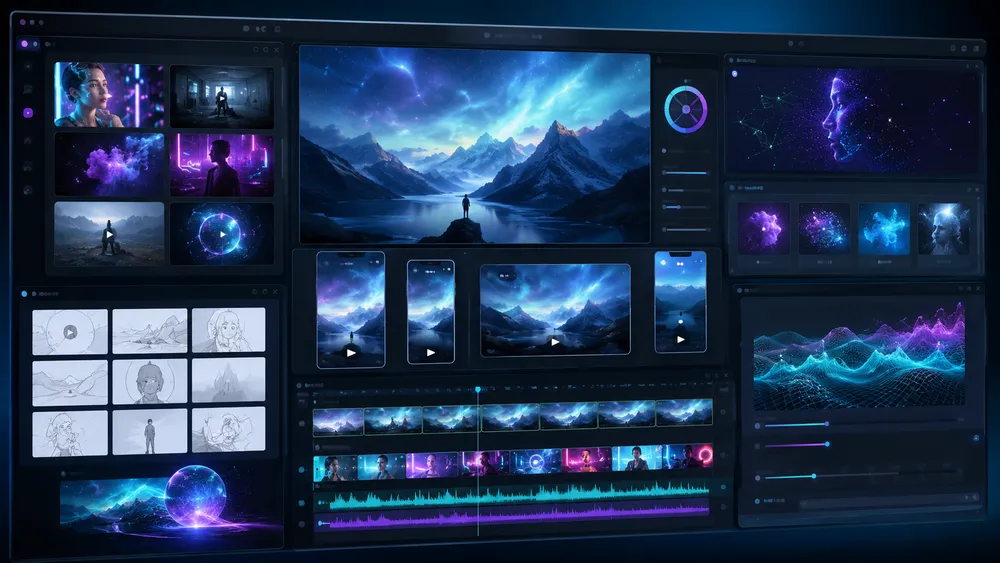
For this comparison of AI video generators, we are not limiting ourselves to the features advertised by the companies behind them. It is important to compare the same types of prompts, observe how accurately instructions are followed, evaluate visual quality, motion consistency, camera control, available formats, and the cost required to obtain a usable result. Limitations should be shown just as clearly as successful outputs.
To avoid creating a ranking based solely on brand recognition, we use a common methodology. The features, resolutions, plans, and limitations mentioned are verified against the official pages available at the time of writing.
The Prompts to Use When Comparing the Tools
A video model can appear excellent when given a simple prompt, then fail as soon as the scene involves several actions. To obtain a more useful comparison, it is better to use several scenarios.
Test 1 — realism and human motion
“A woman crosses a Paris street after the rain at sunset. The camera follows her with a lateral tracking shot. Reflections from storefront signs appear on the wet pavement. Natural movement, cinematic style, realistic depth of field.”
This prompt makes it possible to observe body movement, reflections, perspective, facial stability, and the model’s ability to manage the camera, environment, and subject simultaneously.
Test 2 — image-to-video
Using the same product photo: “The camera slowly moves in a circular motion around the product. A soft light moves across its surface. The product remains perfectly identical to the reference image. Premium advertising style, dark background, smooth motion.”
Here, the important point is not only how attractive the result looks: you also need to check whether the object remains consistent and whether the AI respects the original image.
Test 3 — complex scene
“A small orange robot enters a kitchen, picks up a blue cup from the table, places it near a window, then looks at the camera. Continuous shot, no cuts, realistic motion.”
This type of sequence tests the model’s understanding of several successive actions. Causality, object permanence, and the correct order of actions are precisely where video models can still reveal their limitations. Runway itself officially acknowledges that Gen-4.5 may encounter causality errors or cause certain objects to disappear and reappear across frames.
Our Scoring Criteria
For each AI video generator, we recommend scoring it across eight criteria:
- Prompt adherence: are the requested actions, characters, objects, style, and framing present?
- Visual quality: are the details, textures, lighting, and overall rendering convincing?
- Temporal consistency: do objects and characters remain stable from one frame to the next?
- Motion realism: do movement, gestures, physics, and interactions appear natural?
- Creative control: can you impose a reference image, first or last frame, camera movement, or multiple shots?
- Audio: can the tool generate voices, dialogue, sound effects, or synchronized ambience?
- Ease of use: how many steps are required to go from an idea to a usable clip?
- Cost-to-result ratio: how many credits or generations are actually needed to obtain a satisfactory video?
In practice, the best AI video generator is the one that delivers a consistent result for your specific use case, with an acceptable level of control and cost.
The 9 Best AI Video Generators

1. Google Veo 3.1: The Best All-Round Choice
Google Veo 3.1 is one of the most versatile AI video generators in 2026. It can produce clips from text and images, generate audio in compatible experiences, create vertical outputs, and benefit from upscaling to 1080p or 4K depending on the Google product being used. It is particularly interesting for creators looking for realism, motion quality, and integration with the Google ecosystem.
Veo is Google DeepMind’s video generation model. Its Veo 3.1 version is currently accessible through several Google products, including Gemini, Flow, Google Vids, the Gemini API, and Vertex AI depending on available features and countries. Google particularly emphasizes control, consistency, and generation that combines video and audio.
One of the most interesting features is Ingredients to Video. It allows users to provide reference images as visual “ingredients” to guide the model. Google strengthened this feature in January 2026 with greater expressiveness, native support for vertical video, and upscaling options up to 1080p or 4K. For creators producing Shorts, Reels, or TikTok videos, native vertical output is particularly useful because it avoids generating a horizontal scene and then cropping it, with the risk of losing the main subject.
Veo 3.1 is also relevant for users looking for a free AI video generator. Since April 2026, Google has stated that Google Vids allows Google accounts to make 10 clip generations per month with Veo 3.1 without a paid subscription. Limits and conditions may change, but this option provides a simple way to try Google’s video generation technology without immediately subscribing to a specialized service.
The Strengths of Google Veo 3.1
- Text-to-video and image-to-video depending on the interface used.
- Native audio in compatible experiences.
- Vertical format suited to mobile content.
- Use of reference images with Ingredients to Video.
- Upscaling up to 1080p and 4K in workflows announced by Google.
- Integration with the Google ecosystem, including Gemini, Flow, and Google Vids.
Limitations to Know
Feature availability may vary depending on the Google tool being used. A feature available in Flow or Vertex AI is not necessarily offered in the same way in Gemini or Google Vids. It is therefore best not to present “Veo 3.1” as a single application with one pricing structure.
Another point: a technically impressive output does not guarantee perfect continuity of a character or object across several scenes. For a longer project, it is still necessary to think in short shots, generate several variations, and assemble the best sequences during editing.
Our verdict: Veo 3.1 is a strong choice if you want a powerful general-purpose model capable of covering several generation styles and already well integrated into tools accessible to both consumers and professionals.
2. Runway Gen-4.5: The Best for Creative Control
Runway Gen-4.5 is particularly well suited to creators who want precise control over the movement, composition, and style of an AI-generated video. The model supports text-to-video and image-to-video and stands out for its understanding of sequenced instructions and complex camera movements. Its main drawback is the cost in credits when multiple attempts are required.
Runway is one of the long-standing players in consumer generative video. With Gen-4.5, the platform focuses on three essential elements: visual fidelity, motion, and prompt adherence. The official documentation states that the model can handle complex and sequenced instructions, especially when a prompt describes several actions, camera movements, or precise changes in atmosphere.
This is an important advantage for users who do not simply want to obtain “a beautiful video,” but want to direct a scene. In an advertising or cinematic project, being able to specify that a camera moves forward, rotates, follows a subject, and then reveals a second element can make the difference between a decorative clip and a genuinely usable sequence.
Runway is also transparent about some of Gen-4.5’s limitations. The model can still make causality errors, lose object permanence when something is occluded, or produce a result that looks too “successful” compared with what would be physically likely. This transparency is useful because it reminds us that no current video generator fully understands the real world.
In terms of pricing, Runway offers a free plan with 125 one-time credits, but its pricing page indicates that Gen-4.5 is available starting with paid plans. The Standard plan is listed at $15 per month with monthly billing, or $12 per month with annual billing at the time of our verification. It includes 625 monthly credits, which Runway says is equivalent to approximately 52 seconds of Gen-4.5. These prices should be checked again before publication because AI generation plans evolve quickly.
The Strengths of Runway Gen-4.5
- Excellent adherence to complex prompts.
- Detailed control over camera movements and composition.
- Text-to-video and image-to-video.
- Strong realism for cinematic scenes.
- Runway ecosystem suited to creative production and visual effects.
- Clear documentation on the model’s capabilities and limitations.
Limitations to Know
The credit system can become expensive when a project requires many variations. A five- or ten-second generation does not mean the first attempt will be usable. For a final thirty-second clip, it may be necessary to generate far more material.
Another limitation: despite the progress made with Gen-4.5, physical and temporal inconsistencies remain possible. Runway should therefore be considered a generation and creative direction tool, not an automatic replacement for a shoot or a complete post-production pipeline.
Our verdict: Runway Gen-4.5 is one of the best choices for creatives who want to go beyond a simple prompt and work more deeply on staging, movement, and aesthetic consistency.
3. Kling 3.0: The Best Balance Between Quality and Flexibility
Kling 3.0 is a highly complete AI video generator for creating scenes from text or images. In Adobe Firefly, Kling 3.0 and Kling 3.0 Omni notably allow users to choose between 720p and 1080p, 16:9 and 9:16 formats, durations of up to 15 seconds, and synchronized audio generation. It is a direct competitor to Veo and Runway for generative clip creation.
Kling deserves its place in this ranking because it is no longer limited to producing a short animation from an image. The Kling 3.0 and Kling 3.0 Omni versions offer features focused on shot composition, motion, and scene control.
Adobe, which integrates Kling as a partner model in Firefly, states that Kling 3.0 can generate in 720p or 1080p, in horizontal or vertical format, with a maximum duration of 15 seconds in this interface. It is also possible to enable audio generation and work with starting images. Depending on the workflow, users can describe several shots and their respective prompts in detail.
This flexibility makes Kling interesting for advertising, social clips, atmospheric shots, and sequences requiring multiple actions. It is also a good example of how the market is evolving: it is no longer necessary to use only the developer’s own website. The same model can be accessed through a third-party creative platform such as Adobe Firefly, with its own credits, limits, and settings.
The Strengths of Kling 3.0
- Text-to-video and image-guided generation.
- Up to 1080p in the verified Firefly integration.
- 16:9 and 9:16 formats.
- Configurable duration up to 15 seconds in Firefly.
- Ability to generate synchronized audio.
- Shot-by-shot control in certain workflows.
- Strong positioning for creators looking for an alternative to Veo or Runway.
Limitations to Know
Access and available options depend heavily on the chosen platform. Adobe states, for example, that its Chinese partner models, including Kling, are available to individual subscribers but not to creators using certain Teams or Enterprise plans. This detail should be checked if you work within an organization.
Likewise, Kling’s pricing should not be compared using only one platform: the cost may vary depending on whether you use the original service or an intermediary. For a reliable comparison, the most useful approach is therefore to calculate the cost of an equivalent number of generations rather than comparing only the displayed monthly price.
Our verdict: Kling 3.0 is a very serious option for users looking for a balance between visual quality, formats, duration, shot control, and audio. It should be compared directly with Veo and Runway using the same prompts before naming an absolute winner.
4. Adobe Firefly: The Best Multi-Model Environment
Adobe Firefly stands out less because of a single video model than because of its ability to bring several of the best AI video generators together in one interface. In addition to its own Firefly Video model, Adobe allows users to access partner models such as Google Veo 3.1, Runway Gen-4.5, Kling 3.0, and Luma Ray3.14 depending on the available Firefly tools. This is particularly useful for comparing several outputs without constantly switching platforms.
Adobe occupies a unique position in the AI video generation market. Unlike Google, Runway, or Kling, the company is no longer only trying to push its own model. Firefly is gradually evolving into a multi-model platform capable of bringing several competing engines together within the same creative environment.
At the time of our verification, Adobe states that Firefly’s Generate Video feature provides access to its own models as well as several partner models. These include Kling 3.0, Kling 3.0 Omni, Ray3, Ray3.14, Runway Gen-4.5, and Veo 3.1 depending on the feature being used.
This approach solves a practical problem: no AI video generator is consistently the best for every scene.
You may, for example, prefer:
- Veo for an initial realistic scene;
- Kling for a particular movement or shot;
- Runway for another type of artistic direction;
- Luma for reworking or transforming a sequence.
Instead of juggling several accounts, interfaces, and credit systems, Firefly allows users in certain workflows to test different models from the same workspace.
Why Firefly Is Different From Other AI Video Generators
Firefly’s main strength is therefore choice.
Adobe presents Firefly as a creative space where users can work with several partner generative models without leaving their workflow. The user chooses the model from a menu, enters a prompt, and then adjusts the available settings depending on the selected engine.
This flexibility becomes particularly interesting in a professional context.
Imagine that an agency needs to produce five shots for an advertisement. The first can be generated with Veo, the second with Kling, and the third with Runway if those models produce better results. The goal is no longer to find “the best AI video generator overall,” but to choose the best model shot by shot.
This is probably one of the most important developments in generative video in 2026: creators are starting to move away from loyalty to a single model and toward a multi-model pipeline approach.
The Strengths of Adobe Firefly
- Access to several AI video models from one environment.
- Availability of models such as Veo, Kling, Runway, and Luma.
- Integration with the Adobe creative ecosystem.
- Ability to continue working in editing or creative tools.
- Useful for comparing several models without multiplying workflows.
- Relevant approach for creative and marketing professionals.
Limitations to Know
The main drawback is that settings, capabilities, and costs vary depending on the selected model.
Using Kling in Firefly does not necessarily mean getting exactly the same experience as on the Kling platform. The same logic applies to Veo, Runway, or Luma.
Some restrictions also depend on the account type. Adobe states, for example, that certain Chinese partner models such as Kling may be available to individual subscribers while being unavailable in some Teams or Enterprise configurations.
Our verdict: Firefly is particularly interesting for users who do not want to commit permanently to Veo, Runway, Kling, or Luma. It is less a simple AI video generator than a genuine creative generation hub.
5. Luma AI Ray3.2: The Best for Directing and Transforming Video
Luma AI Ray3.2 is Luma’s current video model in 2026. It stands out for its focus on professional creative control, including frame-level settings, video modification workflows, and features designed for the film, advertising, and gaming industries. It is particularly relevant when you want to direct a sequence more precisely rather than simply generate a clip from a prompt.
Luma AI has evolved significantly since the early versions of Dream Machine.
The company now explicitly states that Ray3.2, released in June 2026, is its current video model.
Ray3.2 pushes the concept of AI-assisted video direction further. Luma explains that it has worked on more precise controls over how an action progresses, including the ability to guide generation at the keyframe level and better control how the sequence evolves from beginning to end.
From Generation to Genuine Video Control
This positioning is what makes Luma different.
For a casual user, asking:
“A cat walks down a street in the rain”
may be enough.
But in a professional context, the creator often wants to define:
- the subject’s initial position;
- the final position;
- the movement between the two;
- the character’s visual identity;
- the style;
- the transformation of an existing video;
- the precise behavior of the camera.
Luma is specifically trying to reduce the gap between prompting and direction.
Ray3 had already introduced important features around HDR, character references, keyframes, and video modification. Ray3.14 then introduced native 1080p generation, improved stability, and generation claimed to be up to four times faster in 720p than Ray3.
Ray3.2 now continues this evolution toward professional control.
The Strengths of Luma AI
- Focus on advanced creative control.
- Video generation and modification.
- Greater control over how a scene evolves.
- Workflows suited to film, advertising, and creative content.
- Inherits HDR capabilities and advanced workflows from the Ray family.
- Integration within the Luma ecosystem as well as certain partner platforms.
Limitations to Know
The number of different versions can make the product range difficult to follow.
An article can quickly become outdated if it still presents Ray3.14 as the current model, while Luma now identifies Ray3.2 as its reference video version.
Luma is also less immediately accessible than a consumer-oriented tool such as FlexClip. Its value becomes much clearer when you already know what you want to control within a sequence.
Our verdict: Luma AI is a strong choice for creators who want to direct, modify, and refine shots rather than simply obtain a video in a few clicks.
6. FlexClip: The Best for Easily Generating and Then Editing Your Video
FlexClip is one of the most accessible AI video generators for users who want to create a sequence from text or an image and then immediately continue editing it. It combines text-to-video, image-to-video, AI sound effects, and a video editor within the same service. It is a particularly practical choice for marketing, social media, and creators who do not want to use multiple software tools.
FlexClip is not positioned in exactly the same way as Veo, Runway, or Kling.
Those platforms are primarily known for their generative models. FlexClip is instead a video creation platform that integrates several AI features and allows users to move directly from generation to editing.
This difference explains why we chose to keep FlexClip in this ranking.
Its main value is not necessarily to outperform Veo or Runway in absolute realism. Its advantage is reducing the number of steps between:
idea → generation → editing → subtitles → music → export.
The AI Video Generator currently allows users to start with either a prompt or an image. The user can select the available model, format, and duration, then continue editing directly in the FlexClip editor. Some configurations also offer the generation of AI sound effects.
A Platform That Brings Several Steps Together
This is probably FlexClip’s main argument.
A marketing video is almost never made entirely from a single raw AI-generated clip. It is often necessary to:
- add a title;
- insert a logo;
- add a voice-over;
- create subtitles;
- add music;
- trim certain scenes;
- combine several shots;
- adapt the format for Instagram, TikTok, or YouTube.
FlexClip allows users to continue these operations without leaving the tool.
You can notably add titles, text-to-speech, subtitles, music, transitions, and effects after generation.
Is FlexClip Free?
FlexClip offers a free plan, but it is limited.
At the time of our verification, the Free plan allows exports in up to 720p, with a maximum duration of 10 minutes per project and a limited trial of AI features.
Paid plans include more AI credits. The Plus plan currently includes 300 AI credits per month, while Business includes 800 per month, according to the FlexClip Help Center updated in June 2026.
These credits can be used for different features, including video generation, text-to-speech, music generation, and other AI tools. The number of credits consumed depends on the model and type of task. For example, generating a dynamic logo can cost 68 to 78 credits.
The Strengths of FlexClip
- Text-to-video.
- Image-to-video.
- Choice between several models depending on available features.
- Ability to add AI sound effects with certain models.
- Built-in video editor.
- Subtitles, voice-overs, music, and transitions.
- Particularly well suited to marketing and social media.
- Free plan for discovering the platform.
Limitations to Know
FlexClip should not be presented as developing all the models available in its generator itself.
It primarily acts as an all-in-one interface that provides access to generation and then allows users to continue working on the result. Quality therefore depends partly on the selected model.
The credit system can also become complex when generating many variations.
Our verdict: FlexClip is the best choice in this selection for a beginner or marketer who wants to generate a video with AI and immediately finish editing it in the same place.
7. Synthesia: The Best AI Video Generator with Professional Avatars
Synthesia is primarily designed to create professional videos with AI avatars, synthetic voices, and multilingual presentations. It currently offers more than 240 avatars on its Enterprise plan and supports more than 160 languages and voices. It is particularly well suited to training, onboarding, tutorials, internal communications, and corporate explainer videos.
Comparing Synthesia with Veo or Kling requires an important distinction.
The intended result is generally not the same.
With Veo, the user can request a cinematic scene.
With Synthesia, the goal is more often:
“I want a presenter to explain my product in French, then get the same video in English and Spanish.”
Synthesia therefore primarily turns a script into a video presentation, with an avatar speaking to the camera or appearing within a professional layout.
The platform now also offers asset-generation features and generative models in its AI Playground, but its competitive advantage clearly remains the professional avatar.
A Platform Particularly Well Suited to Businesses
Synthesia supports more than 160 languages and voices. The company also offers up to 240+ AI avatars depending on the plan.
This allows a company to create a training video once and then adapt it for multiple countries without organizing new shoots.
The main use cases include:
- internal training;
- onboarding;
- demonstrations;
- customer support;
- internal communications;
- procedures;
- sales videos;
- multilingual presentations.
Is Synthesia Free?
Yes, Synthesia currently offers a Basic plan at $0.
The free plan includes up to 10 minutes of video per month, a limited number of avatars, and access to voices in more than 160 languages.
Paid pricing currently starts at $29 per month for Starter and $89 per month for Creator with monthly billing. These prices should be checked again before final publication.
The Strengths of Synthesia
- 240+ avatars on the most comprehensive plan.
- 160+ languages and voices.
- Custom avatars.
- Translation and localization.
- Full HD export depending on the plan.
- Particularly well suited to training and businesses.
- Free plan available without a credit card.
Limitations to Know
Synthesia is not our first choice for generating cinematic scenes or complex visual clips.
Its core strength remains avatar-presented video.
Our verdict: if your priority is replacing a presenter-led shoot for training, explainer videos, or multilingual content, Synthesia is far more relevant than a general-purpose video generator.
8. HeyGen: The Best for Avatars, Marketing, and Localization
HeyGen is an AI video generator specialized in avatars, virtual presenters, and localized content. Its Creator plan currently supports more than 175 languages and dialects, voice cloning, Photo Avatars, and 1080p exports. The service is particularly relevant for marketers, creators, businesses, and teams that want to quickly produce several language versions of the same video.
HeyGen belongs to the same broad category as Synthesia, but its positioning is more focused on creators, marketing, custom avatars, and video localization.
The principle is simple: you choose or create an avatar, add a script, then generate a video in which the character presents the content.
HeyGen states that it offers more than 500 avatars/digital twins on certain plans and more than 175 languages and dialects on its Creator plan.
Why HeyGen Is Interesting for Marketing
One of HeyGen’s strengths is the ability to quickly adapt the same message.
A brand can, for example, create:
- a product video in French;
- an English version;
- a Spanish version;
- several formats designed for different markets.
The Creator plan also includes voice cloning, Photo Avatars, and watermark removal.
This avoids having to reshoot the video for each language.
Is HeyGen Free?
Yes.
The free plan currently allows users to create up to 3 videos per month, with a maximum duration of around one minute per video depending on the region and account conditions.
The Creator plan is listed at $29 per month, with 600 credits, 1080p export, and access to more generative features. The Pro plan starts at $49 per month, with exports up to 4K depending on the conditions specified by HeyGen.
The Strengths of HeyGen
- Large selection of AI avatars.
- Custom avatar.
- 175+ languages and dialects on Creator.
- Voice cloning.
- Video translation and localization.
- 1080p export, and up to 4K on certain plans.
- Free plan for testing the service.
- Strong positioning for international marketing.
Limitations to Know
Like Synthesia, HeyGen is not primarily designed for users looking for a photorealistic cinematic sequence generated entirely from a prompt.
The service is much stronger when a virtual human needs to speak, explain, or present.
Our verdict: choose HeyGen if you want to quickly turn a script into a presenter-led video, create a custom avatar, or localize your content into multiple languages.
9. PixVerse V6: An Excellent Alternative for Creative and Multi-Shot Clips
PixVerse V6 is an AI video generator particularly interesting for creators looking for an alternative to Veo, Kling, or Runway. Launched in March 2026, its V6 model notably improves camera control, character performance, multi-shot sequences, and native audio generation. PixVerse also offers workflows designed for advertising, social media, and rapid visual content creation.
PixVerse has evolved significantly since its early image-to-video generators. The platform now offers several models and experiences, including V6 for traditional video generation, C1 for workflows more focused on cinematic production, and R1 for real-time interactive video experiences.
For this comparison, we are mainly interested in PixVerse V6.
The company states that this generation improves camera movement handling, character performance, and the creation of sequences containing multiple shots, while also providing native audio.
This combination is interesting for users who want to create videos that are more narrative than a simple shot lasting a few seconds.
An advertisement may, for example, require:
- a wide shot of the product;
- a close-up;
- a camera change;
- an action performed by the character;
- then a final image designed to accommodate a marketing message.
The better the generator understands these transitions, the less the creator needs to produce each segment separately.
PixVerse Is Also Interesting for Image-to-Video
The platform has historically invested heavily in transforming images into animated sequences.
This makes it relevant for:
- animating a photograph;
- creating a clip from a product image;
- adding movement to an illustration;
- producing a sequence for TikTok or Instagram;
- generating several variations of the same creation.
PixVerse is also interesting for experimenting with different models. The platform has gradually integrated third-party engines alongside its own models, bringing its positioning closer to that of multi-model hubs.
The Strengths of PixVerse V6
- Text-to-video.
- Image-to-video.
- Improved camera control.
- Support for multi-shot sequences.
- Native audio.
- Tools designed for advertising and social media.
- Several specialized models within the same ecosystem.
- Suitable for both creators and marketing use cases.
Limitations to Know
As with other generators, promotional demonstrations are not enough to judge real-world quality.
A successful scene with a stationary character does not guarantee the same quality when handling a complex interaction, a product containing text, or a scene in which several objects need to remain consistent.
PixVerse is also developing several models in parallel.
Our verdict: PixVerse V6 deserves its place among the best AI video generators of 2026 thanks to its versatility, multi-shot capabilities, and focus on fast creative workflows. We would particularly position it as an alternative worth testing against Kling and Runway.
Which AI Video Generator Should You Choose Based on Your Needs?

Choose your AI video generator based on the final result rather than brand popularity. Veo, Runway, Kling, and Luma are primarily suited to generative sequences. FlexClip is useful when you need to generate and then edit easily.
Synthesia and HeyGen are better suited to avatars, training, and presentations. Firefly becomes relevant when you want to compare several models within the same environment.
To Create a Realistic Video From Text
Start by comparing:
Google Veo 3.1, Runway Gen-4.5, and Kling 3.0.
These are the three tools to test first using the same prompt.
Do not rely solely on the promotional videos published by the companies: test a scene involving a character, movement, interaction, and camera motion.
To Turn an Image Into a Video
Prioritize solutions that can accept a reference image:
- Veo
- Runway
- Kling
- Luma
- FlexClip
The best result is the one that preserves the visual identity of your image while adding believable motion.
For a product advertisement, pay particular attention to whether the product’s shape, logo, colors, and proportions remain stable.
To Create an Advertisement
Our preference is for a workflow that combines generation + editing.
You can use:
Veo, Runway, or Kling to produce the shots, then Firefly or FlexClip to organize the workflow and finalize the video.
FlexClip is particularly accessible if you want to stay within a single interface.
For TikTok, YouTube Shorts, or Instagram Reels
Check these criteria first:
- support for 9:16;
- native vertical generation;
- generation speed;
- cost of producing several variations;
- ability to add subtitles, voice, and music.
In this context, Veo, Kling, and FlexClip are particularly interesting depending on the level of control you need.
To Create a Video With an AI Avatar
The choice mainly comes down to:
Synthesia or HeyGen.
Choose Synthesia for training, procedures, and corporate content.
Choose HeyGen for marketing content, creators, custom avatars, and localization.
To Create Videos in Multiple Languages
Synthesia and HeyGen are clearly better suited than cinematic video generators.
They integrate avatars, voices, and translation into their workflows, while a tool such as Veo would require you to manage more steps separately.
For a Beginner
FlexClip is probably the simplest choice in this ranking.
You can generate your scene, then add text, subtitles, music, and transitions without having to learn professional editing software.
For a Demanding Creator or Filmmaker
Compare these first:
Runway Gen-4.5, Luma Ray3.2, Veo 3.1, and Kling 3.0.
The central criterion then becomes the level of control, not simply ease of use.
To Test Several Models Without Using Multiple Platforms
Adobe Firefly is probably the most interesting solution.
Adobe brings several partner models together within the same environment, including Veo, Runway, Kling, and Luma depending on the available features.
What Is the Best Free AI Video Generator?
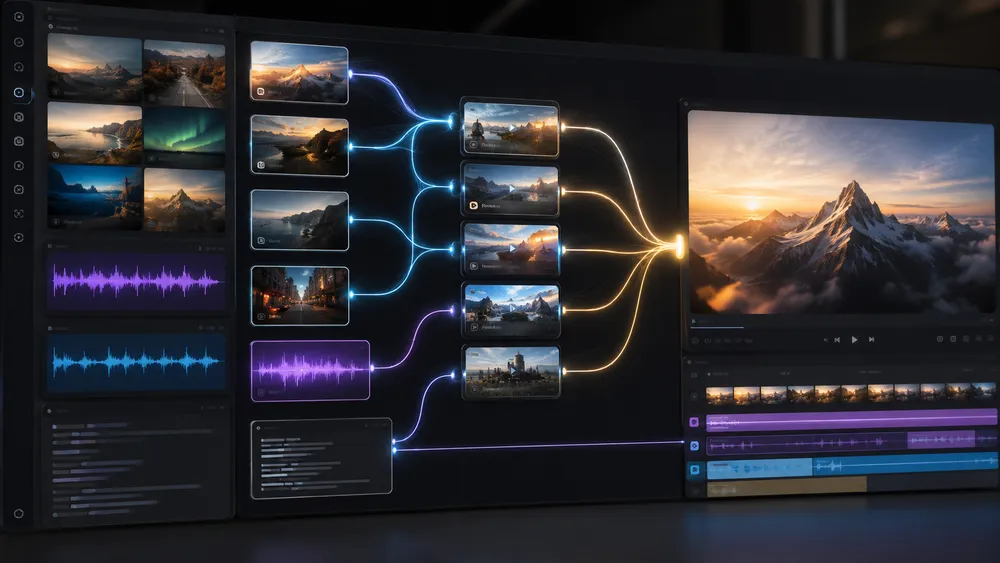
Several platforms allow users to test AI video generation for free, but no free plan should be considered truly unlimited. FlexClip, Synthesia, and HeyGen offer free tiers, while certain Google products also provide access to Veo generations depending on the service being used.
Limitations generally concern the number of videos, credits, resolution, premium models, or export conditions.
It is important to distinguish between:
free for testing
and
free for regular production.
They are not the same thing.
The Most Interesting Free Plans to Test
FlexClip offers a free plan with exports up to 720p and a limited trial of its AI tools.
Synthesia currently offers a Basic plan at $0, allowing up to 10 minutes of video per month.
HeyGen allows users to create up to 3 free videos per month on its Free plan, with some possible differences depending on the region.
To determine which tool is genuinely the most useful for free, we recommend comparing four elements:
- How many generations are actually included?
- What resolution can you export?
- Does the result contain a watermark?
- Is the premium model available for free?
A service may advertise itself as “free” while only providing access to a very limited demonstration.
CritiquePlus tip: if you simply want to test AI video generation, start with the free plans. If you need to produce a campaign, a complete clip, or several videos every week, then compare the actual cost of 10 generations, rather than only the advertised monthly price.
How to Create a Video With an AI Video Generator?
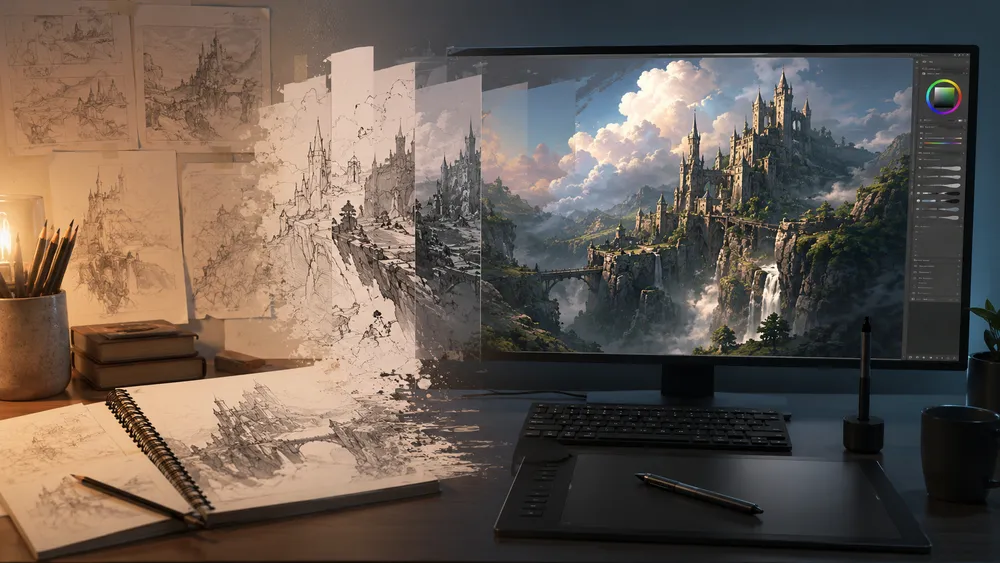
To create a video with AI, first choose between text-to-video and image-to-video, then clearly describe the subject, its action, the environment, the camera movement, and the desired visual style. Generate several variations, select the best one, then complete the necessary editing, audio, and corrections. A good result generally comes from an iterative process rather than a single prompt.
Video generation appears simple: type a few words and click a button.
In reality, quality depends heavily on how you prepare your request.
Here is the workflow we recommend.
Step 1: Choose Text-to-Video or Image-to-Video
Text-to-video is appropriate when you are starting from scratch.
You then describe the entire scene:
- the character;
- the environment;
- the action;
- the lighting;
- the style;
- the camera.
Image-to-video is preferable when you already have a specific visual: a product, character, photograph, or illustration.
For a brand, this second method is often safer because it gives the AI a visual reference to preserve.
Step 2: Write a Precise Video Prompt
A good prompt should not only describe what is visible.
It should also specify what happens.
Instead of:
“A car on a road.”
Prefer:
“A red sports car drives slowly along a coastal road at sunset. The camera follows it from a low angle with a lateral tracking shot. Realistic reflections on the bodywork, golden light, cinematic depth of field, smooth motion.”
An effective structure is:
Subject + action + environment + camera + lighting + style + pacing.
Step 3: Avoid Asking for Too Many Actions at Once
The more changes a prompt contains, the greater the risk of errors.
For a thirty-second video, it is generally more effective to create several short clips:
- opening shot;
- character shot;
- close-up;
- movement or interaction;
- final shot.
You can then assemble them.
This is particularly useful when you need to keep a character or product consistent.
Step 4: Generate Several Variations
Never judge a model based on a single generation.
Even with exactly the same prompt, two results can be very different.
Generate several variations and observe:
- hands;
- faces;
- objects;
- movements;
- backgrounds;
- reflections;
- subject consistency;
- adherence to the requested camera movement.
The cost of iterations is actually a more relevant criterion than the theoretical price of a single generation.
Step 5: Edit the Video
A raw generation is not necessarily a finished video.
You will often need to add:
- music;
- sound effects;
- voice;
- transitions;
- text;
- subtitles;
- logo;
- call to action.
This is precisely where a tool such as FlexClip can be more practical than a pure generative model.
Step 6: Check the Result Before Publishing
Watch the video several times.
Pay particular attention to:
faces, hands, logos, visible text, license plates, objects, backgrounds, and physical movements.
An anomaly that goes unnoticed in the generation interface may become immediately obvious once the video is published and viewed full-screen.
Why Is Sora No Longer in Our Ranking?
Sora no longer appears in this ranking because OpenAI discontinued its web and app experiences on April 26, 2026. The company has also announced that the Sora API will be discontinued on September 24, 2026. It would therefore be misleading to continue presenting Sora as one of the best AI video generators directly available in 2026, even though some older comparisons still mention it.
Sora played a major role in popularizing AI video generation.
When OpenAI unveiled it, its demonstrations helped show how far an AI system capable of turning text descriptions into animated sequences could go.
But the market is evolving extremely quickly.
OpenAI now confirms that the Sora web and app experiences were discontinued on April 26, 2026. Its API is scheduled to be discontinued on September 24, 2026.
What Are the Limitations of AI Video Generators?

AI video generators can produce impressive sequences, but they are still prone to errors involving physics, continuity, causality, identity, and text. The best results often require several generations, reference images, and human editing.
They therefore do not automatically replace a video shoot or editing software, especially for longer projects and content where every detail needs to remain perfectly controlled.
1. Consistency Is Not Always Perfect
A character may change slightly between two shots.
A jacket may change color.
An object may appear and then disappear.
A room may change proportions.
These errors become particularly noticeable when several clips are assembled together.
2. Physics Remains Difficult
Models are improving rapidly, but certain interactions remain problematic:
- holding several objects;
- drinking;
- running;
- performing precise gestures;
- handling tools;
- reproducing complex choreography.
Runway, for example, acknowledges that Gen-4.5 can still encounter causality or object-permanence issues in certain complex scenes.
3. Brand Details Need to Be Monitored
If you generate an advertisement for a real product, never assume that the AI will perfectly preserve:
- the logo;
- the packaging;
- buttons;
- typography;
- proportions.
For this type of project, use reference images whenever possible and check every important frame.
4. Costs Can Increase Quickly
Video generation often relies on credits.
However, you will rarely generate only one clip.
If you produce ten variations before finding the right result, your actual cost may be ten times higher than the advertised price for a single generation.
That is why we recommend calculating:
monthly cost ÷ actual number of usable clips
rather than looking only at the subscription price.
5. Long Videos Still Require Multiple Shots
AI video generation works particularly well for short clips.
To create a complete video, you will generally need to generate several sequences and then combine them.
Storyboard and continuity workflows are improving, but producing a video several minutes long remains very different from generating a single clip lasting a few seconds.
Can You Use an AI-Generated Video Commercially?
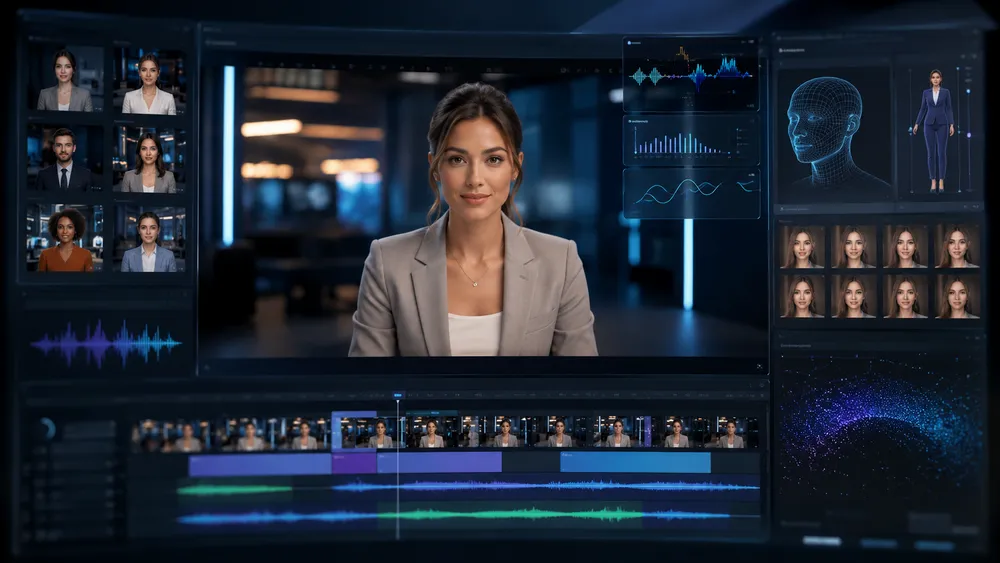
An AI-generated video can sometimes be used commercially, but rights and restrictions depend on the service, model, your subscription, the content used as references, and the rules applicable in your country. You should check the provider’s terms before launching any campaign. In Europe, the new transparency obligations under the AI Act must also be taken into account for certain synthetic content.
There is no single rule that applies to every generator.
Before using an AI-generated video for an advertisement, a client, or a campaign, check at minimum:
- the service’s commercial use terms;
- the license associated with your subscription;
- rights to the images used as references;
- music and voices;
- visible trademarks;
- people represented;
- applicable transparency requirements.
A Major Change in Europe Since August 2026
Since August 2, 2026, the transparency obligations provided for under Article 50 of the AI Act have been applicable.
The regulation notably introduces obligations concerning the identification of certain AI-generated or manipulated content. Users who publish a deepfake must, in situations covered by the regulation, disclose that the content has been artificially generated or manipulated. Adjustments exist for content that is clearly artistic, creative, satirical, or fictional.
For companies that regularly use video generation, this is therefore no longer merely a matter of best practice: transparency around certain AI-generated content is now part of the applicable European regulatory framework.
Platforms Are Also Integrating Provenance Systems
Google, for example, integrates SynthID into videos generated with its models. Veo uses this imperceptible digital watermark to help identify content produced by Google’s AI.
For professional use, it is therefore becoming relevant to keep a record of:
- the model used;
- the prompt;
- source images;
- the generation date;
- human modifications made afterward.
Which AI Video Generator Should You Choose in 2026? Our Verdict
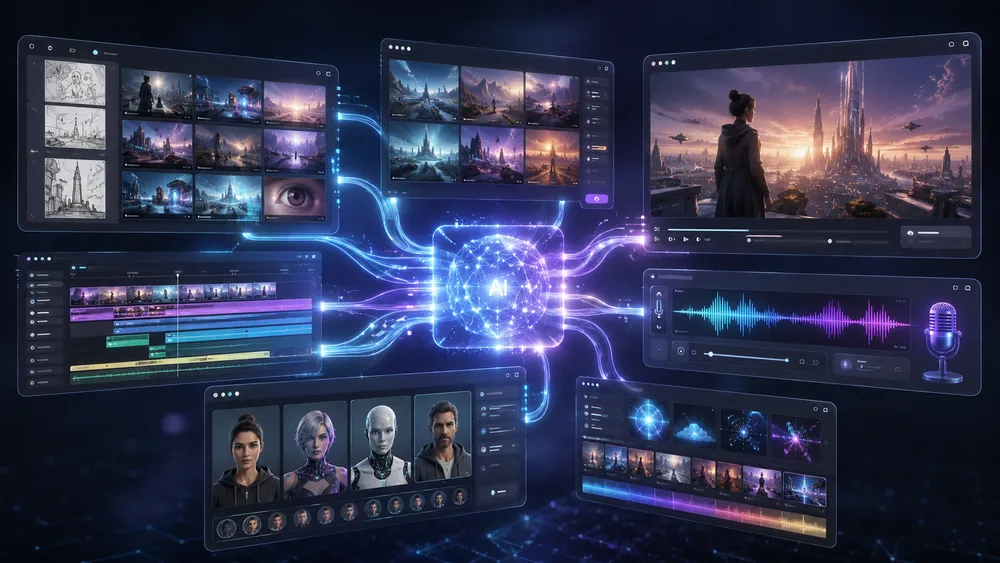
For general-purpose video generation, we recommend starting with Google Veo 3.1, Runway Gen-4.5, and Kling 3.0. Adobe Firefly is ideal for comparing several models within the same environment, Luma AI for advanced creative workflows, and FlexClip for easily generating and then editing a video.
For avatars, prioritize Synthesia or HeyGen, while PixVerse V6 is a versatile alternative.
Our final ranking is therefore:
| Position | Generator | Our Recommendation |
|---|---|---|
| 1 | Google Veo 3.1 | Best all-round choice |
| 2 | Runway Gen-4.5 | Best creative control |
| 3 | Kling 3.0 | Excellent quality/flexibility balance |
| 4 | Adobe Firefly | Best multi-model hub |
| 5 | Luma AI Ray3.2 | Best for directing and transforming shots |
| 6 | FlexClip | Best for easily generating and then editing |
| 7 | Synthesia | Best for professional avatars |
| 8 | HeyGen | Best for avatars, marketing, and localization |
| 9 | PixVerse V6 | Excellent creative and multi-shot alternative |
However, this ranking does not mean that the number-one tool is always better than the number-nine tool.
The best choice depends on your project.
Choose Veo If…
You are mainly looking for realism, versatility, image-to-video, and Google integration.
Choose Runway If…
You want to direct the camera and scene more precisely.
Choose Kling If…
You are looking for a highly complete alternative with multiple formats, control options, and audio workflows.
Choose Firefly If…
You want to test several major models from a single platform.
Choose Luma If…
You work in a more creative workflow and want to transform or precisely direct your shots.
Choose FlexClip If…
You are a beginner, marketer, or content creator and want to generate and then edit your video without switching tools.
Choose Synthesia If…
You produce training videos, tutorials, or corporate communications with avatars.
Choose HeyGen If…
You want a virtual presenter, a personal avatar, or multiple language versions.
Choose PixVerse If…
You are looking for a versatile alternative for creative clips, advertisements, and social formats.
The best strategy is therefore to define your needs first, then test two or three solutions using exactly the same prompt.
FAQ
Which AI Can Turn Text Into Video?
Models such as Veo, Runway, Kling, Luma, and PixVerse can generate video sequences from a text description. FlexClip also offers text-to-video within an interface connected to a video editor. For presenter-led video, Synthesia and HeyGen instead turn a script into a video with an avatar and voice.
How Can You Turn a Photo Into a Video With AI?
Use a generator that offers an image-to-video mode. Import your photo, then describe the desired motion: character movement, camera, lighting, and atmosphere. Solutions such as Veo, Runway, Kling, Luma, FlexClip, and PixVerse offer this type of workflow. For a real product, carefully check that its appearance remains faithful to the original image.
Which AI Video Generator Should You Use for YouTube or TikTok?
For Shorts, Reels, and TikTok, choose a tool that supports the vertical 9:16 format, then check the cost of iterations and how easy it is to edit the final result. Veo, Kling, and FlexClip are particularly interesting depending on the level of control required. FlexClip has the advantage of directly integrating text, subtitles, music, and editing.
Which AI Video Generator Should a Business Use?
For training, presentations, and internal communications with avatars, Synthesia is particularly well suited. For marketing, avatars, and localization, HeyGen is another strong option. If you want to create more visual or cinematic advertisements, consider Veo, Runway, Kling, or Firefly.
Is Sora Still Available?
Not in the same way as before. OpenAI discontinued the Sora web and app experiences on April 26, 2026 and has announced that the Sora API will be discontinued on September 24, 2026. It should therefore no longer be recommended as a long-term standalone service for starting a new project.
Can You Publish an AI-Created Video Without Disclosing It?
It depends on the context, but Europe now imposes certain transparency obligations. Since August 2, 2026, Article 50 of the AI Act applies notably to generated or manipulated content that qualifies as deepfakes in situations defined by the regulation. It is therefore important to check the rules that apply to your use case before publication.
Conclusion
AI video generators have made enormous progress. They are no longer used only to animate an image or produce a few experimental seconds: they are beginning to play a genuine role in workflows involving advertising, content creation, filmmaking, training, social media, and corporate communication.
But the market has also become more complex.
Veo, Runway, Kling, Luma, and PixVerse are primarily designed for scene generation. Synthesia and HeyGen excel more in avatar-based video. FlexClip simplifies the transition between generation and editing. Adobe Firefly, meanwhile, probably illustrates one of the major trends of the coming years: the ability to choose between several models within the same environment.
If you are a beginner, do not choose a tool solely because one demonstration looks impressive.
First define what you want to create.
Then test two or three generators using the same prompt, the same image, and the same criteria.
That is the only way to determine which one actually works for your project.
For our part, Google Veo 3.1, Runway Gen-4.5, and Kling 3.0 are the three solutions we would test first for general-purpose video generation. FlexClip is our choice for users who want a more accessible experience combining AI and editing, while Synthesia and HeyGen remain the most relevant options in this ranking when the main objective is to create a video with an avatar.
And given how quickly these models are evolving, we will continue updating this comparison whenever a new tool or version genuinely changes our ranking.
