

Fly.io Review: Pricing, Pros, Cons and Best Alternatives in 2026
Fly.io is a powerful cloud platform for deploying web applications, APIs, workers, backend services, and distributed apps across multiple regions. Its main promise is simple: run your application physically closer to your users while keeping more technical control than you usually get with beginner-friendly platforms such as Railway or Render.
Fly.io is an excellent choice for developers who are comfortable with Docker, environment variables, logs, regions, databases, networking, and usage-based billing. It is not always the easiest platform for a first web project. For a fast MVP, Railway or Render will often feel simpler. For a frontend-first Next.js project, Vercel remains the more natural option. For a self-hosted alternative, Coolify or Dokploy may be more relevant.
The real strength of Fly.io is its distributed application model. The platform uses Fly Machines, which Fly.io describes as fast-launching virtual machines that can be started and stopped at subsecond speeds, with control over Machine count, lifecycle, resources, and region placement through a REST API or flyctl commands.
In this review, we will explain what Fly.io is, how much it can cost, which hidden costs matter, when it makes sense, when it does not, and which alternatives you should choose if Fly.io is too technical for your project.
Our quick verdict on Fly.io

Fly.io is a strong platform for deploying backend applications, APIs, Docker-based services, workers, and distributed apps close to users. It is best for technical users who want more control than Render or Railway. It is less suitable for beginners, simple websites, classic WordPress projects, and users who want very predictable billing.
Fly.io is not a magic hosting platform that replaces every type of web hosting. It is better understood as a developer-oriented cloud platform. You build your application, containerize it or deploy it through Fly.io’s workflow, then decide where it should run. An app can run in Paris, Amsterdam, Frankfurt, London, Tokyo, Singapore, Toronto, or other supported regions depending on your audience. Fly.io documents available regions including Amsterdam, Paris, Frankfurt, London, Tokyo, Singapore, Sydney, Toronto, and several US regions.
This is a major advantage for latency-sensitive applications. For example, an API used mainly by European customers can be served from Paris, Amsterdam, or Frankfurt. A more global product can place application instances closer to users in North America, Europe, Asia, or Oceania.
But that power comes with responsibility. On Fly.io, an application is not just “a website online.” It may include Machines, volumes, snapshots, IP addresses, SSL certificates, network traffic, Managed Postgres, unmanaged Postgres, Redis, object storage, and internal workers. If you do not clean up unused resources, your bill can keep growing.
Our verdict till now is therefore positive but nuanced. Fly.io is excellent for developers who know why they are choosing Fly.io. For beginners, marketing teams, or people running a classic WordPress site, it is probably not the first option to consider.
| Criterion | CritiquePlus verdict |
|---|---|
| Ease of use | Medium |
| Technical control | Very high |
| Pricing | Flexible, but must be monitored |
| Free tier | No classic free tier |
| Best use case | API, backend, Docker app, distributed application |
| Less suitable for | Beginners, classic WordPress, simple websites |
| Simpler alternative | Railway or Render |
| Frontend alternative | Vercel or Netlify |
| Self-hosted alternative | Coolify or Dokploy |
What exactly is Fly.io?

Fly.io is a cloud platform that lets developers deploy applications across multiple regions using fast-starting Machines. It sits somewhere between a modern PaaS, an edge application platform, and developer-controlled cloud infrastructure. It is designed to run code close to users, not just to host a traditional website.
Fly.io is often described as a modern alternative to Heroku, but that comparison is incomplete. Heroku popularized the idea of a simple PaaS: you push your code, and the platform takes care of running it. Fly.io keeps part of that simplicity but adds a more infrastructure-oriented model: Machines, regions, private networking, persistent volumes, APIs, scale-to-zero patterns, and more control over the application lifecycle.
In practice, you can deploy a Node.js app, a Rails app, a Laravel backend, a Django project, a Phoenix app, a Go service, a Rust API, or a Docker container. Fly.io then runs that application in one or several regions. This makes it attractive to developers who feel that VPS hosting is too manual but traditional PaaS platforms are too restrictive.
That middle-ground positioning is important. With Fly.io, you do not necessarily manage a Linux server, Nginx, systemd, firewalls, and all the usual sysadmin work yourself. But you still control many important parts of the infrastructure: Machine size, region placement, volumes, secrets, logs, private networking, scaling, and database strategy.
This is why Fly.io is not just “another hosting provider.” It is a cloud execution platform for developers who want more infrastructure control without going all the way into AWS, Kubernetes, or full manual server administration.
How do Fly Machines work?
Fly Machines are the core of Fly.io. A Machine is a fast-starting VM that runs your application. It can be created, stopped, restarted, updated, deleted, or placed in a specific region. Fly.io says Machines can be started and stopped at subsecond speeds, and that users can control Machine count, lifecycle, resources, and region placement through API or flyctl.
The benefit is twofold. First, you can run an application in a precise region, such as Paris for a French audience. Second, you can evolve toward a multi-region architecture if your product grows. This is not required for every project, but it becomes valuable when latency matters.
For example, imagine you run an API used by customers in France and the United States. On a traditional single-region platform, your backend often runs in one location. Users far away from that region experience higher latency. With Fly.io, you can deploy Machines across multiple regions and route users to a closer instance. This requires a suitable application architecture, especially for data, sessions, and writes, but it is exactly the kind of use case where Fly.io becomes interesting.
Is Fly.io a PaaS, a VPS, or an edge platform?
Fly.io is not a classic VPS. You are not simply renting a server and manually installing everything. It is also not an ultra-guided PaaS like Railway or Render, even though it can be used to deploy applications quickly. It is closer to a distributed cloud application platform built for developers.
That distinction matters when choosing the right tool. If your goal is to host a basic WordPress blog, Fly.io is probably not the most natural path. If your goal is to deploy a Docker API, a Rails app, a worker service, a real-time backend, or an application that should run in several regions, Fly.io becomes much more relevant.
Who is Fly.io for?

Fly.io is mainly for developers, technical startups, and product teams that want to deploy applications while keeping meaningful infrastructure control. It fits APIs, SaaS products, real-time apps, Docker backends, and distributed services. It is less suitable for beginners or teams looking for a very guided interface.
Fly.io is best when you already have some technical maturity. You should be comfortable with deployments, environment variables, logs, databases, regions, volumes, and cloud billing. You do not need to be a Kubernetes expert, but you should understand what is happening behind your application.
The ideal user is a developer who wants more than “click and deploy.” Fly.io gives you freedom. You can manage Machines, choose regions, configure private networking, attach databases, and grow toward a more advanced architecture. That freedom is valuable for a SaaS, an API, or an international backend. It can be excessive for a simple website.
Projects where Fly.io makes sense
Fly.io is especially relevant for modern backend applications. This includes Node.js APIs, Rails apps, Laravel backends, Django services, Phoenix applications, workers, queues, internal tools, real-time apps, and SaaS products that may eventually serve users in multiple regions.
It is also useful when you care about where your services run. For a French or European project, the ability to choose Paris, Amsterdam, or Frankfurt is a real advantage. Fly.io’s official region list includes Paris under the cdg region code, Amsterdam under ams, Frankfurt under fra, and London under lhr.
Fly.io can also be useful for workloads that do not need to run constantly. Some architectures use Machines that start quickly, stop when they are not needed, and restart when traffic arrives. This can reduce costs when configured properly. However, you should test the user experience carefully because even a fast start is still a start. For critical APIs, you may want at least one warm instance running.
Projects where Fly.io is less suitable
Fly.io is less suitable for beginners who want a very guided experience. If your priority is to deploy an application as quickly as possible, connect a database with minimal configuration, and avoid thinking too much about infrastructure, Railway or Render may feel more comfortable. For that profile, our full Railway review, pricing and alternatives guide explains why Railway is so attractive for fast MVP launches.
Fly.io is also not the most natural platform for classic WordPress websites. WordPress needs a stable PHP environment, MySQL or MariaDB, persistent media storage, backups, caching, security updates, and regular maintenance. It may be technically possible to make WordPress run in many environments, but Fly.io is not the simplest or most obvious choice for that use case.
Finally, Fly.io is not ideal if you want billing to be perfectly predictable without monitoring usage. Fly.io bills several resources separately. That flexibility is useful, but it also means you need to check your dashboard and understand which resources are still running.
Fly.io pricing: how much does it really cost?

Fly.io is mostly usage-based. The final cost depends on Machines, memory, volumes, snapshots, outbound data transfer, dedicated IPv4 addresses, SSL certificates, support, and managed services. A small app can cost little, but a poorly cleaned or multi-region architecture can become more expensive than expected.
The first thing to understand is that Fly.io is not a simple one plan per website platform. Its pricing documentation explains resource-based billing, and the price of a running Fly Machine is based on a CPU/RAM preset plus additional RAM where applicable.
This means you must think in components. An application may have one or several Machines. A Machine may be running or stopped. A persistent volume can keep being billed even if the Machine attached to it is stopped. A Managed Postgres cluster lives outside your app. A dedicated IPv4 address can add a monthly charge. Outbound traffic to the public internet or between regions can also be billed.
This is very different from a beginner platform where you select a fixed monthly plan. Fly.io can be cost-effective if you size your resources correctly. But it can also surprise you if you leave unused resources behind or misunderstand how traffic, storage, and managed databases are billed.
Does Fly.io still have a free tier?
No. Fly.io should not be presented as a platform with a classic free tier. The official cost-management documentation states that there is no free account/free tier on Fly.io, although Fly.io does offer a Free Trial program. It also warns that free allowances do not cap your bill and that overages can be billed.
Fly.io’s documented free trial includes 2 total VM hours or 7 days of access, whichever comes first. It also includes up to 10 Machines, 20 GB of volume storage, up to 2 vCPUs per Machine, and 4 GB of memory per Machine. Dedicated IPv4 addresses, performance-optimized vCPUs, and GPU Machines are not included in the trial.
This distinction is crucial. Fly.io lets you test the platform, but it is not a permanent free hosting solution. Fly.io also states that adding a credit card ends the free trial and that usage starts counting toward your bill from that point.
The main Fly.io costs to monitor
The first cost to monitor is Machines. A running Machine has a cost based on the selected CPU/RAM preset and memory configuration. Fly.io’s pricing documentation says a running Machine VM is priced as a named CPU/RAM preset plus about $5 per 30 days per GB of additional RAM.
The second cost is persistent storage. Volumes and their snapshots are easy to forget. Fly.io’s pricing page states that dedicated IPv4 addresses cost $2 per month, and its pricing documentation also explains how outbound data transfer is charged by region group.
The third cost is data transfer. Fly.io bills data leaving your app for the public internet, cross-region private networking, and some extensions. The documented egress price to the public internet is $0.02 per GB for North America and Europe, $0.04 per GB for Asia Pacific, Oceania, and South America, and $0.12 per GB for Africa and India.
The fourth cost is support. Community support is included, but paid support plans are listed as Standard at $29/month, Premium at $199/month, and Enterprise starting at $2,500/month.
| Cost item | What to check | Risk |
|---|---|---|
| Machines | Number, size, running or stopped state | Oversizing |
| Volumes | Provisioned size, forgotten volumes | Ongoing cost |
| Snapshots | Automatic retention, actual storage | Hidden storage growth |
| Egress | Public internet and cross-region traffic | High cost for media or APIs |
| Dedicated IPv4 | $2/month per dedicated address | Multiplies across apps |
| Managed Postgres | Plan plus storage | High entry cost |
| Support | Standard, Premium, Enterprise | Fixed monthly cost |
Example budget for a small app
It is risky to give one universal price for a small Fly.io app. The real cost depends on the number of Machines, their size, traffic, storage, database choice, region strategy, and support needs. A small API with low traffic may remain inexpensive. An app with Managed Postgres, volumes, snapshots, dedicated IPv4, and cross-region traffic can become much more expensive.
The right method is to estimate each component separately before publishing or committing to Fly.io. How many Machines do you need? In which region? What size? How much storage? How much outbound traffic? Do you need a dedicated IPv4 address? Do you need Managed Postgres or an external database? This avoids presenting Fly.io as either cheap or expensive without context.
Fly.io and Postgres: what you need to understand
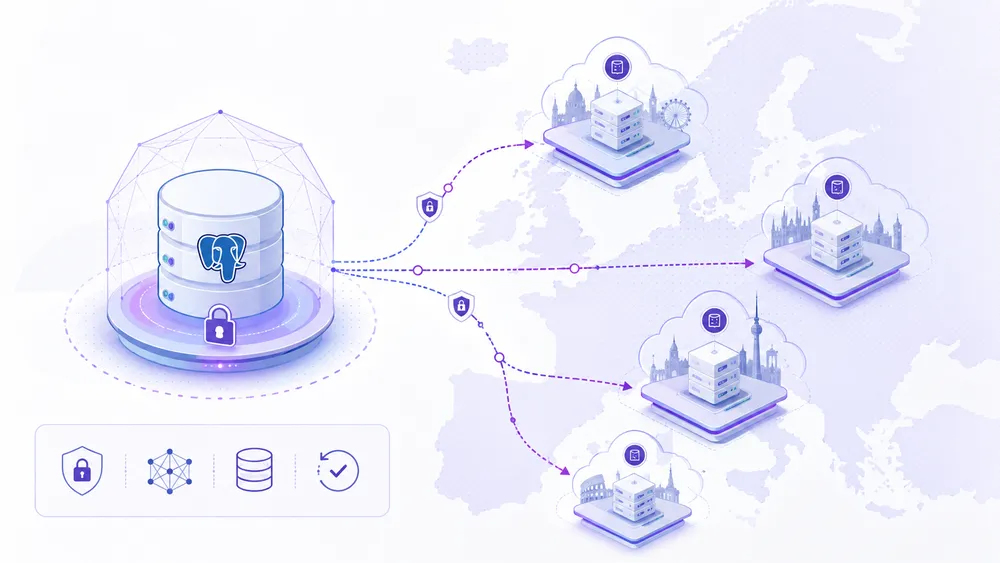
Fly.io has two different PostgreSQL approaches: unmanaged Fly Postgres, which you operate yourself, and Fly.io Managed Postgres, a managed service with high availability, backups, connection pooling, monitoring, and support.
The database is often the most sensitive part of a Fly.io project. Deploying an app is one thing. Running production data safely is another. In a distributed platform, database design quickly becomes strategic: where is the data stored? How is it backed up? What happens if a region has an issue? Is cross-region transfer billed? Who handles upgrades and incidents?
Fly.io has historically been associated with Fly Postgres, an unmanaged PostgreSQL option. It can still be useful for experienced developers, but it requires operational responsibility. If you choose the unmanaged route, you need to understand volumes, backups, replication, migrations, monitoring, and recovery.
Fly.io Managed Postgres is a different product. Fly.io describes it as a fully managed database service for production PostgreSQL databases, with automatic backups and recovery, high availability with automatic failover, performance monitoring, resource scaling, 24/7 support, and encryption at rest and in transit.
Unmanaged Fly Postgres
Unmanaged Fly Postgres can work for developers who want control, experimentation, or potentially lower cost. But it must be presented honestly: you are responsible for a meaningful part of the operational burden.
For a small side project or prototype, this may be acceptable. For a customer-facing SaaS that stores important data, it is much riskier unless someone on the team can properly operate PostgreSQL in production.
This is also where many comparisons become outdated or misleading. Saying “Fly.io has Postgres” is not enough. The key question is whether you mean unmanaged Fly Postgres or Fly.io Managed Postgres.
Fly.io Managed Postgres
Managed Postgres is the safer production option, but it is also more expensive. Fly.io’s documentation lists current monthly plans starting at $38/month for Basic with 1 GB of memory, then $72/month for Starter with 2 GB, $282/month for Launch with 8 GB, $962/month for Scale with 32 GB, and $1,922/month for Performance with 64 GB. Database storage is priced at $0.28 per provisioned GB for a 30-day month.
This is a decisive point in any Fly.io review. The compute side of a small app can look affordable, but adding Managed Postgres changes the total cost quickly. If your application depends on a managed relational database, you should compare the full cost against Render, Railway, Supabase, Neon, DigitalOcean, Scalingo, Clever Cloud, or another managed provider.
Managed Postgres is not available in every Fly.io region. The documented regions include Amsterdam, Frankfurt, São Paulo, Ashburn, Los Angeles, London, Tokyo, Chicago, Singapore, San Jose, Sydney, and Toronto. For a French project, this may lead you to choose Amsterdam or Frankfurt for the database while using Paris for application instances only if the architecture makes sense.
Should you use an external database such as Supabase or Neon?
Yes, in many cases, that can be a smart option. If your app uses PostgreSQL but you do not want to pay for Fly.io Managed Postgres, you can connect an external database provider such as Supabase, Neon, or another managed PostgreSQL service.
This approach can simplify database operations, but it also adds a dependency. It may increase latency if the database region is far from your Fly.io Machines. The rule is simple: if you choose Fly.io for proximity, do not place your database too far away from the app. An API running in Paris with a database in the United States loses part of Fly.io’s latency advantage.
How to deploy an application on Fly.io

To deploy an application on Fly.io, install the official flyctl command-line tool, log in to your Fly.io account, run fly launch inside your project folder, review the generated fly.toml configuration file, then publish the app with fly deploy.
Fly.io can work with a Dockerfile or scan and configure many common languages and frameworks automatically.
Fly.io is mainly controlled through flyctl, its official CLI. This is one of the main differences between Fly.io and more visual platforms such as Railway or Render. The experience is clearly developer-oriented: you install the CLI, authenticate, initialize the project, deploy from the terminal, then monitor logs and resources. Fly.io describes flyctl as one of the primary ways to interact with the platform, create and deploy apps, manage Machines and volumes, configure networking, and more.
This approach is powerful, but it assumes that you are comfortable with a terminal. For backend developers, it feels natural. For beginners, it can make Fly.io feel less immediate than Railway or Render.
Requirements before you start
Before deploying to Fly.io, make sure your application works locally. It can be a Node.js app, Rails app, Laravel backend, Django project, Phoenix app, Go service, Rust API, or any application that can be packaged with Docker. Fly.io’s quickstart explains that Fly Launch can work with a Dockerfile or scan and configure apps for many common languages and frameworks.
Before running the first deployment, check three basic points:
- Your application starts correctly on your local machine.
- Your important environment variables are identified.
- Your application’s internal port is known or can be detected during setup.
Step 1: install flyctl
The first step is to install flyctl, the official Fly.io command-line tool. Fly.io explains that flyctl lets users work with Fly.io through fly commands, from account creation to application deployment.
On macOS with Homebrew, the usual command is:
brew install flyctl
On Linux, Fly.io provides an installation command through its official install script:
curl -L https://fly.io/install.sh | sh
After installation, check that the command works:
fly version
If installation is smooth, Fly.io immediately feels serious and developer-friendly. If the installation creates friction, a beginner may prefer a more visual platform.
Step 2: log in to Fly.io
After installing flyctl, you need to authenticate your terminal with your Fly.io account. Fly.io’s quickstart recommends creating an account with fly auth signup or logging in with fly auth login.
To create a new account:
fly auth signup
To log in with an existing account:
fly auth login
The command usually opens a browser window to complete authentication. Once logged in, flyctl can manage the apps, Machines, volumes, and other resources linked to your Fly.io organization.
Step 3: initialize the project with fly launch
The key command for a first deployment is:
fly launch
Fly.io explains that fly launch should be run from inside your project source directory. It creates, configures, and, for most apps, deploys a new application.
During this step, Fly.io analyzes your project, suggests an app name, detects a framework or Dockerfile when possible, and generates the required configuration. In most cases, this creates a local fly.toml file, which becomes the main configuration file for the app. Fly.io’s configuration documentation explains that fly.toml is used to configure builds, environment variables, internet-exposed services, disk mounts, and release commands.
For a first test, choose a region close to your target users. For a French or European project, Paris, Amsterdam, or Frankfurt will often be the most relevant options, depending on your architecture and database location.
Step 4: review the fly.toml file
After running fly launch, Fly.io generates or updates a fly.toml file. This file describes how the app should be deployed and exposed. It can include the app name, primary region, build settings, services, ports, environment-related configuration, checks, mounts, and release commands.
Do not ignore this file. It is one of the reasons Fly.io feels more technical than beginner-first platforms. On a very guided platform, many deployment settings remain hidden. On Fly.io, the configuration is visible and editable.
Before deploying, check at least:
- The application name.
- The primary region.
- The internal port used by the app.
- The presence of health checks if needed.
- The resource and service configuration.
Step 5: deploy with fly deploy
To publish the application or apply changes, use:
fly deploy
Fly.io’s quickstart states that after fly launch, users can run fly deploy to deploy the new app or redeploy after changes.
In practice, this command builds the application, creates or updates the Machines, publishes a new release, and displays deployment information. This is the step where you can really judge whether Fly.io feels smooth or too technical for your level.
For a serious review, do not stop at “the command worked.” Check whether the app actually responds, whether the right region is used, and whether the resources created match what you expected.
Step 6: check logs and application status
After deployment, verify that the application is running properly. Fly.io documents fly logs as the command used to view application logs, with support for filtering by instance or region. By default, logs are streamed continuously until you stop the command.
Use:
fly logs
Then check the app status:
fly status
Fly.io documents fly status as the command that shows the current application status, including app details, tasks, recent deployment details, and the regions where it is allocated.
To open the dashboard from your terminal, use:
fly dashboard
This verification step is essential in a real test. A successful deployment command does not automatically mean the application is production-ready. You still need to check the logs, the app status, the region, the response time, the domain configuration, and the resources created.
Step 7: add a custom domain
Once the app works, you can connect a custom domain. The exact steps depend on your DNS provider, but the workflow usually involves adding the domain to Fly.io, configuring DNS records, and verifying certificates.
A platform can be excellent for deploying code but less pleasant when managing domains, certificates, logs, or environment variables.
Step 8: clean up unused resources
After a test, delete the resources you no longer need. This is especially important on Fly.io because some resources can continue to generate costs after the main app has been stopped or deleted. Fly.io’s cost-management documentation warns users to monitor resources such as volumes, managed services, dedicated IPv4 addresses, outbound data transfer, and other billable items.
Before considering the test complete, check:
- Active apps.
- Running Machines.
- Persistent volumes.
- Snapshots.
- Managed Postgres clusters.
- Dedicated IPv4 addresses.
- Third-party services linked to the app.
| Step | Main command | Goal |
|---|---|---|
| Install the CLI | fly version after installation | Confirm that flyctl works |
| Log in | fly auth login | Connect the terminal to Fly.io |
| Initialize the project | fly launch | Create the app and generate fly.toml |
| Deploy | fly deploy | Publish the app on Fly Machines |
| Read logs | fly logs | Diagnose errors |
| Check status | fly status | Confirm that the app is running |
| Open dashboard | fly dashboard | Manage the app visually |
| Clean up | Dashboard + resource deletion | Avoid unnecessary costs |
The main advantages of Fly.io

Fly.io’s main advantages are multi-region deployment, fast-starting Machines, Docker control, private networking, support for several frameworks, and the ability to build applications closer to users. It is a powerful platform for developers who want more than a simple PaaS.
The first advantage of Fly.io is geographic placement. Fly.io says it runs applications physically close to users in datacenters around the world, allowing users in locations such as Tokyo, São Paulo, or Amsterdam to connect to the nearest server through its global Anycast network.
The second advantage is control. Fly.io does not hide everything behind a simplified interface. You can use flyctl, manage configuration, inspect logs, control resources, and choose regions. For a technical team, that is a real benefit.
The third advantage is compatibility with Docker and many application stacks. This makes Fly.io flexible. You are not limited to one framework or one type of app. A Rails app, Node.js API, Laravel backend, Django service, Phoenix app, Go binary, or Docker container can all make sense if configured properly.
The fourth advantage is architectural freedom. Fly.io can support real-time apps, low-latency APIs, distributed workers, internal microservices, and international SaaS products.
Multi-region deployment
Multi-region deployment is Fly.io’s biggest argument. But it should not be presented as a magic switch. Deploying code across multiple regions is one thing. Designing an application that behaves correctly across regions is another.
Data, sessions, cache, queues, and writes need careful design. A stateless application, a read-heavy API, or a service that can process requests locally is easier to distribute. A write-heavy application tied to a single database may get less benefit from multi-region deployment.
That does not make Fly.io less valuable. It simply means Fly.io is most powerful when the architecture matches the platform.
Scale-to-zero patterns and fast starts
Fly.io is often appreciated for how quickly Machines can start. The official documentation says Fly Machines can be started and stopped at subsecond speeds. In some cases, this allows unused resources to stop and restart on demand.
This is useful for intermittent workloads, preview environments, internal tools, low-traffic services, or specific background jobs. But it should be tested against real user experience. A fast cold start is still a cold start. For a critical API that must respond instantly, keeping at least one warm Machine may be preferable.
Docker control and private networking
Fly.io is particularly interesting for teams that like Docker. You can package your application, define resources, configure environment variables, and deploy to a platform that gives you more portability than a highly proprietary PaaS.
Private networking is also important. Applications and services can communicate privately, which helps when connecting backends, workers, databases, and internal services. This is useful for more serious architectures where everything should not be exposed publicly.
The limitations of Fly.io

Fly.io is powerful, but more technical than Railway, Render, Vercel, or Netlify. Its main limitations are the learning curve, billing complexity, database decisions, region strategy, and the fact that it is not ideal for simple websites or non-technical users.
The first limitation is relative complexity. Fly.io is not impossible to use, but it requires more understanding than a highly guided platform. A user who only wants to put my app online may feel more comfortable with Render or Railway.
The second limitation is billing. Fly.io gives you control, and that means several resources can be billed separately. Its cost-management documentation specifically warns that free allowances do not cap your bill and that there is no classic free tier.
The third limitation is database strategy. Managed Postgres is safer but can be expensive for small projects. Unmanaged Fly Postgres is flexible but requires skills. An external database can be a good option, but adds another provider and may affect latency.
The fourth limitation is fit. Fly.io is not always the right choice. For a frontend-heavy Next.js project, Vercel is often more direct. For a static website, Netlify is usually simpler. For a self-hosted VPS strategy, Coolify or Dokploy offers a different kind of control.
Less beginner-friendly than Railway or Render
Railway and Render often win on ease of use. Railway is attractive when you want to launch a project quickly, connect a database, test an idea, and iterate. Render provides a more structured experience for web services, background workers, databases, and continuous deployment. If you are comparing Fly.io and Render, our Render deployment review and test is a useful companion piece.
Fly.io is more technical, but also more flexible. It is often the better choice when regional placement, Docker control, private networking, or distributed deployment really matters. If those factors do not matter, Render or Railway may be enough.
Rarely the best choice for classic WordPress
Fly.io can run many types of software, but WordPress is not its natural territory. WordPress needs a stable PHP stack, MySQL or MariaDB, persistent media storage, backups, caching, security, plugin updates, and operational monitoring. A managed WordPress host, a specialized hosting provider, or a properly maintained VPS is usually more rational.
Fly.io vs Railway, Render, Heroku, Vercel and Netlify

Fly.io is the best choice when you need region control, Docker, Machines, private networking, and a distributed architecture. Railway is easier for MVPs. Render is more guided for production web apps. Heroku remains the historic PaaS. Vercel is stronger for Next.js frontends. Netlify remains excellent for static and Jamstack projects.
The right choice rarely depends on a single criterion. You need to consider your project type, technical level, budget, required control, database strategy, and tolerance for complexity.
| Platform | Best use case | Ease of use | Control | Main limitation |
|---|---|---|---|---|
| Fly.io | APIs, distributed backends, Docker, multi-region apps | Medium | Very high | Technical learning curve |
| Railway | MVPs, prototypes, small backends | Very high | Medium | Costs and scaling require monitoring |
| Render | Web apps, services, guided production | High | Medium | Less multi-region-oriented |
| Heroku | Historic PaaS, familiar workflows | High | Medium | Pricing and modernity concerns |
| Vercel | Frontend, Next.js, edge frontend | Very high | Medium | Less suited to long-running backends |
| Netlify | Static sites, Jamstack, frontend workflows | Very high | Medium | Less suited to complex backend apps |
| Coolify | Self-hosted apps on a VPS | Medium | High | Server maintenance |
| Dokploy | Modern self-hosted deployment | Medium | High | Infrastructure responsibility |
Fly.io vs Railway
Railway is often simpler than Fly.io for launching an MVP. Its interface is more accessible, the deployment experience is smooth, and adding services such as databases is generally quick. If your goal is to test an idea, create a simple API, or publish a backend without thinking too much about infrastructure, Railway is often more comfortable.
Fly.io becomes more interesting when region control, Docker, Machines, private networking, and proximity to users become important. It is more technical but more powerful for specific use cases. If your project is just starting, Railway may be enough. If your architecture becomes more specialized, Fly.io deserves serious consideration.
Fly.io vs Render
Render is a strong alternative for classic web applications. The experience is more guided, the service model is clear, and the platform works well for teams that want to deploy without going too deep into Machine management. Render is often more reassuring for standard production web apps.
Fly.io is stronger if you want to choose regions precisely and design around user proximity. But that choice requires more attention. For many typical SaaS products, Render may be easier to maintain.
Fly.io vs Heroku
Heroku remains a historic PaaS reference. Many developers still like its simplicity, ecosystem, add-ons, and documentation. But Heroku is often perceived as more expensive or less modern than newer alternatives. If you want to understand this shift, our Heroku review and best alternatives guide explains why many teams now compare Heroku with Render, Railway, Fly.io, and newer PaaS options.
Fly.io differentiates itself through geographic placement and technical control. Heroku is easier to understand. Fly.io is more interesting for teams willing to accept a steeper learning curve in exchange for a more flexible architecture.
Fly.io vs Vercel
Vercel is the natural choice for many frontend projects, especially Next.js. The developer experience is excellent: Git integration, previews, fast deployments, edge capabilities, and strong alignment with the modern frontend ecosystem. For a marketing site, web interface, or frontend-heavy application, Vercel is often more obvious than Fly.io.
Fly.io can host Next.js applications or associated backends, but it does not have the same frontend specialization. If your project is mainly frontend, read our Vercel review, pricing and limitations before choosing Fly.io.
Fly.io vs Netlify
Netlify is very strong for static sites, Jamstack projects, frontend deployments, and Git-based workflows. It is ideal for static blogs, documentation websites, portfolios, landing pages, and lightweight frontend projects. Fly.io is much more oriented toward backend services, Docker, and distributed applications.
If your project is a static website or lightweight frontend, the CritiquePlus Netlify guide is probably more relevant than a Fly.io deployment. If your project depends on an API, workers, a Docker app, or multi-region backend logic, Fly.io becomes more interesting.
Best Fly.io alternatives

The best Fly.io alternatives are Railway for fast launches, Render for guided production apps, Heroku for a historic PaaS workflow, Vercel for frontend and Next.js projects, Netlify for static and Jamstack sites, Google Cloud Run for serverless containers, and Coolify or Dokploy for self-hosted VPS deployments.
Fly.io is not always the best answer. It is excellent in specific cases, but it requires technical comfort. Here are the alternatives to consider depending on your profile.
Railway for fast MVP launches
Railway is probably the simplest alternative for developers who want to launch quickly. It works well for prototypes, small backends, student projects, MVPs, and early-stage applications. Its biggest strength is user experience. You connect your repository, add variables, deploy, and iterate.
Railway’s limitations often appear later, when the project grows, when cost predictability becomes important, or when you need more advanced infrastructure control. But for starting fast, it is hard to beat.
Render for more guided production
Render is a good alternative if you want a modern platform that feels more structured than Railway but less technical than Fly.io. It works well for web services, workers, databases, and continuous deployments. It is often a good compromise between simplicity and production readiness.
If you do not specifically need multi-region deployment or Machine-level control, Render may be more suitable than Fly.io.
Heroku for a historic PaaS model
Heroku remains credible if you like its model, ecosystem, and documentation. Its main issue is that it is no longer perceived as the cheapest or most modern option. But for some teams, stability, habits, and add-ons still justify the choice.
Vercel for frontend and Next.js projects
Vercel is the best alternative if your project is frontend-first. For Next.js, previews, Git deployments, and integration with the frontend ecosystem are difficult to beat. Fly.io can serve as a backend companion, but Vercel remains more natural for the interface layer.
Netlify for static sites and Jamstack
Netlify is highly relevant for static sites, documentation, portfolios, landing pages, and Jamstack projects. Its experience is simple, fast, and well suited to content or frontend teams. Fly.io would often be excessive for this type of project.
Dokploy for a self-hosted alternative
Dokploy is interesting if you want to keep control over your infrastructure by installing your own deployment platform on a VPS. It is a different kind of alternative: you do not pay for a managed PaaS in the same way, but you take more responsibility for the server. For this profile, the Dokploy installation, review and pricing guide is a useful complement.
Coolify for keeping control over your VPS
Coolify is another popular self-hosted alternative. It lets you deploy applications, databases, and services on your own server through a more accessible interface than a fully manual setup. It is a good option if you want to reduce dependency on a PaaS and control your VPS. To go deeper, read our Coolify review and installation guide.
Is Fly.io a good choice for a French or European project?

Yes, Fly.io can be a good choice for French or European projects thanks to regions such as Paris, Amsterdam, Frankfurt, and London. But the architecture must be coherent: placing the application close to users is not enough if the database or external services are far away.
For a French project, the Paris region is an obvious advantage. It allows the application layer to run closer to French users. Amsterdam and Frankfurt are also strong European choices. London may be relevant depending on the audience. Fly.io documents these regions in its official region list.
But application location is only part of the problem. If your database is hosted elsewhere, if your object storage is far away, or if most external services run in the United States, you may lose part of the latency benefit.
You need to think about the full architecture: app, database, cache, files, analytics, APIs, and external services. Fly.io gives you strong options, but it is still your responsibility to design the system intelligently.
Our final Fly.io review in 2026

Fly.io is one of the most interesting platforms for developers who want to deploy modern backend applications with region control, Docker, fast-starting Machines, and distributed architecture options. It is not the simplest or always the cheapest platform, but it is highly relevant for APIs, technical SaaS products, and latency-sensitive applications.
Our opinion of Fly.io is positive, but not universal. The platform is excellent when your needs match its strengths: multi-region deployment, technical control, Docker-based applications, modern backends, and proximity to users.
It is less convincing if you are only looking for the easiest way to host a project. In that case, Railway, Render, Vercel, or Netlify will often feel more natural. It is also less suitable if you do not want to monitor billing.
The right question is not Is Fly.io better than Render or Railway? The better question is: Do I need what Fly.io does better than the others? If the answer is yes, Fly.io is an excellent choice. If the answer is no, choose something simpler.
Fly.io deserves a strong score for power, flexibility, multi-region deployment, and usefulness for advanced developers. The score is not higher because of the learning curve, billing complexity, and the potentially high entry cost of Managed Postgres for small projects.
| Profile | Is Fly.io recommended? | Reason |
|---|---|---|
| Backend developer | Yes | Control, Docker, regions |
| Technical SaaS startup | Yes | Scalable architecture |
| Latency-sensitive API | Yes | Closer user routing |
| Simple frontend project | Not first choice | Vercel or Netlify fit better |
| Beginner | Not first choice | Learning curve |
| Classic WordPress site | Not first choice | Specialized hosting is better |
| Self-hosting profile | Compare alternatives | Coolify or Dokploy may fit |
FAQ
Is Fly.io free?
Fly.io does not have a classic free tier. Its official documentation states that there is no “free account/free tier,” although there is a Free Trial program. The trial includes 2 total VM hours or 7 days of access, whichever comes first.
How much does Fly.io cost?
Fly.io pricing depends on Machines, memory, volumes, snapshots, outbound data transfer, dedicated IPs, support, and managed services. It is mainly usage-based, so the real cost depends on your architecture and resource cleanup.
Is Fly.io better than Railway?
Fly.io is better than Railway when you need technical control, Docker, region selection, private networking, and distributed architecture. Railway is usually better for launching an MVP or a simple backend quickly.
Is Fly.io better than Render?
Fly.io is stronger than Render for advanced multi-region deployment and Machine-level control. Render is often simpler for standard production web apps with a more guided deployment experience.
Can you host a Node.js app on Fly.io?
Yes. Fly.io can host Node.js applications, especially APIs and backend services. It is a good option if you want to control regions, Docker behavior, and deployment details.
Can you host a Rails app on Fly.io?
Yes. Fly.io is often used for Rails applications. However, Rails projects must handle database strategy, persistent storage, environment variables, logs, and backups carefully.
Is Fly.io good for WordPress?
Fly.io is not the most natural choice for WordPress. WordPress is usually easier to manage on specialized WordPress hosting, a managed VPS, or a hosting provider optimized for PHP, MySQL, caching, backups, and plugin maintenance.
Does Fly.io offer managed Postgres?
Yes. Fly.io offers Managed Postgres with high availability, backups, connection pooling, monitoring, scaling, support, and encryption. Official plans currently start at $38/month, plus storage billed separately.
What are Fly.io’s hidden costs?
The main costs to monitor are Machines, volumes, snapshots, outbound data transfer, dedicated IPv4 addresses, Managed Postgres, third-party services, internal workers, and resources left behind after deleting an app. Fly.io’s cost-management documentation specifically warns users to monitor usage and overages.
What is the best Fly.io alternative?
The best alternative depends on the use case. Railway is better for fast MVPs, Render for guided production, Vercel for frontend and Next.js, Netlify for static sites, Heroku for classic PaaS workflows, and Coolify or Dokploy for self-hosted VPS deployments.
Checklist before choosing Fly.io
Before choosing Fly.io, check your technical level, your real need for multi-region deployment, your budget, your database strategy, your outbound traffic, and your ability to monitor resources.
Do not choose Fly.io only because it looks modern. Choose it because your project benefits from what it does best: region control, Docker, fast Machines, private networking, and distributed application design.
If you do not need multi-region deployment, Fly.io may not be necessary. If you want a simple platform, Railway or Render may be better. If you are building a frontend-heavy project, Vercel or Netlify will often be stronger. If you want to control your own server, Coolify or Dokploy deserve consideration.
