

Heroku : definition, pricing, limitations, and alternatives for deploying an application in 2026
Heroku remains one of the best-known platforms for deploying a web application without directly managing a server. For years, it was the natural choice for beginner developers, student projects, Rails, Node.js, Python or Django applications, and startups that wanted to move quickly from code to production.
But in 2026, the question is no longer only : what is Heroku? The real question is rather : is Heroku still worth considering compared with Render, Railway, Fly.io, Vercel, Netlify, Clever Cloud, Scalingo, Coolify or Dokploy?
Heroku remains a simple, mature and reliable PaaS platform, but it is no longer necessarily the best choice for every project. Its former free plan has disappeared, its costs can increase with dynos, databases and add-ons, and its product evolution is now more cautious. In February 2026, Heroku announced a transition toward a sustaining engineering model, focused on stability, security, reliability and support rather than the massive addition of new features.
In this guide, you will understand what Heroku is, how Heroku works, how much Heroku costs, why the Heroku free plan no longer exists as before, and which Heroku alternatives are worth comparing in 2026. For modern front-end projects, you can also read our analysis of Vercel review and pricing and our guide to Netlify. For a self-hosted approach, our guides on Dokploy and Coolify are good complements to this comparison.
What exactly is Heroku?
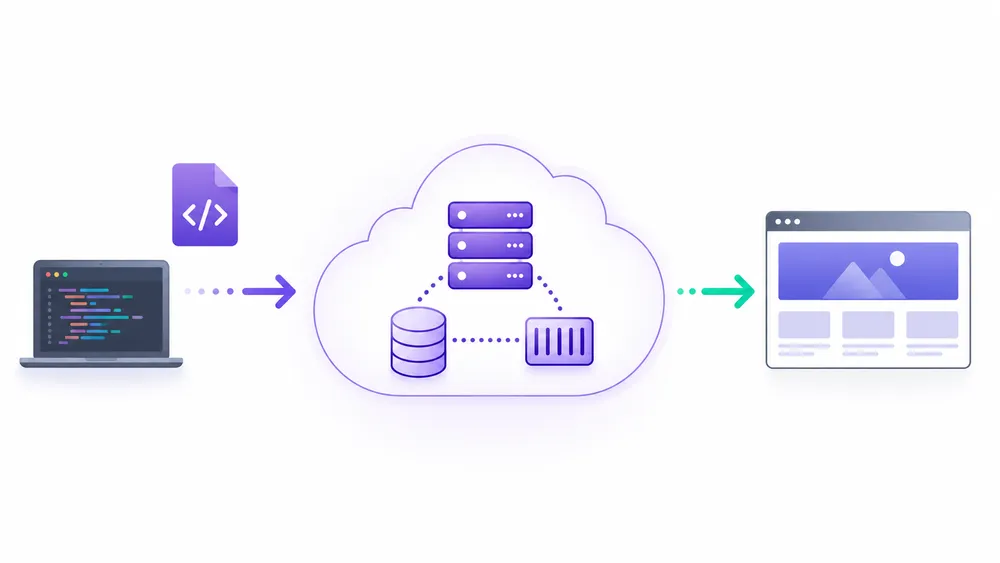
Heroku is a cloud PaaS platform that allows you to create, deploy, manage and scale an application without directly administering servers. The developer sends their code, chooses the required services, configures the environment, then Heroku handles execution, runtime, containers, routing, logs and part of the infrastructure.
Heroku is a PaaS platform, meaning Platform as a Service. In practical terms, this means you do not need to configure a Linux server, Nginx, Docker, a firewall, a logging system or a full orchestration setup to put an application online.
You send your code, Heroku detects the language or framework used, builds the application, then runs it in a managed environment. Heroku officially presents its platform as a cloud service that lets you build, deploy, manage and scale apps.
This promise explains why Heroku has long been very popular among developers. A few commands are often enough to make an application accessible online. This is especially useful for prototypes, MVPs, internal applications, APIs, SaaS backends and projects where the team wants to avoid heavy server management.
What is Heroku used for?
Heroku is used to host and run web applications, APIs, workers and backend services without having to manage low-level infrastructure. It can be used for a Node.js, Python, Django, Ruby on Rails, Java, PHP, Go, Scala, Clojure or .NET application, since these languages are among the environments officially supported by the platform.
In a real project, Heroku can be used to :
- deploy a web application quickly ;
- host a backend API ;
- launch a SaaS MVP ;
- test an idea before investing in a more complex infrastructure ;
- run background workers ;
- connect a Heroku Postgres database ;
- add services through Heroku add-ons ;
- manage logs, environment variables and deployments from an interface or a terminal.
For a solo developer, a small team or a startup, Heroku’s main benefit is clear : saving time. Instead of spending hours configuring a VPS, you can focus on the product. However, this simplicity comes at a cost, especially as soon as the project requires several dynos, a database, cache, workers or high availability.
If your goal is rather to administer your own server to reduce costs, you can compare Heroku with a VPS approach through our guide to VPS providers in France.
What is a PaaS?
A PaaS is a cloud platform that provides the environment needed to run an application without the developer having to manage the entire infrastructure. With a PaaS like Heroku, you mainly manage the code, variables, dependencies and services. The platform manages a large part of the server, runtime, deployment, routing and orchestration.
The difference is important :
- with a VPS, you often have to manage the system, security, updates, web server, SSL certificates, monitoring and backups ;
- with a PaaS, you delegate part of this complexity to the platform ;
- with a solution like Coolify or Dokploy, you get an experience close to a PaaS, but on your own server.
What is a Heroku dyno?
A Heroku dyno is the container in which your application runs. The official documentation describes dynos as virtualized, isolated Linux containers designed to run an application’s processes. Each dyno runs one type of process, for example a web server or a background worker.
In a simple project, you can have a web dyno that responds to visitors. In a more advanced project, you can use several dynos :
- a web dyno to receive HTTP requests ;
- a worker dyno to handle background tasks ;
- an additional dyno to absorb more traffic ;
- additional services such as a database, Redis or add-ons.
This is one of the essential points for understanding Heroku pricing. The cost does not depend only on having an application online. It also depends on the number of dynos, their size, runtime, databases, associated services and availability requirements.
How does Heroku work?

Heroku works by building your application from the source code, then running it in dynos, meaning managed containers. Deployment can be done with Git, Docker or GitHub depending on the case. Heroku then manages the runtime, routing, logs, environment variables and process orchestration.
Heroku’s operation is designed to simplify the move from code to production. In the classic case, you develop your application locally, version the code with Git, then push that code to Heroku. The platform then builds the application and launches it in a dyno.
Heroku highlights a very direct deployment experience, especially with the command git push heroku main. The official documentation confirms that deployment with Git is one of the supported methods for sending code to a Heroku application.
The role of the Heroku Runtime
The Heroku Runtime is the part of the platform that runs and manages applications. It provisions dynos, orchestrates containers, monitors their lifecycle, manages HTTP routing, aggregates logs and provides the network configuration required for the application to work.
For the user, this means that a large part of the infrastructure work is hidden. You do not need to manually configure the entire server to run the application. You mainly need to make sure that your code, dependencies, environment variables and services are correctly configured.
Buildpacks, Git, Docker and add-ons
Heroku can detect the language or framework used thanks to buildpacks. A buildpack tells Heroku how to build and run the application. For example, a Node.js, Python or Ruby application does not have the same dependencies or the same build process.
Heroku also supports deployments with Git and Docker depending on the needs. This flexibility makes it possible to start with a simple project, then move toward more advanced configurations if the application becomes more complex.
Heroku add-ons are another important element. They allow you to add complementary services : database, cache, logs, monitoring, emails, search, storage or security. This is practical, but it can also increase the final cost.
Heroku regions : US and Europe
The question of the hosting region is important, especially for French and European companies that have questions about GDPR, latency or sovereignty. In the Common Runtime, Heroku indicates that two regions are available : US and EU.
This does not automatically mean that Heroku is suitable for all sensitive projects. For an application processing personal data, you need to check the contractual terms, data location, subprocessors, the type of data processed and compliance obligations. This is also why European alternatives such as Clever Cloud or Scalingo can be interesting to compare in certain contexts.
How much does Heroku cost in 2026?

Heroku is no longer a free solution as it once was. Dynos start with entry-level paid plans, but the real cost depends on the number of dynos, the type of dyno, databases, workers, traffic and add-ons. For a serious application, you need to calculate the full cost, not just the price of the first dyno.
Heroku’s official pricing page lists several types of dynos, including Eco, Basic, Standard, Performance and other options depending on needs. At the time of verification, the Eco plan is displayed at $5 per month for 1,000 hours shared between Eco dynos, the Basic plan at $7 per dyno per month, and Standard dynos starting from $25 to $50 per dyno per month depending on the size.
These prices must be checked again just before publication or update, because cloud offers can change. For a CritiquePlus article, it is recommended to add a visible note such as : prices verified on June 16, 2026.
Is Heroku still free?
No, Heroku free no longer exists as it did before. Heroku announced the removal of free resources in 2022. Since November 28, 2022, free dynos, free Heroku Postgres and free Heroku Data for Redis are no longer available.
For a student project, a prototype or a personal application, you therefore need to compare Heroku with other options. Depending on the type of project, Vercel, Netlify, Render, Railway, Fly.io, Koyeb, Coolify or Dokploy may be more suitable. For front-end projects, our guides on Vercel and Netlify are the most relevant. For a self-hosted solution on a VPS, Coolify and Dokploy are worth comparing seriously.
The real cost of a Heroku application
Heroku pricing is not limited to the web dyno. A real application may need several elements :
- a web dyno to run the application ;
- one or more workers for background tasks ;
- a Heroku Postgres database ;
- a Redis service ;
- add-ons for logs, emails, monitoring or storage ;
- a custom domain ;
- scalability or high availability needs.
This is why Heroku can remain very comfortable at the beginning, then become more expensive as the project grows. For a prototype or a small internal project, the cost can remain reasonable. For a SaaS application with traffic, asynchronous tasks, a database and monitoring, the bill must be anticipated from the start.
The right reflex is to compare three scenarios :
- Heroku for PaaS simplicity ;
- Vercel or Netlify for a modern front-end ;
- Coolify, Dokploy or a French VPS to regain control over the infrastructure.
Is Heroku still worth using in 2026?

Heroku remains interesting in 2026 for developers and teams that want a simple, mature and managed PaaS platform. It is still relevant for quickly deploying an application, an API or a backend without managing a server. However, for a new project, you need to compare Heroku with its alternatives because of pricing, the end of the free plan, data location and the platform’s more cautious evolution.
For a long time, Heroku was almost synonymous with simple deployment. For many developers, it was the ideal solution for putting a Rails, Node.js, Python, Django or PHP application online without getting lost in server configuration. This strength still exists : Heroku remains a stable, well-documented platform designed to reduce DevOps complexity.
But in 2026, the context has changed. Users no longer compare Heroku only with a traditional VPS. They compare it with Render, Railway, Fly.io, Vercel, Netlify, Coolify, Dokploy, Clever Cloud, Scalingo or a VPS in France. Heroku is therefore no longer the automatic choice. It is a solid option, but one that must be evaluated according to the project, budget and desired level of control.
The platform is still officially positioned as a managed cloud solution to build, deploy, manage and scale apps, with an experience designed to move quickly from code to production. Heroku particularly highlights deployment from Git, app management, scaling and managed infrastructure.
The point to take seriously is its recent evolution. In February 2026, Heroku announced a transition toward a sustaining engineering model, with priority given to stability, security, reliability and support, rather than the massive addition of new features. Heroku states that the platform remains active and supported, but this direction changes the way it should be evaluated for a new long-term project.
The advantages of Heroku
The first advantage of Heroku remains simplicity. For a team that wants to deploy quickly, avoid server configuration and focus on the product, Heroku still does the job very well. The developer pushes their code, configures their environment variables, adds the necessary services, then lets the platform manage a large part of the execution.
The second advantage is maturity. Heroku has been around for a long time, has rich documentation, an ecosystem of add-ons and a well-known developer experience. For projects that already use Heroku, migrating to another platform is not always a priority. If the application works, the cost is under control and the team knows the tool well, staying on Heroku can be rational.
The third advantage is the managed approach. With Heroku, you do not have to administer the entire server layer. The platform handles an important part of the runtime, dynos, routing, logs and orchestration. For a small team without a dedicated DevOps profile, this is a real time saver.
The fourth advantage concerns classic backend projects. A traditional web application, an API, a worker or a SaaS backend can work very well on Heroku, especially if the project needs an environment that is easy to understand, a Heroku Postgres database, environment variables and accessible logs.
Finally, Heroku remains interesting for companies already connected to the Salesforce ecosystem or for teams that prioritize stability over novelty. The sustaining engineering model can be seen as a limitation for innovative projects, but also as a signal of stability for certain applications already in production.
The limitations of Heroku
The first limitation of Heroku is pricing. Since the removal of the former free plans, Heroku is no longer as attractive for students, personal projects or small prototypes. The official prices indicate, for example, Eco dynos at $5 per month for a pool of hours, Basic at $7 per dyno per month, Standard-1X at $25 per dyno per month and Standard-2X at $50 per dyno per month.
The problem is not only the price of the first dyno. A real application can quickly add a database, a worker, Redis, logs, monitoring or other Heroku add-ons. The real cost of Heroku must therefore be calculated as a complete bill, not as a simple entry-level price.
The second limitation is the disappearance of the old Heroku free offer. Many old tutorials in French still explain how to deploy for free on Heroku, but they are no longer up to date. Heroku officially removed free dynos, free Heroku Postgres plans and free Heroku Data for Redis plans from November 28, 2022.
The third limitation is reduced control over the infrastructure. This is the very principle of a PaaS : you save time, but you accept less control than with a VPS, Docker, Kubernetes or a self-hosted solution. For some projects, this compromise is perfect. For others, especially projects with strong cost, location or server customization constraints, it can become blocking.
The fourth limitation concerns the roadmap. A platform that now prioritizes stability, security and support can remain reliable, but it may be less dynamic than a player like Vercel, Render, Railway or Fly.io, which communicate more about modern developer experiences, full-stack, edge, AI or distributed deployment.
The fifth limitation affects French and European projects. Heroku may be suitable for certain use cases, but companies sensitive to GDPR, digital sovereignty or hosting in Europe need to compare the available regions, contracts, subprocessors and compliance guarantees.
For this type of need, European alternatives such as Clever Cloud or Scalingo may deserve a specific analysis. Scalingo notably presents itself as a European alternative to Heroku with a similar workflow and a European hosting logic.
For which projects is Heroku still relevant?
Heroku remains relevant if you want to quickly deploy a backend application without managing a server. It can suit an API, a Rails application, a Node.js application, a Python backend, an internal project, a SaaS already in production or a small team that prefers to pay for a managed platform rather than manage the infrastructure itself.
It also remains relevant if your team already knows the Heroku ecosystem. Migrating to an alternative only because it is newer is not always a good decision. A migration can take time, create risks and require rewriting certain deployment processes.
However, Heroku is less obvious for a new project looking for a free plan, minimal cost, a very front-end-oriented platform, European infrastructure or a self-hosted experience on a VPS. In these cases, you need to compare it with Vercel, Netlify, Render, Railway, Fly.io, Coolify, Dokploy or a VPS in France.
For a modern front-end project, our guide on Vercel review and pricing is more suitable than a classic Heroku deployment. For a static site, Jamstack site or a front-end connected to an API, our guide on Netlify may also be more relevant. For a self-hosted approach, Coolify and Dokploy are two options worth comparing seriously.
Heroku vs Render, Railway, Fly.io, Vercel and Netlify
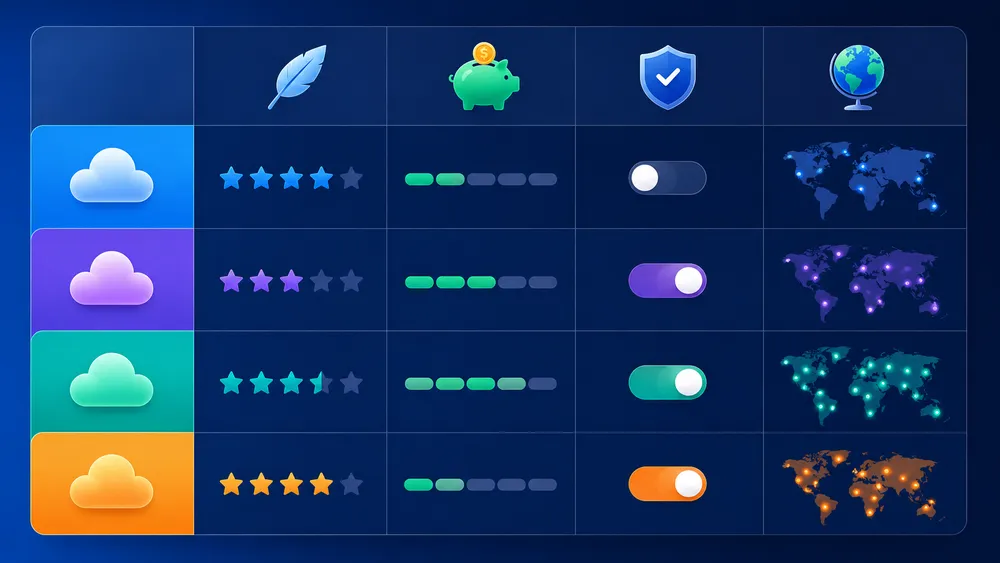
Heroku remains a general-purpose PaaS reference, but its alternatives sometimes respond better to modern use cases. Render is interesting for web applications and backend services, Railway for full-stack MVPs, Fly.io for distributed applications, Vercel for Next.js and front-end, and Netlify for static sites, Jamstack and front-end deployments.
Comparing Heroku vs Render, Heroku vs Railway, Heroku vs Fly.io, Heroku vs Vercel or Heroku vs Netlify only makes sense if you start from the real need. These platforms do not address exactly the same use case. Some are better for backend, others for front-end, others for edge or distributed projects.
The right choice depends on the technical stack, budget, traffic, database, DevOps skills, desired location and expected level of control.
Heroku vs Render
Both platforms target developers who want to deploy without managing the entire infrastructure. Heroku is older, more mature and very well known. Render positions itself as a modern cloud platform for web services, Postgres databases, cron jobs, static sites, background jobs, private services and other application components.
Render can be more attractive for developers looking for a modern experience, a clear interface and certain free resources to test or launch small projects. Its official page indicates that free plans can make it possible to create web services, Key Value instances and Render Postgres databases at no cost, with usage limits.
Heroku keeps the advantage of brand awareness, longevity and a known ecosystem. Render can take the lead for a new project if the developer is looking for a newer Heroku alternative, a different pricing structure or a more current experience.
In practice, Heroku will often be chosen by a team that wants stability and already knows the platform. Render will often be considered by those who want a more modern Heroku alternative to host a web application, an API or a small full-stack service.
Heroku vs Railway
Railway positions itself as a full-stack cloud allowing you to deploy web apps, servers, databases and other services with scaling, monitoring and security. Railway’s documentation describes the platform as a service for provisioning infrastructure, developing locally with that infrastructure, then deploying to the cloud or launching ready-to-use software.
Compared with Heroku, Railway mainly appeals through its quick onboarding and project-oriented approach. It is often appreciated for MVPs, prototypes, small backends, associated databases and fast deployments from GitHub.
Railway’s limitation is that billing must be monitored carefully, especially when the project grows. As with Heroku, the real cost depends on the resources used, databases, services and consumption. Railway can be very pleasant at the start, but it should not be evaluated only as a “simple and fast” tool.
For an MVP or a first product version, Railway can be a very good alternative to Heroku. For a more mature production application, you need to compare stability, costs, resource limits, backups, availability, support and location in detail.
Heroku vs Fly.io
Fly.io is different from Heroku. Where Heroku has historically been a very simple PaaS, Fly.io puts more emphasis on deploying applications close to users. Its official page indicates that the platform allows deployment in 18 regions, with a promise of low latency and geographic proximity to users.
This is an important angle. If your application needs to be close to users, have low latency or run in several regions, Fly.io may be more suitable than a classic Heroku setup. Fly.io also talks about fast-starting machines and applications distributed across different regions.
However, Fly.io may require more technical understanding. It is not always the simplest option for a beginner who only wants to push a small application online. Heroku often remains more direct for a classic deployment, while Fly.io becomes interesting when location, distribution and network performance really matter.
Heroku is better suited to those who want a classic and very readable PaaS experience. Fly.io is more interesting for developers who want to bring the application closer to users, deploy in several regions and accept a little more technical complexity.
Heroku vs Vercel
Vercel is not a universal replacement for Heroku. It is mainly a very strong platform for modern front-end, web applications, Next.js projects, fast sites and edge-oriented experiences. Vercel presents itself as a platform providing developer tools and cloud infrastructure to build, scale and secure fast, personalized web experiences.
The Heroku vs Vercel comparison therefore depends on the type of project. For a traditional backend with workers, a database and persistent server logic, Heroku may be more natural. For a Next.js application, a modern front-end, a marketing site, a SaaS with server-side rendering or a web-performance-oriented interface, Vercel may be more suitable.
Vercel is also strongly linked to Next.js. The official Next.js page states that Vercel is the frontend cloud created by the creators of Next.js, which reinforces its relevance for projects built with this framework.
Heroku vs Netlify
Netlify is another well-known platform, but it does not have exactly the same core use case as Heroku. Netlify positions itself as a platform for quickly creating and deploying web experiences, with a strong focus on front-end, static sites, Jamstack, continuous deployment and modern workflows.
The Heroku vs Netlify comparison is therefore relevant if your project is a static site, a front-end, a Jamstack site or a decoupled web application. Netlify notably explains that a decoupled web application separates the front-end from the backend, with a front-end often pre-rendered, deployed through a CDN and connected to backend services through APIs.
In this context, Netlify may be more suitable than Heroku for a showcase site, a static blog, documentation, a React/Vue front-end or a Jamstack architecture. On the other hand, if your application needs a classic backend, persistent workers, a more traditional server runtime or a strongly integrated database, Heroku or Render may be more natural.
To go deeper into this case, you can read our dedicated guide to Netlify, especially if you are looking for a Heroku alternative for a front-end or Jamstack project.
Heroku vs Coolify and Dokploy
This is particularly interesting for developers who want to :
- regain control over the infrastructure ;
- host on a VPS in France ;
- reduce certain recurring costs ;
- choose their cloud provider ;
- avoid too much dependence on a single platform ;
- keep a relatively simple deployment experience.
With Heroku, you pay for a managed platform. With Coolify or Dokploy, you have to manage more of your own server, but you can choose your VPS, your location, your configuration and your costs. This approach requires more responsibilities, especially for security, backups, updates and monitoring.
For a personal project, an agency, a technical freelancer or a small team that knows how to administer a server, Coolify and Dokploy can be real alternatives to Heroku. For a complete beginner, Heroku or Render generally remain simpler at the start.
Is Heroku suitable for a French or European project?

Heroku can be suitable for certain French or European projects, but you need to check data location, contracts, subprocessors, available regions and GDPR obligations. For a company sensitive to digital sovereignty or European hosting, Heroku should be compared with Clever Cloud, Scalingo, a French VPS or a self-hosted solution.
In the case of Heroku, two things must be distinguished. On the one hand, the platform can be used by European teams and offers documentation resources related to GDPR. On the other hand, choosing Heroku never exempts the company from its own compliance obligations. You need to check the type of data processed, the regions used, contractual clauses, possible transfers and the subprocessing policy.
For a highly sensitive French project, it may be relevant to compare Heroku with European providers. Scalingo presents itself as a French and European PaaS platform that allows migration from Heroku with a similar workflow. Clever Cloud is also regularly positioned as a European or sovereign alternative to Heroku, with French origins and a PaaS logic.
For a simple application without sensitive data, Heroku may be enough. For a business, medical, financial, HR application or one strongly linked to personal data, a stricter analysis is necessary.
Which platform should you choose instead of Heroku?
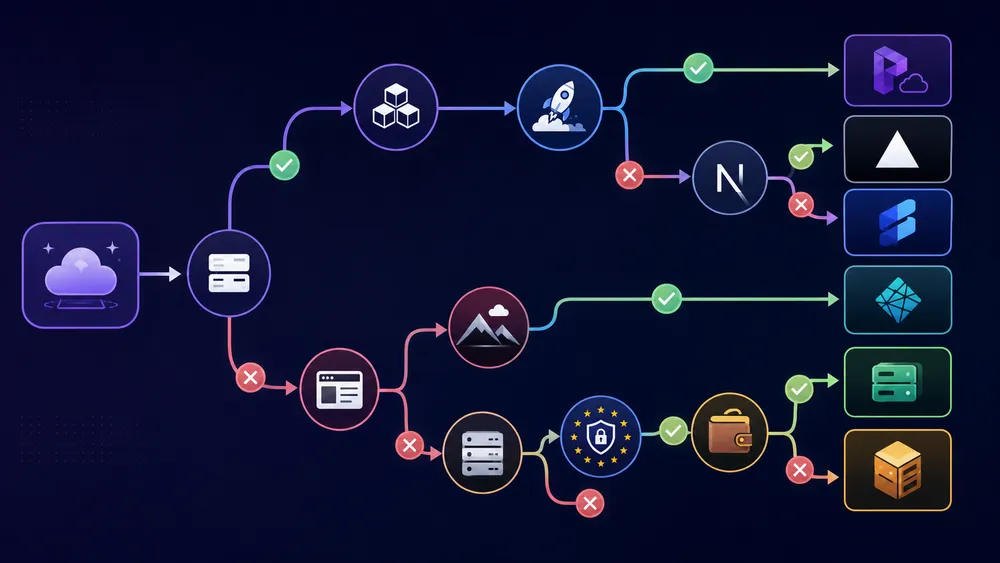
The best choice depends on the project. For a simple backend application, Render or Railway can replace Heroku. For a distributed application, Fly.io is interesting. For a Next.js project, Vercel is often more suitable. For a static or Jamstack site, Netlify is relevant. To regain control, Coolify, Dokploy or a VPS in France should be compared.
If your priority is simplicity, Heroku remains a solid option. But if you are starting a new project in 2026, it would be a shame not to compare the alternatives.
- Choose Heroku instead if you want a mature, stable, well-known platform, with a classic PaaS experience and a team that already knows how to use it.
- Choose Render instead if you want a modern alternative for hosting web services, databases, cron jobs, static sites and workers in an experience fairly close to PaaS.
- Choose Railway instead if you want to quickly launch a full-stack MVP, connect a database and organize your services in a project that is easy to handle.
- Choose Fly.io instead if your priority is to bring your application closer to users, reduce latency or deploy in several regions.
- Choose Vercel instead if your project is based on Next.js, modern front-end, fast web rendering, interface-oriented applications or sites with strong performance requirements.
- Choose Netlify instead if you are working on a static site, a Jamstack project, documentation, a decoupled front-end or an application that communicates with external APIs.
- Choose Coolify, Dokploy or a VPS in France instead if you want a solution that is more controllable, more independent and potentially less expensive in the long term, provided you accept more technical responsibilities.
Heroku is not dead, but Heroku is no longer the default choice. It remains strong for simplicity and maturity, but its alternatives can be better depending on pricing, stack, location, compliance and the expected level of control.
What are the best Heroku alternatives in 2026?

The best Heroku alternatives depend on the type of project. Render and Railway work well for web applications, APIs and MVPs. Fly.io is interesting for distributed applications. Vercel is better suited to Next.js. Netlify fits static and Jamstack sites. Coolify, Dokploy or a VPS in France are relevant if you want more control.
There is not one single best Heroku alternative for everyone. The right choice mainly depends on your technical stack, budget, need for simplicity, desired location and DevOps level.
If you are looking for a platform that is as simple as possible, Render and Railway are often the first options to compare. If you are building a Next.js application, Vercel will generally be more natural. If you are deploying a static site, documentation or a Jamstack project, Netlify may be more suitable. If you want to regain control over the infrastructure, Coolify, Dokploy or a VPS in France become very interesting.
Render : the closest modern alternative to Heroku
Render is probably one of the most direct alternatives to Heroku. The platform allows you to deploy web services, databases, private services, workers and static sites, with an experience designed to simplify cloud deployment. Render also says it offers free plans for certain types of services, with usage limits, which may interest developers who miss the old Heroku free plan.
Render is particularly interesting if you want to :
- deploy a web application ;
- host a backend API ;
- use a managed PostgreSQL database ;
- launch a project quickly from GitHub ;
- have a more recent alternative to Heroku ;
- avoid managing a server yourself.
Render is not necessarily cheaper in every case. Like Heroku, the real cost will depend on the resources used, databases, workers and traffic. But for a new backend or full-stack project, Render clearly deserves to be compared with Heroku.
Railway : a fast alternative for MVPs and full-stack projects
Railway is another popular alternative to Heroku, especially for developers who want to quickly launch an MVP, connect a database and organize several services within the same project. Railway presents itself as a full-stack cloud for deploying web apps, servers, databases and other services with scaling, monitoring and security.
Railway is interesting for :
- prototypes ;
- small backends ;
- SaaS MVPs ;
- projects with a database ;
- developers who want to move fast ;
- simple full-stack applications.
The main limitation is the same as on many modern cloud platforms : you need to monitor consumption. A platform that is very simple at the beginning can become more expensive if you add several services, databases or workers.
Railway can therefore be an excellent Heroku alternative to get started, but you need to calculate the real cost before using it for a production application.
Fly.io : an alternative for distributed applications
Fly.io is not a copy of Heroku. It is a platform more oriented toward deploying applications close to users. Its documentation explains that applications can be deployed in different regions around the world so that users connect to the nearest server through its global Anycast network.
Fly.io is interesting if you want to :
- reduce latency ;
- deploy in several regions ;
- bring the application closer to users ;
- run workloads closer to the infrastructure ;
- have more technical control than with a classic PaaS.
However, Fly.io can be less simple than Heroku for a beginner. Where Heroku focuses on a very direct PaaS experience, Fly.io often requires a better understanding of deployment, regions, machines, storage and networking.
It is a good alternative for technical developers, but not necessarily the first choice for someone who simply wants to put a small application online.
Vercel : the best option for Next.js and modern front-end
Vercel is an alternative to Heroku only in certain cases. If your project is a classic backend with persistent workers, Heroku or Render may be more natural. But if your project is based on Next.js, modern front-end, server-side rendering, fast pages or a performance-oriented web application, Vercel often becomes the most logical choice.
Vercel offers a free Hobby plan for personal projects and small projects, as well as a paid Pro plan, according to its official documentation. This makes it an attractive option for developers who want to quickly launch a front-end application without managing infrastructure.
To explore this choice further, you can read our full analysis of Vercel review and pricing. It is the right complement if you are hesitating between Heroku vs Vercel for a Next.js application, a front-end SaaS or a modern web interface.
Netlify : the ideal alternative for static sites and Jamstack
Netlify is particularly suitable for static sites, Jamstack projects, documentation, portfolios, landing pages and decoupled front-ends. The platform highlights fast deployment, global CDN, previews, serverless functions and modern workflows. Its official offer notably includes a free plan and paid plans for projects that grow.
Netlify is a good alternative to Heroku if your project is mainly front-end. On the other hand, if your application relies on a traditional backend, persistent workers, a central database or long-running tasks, Heroku, Render or Railway may be more suitable.
To compare use cases more precisely, read our dedicated guide to Netlify. It complements this section well for readers looking for a front-end, Jamstack or static-site-oriented Heroku alternative.
Coolify : the self-hosted alternative to regain control
Coolify is interesting if you want an experience close to PaaS, but on your own server. The idea is not to replace Heroku with another fully managed platform, but to recreate part of that simplicity on a VPS, a dedicated server or infrastructure that you control.
This approach can be relevant if you want to :
- reduce your long-term costs ;
- choose a VPS in France ;
- host several applications on the same server ;
- keep control over Docker, databases and services ;
- avoid complete dependence on a single cloud platform.
The trade-off is clear : with Coolify, you have more responsibilities. You need to monitor the server, updates, backups, security and availability. For a technical developer, it is a real alternative to Heroku. For a complete beginner, Heroku, Render or Railway remain simpler at the start.
You can read our full guide on Coolify installation and review to see whether this approach fits your project.
Dokploy : a simple alternative for deploying on your own server
Dokploy follows a similar logic : making it easier to deploy applications on a server you control. It is an interesting option for developers who want a self-hosted alternative to Heroku, but with an interface that is more accessible than a manual Docker setup.
Dokploy can suit you if you want to :
- deploy several projects on a VPS ;
- manage your applications with a simpler interface ;
- host in France or Europe ;
- avoid the accumulated costs of several PaaS platforms ;
- keep a more independent architecture.
As with Coolify, the main advantage is control. The main limitation is technical responsibility. You are not only buying a platform : you are also accepting to manage part of the infrastructure. To go further, read our guide on Dokploy review, installation and pricing.
VPS in France : the most controllable option
A VPS in France is not a direct alternative to Heroku, but it is often the most interesting option if your priority is control, location or cost. With a VPS, you can install Docker, Coolify, Dokploy, PostgreSQL, Redis, Nginx, Traefik or other tools depending on your needs.
It is a good option if you want to :
- host your applications in France ;
- control your costs ;
- centralize several projects ;
- control the server configuration ;
- choose your own deployment stack.
But a VPS requires more skills. You need to manage security, backups, updates, certificates, monitoring and incidents. If you do not have the time or skills, a PaaS like Heroku, Render or Railway may remain more comfortable.
To compare local options, read our guide to VPS providers in France.
| Need | Best choice to compare | Why |
|---|---|---|
| Deploy a backend app quickly | Heroku, Render, Railway | Simple PaaS experience, little DevOps |
| Launch a SaaS MVP | Railway, Render, Heroku | Fast deployment, database, connected services |
| Host a Next.js app | Vercel | Platform highly suited to modern front-end |
| Deploy a static site | Netlify, Vercel | CDN, previews, Git workflow |
| Reduce global latency | Fly.io | Deployment in several regions |
| Replace the old Heroku free plan | Render, Vercel, Netlify, Railway | Free or entry-level plans depending on use cases |
| Host in France | French VPS, Scalingo, Clever Cloud | Better control over location |
| Regain server control | Coolify, Dokploy, VPS | Self-hosting, more controllable costs |
| Project sensitive to GDPR | Scalingo, Clever Cloud, VPS France | Contractual analysis and location to verify |
| Team without DevOps | Heroku, Render, Railway | Less server administration |
How to deploy an application on Heroku?
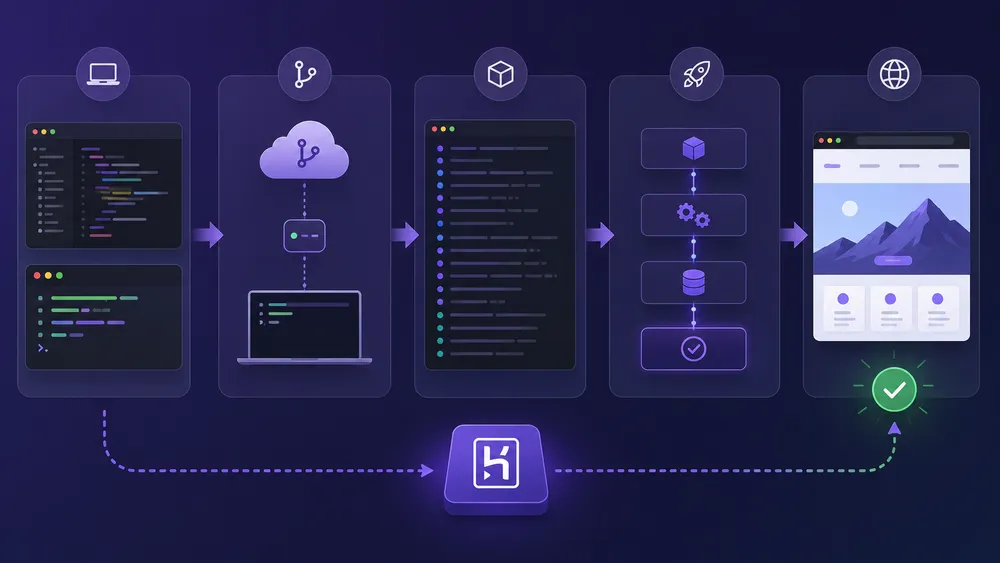
To deploy an application on Heroku, you need to prepare the project, install the Heroku CLI, create a Heroku application, configure environment variables, add a Procfile if necessary, then send the code with Git. Heroku then builds the application and launches it in a dyno. The exact method depends on the language and framework used.
Heroku deployment remains one of its major advantages. The official documentation states that deployment with Git consists of pushing the code from the local branch to the Heroku remote with the git push command.
Heroku also recommends properly preparing the codebase before deployment : Git repository, Heroku remote, Procfile if necessary, correct port, database or external storage instead of writing to the local file system.
Here is the simplified flow of a classic deployment.
1. Prepare the project
Before deploying, your application must be properly versioned with Git. You need to check that the dependencies are declared, that the project can run locally and that sensitive variables are not hard-coded in the code.
For a Node.js application, for example, you need a properly configured package.json. For a Python application, you generally need an appropriate dependency file. For a Ruby, Java, PHP or Go application, you need to follow the conventions specific to the language.
2. Install Heroku CLI
The Heroku CLI allows you to create and manage Heroku applications from the terminal. The official documentation presents it as an essential part of using Heroku, especially for creating and administering apps directly from the command line.
Once the CLI is installed, you can log in to your Heroku account with a login command, then create or manage your applications from the terminal.
3. Create a Heroku application
After logging in, you create a Heroku application. This step generates an application on the Heroku side and prepares the associated Git remote. The application name can be generated automatically or defined manually if the name is available.
This step is important because it creates the environment in which your code will be built and executed.
4. Configure environment variables
Environment variables are used to store sensitive or environment-dependent information, such as an API key, a database URL, an application secret or a production configuration.
You should never put this information directly in the code. Heroku allows you to configure it through the interface or via the CLI. This step is essential for a clean and secure deployment.
5. Add a Procfile if necessary
A Procfile tells Heroku which process should be launched. For example, it can specify the command that starts the web server. Not all applications need a Procfile, but it is often useful to avoid ambiguity, especially in backend projects.
The Procfile is particularly important for applications that have several types of processes : web server, worker, scheduler or background tasks.
6. Deploy with Git
Once the project is ready, deployment is generally done with Git. The best-known logic is to send the code to Heroku, which then builds the application and launches it in a dyno.
Example of a commonly used command :
git push heroku main
After this command, Heroku retrieves the code, detects the buildpack, installs the dependencies, builds the application and launches the expected process. If the build fails, the logs generally indicate the error to fix.
7. Add a database if necessary
Many applications need a database. Heroku notably offers Heroku Postgres, but the exact choice depends on the project. For a production application, you need to check the price, limits, backups, performance and migration strategy.
This is where the real cost can increase. An application with a web dyno, database, worker and add-ons will not cost the same as a simple prototype.
8. Check the logs and test the application
After deployment, you need to check the logs, test the important routes, verify the environment variables, check the database connection and make sure the application responds correctly.
A good deployment test should check :
- the homepage ;
- critical routes ;
- user login ;
- background tasks ;
- server errors ;
- the database ;
- basic performance ;
- application logs.
This step is often neglected, but it is essential to avoid publishing an application that works locally but fails in production.
Verdict : should you still use Heroku in 2026?

Heroku remains a good platform if you want to deploy an application quickly without managing a server. But in 2026, it is no longer the default choice. You need to compare Heroku with Render, Railway, Fly.io, Vercel, Netlify, Coolify, Dokploy, Scalingo, Clever Cloud or a VPS in France depending on budget, stack and compliance constraints.
My opinion is nuanced : Heroku is not outdated, but it is no longer essential.
It remains relevant if you are looking for a stable, simple, well-known and well-documented PaaS platform. It is also interesting if your application already runs on Heroku, the cost is under control and the team has no strong reason to migrate.
However, for a new project, if you are doing modern front-end, Vercel or Netlify will often be more suitable. If you are launching a full-stack MVP, Render or Railway may be more attractive. If you are looking for a distributed approach, Fly.io deserves a real analysis. If you want to regain control, Coolify, Dokploy or a VPS in France are serious alternatives.
The best choice therefore depends on your priority.
- If your priority is simplicity, Heroku remains a good choice.
- If your priority is pricing, compare it with Render, Railway, Coolify, Dokploy or a VPS.
- If your priority is Next.js, look at Vercel first.
- If your priority is Jamstack, look at Netlify.
- If your priority is French or European hosting, compare Scalingo, Clever Cloud and French VPS providers.
- If your priority is total control, go instead with a VPS and a solution like Coolify or Dokploy.
In conclusion, Heroku remains reliable, but it must now be chosen consciously, not out of habit.
FAQ
What is Heroku?
Heroku is a cloud PaaS platform that allows you to deploy and manage applications without directly administering a server. It handles part of the infrastructure, runtime, dynos, logs and deployment.
Is Heroku free?
No, Heroku free no longer exists as it did before. Heroku removed its former free dynos and its free Heroku Postgres and Heroku Data for Redis offers from November 28, 2022. Users looking for a free solution should compare Render, Vercel, Netlify, Railway or other alternatives depending on their project.
How much does Heroku cost?
Heroku pricing depends on the type of dyno, the number of dynos, the database, add-ons and services used. The official page notably displays Eco, Basic, Standard and Performance dynos, with prices that must be checked before publishing or updating the article.
What is the best alternative to Heroku?
The best Heroku alternative depends on the need. Render and Railway work well for web applications and APIs. Vercel is more suitable for Next.js. Netlify fits static and Jamstack sites. Fly.io is interesting for distributed applications. Coolify, Dokploy and a VPS are useful for regaining control.
Heroku or Vercel : which should you choose?
Choose Heroku for a classic backend application, an API or a project that needs a general-purpose PaaS. Choose Vercel for a Next.js application, a modern front-end, a fast website or a web-performance-oriented experience.
Heroku or Netlify : which should you choose?
Choose Heroku for a backend application or a classic server service. Choose Netlify for a static site, documentation, a Jamstack project or a decoupled front-end connected to APIs.
Heroku or VPS : which should you choose?
Choose Heroku if you want to save time and avoid server administration. Choose a VPS if you want to reduce costs, control the infrastructure, choose the location and accept more technical responsibilities.
Is Heroku suitable for GDPR?
Heroku can be suitable for certain European projects, but you need to check the hosting region, contracts, subprocessors, data transfers and obligations specific to the project. For sensitive data, you need to compare it with European or French alternatives such as Scalingo, Clever Cloud or a local VPS.
Can you deploy a Node.js application on Heroku?
Yes. Heroku supports several languages, including Node.js, Python, Ruby, Java, PHP, Go, Scala, Clojure and .NET. Deployment depends on the project, dependencies, buildpack and launch command.
Is Heroku still recommended in 2026?
Yes, but not for every project. Heroku is still recommended if you are looking for a mature, simple and managed platform. For a new project, you need to compare it with modern alternatives depending on pricing, stack, location, scalability and the desired level of control.
