

Dokploy : full review, VPS installation, pricing and alternatives in 2026
Dokploy is an open source platform that lets you deploy applications, databases and Docker services on a server, without fully depending on a proprietary platform like Vercel, Heroku or Netlify. In practice, Dokploy turns a VPS into a deployment platform that is easier to manage, with a web interface, domain management, Traefik, Docker Compose, logs, backups and monitoring.
The value of Dokploy is clear : it helps you regain control over your infrastructure while keeping an experience close to a modern PaaS. Instead of manually managing every Docker container, every SSL certificate, every redeployment and every server configuration, Dokploy centralizes a large part of these tasks in a more accessible interface. The project officially presents itself as an open source, self-hostable PaaS designed to simplify the deployment and management of applications and databases.
For a developer, web agency, freelancer or small startup, Dokploy can become an interesting alternative to several tools : Vercel for modern web applications, Heroku for simplified deployment, Netlify for some front-end sites, or Coolify for self-hosting. If you are already hesitating between several solutions, you can also read our full review of Netlify or our dedicated guide to installing Coolify on a VPS.
But Dokploy is not a magic solution. You need to understand what you gain, what you lose, and above all the technical level required to use it properly. A traditional managed hosting provider takes care of a large part of server maintenance. With Dokploy in self-hosted mode, you keep control, but you also take responsibility for the VPS, security, backups, updates and monitoring.
In this guide, we will look at what Dokploy is, who it is for, how much it really costs, what its main features are, its advantages, its limitations and the cases where it is better to choose another solution. The goal is simple : to help you decide whether Dokploy is the right choice for hosting your applications in 2026.
What is Dokploy?

Dokploy is an open source, self-hostable PaaS platform that allows you to deploy applications, databases and Docker services on a VPS or dedicated server. It aims to simplify deployment with a web interface, Docker Compose, Traefik, domain management, logs, monitoring and backups. It is a technical alternative to Vercel, Heroku, Netlify or Coolify.
Dokploy belongs to the PaaS family, which stands for “Platform as a Service”. A PaaS is a platform that allows you to deploy and manage applications without manually administering the entire infrastructure. Vercel, Heroku, Render, Railway and Netlify are well-known examples of managed deployment platforms.
The major difference is that Dokploy can be self-hosted. This means you can install it on your own server, for example a VPS from Hetzner, OVHcloud, Scaleway, Contabo, Infomaniak or another provider. If you are looking for suitable infrastructure, our comparison of the best VPS providers in France can help you choose a solid foundation before installing Dokploy.
With Dokploy, your server becomes a deployment platform. You can connect a Git repository, deploy an application, manage a domain, add a PostgreSQL or Redis database, view logs and configure backups. All of this without having to manually write every Docker command for each deployment.
This positioning explains why Dokploy mainly attracts technical profiles : full-stack developers, freelancers, agencies, system administrators, makers, SaaS founders and small product teams. It is less suitable for complete beginners who have never worked with Linux, Docker, DNS or SSH.
What is Dokploy used for?

Dokploy is used to simplify application deployment on infrastructure you control. Instead of relying only on a closed cloud platform, you install Dokploy on a server and manage your projects from its interface. It can deploy applications, orchestrate Docker containers, manage databases, connect domains, automate redeployments and centralize logs.
In concrete terms, Dokploy can be used to host :
- a Next.js application ;
- a Node.js API ;
- a Laravel application ;
- a Python project ;
- a Go service ;
- a PostgreSQL database ;
- a MySQL or MariaDB database ;
- a MongoDB database ;
- a Redis cache ;
- a more complex Docker Compose project ;
- an internal tool for an agency or a team.
Dokploy’s GitHub README describes the project as a free, self-hostable platform that simplifies the deployment and management of applications and databases. It also highlights features such as automated backups, native Docker Compose support, Traefik, monitoring, logs and support for several types of databases.
Dokploy becomes especially useful when you have several small projects to host. For example, a web agency may have a showcase website, an API, a PostgreSQL database, an internal tool, a client dashboard and a staging environment. Without a centralized platform, each project requires manual configuration. With Dokploy, the goal is to group these deployments in a more consistent interface.
Dokploy is also interesting for developers who want to reduce their dependency on platforms like Vercel or Heroku. These solutions are still excellent for getting started quickly, but they can become expensive or restrictive depending on your needs : usage limits, scaling-based pricing, vendor dependency, limited server options, constraints on certain workloads or lack of low-level control.
This does not mean that Dokploy automatically replaces Netlify, Vercel or Heroku. For a simple static site, a solution like Netlify can remain faster, more comfortable and less risky. For a team that wants zero server maintenance, a managed PaaS still has a real advantage.
Dokploy becomes especially relevant when you are willing to manage a VPS in exchange for more control, more flexibility and, in some cases, more predictable costs.
Who is Dokploy for?

Dokploy is designed for users who want to control their hosting without starting from scratch in server administration. It is mainly aimed at developers, freelancers, agencies, small SaaS teams and lightweight DevOps profiles who already understand the basics of Docker, Linux, Git, DNS and VPS hosting. It can also suit technical project creators who want to host several applications on the same server.
The ideal profile is a user who already knows how to connect to a server via SSH, configure a domain name, read logs, understand a Docker container and diagnose a deployment error. Dokploy simplifies many things, but it does not remove all the complexity of infrastructure.
Dokploy is especially relevant if you are in one of these situations :
- you have several applications to host ;
- you want to avoid multiplying SaaS subscriptions ;
- you already use Docker or Docker Compose ;
- you want to keep control over your server ;
- you are looking for an open source alternative to Vercel, Heroku or Netlify ;
- you want to deploy client projects quickly ;
- you need databases close to your applications ;
- you want better control over your infrastructure costs.
For an agency, Dokploy can become a kind of modern control panel for application projects. For a freelancer, it can make it possible to deliver prototypes, dashboards, APIs or internal tools without opening an account on ten different platforms. For an early-stage startup, it can help keep costs low as long as the team has the required technical skills.
However, Dokploy is not the best choice for everyone. If your absolute priority is simplicity, managed hosting or a platform like Netlify may be more suitable. If you never want to manage server updates, firewalls, Docker logs or backups, Dokploy may expose you to responsibilities you do not want to take on.
This is the most important point to understand : Dokploy does not eliminate system administration, it makes it more accessible. You remain responsible for the server. You must therefore secure the VPS, manage access, monitor disk space, check backups, apply updates and anticipate incidents.
Can Dokploy replace Vercel, Heroku or Netlify?

Dokploy can replace Vercel, Heroku or Netlify in some scenarios, but not in all of them. It is especially interesting if you want to host your applications on your own VPS, use Docker Compose, control your costs and avoid vendor lock-in. On the other hand, managed platforms often remain simpler for teams that want to deploy without managing infrastructure.
The right question is therefore not “Is Dokploy better than Vercel or Netlify?”, but rather “What level of control and responsibility do you want?”.
With Vercel, Heroku or Netlify, you delegate many things : infrastructure, scalability, SSL certificates, CDN, logs, integrations, build environment and platform security. You pay for that simplicity. With Dokploy, you regain control, but you also have to make more technical decisions.
For example, for a simple front-end site, Netlify can remain faster to use. You connect a Git repository, deploy, and the platform handles a large part of the rest. This is why our guide to Netlify remains relevant if your main need is to host a static site, a landing page or a Jamstack front-end with minimal maintenance.
Dokploy becomes more interesting when your project goes beyond a very simple setup : full-stack application, backend, database, queue, custom Docker service, internal tool, staging environment, or the need to run several components on the same server. In this case, a self-hosted platform can offer more freedom.
Compared with Coolify, the comparison is even more direct. Coolify and Dokploy operate in a very similar space : open source PaaS, self-hosting, application deployment, Docker, databases and management interface. Coolify is often cited as the best-known open source alternative in this category. Dokploy, on the other hand, strongly emphasizes Docker Compose, Traefik, multi-server management and a modern experience. If you are hesitating between the two, our article on Coolify, its installation and our review should be read as a complement.
The right choice will therefore depend on your technical level, your applications, your budget, your need for support and your tolerance for maintenance.
Is Dokploy really free?

Dokploy can be used for free in its self-hosted version, but that does not mean hosting costs nothing. You will still have to pay for your VPS, your domain name, possible backups and maintenance time. Dokploy also offers a paid Cloud option with a Hobby plan at $4.50 per month per server and a Startup plan starting at $15 per month.
The open source version of Dokploy is one of its main strengths. You can install it on your own server without paying a monthly license for the software itself. This is what makes the tool appealing to developers and small teams that want to limit recurring costs.
But you need to distinguish between three things :
- the cost of the software ;
- the cost of the infrastructure ;
- the cost of maintenance.
The software can be free in self-hosted mode. The infrastructure is not. You will need a VPS with enough RAM, CPU, storage and bandwidth. You will also need to plan for a domain name, a backup strategy and possibly external storage for backups.
Dokploy’s official documentation recommends at least 2 GB of RAM and 30 GB of disk space for installation. It also lists several tested Linux distributions, including Ubuntu 24.04 LTS and Debian 12.
In practice, a small VPS may be enough to test Dokploy or host a few lightweight services. For more serious use, you should plan for more resources. A Next.js application, a PostgreSQL database, Redis, logs and several deployments can quickly consume memory. Choosing the right server is therefore strategic. Before getting started, compare the offers in our guide to the best VPS providers in France to avoid choosing a server that is too limited.
Dokploy also offers Dokploy Cloud. This offer does not replace the hosting of your applications : it is used to manage your servers and Dokploy infrastructure more easily from a cloud solution. The official documentation lists a Hobby plan at $4.50 per month per server, a Startup plan at $15 per month with 3 servers included, and custom Enterprise or Agency plans. It also states that the plans include unlimited deployments, databases and applications per server, with a 20% annual discount.
You should therefore avoid a common mistake : thinking that Dokploy is “free” in the sense that everything costs nothing. Dokploy self-hosted can reduce software subscriptions, but it still requires a server and time. That time has value, especially if you manage client projects or a production application.
How much does Dokploy really cost on a VPS?

The real cost of Dokploy mainly depends on the server you choose, the number of applications hosted, the resources required and the expected backup level. For personal use or a small project, an affordable VPS may be enough. For an agency or a production application, you need to plan for more RAM, more storage, external backups and real monitoring.
Here is a simple way to estimate the budget :
- an entry-level VPS for testing ;
- a more comfortable VPS for several projects ;
- a domain name ;
- external storage for backups ;
- possibly Dokploy Cloud ;
- setup and maintenance time.
The most visible cost is the VPS. But the most underestimated cost is often maintenance. You need to update the system, monitor logs, check backups, handle incidents, renew access, secure SSH, control exposed ports and understand what happens when a deployment fails.
For a solo developer, this time can be acceptable because it is part of the learning process and the control they are looking for. For a company, it must be included in the real cost. A managed platform may sometimes look more expensive on the invoice, but it saves operational time. Conversely, Dokploy can become very cost-effective if you know how to administer a server and host several services on the same machine.
The right approach is to compare the total cost, not just the monthly price. If you pay for several separate subscriptions to host a front-end, a backend, a database and an internal tool, Dokploy can reduce the bill. But if you only have a small static site, a solution like Netlify may remain simpler.
What are Dokploy’s main features?
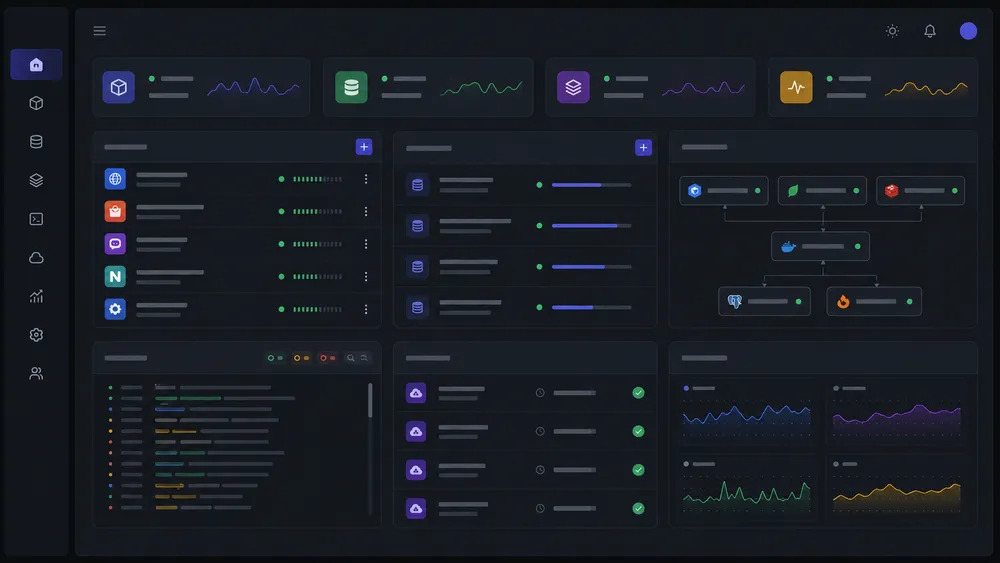
Dokploy offers the features expected from a modern self-hosted PaaS : application deployment, database management, Docker Compose support, Traefik for domains and certificates, monitoring, logs, backups, templates, notifications, CLI and API. It is mainly aimed at users who want a practical interface while keeping the power of Docker.
The first important feature of Dokploy is application deployment. You can connect a Git repository and deploy an application from a branch. Depending on the project configuration, Dokploy can handle different types of builds and services. The goal is to reduce the manual steps needed to go from code to an application accessible online.
The second key feature is Docker Compose support. This is one of the most important aspects of Dokploy. Docker Compose allows you to describe several services in a single file : application, database, cache, reverse proxy, workers, and more. The official documentation states that Dokploy integrates with Docker Compose and Docker Stack to make application management easier, from local development to larger-scale deployment.
This compatibility is very useful for real-world projects. Many modern applications are not limited to a single web server. They need a database, a cache, a scheduled task service, sometimes object storage or a worker. Docker Compose makes it possible to group these components into a reproducible configuration.
Dokploy also highlights Traefik, a reverse proxy often used to route traffic to the right services, manage domains and make HTTPS easier. On its official website, Dokploy says it allows Traefik management through a file editor to configure domain names, certificates and other settings.
Another important feature is database management. Dokploy can manage several types of databases, including PostgreSQL, MySQL, MariaDB, MongoDB and Redis, according to the features documented and presented by the project. This approach is practical when you want to quickly deploy a complete application without using an external service for each database.
Backups are also central. Dokploy’s GitHub README mentions the automation of database backups to an external storage destination. This is essential for any serious use. A deployment tool that does not make backups easier can become dangerous in production.
Finally, Dokploy adds complementary features such as logs, monitoring, notifications, templates and advanced options. The documentation also presents advanced features for experienced users, including custom commands, replicas, Docker registries and Docker Swarm-related settings.
How to install Dokploy on a VPS?

Dokploy is installed on a Linux VPS with Docker, with ports 80, 443 and 3000 available, then through the official installation command. The documentation recommends at least 2 GB of RAM and 30 GB of storage, with tested distributions such as Ubuntu 24.04 LTS, Ubuntu 22.04 LTS, Debian 12, Debian 11, Fedora 40 and CentOS 9.
Before installing Dokploy, you need to choose a properly sized VPS. This step is more important than it may seem. A server that is too limited can work for testing, but become unstable as soon as you add several applications, a PostgreSQL database, Redis, Docker builds and backups. The official documentation explains that the recommended 2 GB of RAM and 30 GB of disk space are intended in particular to absorb the resources consumed by Docker during builds and to prevent the system from freezing.
For serious use, it is better not to aim for the absolute minimum. The minimum allows you to get started, but not necessarily to run a comfortable production setup. If you want to host several projects, choosing a VPS with more memory and more generous storage is often safer. This is even more important if you use Dokploy for client projects, databases or applications that need to remain available.
Before launching the installation, check these points :
- the VPS uses a compatible Linux distribution, ideally Ubuntu 24.04 LTS or Debian 12 ;
- you have working SSH access ;
- you have a user with root or sudo privileges ;
- ports 80, 443 and 3000 are available ;
- no other service is already using these ports ;
- the domain name or subdomain is ready to point to the server ;
- the server has enough RAM, CPU and storage for your applications ;
- you have a backup strategy before moving to production.
If you have not yet chosen your server, start by comparing the best VPS providers in France. For Dokploy, the right VPS is not just the cheapest one : it should offer good stability, a reliable firewall interface, snapshots or backups, decent bandwidth and sufficiently responsive support.
The official installation command is simple :
curl -sSL https://dokploy.com/install.sh | sh
According to the official documentation, Dokploy uses Docker and, if Docker is not already installed, the installation script can install it automatically on the server.
This simplicity is one of Dokploy’s biggest advantages. In just a few minutes, you can go from an empty VPS to an operational deployment interface. But you should not confuse quick installation with complete configuration. Once Dokploy is installed, several important steps remain : create the administrator account, secure access, configure a domain, enable HTTPS, check the ports and test a first deployment.
After installation, the initial access is done through the server address on port 3000. The documentation indicates that the user can open the interface with a URL such as http://your-vps-ip:3000, then create the administrator account. It then recommends enabling HTTPS to secure the installation.
The cleanest approach is to connect Dokploy to a subdomain, for example :
dokploy.yourdomain.comdeploy.yourdomain.companel.yourdomain.com
This subdomain avoids having to connect permanently through the IP address and port 3000. It is cleaner, more professional and easier to secure. The documentation also recommends configuring a domain with HTTPS before disabling direct access via IP and port.
What VPS configuration should you choose for Dokploy?
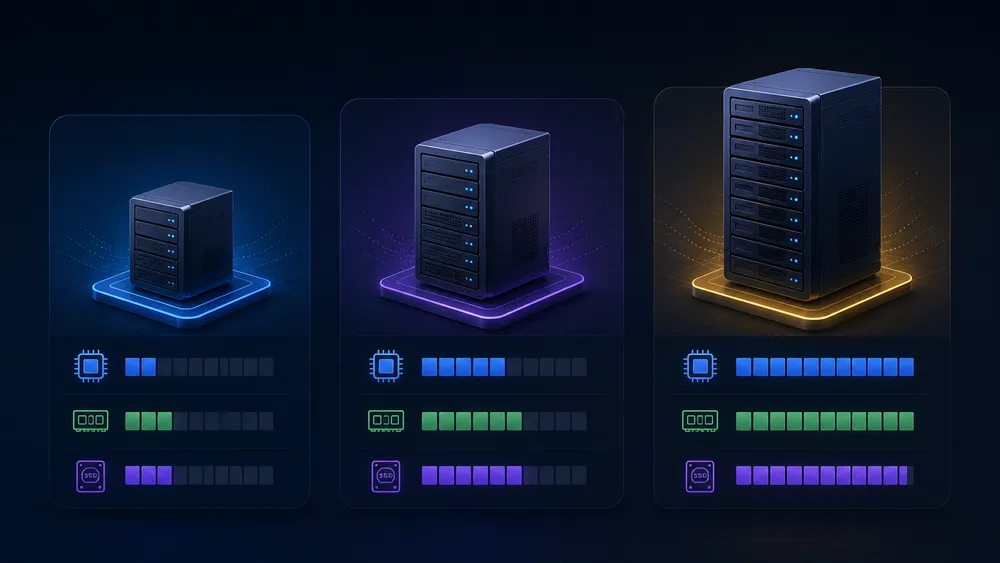
To test Dokploy, the official minimum configuration of 2 GB of RAM and 30 GB of disk space may be enough. For real use, it is better to plan more generously : 4 GB to 8 GB of RAM, comfortable storage and external backups. The configuration mainly depends on the number of applications, databases and Docker builds.
The VPS choice depends on the role Dokploy needs to play. There is no single ideal configuration. A test server, a server for personal projects and an agency server do not have the same needs.
For a simple test, you can start with :
- 2 GB of RAM ;
- 30 GB of storage ;
- 1 to 2 vCPU ;
- Ubuntu 24.04 LTS or Debian 12 ;
- one lightweight project ;
- little or no critical database.
For freelance use or small production, a more comfortable configuration is preferable :
- 4 GB of RAM minimum ;
- 60 to 100 GB of storage ;
- 2 vCPU or more ;
- snapshots or backups from the hosting provider ;
- provider-side firewall ;
- basic monitoring ;
- domain configured with HTTPS ;
- tested database backups.
For an agency or several client projects, you need to think bigger :
- 8 GB of RAM or more ;
- more generous CPU ;
- fast storage ;
- external backups ;
- supervision ;
- update policy ;
- clear separation between critical projects and test projects ;
- internal documentation for the team.
The classic mistake is to install Dokploy on a small VPS, then gradually add too many things to it : several applications, several databases, staging environments, scheduled tasks and backups. At first, everything works. Then builds become slow, RAM fills up, disk space runs out and deployments become unstable.
To avoid this, think in terms of real capacity. A lightweight Node.js application does not have the same needs as a WordPress site with a MySQL database, a Laravel SaaS with workers, or a Next.js project that builds many pages. Docker also adds its own resource consumption, especially during builds.
Dokploy can therefore help you manage your deployments better, but it does not make your server more powerful. If your VPS is undersized, the interface will be pleasant, but the infrastructure will remain limited.
How to configure a domain and HTTPS with Dokploy?

After installation, it is best to connect Dokploy to a domain or subdomain, then enable HTTPS before using it long term. Initial access through ip:3000 should remain temporary. Once the domain is secured, you can limit or disable direct access to port 3000 to reduce public exposure of the interface.
Domain configuration usually starts on the DNS side. You need to create an A record that points to your VPS IP address. For example, if you want to use dokploy.yourdomain.com, you create :
- type : A ;
- name :
dokploy; - value : VPS IP address ;
- TTL : automatic or low during configuration.
Once DNS has propagated, you can configure the domain in Dokploy and enable HTTPS. The goal is to make the interface accessible through a clean, encrypted and easier-to-remember URL.
HTTPS access is important for three reasons :
- it encrypts exchanges between your browser and the Dokploy interface ;
- it prevents sensitive information from being transmitted in plain text ;
- it provides a cleaner foundation before restricting direct access by IP and port.
Once HTTPS is active, the official documentation recommends restricting access via IP and port, but only after confirming that the domain works correctly. It provides a Docker command to remove the publication of port 3000 on the Dokploy service.
This step is important, but it must be done carefully. If you disable IP access before the HTTPS domain works, you may lock yourself out of your own interface. This is why you should proceed in the right order :
- install Dokploy ;
- create the administrator account ;
- configure DNS ;
- associate the domain in Dokploy ;
- enable HTTPS ;
- test access through the domain ;
- verify that the connection works ;
- only then restrict direct access via IP and port.
For professional use, you can also add an extra layer : VPN access, IP restriction, secure tunnel or provider-side firewall. This is not mandatory for a test, but it is strongly recommended if the Dokploy interface controls important applications.
How to secure Dokploy after installation?

Dokploy’s security depends as much on the tool itself as on the VPS. You need to enable a firewall, limit exposed ports, secure SSH, disable password authentication, use SSH keys, install Fail2Ban and understand that Docker can bypass some UFW rules through iptables. Dokploy should be treated as a sensitive production interface.
Security is probably the most underestimated point for beginners. Dokploy simplifies deployment, but it also gives access to critical features : applications, databases, environment variables, domains, logs and container-related commands. If the interface is poorly protected, the risk is not theoretical.
Dokploy’s official documentation recommends a UFW configuration with UFW installed, active, a default incoming policy set to deny, and only the necessary ports open. It also highlights a crucial point : Docker directly modifies iptables rules, which can bypass UFW rules and leave ports accessible even when you thought they were blocked.
Many users think that a simple ufw deny is enough. With Docker, that is not always true. Dokploy’s documentation gives the example of a container published with -p 3000:3000, which can remain publicly accessible despite a UFW configuration that is supposed to block incoming traffic.
To secure Dokploy, apply at least these measures :
- use a VPS provider with a built-in network firewall ;
- limit public ports to the strict minimum ;
- keep ports 80 and 443 open for web traffic ;
- protect the SSH port ;
- avoid exposing port 3000 permanently ;
- disable SSH password login ;
- use SSH keys ;
- disable direct root login if possible ;
- install and enable Fail2Ban ;
- update the system regularly ;
- monitor disk space ;
- check backups ;
- never store secrets in public code.
Dokploy’s documentation also recommends SSH security with keys, disabling password authentication and installing Fail2Ban to limit brute-force attacks.
The VPS provider’s firewall is especially useful because it acts before Docker. Unlike UFW alone, it filters traffic at the hosting provider’s infrastructure level. This gives you better control over the exposure of critical ports. Dokploy also recommends the cloud provider firewall as a reliable solution to block public access to ports exposed by Docker.
In production, you also need to secure environment variables. Many applications contain secrets :
- API keys ;
- database passwords ;
- GitHub tokens ;
- JWT secrets ;
- SMTP keys ;
- storage credentials ;
- Stripe keys or other payment service keys.
This information should never be committed to a public repository. It should be managed through the environment variable interface, with limited access. If several people work on Dokploy, you also need to think about roles, permissions and access rights.
How to deploy an application with Dokploy?
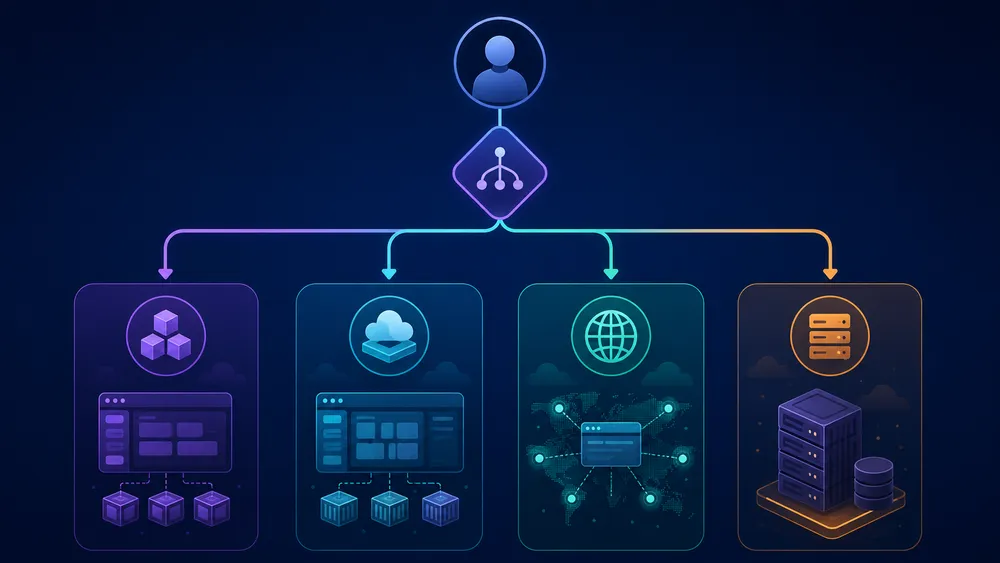
Deployment with Dokploy usually consists of connecting a Git repository, choosing a build method, configuring environment variables, linking a domain, launching the deployment and checking the logs. Dokploy can also use Docker Compose for more complex applications, with several services such as an application, a database and Redis.
The basic workflow is similar to that of a modern PaaS. You start from a Git repository, configure your application, then Dokploy builds and launches the service on your server. Depending on the type of project, you can use a simple configuration or go through Docker Compose.
For a classic application, the process may look like this :
- connect GitHub, GitLab, Bitbucket or a compatible repository ;
- choose the repository ;
- select the branch to deploy ;
- define the environment variables ;
- choose or verify the build method ;
- configure the application’s internal port ;
- link a domain ;
- enable HTTPS ;
- launch the deployment ;
- monitor the logs ;
- test the application online.
Dokploy becomes especially interesting with Docker Compose. The official documentation explains that Dokploy integrates with Docker Compose and Docker Stack to manage flexible deployments, from local development to larger-scale deployment. It also distinguishes between two configuration methods : Docker Compose for standard configurations and Stack for orchestration with Docker Swarm.
Docker Compose allows you to deploy a realistic application made of several components. For example :
- an
appservice for the application ; - a
dbservice for PostgreSQL ; - a
redisservice for cache ; - a
workerservice for background tasks ; - volumes for persistent data ;
- environment variables for configuration.
This is where Dokploy becomes more powerful than a simple traditional web hosting service. You are not just deploying files. You are orchestrating a small application infrastructure.
The documentation also states that Dokploy allows you to define environment variables in its editor, stored by default in a .env file located in the same directory as the docker-compose.yml file. It also indicates that these variables are not automatically injected into containers : you must use env_file or reference the required variables in the Compose file.
Example logic to check :
services:
  app:
    env_file:
      - .env
Or :
services:
  app:
    environment:
      - DATABASE_URL=${DATABASE_URL}
      - API_KEY=${API_KEY}
To diagnose a problem, logs are essential. Dokploy’s Docker Compose documentation indicates that each service can be monitored separately, that logs are accessible through the log viewer, and that recent deployments can be viewed in the interface.
In practice, when a deployment fails, the common causes are often the same :
- missing environment variable ;
- wrong internal port ;
- Docker build too heavy for the VPS ;
- missing dependency ;
- error in the Dockerfile ;
- error in the Docker Compose file ;
- misconfigured domain ;
- DNS not propagated ;
- inaccessible database ;
- incorrectly mounted volume ;
- invalid secret ;
- insufficient memory during the build.
Dokploy vs Coolify : which one should you choose?
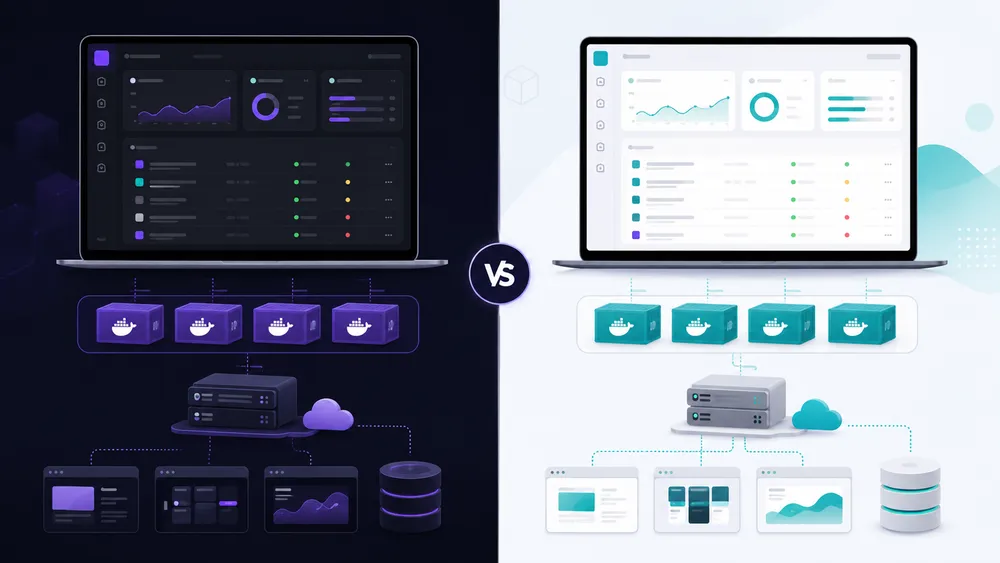
Dokploy and Coolify are two similar open source platforms, but they do not target exactly the same experience. Dokploy will appeal more to users who are comfortable with Docker Compose, Docker Swarm, Traefik and a multi-server logic. Coolify may be more reassuring for those who want a better-known open source alternative with a strong focus on deployment simplicity.
Coolify is often presented as an open source alternative to Heroku, Netlify or Vercel. Dokploy has a very similar positioning, with a strong emphasis on Docker, Docker Compose, Traefik, multi-server management, backups and monitoring. Dokploy’s official website notably highlights Docker Swarm support, open source templates, no vendor lock-in, real-time monitoring, backups, Traefik and self-hosting.
If you are hesitating, start by reading our guide on Coolify, its installation and our full review. Then compare both tools based on your technical level and your needs.
Dokploy will often be more suitable if :
- you already use Docker Compose ;
- you want to manage multi-service stacks ;
- you like keeping control over the configuration ;
- you want a modern interface built around Docker ;
- you are looking for a developer-oriented solution ;
- you want to explore Docker Swarm or multi-server management ;
- you accept managing part of the complexity.
Coolify will often be more suitable if :
- you want an already very popular open source solution ;
- you are looking for a more guided experience ;
- you want to deploy quickly without thinking too much about orchestration ;
- you prefer a larger community ;
- you are new to self-hosting ;
- you want an alternative that is more documented by the community.
You should not look for a universal winner. The best choice depends on your context.
For a developer who already has clean Docker Compose files, Dokploy can be very appealing. For a user who mainly wants to host several services easily without handling too much Docker, Coolify may feel more accessible. For a technical agency, both deserve to be tested on a VPS before choosing a default platform.
Compared with Netlify, the reasoning is different again. Netlify is a managed platform, very practical for hosting front-end sites, Jamstack projects and fast deployments from Git. Dokploy requires more responsibility, but offers more control over the server and services.
If your project is mainly static or front-end, our Netlify review remains a better starting point.
Is Dokploy suitable for WordPress, Next.js, Laravel or Node.js?
Dokploy can work for WordPress, Next.js, Laravel, Node.js and other stacks, as long as the project is properly configured for Docker or compatible with the available build methods. It is especially useful for full-stack applications, APIs, projects with databases and environments where Docker Compose brings real value.
For Next.js, Dokploy can be interesting if you want to move away from a platform like Vercel while keeping a modern deployment workflow. However, you will need to check the rendering mode used, environment variable management, the listening port, the build process and resource requirements. A small Next.js project can be easy to host. A heavier application with many pages, images and API routes will require more attention.
For Node.js, Dokploy is often very relevant. Node applications are easy to containerize, and the internal port plus reverse proxy logic works well for this type of project. The main points to watch are :
- the application’s listening port ;
- the start command ;
- environment variables ;
- available memory ;
- the logging strategy ;
- restarts ;
- database connections.
For Laravel, Dokploy can work, but it requires a more complete configuration. A Laravel application may need PHP-FPM, Nginx or Caddy, a MySQL or PostgreSQL database, Redis, queue workers, a scheduler and persistent volumes. Docker Compose then becomes very useful, but also more demanding. You need to carefully test permissions, volumes, migrations and scheduled tasks.
For WordPress, Dokploy is possible, but it is not necessarily the simplest choice. WordPress can run with Docker Compose, MySQL or MariaDB, persistent volumes and a reverse proxy. But a non-technical WordPress user will often be more comfortable with managed WordPress hosting. Dokploy becomes interesting for a more technical profile that wants to centralize several sites or integrate WordPress into a Docker-based infrastructure.
To choose, ask yourself a simple question : does your project really benefit from being managed with Docker and a VPS? If yes, Dokploy is worth testing. If not, a simpler solution may be preferable.
What are the advantages of Dokploy?

Dokploy’s main advantages are infrastructure control, native Docker Compose support, centralized management of applications and databases, backups, Traefik, logs, monitoring and the absence of vendor lock-in. It is an interesting solution for developers and agencies that want to host several projects on a VPS.
The first advantage of Dokploy is control. With a managed platform like Netlify, Vercel or Heroku, you benefit from great simplicity, but you strongly depend on the platform’s rules, limits, pricing and technical choices. With Dokploy, you choose your server, your VPS provider, your Docker configuration, your domains, your backups and the way you organize your projects.
This control is especially useful for technical profiles who want to understand and master their infrastructure. You know where your applications run, what resources they consume, which services are exposed and how backups are handled. This is not always necessary for a small static site, but it is valuable for full-stack applications, APIs, internal tools or client projects.
The second advantage is Docker Compose support. Dokploy states that it integrates Docker Compose and Docker Stack to manage flexible deployments, from local development to more advanced configurations. This makes it possible to manage several services together : application, database, Redis, workers, volumes and environment variables.
The third advantage is centralization. Instead of having an application on one platform, a database somewhere else, a separate logging tool and manual backup scripts, Dokploy lets you group a large part of the management into a single interface. The official website presents Dokploy as a solution for centralizing applications, databases, backups, monitoring, templates and Traefik configuration.
Dokploy is also interesting for reducing vendor lock-in. If your application is properly containerized, you can more easily move your project to another server, another VPS or another Docker configuration. This does not make migration automatic, but it reduces dependency on a closed platform.
The most important advantages are therefore :
- full control of the VPS ;
- open source solution ;
- application deployment from Git ;
- Docker Compose support ;
- database management ;
- domain configuration ;
- Traefik integration ;
- logs and monitoring ;
- database backups ;
- ability to manage several projects ;
- more predictable costs if the server is properly sized ;
- good fit with a self-hosted strategy.
For a web agency, Dokploy can become an internal deployment platform. For a freelancer, it can be used to host client projects, prototypes and business tools. For a startup, it can reduce hosting costs during the early stages, as long as the team has the necessary server skills.
What are the limitations of Dokploy?

Dokploy is not a “zero maintenance” solution. It simplifies deployment, but it does not remove the need to manage the VPS, Docker, security, backups, updates and monitoring. It can also be less reassuring than a managed platform for teams without DevOps or system administration skills.
The first limitation of Dokploy is its technical level. The interface makes the experience simpler, but the user must understand what they are doing. A wrong DNS setting, an exposed port, a missing environment variable, a poorly backed-up database or a saturated VPS can cause real problems.
Dokploy is therefore simpler than fully manual Docker administration, but more demanding than managed hosting. It sits in the middle. This is very interesting for developers, but sometimes uncomfortable for beginners.
The second limitation is production responsibility. If you use Dokploy on your own server, you are responsible for :
- SSH security ;
- system updates ;
- the firewall ;
- exposed ports ;
- certificates ;
- backups ;
- restoration ;
- supervision ;
- disk space ;
- availability ;
- incidents ;
- internal documentation.
This responsibility can be acceptable, but it must be assumed. A platform like Netlify handles a lot of complexity for front-end and Jamstack sites. This is why hosting on Netlify can remain a better choice for a landing page, a static site or a simple front-end project.
The third limitation concerns ecosystem maturity. Dokploy is progressing quickly, but Coolify is still often better known in the world of open source self-hosted PaaS. Coolify presents itself as an open source, self-hostable alternative to Heroku, Netlify or Vercel, capable of managing servers, applications and databases via SSH. If you want to compare both approaches, also read our guide on Coolify, its installation and our review.
The fourth limitation is related to sizing. Dokploy does not compensate for a server that is too weak. If your VPS lacks RAM, CPU or storage, your builds may fail, your databases may slow down and your applications may become unstable. Choosing the right infrastructure remains essential. Before deploying serious projects, take the time to choose from the best VPS providers in France.
Dokploy should not be avoided for these reasons. You simply need to choose it for the right use cases.
Is Dokploy secure enough for production?

Dokploy can be used in production if the VPS is properly secured, if public ports are limited, if SSH access is protected, if backups are tested and if the Dokploy interface is not unnecessarily exposed. Security depends as much on Dokploy as on your server, Docker, DNS and firewall configuration.
Dokploy security starts even before installation. A poorly configured VPS, a weak SSH password, an exposed administration port or a lack of backups can turn a good platform into a weak point. Dokploy must be treated as a critical interface, because it can control your applications, environment variables, databases and deployments.
The official documentation highlights an important point : Docker can directly modify iptables rules, which can bypass some UFW rules. This means that a port published by Docker can remain publicly accessible even if the user thinks they have blocked it with UFW.
For a clean installation, apply at least these rules :
- use a reliable VPS ;
- enable the provider firewall ;
- limit open ports ;
- keep only the necessary ports ;
- use SSH keys ;
- disable SSH password authentication ;
- disable direct root access if possible ;
- install Fail2Ban ;
- enable HTTPS ;
- avoid exposing port 3000 unnecessarily ;
- monitor logs ;
- check backups regularly ;
- update the system ;
- do not store secrets in the Git repository.
You also need to test restoration. A backup that has never been restored is not a guarantee, it is an assumption. For a client site or application, you must know exactly how to restore a database, restart a service and recover a Docker volume.
For professional use, it is better to separate critical environments. Avoid mixing test projects, important client projects, sensitive databases and internal tools on the same VPS without a clear strategy. Dokploy makes centralization easier, but excessive centralization can also create a single point of failure.
Should you choose Dokploy, Coolify, Netlify or a classic VPS?

Choose Dokploy if you want an open source, self-hosted platform focused on Docker and suitable for full-stack applications. Choose Coolify if you want a better-known and very accessible self-hosted alternative. Choose Netlify for simple front-end sites. Choose a classic VPS if you want to configure everything manually.
The choice first depends on the type of project.
For a static site, a landing page, a portfolio or a Jamstack front-end, Netlify is often simpler. You connect your Git repository, deploy quickly, enjoy a managed experience and greatly reduce server maintenance. It is the best choice if you want to publish quickly without managing Docker, Linux or firewalls.
For a full-stack application with backend, database, Redis, workers or Docker Compose, Dokploy becomes more interesting. You keep control of the VPS while avoiding having to manage everything manually. It is a good option for developers who want a modern PaaS layer without depending on a proprietary platform.
For someone discovering self-hosting and looking for a very guided experience, Coolify may feel more reassuring. The two tools are similar, but their user experience can feel different. The best approach is to test Dokploy and Coolify on a small VPS before choosing a solution for client projects.
For an experienced system administrator, a classic VPS with Docker, Traefik, CI/CD scripts and manual monitoring may be enough. But this choice requires more time, more discipline and more documentation. Dokploy then becomes a way to save time, not a requirement.
To sum up :
- Netlify : best choice for a simple front-end site ;
- Coolify : good choice for discovering self-hosted PaaS ;
- Dokploy : good choice for Docker Compose, VPS, full-stack applications and control ;
- manual VPS : good choice for DevOps profiles who want to master everything.
Our final opinion on Dokploy
Dokploy is an excellent solution for developers, freelancers, agencies and small teams that want to host applications on a VPS with more control than a proprietary PaaS. Its value is strong for Docker Compose, databases, full-stack projects and self-hosting. It is less suitable for beginners and teams that want zero maintenance.
Our opinion on Dokploy is positive, with one important caveat : you need to know why you are using it.
Dokploy is not just a free alternative to Vercel, Netlify or Heroku. It is a platform that shifts part of the responsibility to you. If you understand Docker, Linux, DNS and the basics of VPS hosting, this responsibility can become an advantage. If you do not want to manage these topics, it can become a problem.
Dokploy is especially recommended for :
- full-stack developers ;
- technical freelancers ;
- web agencies ;
- small SaaS teams ;
- makers ;
- internal projects ;
- Docker Compose applications ;
- advanced prototypes ;
- staging environments ;
- multi-project hosting on a VPS.
Dokploy is less recommended for :
- complete beginners ;
- non-technical WordPress users ;
- very simple static sites ;
- companies without server skills ;
- critical projects without a backup strategy ;
- teams that want fully managed support ;
- people who never want to touch SSH, Docker or Linux.
The right scenario is therefore the following : choose a reliable VPS, install Dokploy, properly secure the server, test the backups, then gradually deploy your applications. In this context, Dokploy can become an excellent tool for productivity and cost control.
For CritiquePlus, Dokploy clearly deserves its place in an editorial cluster around web hosting, VPS, Docker, Coolify, Netlify and open source alternatives to proprietary cloud platforms.
FAQ
Is Dokploy free?
Yes, Dokploy can be used for free in self-hosted mode. However, you still need to pay for your VPS, domain name, possible backups and maintenance time. Dokploy also offers paid Cloud plans, with Hobby, Startup and Enterprise plans presented on its official pricing page.
Can Dokploy replace Netlify?
Dokploy can replace Netlify for some projects, but not always. For a static site or a simple front-end, Netlify often remains faster and more comfortable. For a full-stack application with backend, database and Docker Compose, Dokploy offers more control.
Dokploy or Coolify : which one should you choose?
Choose Dokploy if you are comfortable with Docker Compose, Docker Swarm, Traefik and VPS management. Choose Coolify if you want a well-known open source alternative that often feels more reassuring when starting with self-hosting. The best option is to test both on a VPS before deciding.
Can you host WordPress with Dokploy?
Yes, it is possible to host WordPress with Dokploy via Docker Compose, with WordPress, a MySQL or MariaDB database and persistent volumes. But for a non-technical WordPress user, managed WordPress hosting will often remain simpler and safer.
Is Dokploy suitable for Next.js?
Yes, Dokploy can be suitable for Next.js if the project is correctly configured. You need to check the build, the listening port, environment variables and memory consumption. For a simple Next.js project, Dokploy can be an interesting alternative to Vercel.
Which VPS should you choose for Dokploy?
To test Dokploy, the official minimum may be enough. For serious use, it is better to choose a VPS with more RAM, more storage, a provider firewall, snapshots and good network performance. Check our guide to the best VPS providers in France before choosing.
Is Dokploy suitable for production?
Yes, Dokploy can be suitable for production if the VPS is secured, if backups are reliable, if ports are controlled and if applications are properly configured. It should not be used in production like a simple testing tool without a maintenance strategy.
Does Dokploy use Docker Compose?
Yes, Dokploy supports Docker Compose and Docker Stack to manage applications made of several services. This is one of its main advantages for modern applications with a backend, database, cache, workers or additional services.
Conclusion
Dokploy is one of the most interesting solutions to watch in the world of self-hosting and open source PaaS. Its value does not only come from its price, but from its ability to turn a VPS into a modern deployment platform. For developers, freelancers and agencies that want to regain control over their infrastructure, it is a credible option.
However, it should not be presented as a miracle solution. Dokploy requires a minimum level of technical skill, real attention to security and a serious backup strategy. It simplifies deployment, but it does not replace the responsibility of good server administration.
If your need is simple, Netlify may remain more suitable. If you want to discover self-hosted PaaS with a popular solution, Coolify also deserves your attention. But if you want a modern, open source platform focused on Docker Compose and capable of managing several applications on your own VPS, Dokploy is clearly a tool worth testing in 2026.
