
Docker vs Kubernetes: What’s the Difference and Which One Should You Choose in 2026?
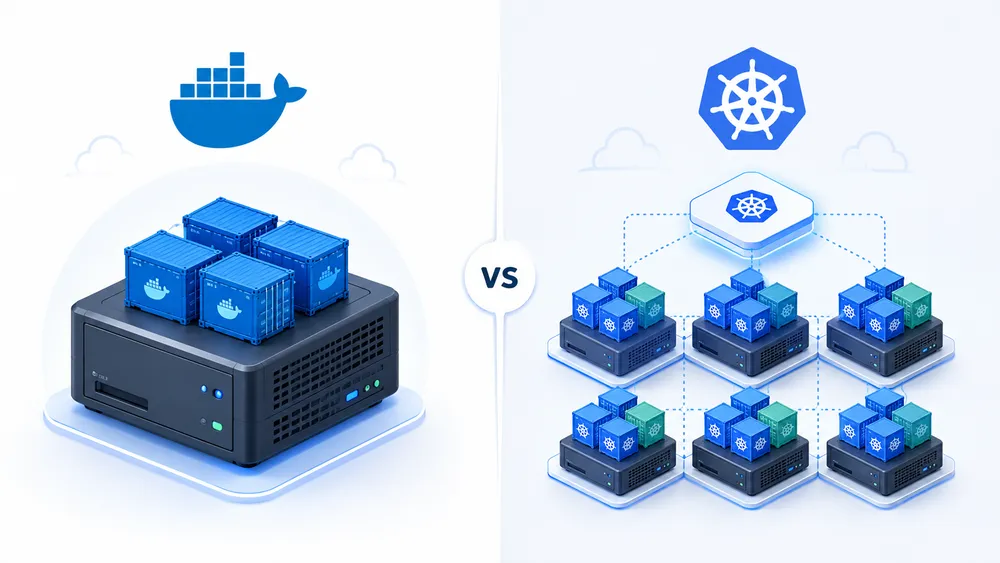
Docker vs Kubernetes is one of the most common comparisons in modern software deployment. Both tools are linked to containers, DevOps, cloud infrastructure, microservices and application scalability, but they do not solve the exact same problem. That is why the question “Should I use Docker or Kubernetes?” is often too simplistic.
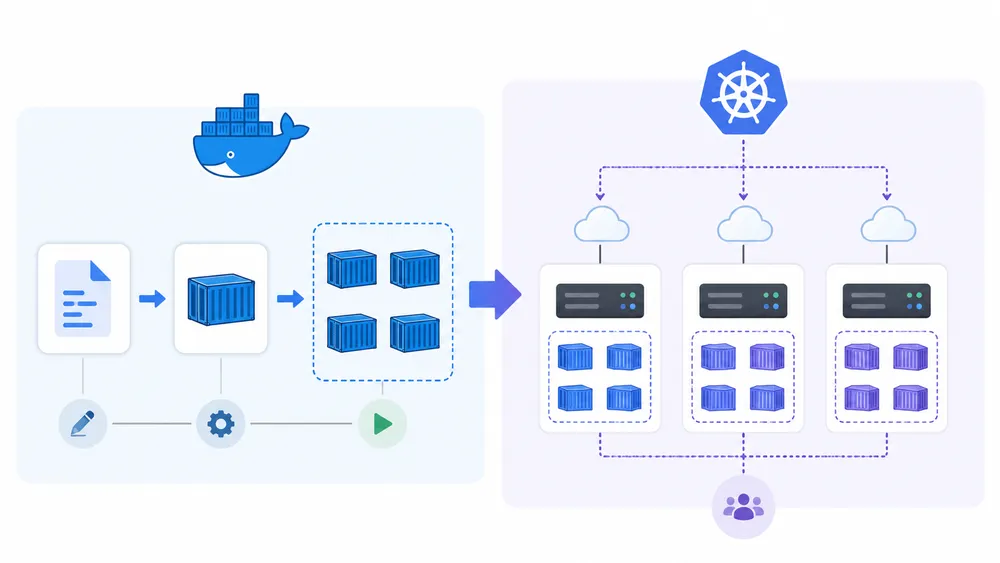
Docker is mainly used to build, package, share and run applications inside containers. Kubernetes is used to orchestrate those containers across a cluster of servers. Docker helps you create and run containers efficiently; Kubernetes helps you manage many containers at scale, especially when availability, automation and distributed infrastructure become important.
In practice, Docker is often enough for development, testing, small applications, a single VPS, internal tools, APIs, automation tools or early-stage SaaS projects. Kubernetes becomes more relevant when you need high availability, automatic scaling, rolling updates, multiple nodes, many services and a team capable of managing more complex infrastructure.
This guide explains the real difference between Docker and Kubernetes, when to use each one, how Docker Compose fits into the picture, whether Kubernetes has replaced Docker, and what you should choose for a VPS, a SaaS project, a microservices architecture or a production environment.
Docker vs Kubernetes: what to mind quickly
Docker is an open platform for developing, shipping and running applications. Docker’s documentation explains that it lets you separate applications from infrastructure and package applications in isolated environments called containers.
Kubernetes is an open source container orchestration engine that automates the deployment, scaling and management of containerized applications. Its official documentation describes it as a container orchestration engine hosted by the Cloud Native Computing Foundation.
So the simplest way to understand Docker vs Kubernetes is this:
| Question | answer |
|---|---|
| What is Docker for? | Building, packaging and running containers |
| What is Kubernetes for? | Orchestrating containers across a cluster |
| Which one is easier to learn? | Docker |
| Which one is better for large-scale infrastructure? | Kubernetes |
| Which one should you use on a single VPS? | Usually Docker Compose |
| Which one should you use for complex microservices? | Usually Kubernetes |
| Are they direct competitors? | Not really; they are often complementary |
The important point is that Docker and Kubernetes operate at different levels. Docker helps you package and run an application. Kubernetes helps you operate many containerized applications across a distributed infrastructure.
If you are launching a small project, a personal tool, a backend API or a simple SaaS, you probably do not need Kubernetes at the beginning. A well-configured VPS with Docker Compose can be simpler, cheaper and easier to maintain. If you are comparing server options, you can start with this guide to VPS providers in France.
If your application needs multiple servers, automated recovery, progressive deployments, service discovery and horizontal scaling, Kubernetes becomes much more relevant.
Are Docker and Kubernetes competitors?
Docker and Kubernetes are not true competitors. They belong to the same ecosystem, but they answer different questions.
- Docker answers this question: how do I package and run my application in a predictable environment?
- Kubernetes answers this question: how do I manage many containerized workloads across a group of machines?
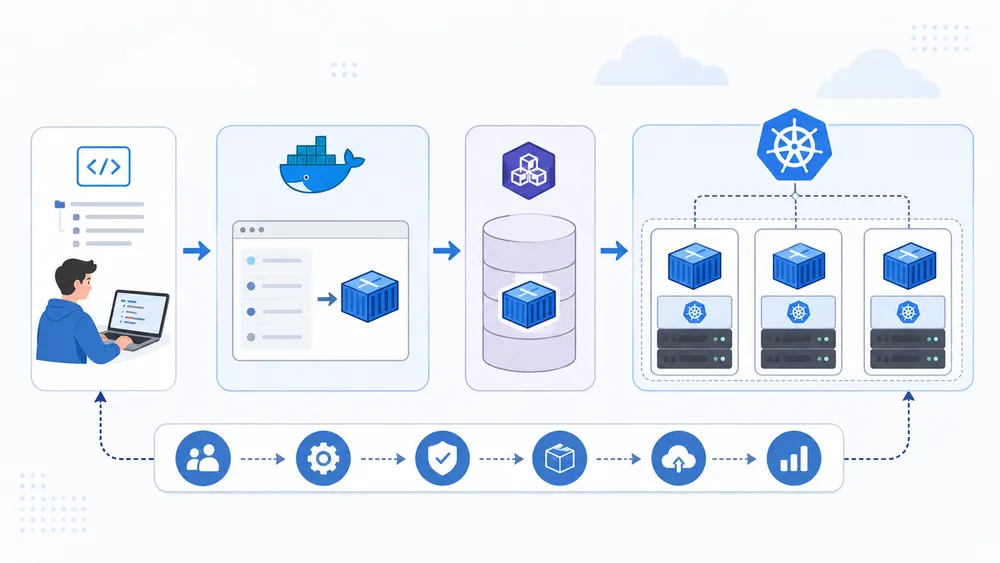
A common workflow uses both. A developer writes a Dockerfile, builds a container image, tests it locally, pushes it to a registry, and then deploys that image on Kubernetes. In that workflow, Docker helps with development and image creation, while Kubernetes manages deployment and operations.
This is why saying “Docker or Kubernetes” can be misleading. A better question is: do you only need containerization, or do you also need container orchestration?
For example, a small API running on one server may only need Docker Compose. A platform with several services, many replicas and strict uptime requirements may need Kubernetes. Both choices can be correct depending on the project.
The confusion increased when Kubernetes removed dockershim from Kubernetes 1.24. However, Kubernetes clearly states that images produced with docker build still work with CRI implementations, so existing Docker-built images continue to work in Kubernetes environments.
In other words, Kubernetes has not killed Docker. Kubernetes changed the way it integrates with container runtimes internally, but Docker remains highly relevant for building, testing and managing container images.
What is Docker?
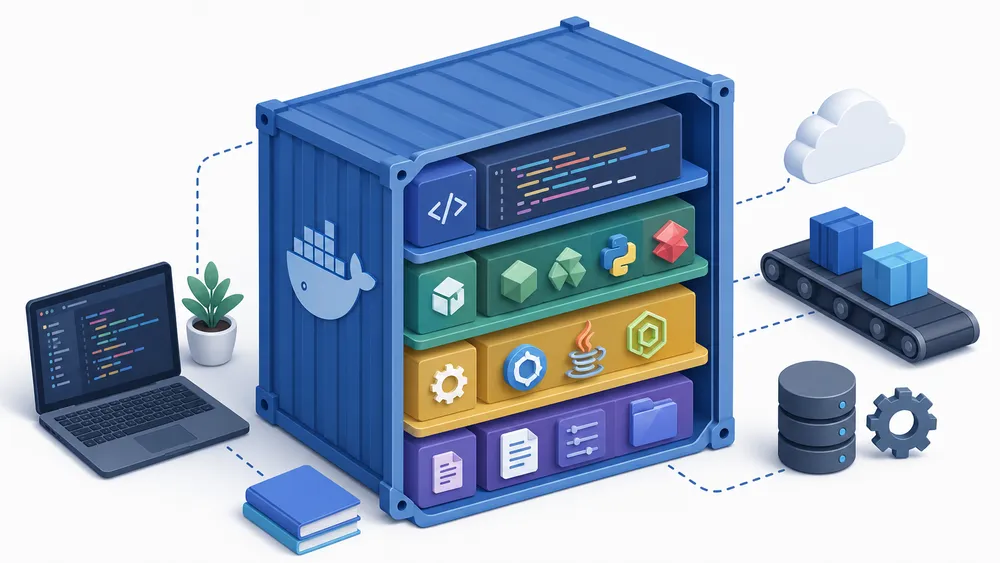
Docker is a platform for creating and running containers. A container packages an application with its dependencies, configuration and runtime environment so that it can run more consistently across different machines.
Before Docker became popular, developers often faced the classic problem: “It works on my machine.” An application could work perfectly on a developer’s laptop and fail on a server because of a different PHP version, Node.js version, Python dependency, system library or environment variable.
Docker reduces this problem by describing the application environment as code. You can define the environment in a Dockerfile, build a container image, then run that image as a container. Docker’s documentation states that containers are lightweight and include everything needed to run the application, without relying on what is installed on the host.
The core Docker concepts are simple:
| Concept | Meaning |
|---|---|
| Dockerfile | A file that describes how to build an image |
| Image | A packaged version of an application and its dependencies |
| Container | A running instance of an image |
| Volume | Persistent storage used by containers |
| Network | Communication layer between containers |
| Registry | A place to store and share images |
| Docker Engine | The technology that builds and runs containers |
For a developer, Docker makes local development easier. For an administrator, it makes server environments cleaner. For a small team, it makes onboarding faster because the technical environment is documented in files rather than hidden in manual server configuration.
What is Docker Compose?
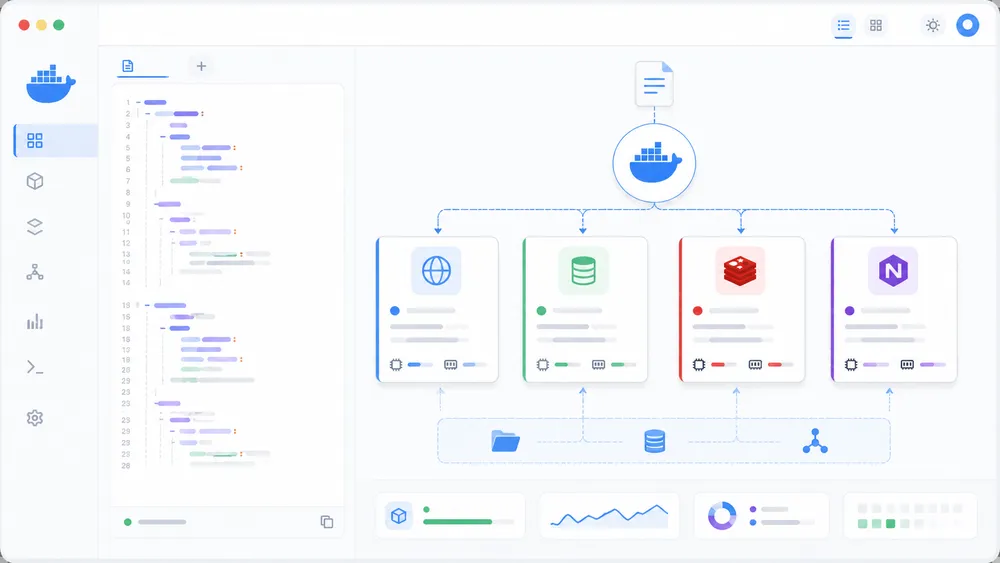
Docker Compose is the tool that makes Docker especially useful for real applications composed of several services. Docker defines Compose as a tool for defining and running multi-container applications. It uses a YAML file to configure application services, then lets you create and start those services from a single configuration.
A typical web application may need an app server, a database, a cache, a reverse proxy and a background worker. Without Docker Compose, you would need to run several docker run commands manually. With Compose, you describe everything in one file.
A simplified example looks like this:
services:
  app:
    image: my-app:latest
    ports:
      - "3000:3000"
    environment:
      - NODE_ENV=production

  redis:
    image: redis:alpine

  db:
    image: postgres:16
    volumes:
      - db_data:/var/lib/postgresql/data

volumes:
  db_data:
This type of configuration is easy to read. It shows which services exist, which ports are exposed, which volumes are persistent and which environment variables are required.
For many small and medium projects, Docker Compose is the practical middle ground between manual server setup and full Kubernetes orchestration. It is especially useful on a single VPS. You can deploy an API, a database, Redis, Nginx or Traefik, and a small monitoring tool without managing a full cluster.
That is why the real comparison is often not just Docker vs Kubernetes, but Docker Compose vs Kubernetes. Compose is simple and suitable for one machine. Kubernetes is more powerful and suitable for distributed infrastructure.
What is Kubernetes?
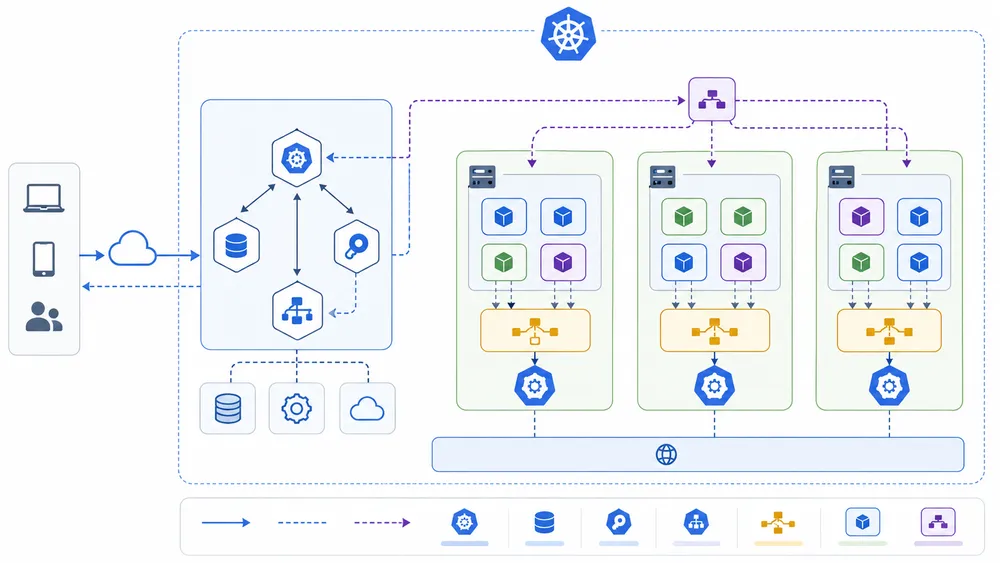
Kubernetes, also called K8s, is an open source platform for managing containerized workloads and services. Kubernetes is designed around declarative configuration and automation. You describe the desired state of your application, and Kubernetes tries to maintain that state over time.
A Kubernetes environment is called a cluster. A cluster contains a control plane and one or more worker nodes. The official Kubernetes documentation explains that a Kubernetes cluster consists of a control plane and one or more worker nodes.
The control plane makes decisions about the cluster. It schedules workloads, monitors state and exposes the Kubernetes API. The worker nodes run the applications.
Kubernetes does not usually expose individual containers as the main unit of work. Instead, it uses Pods. A Pod is a Kubernetes object that can contain one or more containers that share network and storage resources. Kubernetes uses Pods as a basic execution unit for workloads.
Kubernetes also uses objects such as:
| Kubernetes object | Role |
|---|---|
| Pod | Runs one or more containers |
| Deployment | Manages application replicas and updates |
| Service | Exposes a network application running in Pods |
| Ingress | Routes external HTTP or HTTPS traffic |
| ConfigMap | Stores non-sensitive configuration |
| Secret | Stores sensitive configuration |
| Namespace | Separates resources inside a cluster |
| PersistentVolume | Provides persistent storage |
A Deployment manages a set of Pods for an application workload and provides declarative updates for Pods and ReplicaSets. A Service exposes a network application running as one or more Pods in a cluster.
This is why Kubernetes is powerful but more complex than Docker. It gives you abstractions for running applications at scale, but each abstraction must be understood, configured and maintained.
Docker vs Kubernetes: comparison table
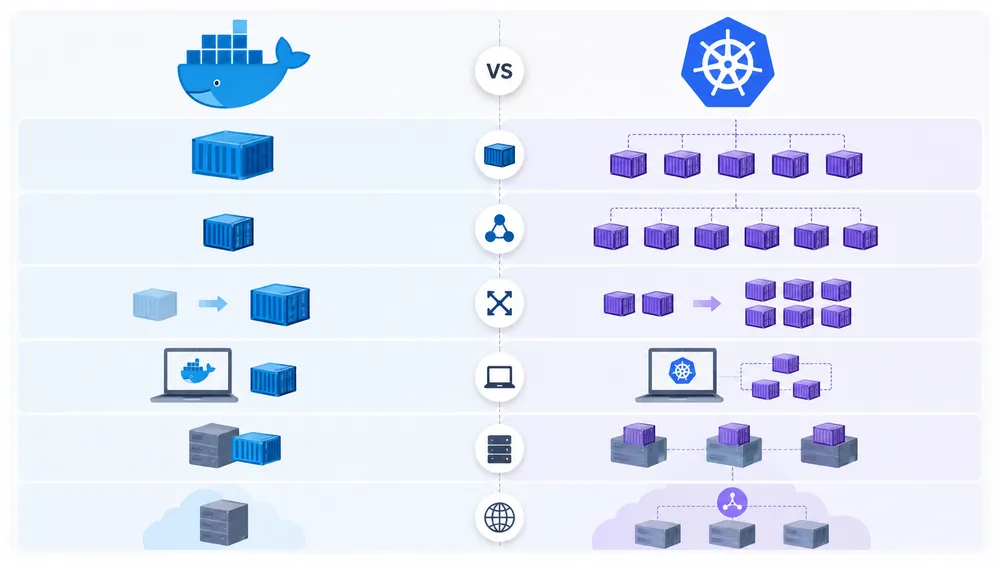
The best way to understand Docker vs Kubernetes is to compare their role, complexity and ideal use cases.
| Criterion | Docker | Kubernetes |
|---|---|---|
| Main role | Build, package and run containers | Orchestrate containers across a cluster |
| Level | Application / container level | Infrastructure / cluster level |
| Complexity | Low to medium | Medium to high |
| Learning curve | Beginner-friendly | More advanced |
| Best for | Local development, VPS, simple apps, testing | Microservices, scaling, high availability, complex production |
| Multi-server management | Limited without an orchestrator | Designed for multi-node infrastructure |
| Automatic scaling | Limited with Docker alone | Native through the Kubernetes ecosystem |
| High availability | Must be designed manually | Core use case when correctly configured |
| Rolling updates | Possible but more manual | Built into Deployments |
| Configuration format | Dockerfile, Compose YAML | Kubernetes YAML, Helm, Kustomize |
| Best starting point | Docker | Usually after Docker basics |
| Best for a single VPS | Docker Compose | Often too complex |
| Best for large SaaS platforms | Possible early on | Often more suitable at scale |
The main difference is the level of abstraction. Docker focuses on packaging and running applications. Kubernetes focuses on operating containerized applications across infrastructure.
Docker is like a tool that packages and starts your application; Kubernetes is like a system that decides where applications run, how many copies should exist, how they are exposed, how they recover and how they are updated.
When should you use Docker?
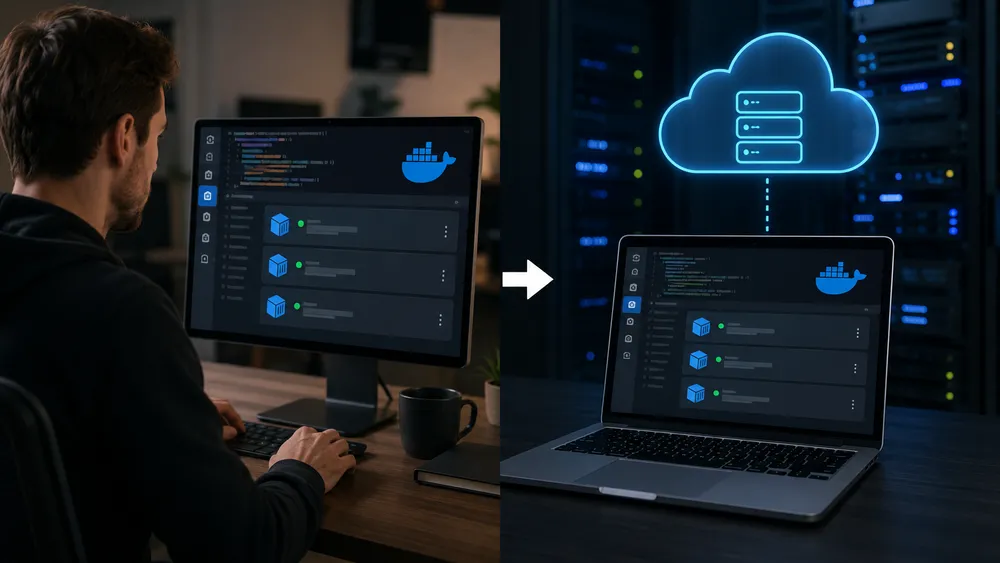
You should use Docker when your priority is simplicity, portability and reproducibility. It is the best starting point for most developers and small teams.
Use Docker for local development when you want every developer to use the same technical environment. Instead of manually installing PostgreSQL, Redis, Node.js, Python, PHP or Nginx on each machine, you can define them as containers.
Use Docker for testing when you want clean environments. You can start a database, run tests, destroy the environment and recreate it again. This is very useful in CI/CD workflows.
Use Docker on a VPS when your project is simple or medium-sized. A single server can host a web app, a database, a cache and a reverse proxy with Docker Compose. This is often enough for internal tools, small SaaS products, landing pages with APIs, automation tools or personal projects.
Use Docker when you want more control than a no-code deployment platform but less complexity than Kubernetes. You manage the server, the volumes, the backups and the network, but you do not need to manage a cluster.
Use Docker before learning Kubernetes. Kubernetes orchestrates containers, so understanding images, ports, volumes and networks first will make Kubernetes much easier to learn later.
the best first architecture is simple: one VPS, Docker Compose, a reverse proxy, HTTPS, backups and monitoring. This setup is not glamorous, but it is often reliable, understandable and cost-effective.
When should you use Kubernetes?
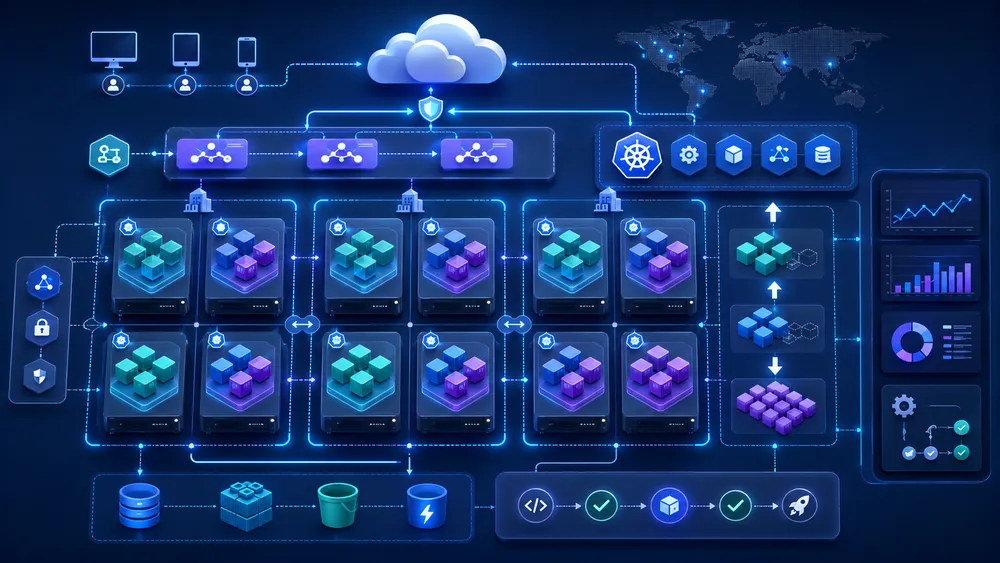
You should use Kubernetes when your application has outgrown simple container execution and now needs orchestration.
The first good reason to use Kubernetes is microservices. If your application is divided into many independent services, each with its own release cycle, scaling needs and dependencies, Kubernetes can provide a structured environment.
The second reason is high availability. If one instance of a service fails, Kubernetes can create or maintain replacements according to the desired state. If you run multiple replicas of a service, Kubernetes can help keep the workload available when individual Pods disappear.
The third reason is scaling. Kubernetes is built for applications that need to scale horizontally. A Deployment can run multiple replicas, and Kubernetes can adjust workloads using autoscaling mechanisms when the right metrics and components are configured.
The fourth reason is progressive deployment. Kubernetes Deployments support controlled updates and rollback mechanisms. The Deployment controller changes the actual state toward the desired state at a controlled rate.
The fifth reason is team maturity. Kubernetes makes more sense when you have a team that can operate it properly. You need skills in networking, security, observability, storage, incident response and deployment automation.
The sixth reason is standardization. In larger organizations, Kubernetes can become a common platform for many teams. It can provide consistent deployment patterns, access control, namespaces and infrastructure automation.
However, Kubernetes should not be the default choice for every project. If your project is small, if you have no DevOps experience, or if downtime is not yet business-critical, Kubernetes may slow you down more than it helps.
Docker Compose vs Kubernetes: which one is more practical?
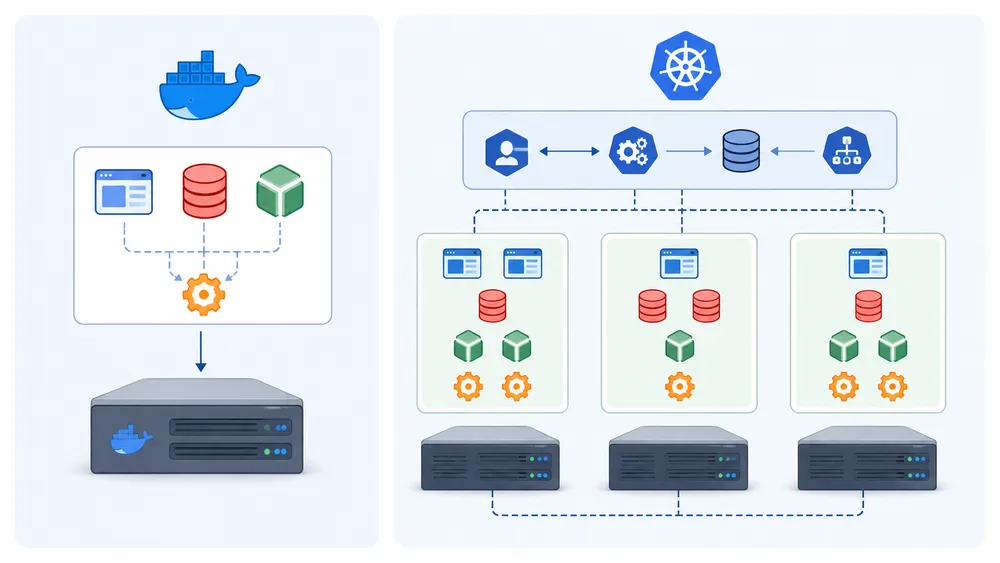
Docker Compose vs Kubernetes is often the most useful comparison for small teams. Both can manage multi-container applications, but they target different levels of complexity.
Docker Compose is practical when everything can run on one machine. You define services, networks and volumes in a Compose file. You start the stack with one command. You inspect logs, restart services and update images directly.
Kubernetes is practical when the application must run across a cluster. You define Deployments, Services, ConfigMaps, Secrets and Ingress rules. Kubernetes then manages workloads according to the desired state.
Use Docker Compose when:
| Situation | Why Compose is enough |
|---|---|
| You have one VPS | Compose is simple and readable |
| You run a small API | No cluster needed |
| You use one database and one app | Easy to maintain |
| You are testing a product idea | Faster than Kubernetes |
| You work alone or in a small team | Lower operational burden |
Use Kubernetes when:
| Situation | Why Kubernetes is better |
|---|---|
| You need several servers | Kubernetes is built for clusters |
| You run many services | Better orchestration |
| You need high availability | Replicas and recovery patterns |
| You deploy often | Rollouts and rollback support |
| You need platform standardization | Better for larger teams |
A common mistake is to adopt Kubernetes only because it is popular. That can create unnecessary complexity. If Docker Compose solves the current problem, it is often the better choice. You can always move to Kubernetes later when your architecture justifies it.
Docker on VPS or Kubernetes on a cluster?
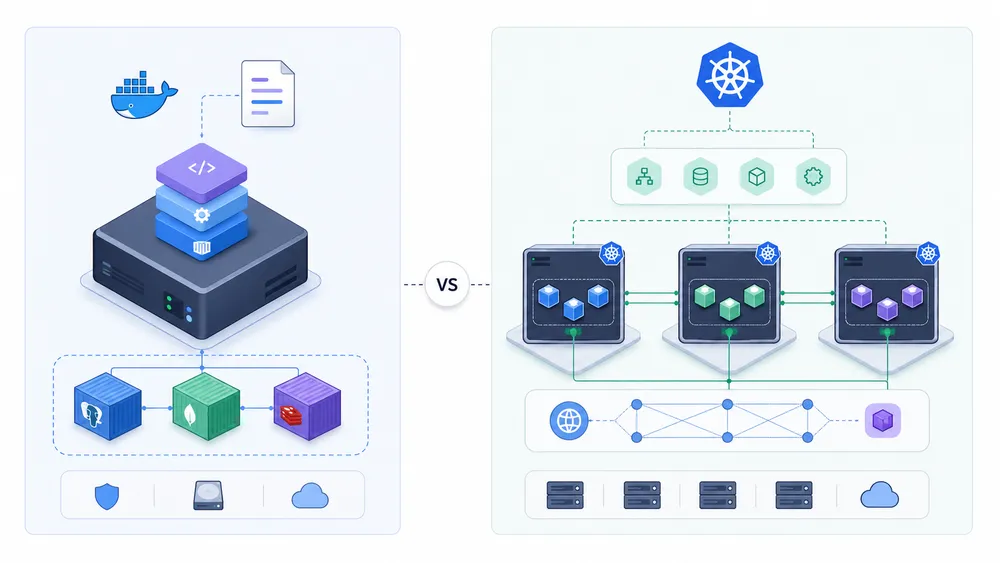
For a VPS, the best default choice is usually Docker Compose. A VPS is a single server, and Compose is well suited to single-server deployments. You can run an application, a database, Redis, a reverse proxy and background workers with a simple configuration.
This approach gives you direct control over your server while keeping deployment manageable. You choose the operating system, the firewall, the backups, the domain configuration, the reverse proxy and the update strategy. If you are evaluating hosting options, the guide to VPS providers in France is a useful starting point.
Kubernetes can run on a small server with lightweight distributions, but that does not mean it is always a good idea. Kubernetes is designed for orchestration, and orchestration is most useful when there are multiple workloads, nodes or availability constraints.
For a single VPS, Kubernetes may add more complexity than value. You need to manage cluster components, manifests, networking, certificates, storage and updates. If the goal is simply to run one or two applications, Docker Compose is usually cleaner.
For a cluster, Kubernetes becomes more logical. When you have several machines, multiple replicas, traffic balancing and deployment automation, Kubernetes provides a better operating model. That is where its complexity starts to pay off.
Choose Docker Compose on VPS for simplicity and control; choose Kubernetes on a cluster when you truly need distributed orchestration.
Can Docker and Kubernetes work together?
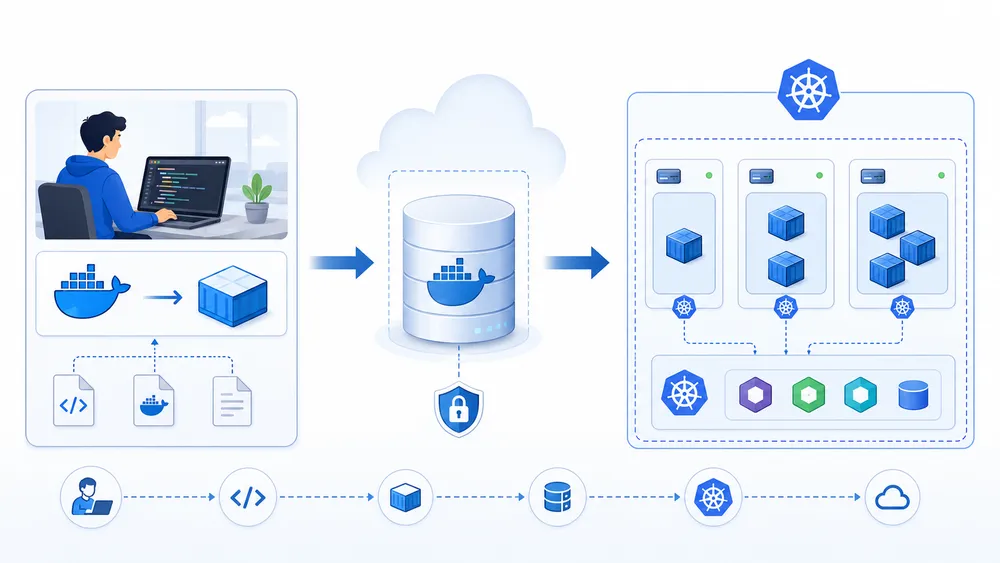
Yes, Docker and Kubernetes can work together. In many professional workflows, they are part of the same pipeline.
A typical pipeline looks like this:
- A developer writes the application code.
- The developer creates a Dockerfile.
- Docker builds the container image.
- The image is pushed to a registry.
- Kubernetes pulls the image and deploys it.
- Kubernetes manages replicas, networking and updates.
In this model, Docker is mainly used for building and testing images. Kubernetes is used for deploying and operating those images at scale.
This is why learning Docker remains useful even if your company runs Kubernetes. You still need to understand how images are built, how containers behave, how environment variables are passed, how logs are handled and how network ports are exposed.
It is also possible to use alternatives to Docker for building images, but Docker remains one of the most common entry points because of its ecosystem, documentation and developer experience.
The key takeaway is that Docker and Kubernetes are not mutually exclusive. You can start with Docker, move to Compose, and later deploy on Kubernetes when the project requires it.
Has Kubernetes replaced Docker?
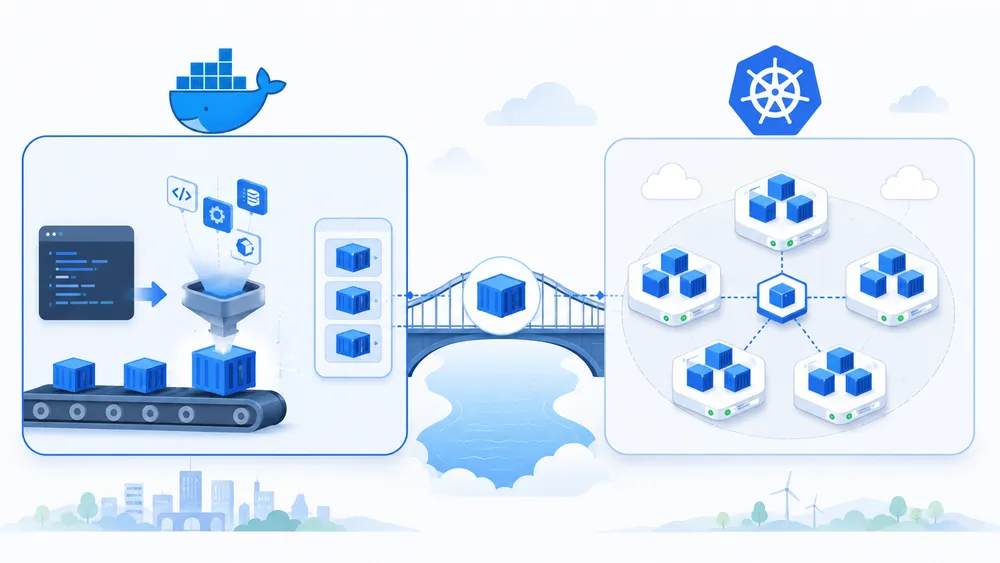
Kubernetes has not replaced Docker. It has replaced one specific integration layer in its own architecture.
The confusion comes from the removal of dockershim in Kubernetes. Kubernetes removed the built-in dockershim component in version 1.24, but official Kubernetes documentation explains that images produced from docker build continue to work with CRI implementations.
This means Docker images still work with Kubernetes. The change is about the runtime layer inside Kubernetes, not about Docker disappearing from development workflows.
A clearer explanation is this:
| Statement | True or false? |
|---|---|
| Kubernetes replaced Docker completely | False |
| Kubernetes removed dockershim | True |
| Docker-built images still work in Kubernetes | True |
| Docker is still useful for developers | True |
| Kubernetes needs containers | True |
| Docker and Kubernetes can be used together | True |
So if you are wondering whether learning Docker is still useful in 2026, the answer is yes. Docker remains one of the best ways to understand containers, build images and run applications locally or on a VPS.
Advantages of Docker
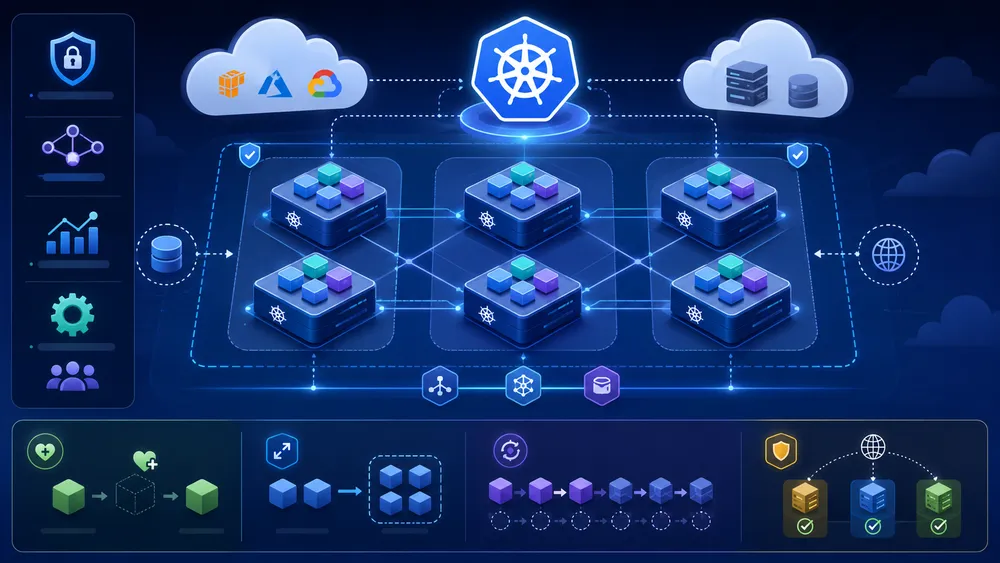
The first advantage of Docker is simplicity. You can install it, write a Dockerfile, build an image and run a container without understanding an entire orchestration platform.
The second advantage is portability. A container image can run in many environments as long as the container runtime and system architecture are compatible. This reduces environment drift between local development, staging and production.
The third advantage is speed. Containers are usually lighter than full virtual machines because they share the host kernel. This makes them quick to start, stop and recreate.
The fourth advantage is isolation. Each container runs in its own isolated environment, which reduces dependency conflicts. You can run different versions of Node.js, PHP, Python or databases without installing all of them directly on the server.
The fifth advantage is ecosystem maturity. Many software projects provide official Docker images. This makes it easier to test databases, CMS platforms, monitoring tools, automation platforms and backend services.
The sixth advantage is suitability for VPS deployments. With Docker Compose, a small team can deploy a complete stack on one server and keep the architecture understandable.
The seventh advantage is developer productivity. Docker makes onboarding easier because the technical environment can be documented in files instead of long manual setup instructions.
Limits of Docker
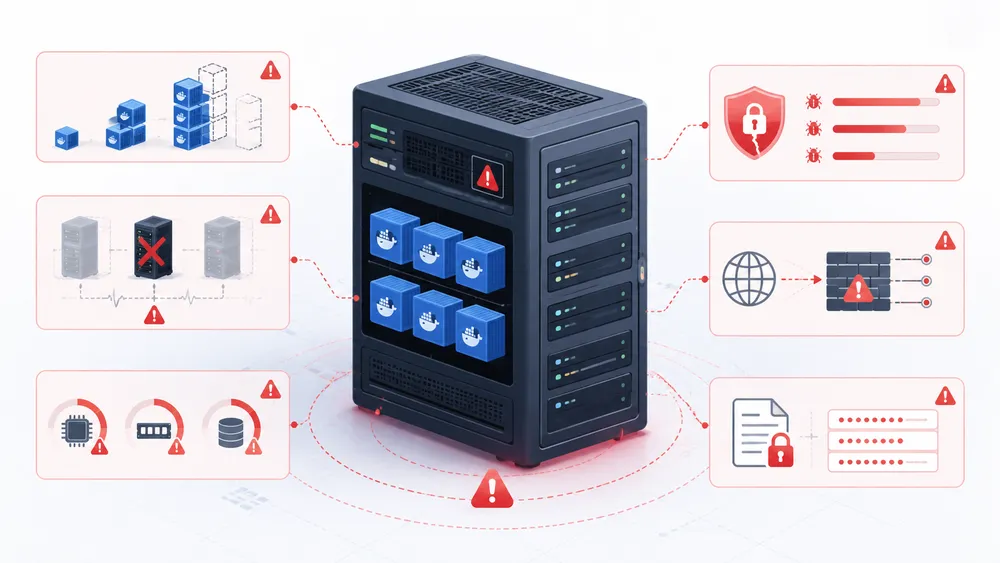
The first limit of Docker is that it does not provide full orchestration by itself. It can run containers, but it does not solve all the problems of distributed infrastructure.
The second limit is high availability. If your application runs on one VPS, that VPS remains a single point of failure unless you add external redundancy, backups, failover or load balancing.
The third limit is scaling. Docker alone is not designed to manage many replicas across several machines. You can scale containers manually, but this becomes harder as infrastructure grows.
The fourth limit is security. A container is isolated, but it is not a complete security boundary like a separate physical machine. Misconfigured privileges, exposed Docker sockets, vulnerable images or leaked secrets can create serious risks.
The fifth limit is operational discipline. Docker does not remove the need for monitoring, logging, backups, updates, resource limits and incident response.
The sixth limit is storage management. Persistent data must be handled carefully through volumes, backups and restoration procedures. Losing a container is acceptable; losing a database volume is not.
Docker is excellent when used for the right scope. Problems appear when teams expect it to provide everything Kubernetes provides without adding an orchestrator.
Advantages of Kubernetes

The first advantage of Kubernetes is container orchestration. It can manage many workloads across a cluster instead of relying on manual container management.
The second advantage is desired-state management. You describe the desired state, and Kubernetes tries to make the actual state match it. This model is powerful for automation.
The third advantage is recovery. Kubernetes can replace failed Pods and maintain replicas according to configured workloads.
The fourth advantage is rolling deployment support. Deployments provide declarative updates for Pods and ReplicaSets, which helps manage application changes more safely.
The fifth advantage is service discovery. Services expose applications running in Pods and decouple clients from the changing set of backend Pods.
The sixth advantage is scalability. Kubernetes can run workloads across multiple nodes and support horizontal scaling patterns.
The seventh advantage is ecosystem depth. Kubernetes integrates with Helm, GitOps tools, ingress controllers, monitoring stacks, service meshes, policy engines and cloud-managed services.
The eighth advantage is standardization. For larger teams, Kubernetes can create a common deployment platform across many services and environments.
Limits of Kubernetes

The first limit of Kubernetes is complexity. Kubernetes introduces many concepts, and each one adds operational responsibility.
The second limit is maintenance. Even managed Kubernetes requires knowledge of workloads, networking, security, storage, upgrades, monitoring and costs.
The third limit is cost. Kubernetes may be open source, but running it is not free. You pay for nodes, load balancers, monitoring, storage, backups and technical expertise.
The fourth limit is overengineering. Many small applications do not need Kubernetes. Using Kubernetes too early can slow down development and increase the number of things that can break.
The fifth limit is storage complexity. Stateless services fit Kubernetes well, but databases and persistent workloads need more careful planning.
The sixth limit is security configuration. RBAC, Secrets, network policies, admission controls and API exposure must be configured properly. A weak Kubernetes configuration can create a broad attack surface.
The seventh limit is debugging. When something fails in Kubernetes, the cause can be in the image, Pod, Deployment, Service, Ingress, DNS, node, storage, network policy or cloud provider. This makes troubleshooting more complex than on a simple Docker Compose stack.
Common mistakes when choosing Docker or Kubernetes
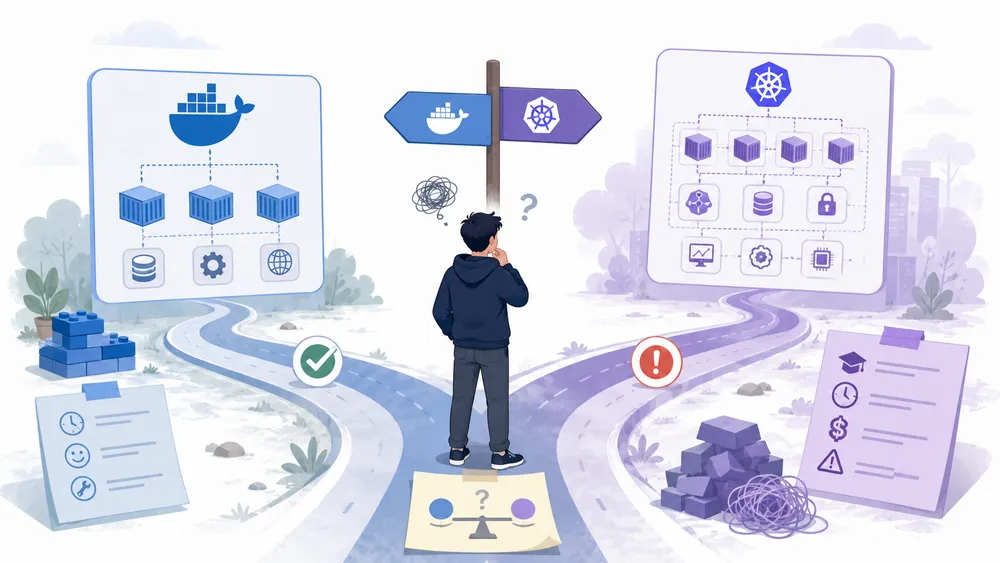
The first mistake is choosing Kubernetes too early. Many projects can run well on Docker Compose for months or years. If you do not need multiple nodes, autoscaling or advanced rollouts, Kubernetes may be unnecessary.
The second mistake is staying on Docker Compose too long. If your business now depends on high availability, multiple services and frequent releases, a single VPS may become fragile.
The third mistake is ignoring backups. Containers are disposable, but data is not. Databases, uploads, configuration files and volumes need a real backup and restore plan.
The fourth mistake is exposing too many ports. A clean architecture should expose only what is necessary, usually through a reverse proxy and HTTPS.
The fifth mistake is storing secrets in plain text. Environment variables, Compose files, Kubernetes Secrets and CI/CD variables must be handled carefully.
The sixth mistake is using images without checking their origin. Prefer official images, maintained images and fixed versions when stability matters.
The seventh mistake is comparing only features. The real decision includes skills, time, complexity, cost, monitoring, recovery and team maturity.
The eighth mistake is assuming Kubernetes automatically makes an application reliable. Kubernetes can restart containers, but it cannot fix bad code, unsafe migrations, poor database design or missing observability.
Which one should you choose for a small project?
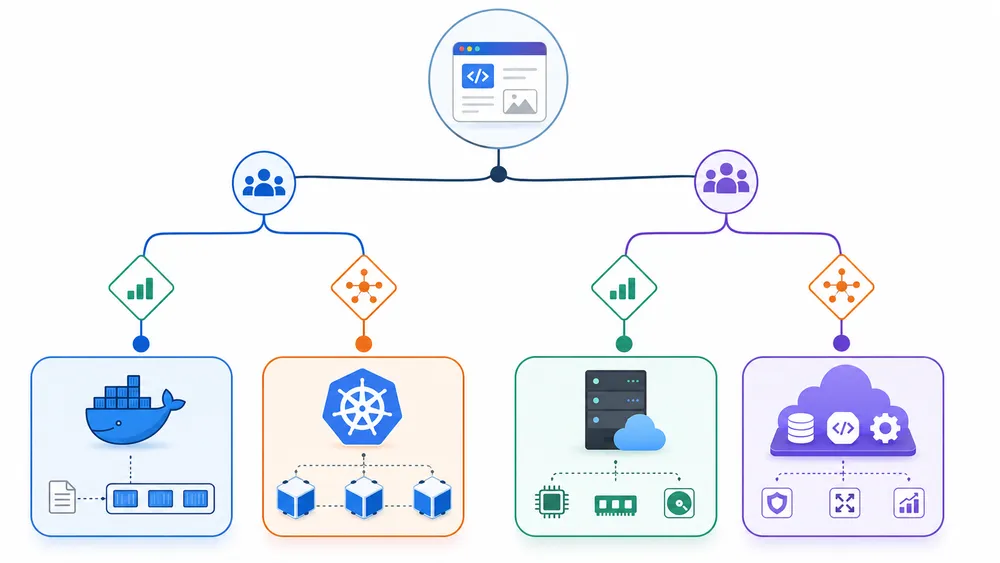
For a small project, choose Docker first. It is easier to learn, easier to deploy and easier to debug.
If your app has one backend, one database and one cache, Docker Compose is usually enough. You can host it on a VPS, set up a reverse proxy, enable HTTPS, configure backups and monitor basic resources.
This is a strong choice for:
| Project type | Recommended choice |
|---|---|
| Personal project | Docker Compose |
| Small API | Docker Compose |
| Internal tool | Docker Compose |
| MVP | Docker Compose or PaaS |
| Early SaaS | Docker Compose or PaaS |
| Static frontend | Vercel or similar |
| Full-stack app without server management | Render, Railway, Fly.io or similar |
If you do not want to manage servers, a PaaS may be better than both Docker on VPS and Kubernetes. For example, you can compare deployment platforms such as Render, Railway, Fly.io, Heroku and Vercel.
The point is not to choose the most advanced tool. The point is to choose the tool that gives you the best balance between speed, reliability and maintainability.
Which one should you choose for a SaaS?
For a new SaaS, start simple unless you already know you need Kubernetes. Many SaaS products can begin with Docker Compose on a VPS or with a managed deployment platform.
A young SaaS usually needs speed more than infrastructure sophistication. You need to ship features, test pricing, acquire users, fix bugs and learn from the market. If Kubernetes slows you down at this stage, it may be the wrong choice.
As the SaaS grows, the equation changes. You may need multiple app instances, background workers, queues, analytics pipelines, separate environments, deployment automation and better recovery. At that point, Kubernetes can become more attractive.
A practical path is:
- Start with Docker locally.
- Use Docker Compose for development and early production.
- Deploy on a VPS or PaaS.
- Add monitoring, backups and CI/CD.
- Move to Kubernetes only when operational needs justify it.
This progressive approach avoids premature complexity while keeping a migration path open.
Which one should you choose for microservices?
For real microservices, Kubernetes is often the better long-term choice. Microservices usually involve many independent services, separate deployments, network communication, service discovery, scaling differences and failure isolation.
Kubernetes provides primitives that fit this model. Deployments manage replicas and updates. Services expose workloads. Namespaces separate environments or teams. ConfigMaps and Secrets manage configuration. Ingress or Gateway APIs route external traffic.
However, not every app with three services is a microservices platform. A web app, PostgreSQL and Redis do not automatically justify Kubernetes. That is often just a normal multi-service application, and Docker Compose may still be enough.
Use Kubernetes for microservices when the complexity is real: many services, many teams, frequent deployments, scaling needs, observability requirements and business-critical uptime.
Which one should you choose for a frontend project?
For a frontend project, you may not need either Docker or Kubernetes in production. A static site, a marketing website or a Next.js frontend can often be deployed more easily on a platform like Vercel.
Docker can still be useful in development or CI/CD, especially if your frontend depends on specific build tools or backend services. But Kubernetes is usually unnecessary for a simple frontend unless it is part of a larger enterprise platform.
If you are building a full-stack app, compare the actual deployment need. A frontend on Vercel plus an API on Docker Compose, Render or Railway may be simpler than deploying everything on Kubernetes.
Which one should you choose instead of Heroku?
If you are moving away from Heroku, do not automatically jump to Kubernetes. First ask why you are leaving.
If you want more control and lower server costs, Docker Compose on a VPS may be a good option. If you want a modern managed platform, consider Render, Railway or Fly.io. If you want frontend-first deployment, Vercel may be more appropriate.
If you want a complete internal platform for many services and teams, then Kubernetes becomes more relevant. You can also read our guide to Heroku alternatives to compare paths before committing to a new infrastructure model.
The right replacement depends on your priority: control, simplicity, cost, scalability or team workflow.
Docker vs Kubernetes: decision framework
Use this decision framework if you still hesitate between Docker and Kubernetes.
Choose Docker Compose if:
| You need | Why |
|---|---|
| A simple deployment | Less complexity |
| One server | Perfect for a VPS |
| Fast setup | Easy to start |
| Low cost | Fewer resources |
| Small team | Easier maintenance |
| MVP speed | Faster iteration |
| Clear architecture | Fewer moving parts |
Choose Kubernetes if:
| You need | Why |
|---|---|
| Multiple servers | Built for clusters |
| High availability | Better workload recovery |
| Horizontal scaling | Stronger orchestration |
| Many services | Better service management |
| Frequent releases | Deployment strategies |
| Platform engineering | Standardization |
| Larger teams | Access and resource control |
Choose a PaaS if:
| You need | Suggested direction |
|---|---|
| Simple app deployment | Render or Railway |
| Global edge apps | Fly.io |
| Frontend deployment | Vercel |
| Heroku-like workflow | Render, Railway or Heroku alternatives |
| Less server maintenance | Managed platform |
The best infrastructure choice is the one your team can operate reliably. A simple architecture that you understand is often better than a sophisticated architecture that nobody can debug.
FAQ
Is Docker easier than Kubernetes?
Yes. Docker is easier because it focuses on images, containers, volumes, ports and networks. Kubernetes adds cluster management, Pods, Deployments, Services, Ingress, RBAC, storage, autoscaling and many operational concepts.
Should I learn Docker before Kubernetes?
Yes. You should usually learn Docker before Kubernetes. Kubernetes orchestrates containers, so understanding container images, volumes, ports and networks first makes Kubernetes easier to understand.
Is Docker Compose enough for production?
Docker Compose can be enough for production when the project is simple or medium-sized, especially on a single VPS. You still need backups, monitoring, HTTPS, updates, resource limits and a recovery plan.
Is Kubernetes useful on one VPS?
Usually not. Kubernetes can run on one server, but its main value is orchestration across a cluster. For one VPS, Docker Compose is usually simpler and more practical.
Does Kubernetes replace Docker Compose?
Not exactly. Docker Compose is a simple way to run multi-container apps on one machine. Kubernetes is a platform for orchestrating workloads across a cluster. Kubernetes can replace Compose in advanced infrastructures, but it adds much more complexity.
Can Kubernetes run Docker images?
Yes. Docker images built with docker build continue to work with Kubernetes through CRI-compatible runtimes. Kubernetes confirms that Docker-built images still work with CRI implementations.
What is better for a small SaaS?
For a small SaaS, Docker Compose on a VPS or a managed platform such as Render, Railway or Fly.io is often better at the beginning. Kubernetes becomes more relevant when the SaaS needs advanced scaling and operational automation.
What is better for microservices?
For mature microservices, Kubernetes is usually more suitable because it manages replicas, services, network exposure and deployments across a cluster. For just a few services on one machine, Docker Compose can still be enough.
Is Docker still relevant in 2026?
Yes. Docker remains relevant for building images, running local containers, managing development environments and deploying simple applications. Kubernetes did not remove the need to understand Docker and containers.
Which option is cheaper?
At small scale, Docker Compose on VPS is often cheaper because it requires fewer resources and less operational expertise. Kubernetes can become cost-effective at larger scale, but only when the complexity is justified by the application’s needs.
Conclusion: Docker or Kubernetes in 2026?
In 2026, the right choice between Docker vs Kubernetes depends on the real complexity of your project.
Choose Docker if you want to learn containers, standardize development environments, deploy a small application, run services on a VPS or keep infrastructure simple. For many developers, freelancers, small teams and early SaaS projects, Docker Compose is the most pragmatic choice.
Choose Kubernetes if your application has outgrown a single-server model. It becomes relevant when you need a cluster, multiple replicas, high availability, service discovery, rolling updates, scaling automation and a team capable of handling operational complexity.
Do not choose Kubernetes only because it is popular. Do not stay on Docker Compose forever if your infrastructure has become too fragile. Start with the simplest reliable architecture, then evolve when your project truly needs more.
The best path for most teams is progressive: learn Docker, use Docker Compose, deploy on a VPS or a suitable PaaS, then move to Kubernetes only when your scale, uptime requirements and team maturity justify it.
