

Railway : Review, Pricing and Application Deployment in France in 2026
Railway is a cloud platform that lets you deploy a web application, an API, a database or a backend service without directly managing a server. In France, the tool is mainly aimed at developers, freelancers, startups and SaaS builders who want to launch a project quickly, with an experience that is simpler than a traditional VPS and often more flexible than shared hosting.
Railway is an excellent choice for quickly launching an MVP, an API, a bot, a Node.js, Python, Django, Laravel or Next.js app, or a small SaaS. Its interface is clear, deployment from GitHub is fast, databases are easy to add, and the usage-based model can be very attractive at the beginning. However, Railway is not always the best choice for every French project : costs can become less predictable than with a fixed plan, GDPR requirements must be checked on a project-by-project basis, and a critical application must be monitored seriously.
Moreover, Railway is not a “web host” in the traditional sense. It is more of a PaaS, meaning a platform that handles part of the infrastructure to help you deploy faster. If you are looking for a simple way to put a backend, an API or a full-stack app online without managing Nginx, Docker Compose, SSL certificates and deployment scripts, Railway clearly deserves your attention.
In this complete review, we will look at what Railway is worth in France, how much Railway costs in 2026, which projects it is recommended for, what its limits are, and when it is better to choose an alternative.
What exactly is Railway ?
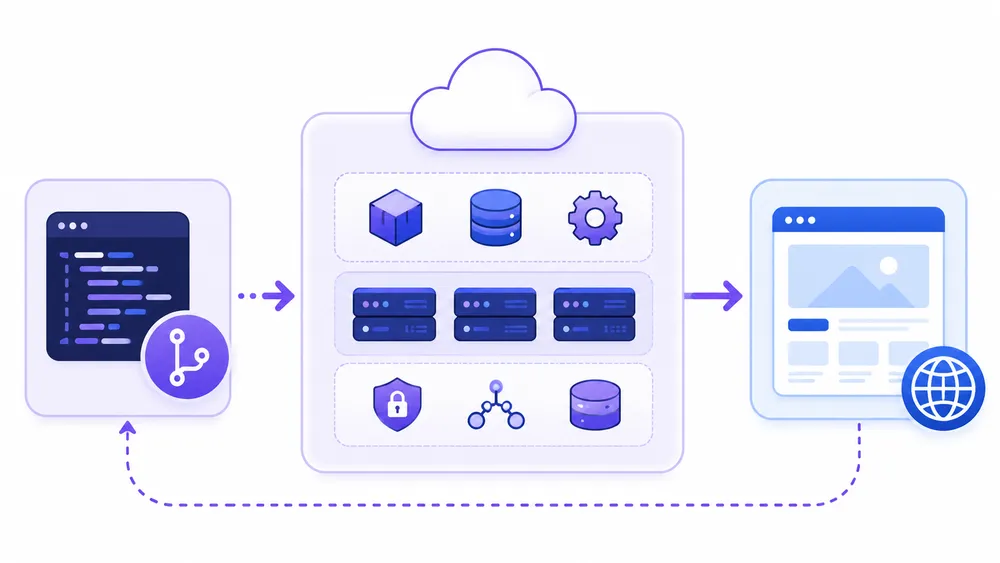
Railway.app is a PaaS cloud platform that lets you deploy applications, databases and backend services without manually managing the infrastructure. The user connects a GitHub repository, a template or a Docker image, configures environment variables, then Railway builds and launches the service. It is a solution designed for speed, especially for developers who want to avoid the complexity of a VPS.
On Railway, you can create a project, add a service, connect GitHub, deploy an application, add a PostgreSQL database, configure environment variables, view logs and monitor your resource usage.
The promise is simple : focus on the code rather than the infrastructure. Instead of renting a server, installing Docker, configuring a reverse proxy, opening ports, adding an SSL certificate and managing restarts, you use an interface that automates a large part of the process.
Railway can be used to host several types of projects :
| Project type | Is Railway suitable ? | Why |
|---|---|---|
| Node.js / Express API | Yes | Fast deployment, environment variables, logs |
| Python / FastAPI app | Yes | Good use case for APIs and backends |
| Django | Yes | Possible with database and variables |
| Full-stack Next.js | Yes, depending on the need | Good for backend, but Vercel may be more natural for the frontend |
| Discord / Telegram bot | Yes | Practical for small continuous services |
| SaaS MVP | Yes | Very good for quickly testing a product |
| Test PostgreSQL database | Yes | Easy to add to a project |
| Classic WordPress | Not ideal | A specialized WordPress host or VPS is better |
| Highly regulated project | To be studied | Check DPA, region, subprocessors and legal requirements |
| Critical high-traffic application | Possible, but with caution | Monitoring, backups, budget and architecture are necessary |
Railway therefore sits between several families of tools. It is simpler than a raw VPS, more backend-oriented than Netlify, more general-purpose than Vercel, and often faster to learn than a hyperscale cloud provider like AWS, Google Cloud or Azure.
If you are hesitating between other platforms already reviewed on CritiquePlus, you can also read our review of Render, our guide to Heroku and its alternatives, our analysis of Vercel, our introduction to Netlify or our feedback on Coolify.
What you need to remember quickly about Railway

Railway is one of the most pleasant platforms for quickly deploying a modern application. Its main strength is the developer experience : GitHub connection, templates, databases, logs and fast configuration. Its main drawback is the usage-based model, which requires monitoring consumption to avoid a bill that is less predictable than fixed-price hosting.
Our opinion is positive, but nuanced. Railway is very interesting if you want to move quickly from “my app works locally” to “my app is online”. This is exactly the problem many independent developers, SaaS creators, students and small teams face : the code is ready, but deployment becomes a series of small technical tasks that slow down the launch.
Railway reduces that friction. You create a project, connect your repository, Railway detects the type of application, builds the project, launches the service and gives you a URL. The official documentation also states that a project can be deployed from GitHub, from a Docker image or through a template, which covers most common use cases.
This is especially useful for people who want to avoid system administration. If your priority is to test a product, present a client demo, launch an API or host a simple backend, Railway is often faster than a VPS. You do not have to configure everything manually, and you can add a database in the same environment.
Its main strengths are clear :
| Strength | Practical impact |
|---|---|
| Fast deployment | You can put an app online without lengthy server configuration |
| GitHub connection | Each push can trigger a deployment |
| Docker support | More flexibility for custom projects |
| Templates | Practical for starting quickly with a known stack |
| Integrated databases | PostgreSQL and other services can be added to the project |
| Environment variables | Cleaner management of secrets and configuration |
| Accessible logs | Easier diagnosis when an error occurs |
| Usage-based pricing | Attractive at the beginning if the project consumes little |
But Railway is not perfect. The main point to watch is the real cost. Usage-based pricing is flexible, but it can be less clear for a beginner than a fixed plan. A poorly optimized application, an overloaded database, a service running continuously or unexpected traffic can increase the bill.
Another limit : Railway must be approached with caution for critical production projects. The platform offers more advanced plans, availability targets and scaling features, but that does not replace a real operations strategy : backups, external monitoring, alerts, recovery plan, budget limits, logging, internal documentation and restore tests.
Our recommendation : use Railway if you are looking for speed, simplicity and a good developer experience. Compare it with Render if you want a model that is easier to read per service, with Vercel if your project is very frontend/Next.js-oriented, with Scalingo or Clever Cloud if your priority is European or French anchoring, and with Coolify if you prefer to keep control over your own server.
Who is Railway best suited for ?

Railway is mainly suited to developers, freelancers, SaaS builders, early-stage startups and students who want to deploy an application quickly without managing a server. It is a good choice for MVPs, APIs, bots, backends, prototypes and small production applications. It is less suitable for projects that require strong sovereignty, a fixed bill or fully controlled infrastructure.
Railway is particularly interesting in four situations.
You are launching an MVP
If you are launching an MVP, you need a URL, a database, a backend and an environment that is easy to modify. At this stage, your priority is not to optimize every euro of infrastructure, but to validate an idea. Railway is very consistent with this use case because it lets you deploy quickly and iterate fast.
You are a freelance developer
If you are a freelance developer, you may need to put a demo, client prototype, internal tool or API online. Railway saves you from wasting time on server administration. You can deliver faster, show a working result and eventually migrate later if the project grows.
You are learning backend development
If you are learning backend development, Railway is more educational than an opaque hosting service because you can see the services, variables, logs, build process, deployments and resources. It is a good bridge between local development and production deployment.
You have a continuous service
If you have a small continuous service, a bot, an API, a worker or an internal service can run on Railway without requiring a complex architecture. You simply need to monitor consumption and avoid leaving unnecessary resources running.
Railway is less suitable if you are looking for classic WordPress hosting. For WordPress, a specialized host, an optimized VPS or a managed solution will often be simpler.
Railway can be useful in more advanced architectures, for example a headless backend or a microservice around a WordPress site, but it is not the first choice for hosting a traditional WordPress site with a theme, plugins and a MySQL database managed like with a WordPress host.
Railway is also less straightforward for a company that must prove precisely where data is stored, which subprocessors are involved, what contractual guarantees apply, and which certifications are available.
In this case, you should analyze Railway’s DPA and Trust Center before making any decision. Railway provides a Data Processing Addendum and a Trust Center dedicated to security and privacy, but its suitability will always depend on your exact use case.
How much does Railway cost in 2026 ?
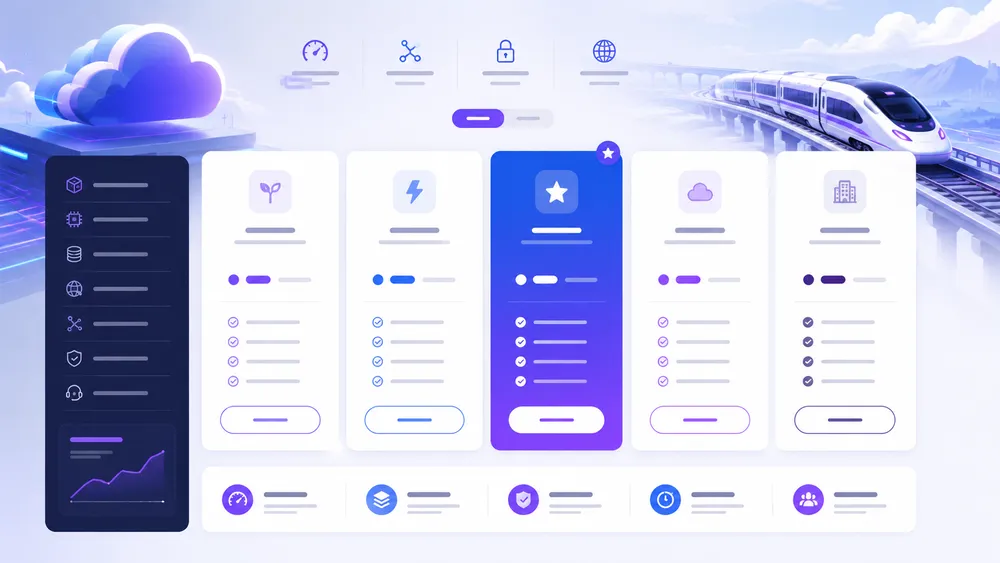
Railway uses usage-based pricing with several plans. The official documentation lists a Free plan at $0/month, a Hobby plan at $5/month, a Pro plan at $20/month and a custom Enterprise offer. Paid plans include usage credits, but resources consumed beyond those credits may be billed based on actual usage.
Railway’s pricing is one of the most important points to understand before deploying an application. Unlike traditional hosting, where you might pay €10 or €20 per month for a fixed plan, Railway works with a model that is closer to cloud pricing : you have a plan, included credits, and then billing linked to the resources you consume.
On its official pricing page, Railway notably presents a Hobby plan with a minimum usage of $5, including $5 in monthly credits, and a Pro plan with a minimum usage of $20, including $20 in monthly credits. The same page also shows important differences between plans, such as resource limits, support, log history and availability targets.
Here is a simplified overview of Railway’s plans :
| Railway plan | Listed price | Target profile | Key takeaway |
|---|---|---|---|
| Free | $0/month | Experimentation | Limited resources, useful for testing |
| Hobby | $5/month | Side projects, personal projects | $5 in credits included, community support |
| Pro | $20/month | Production apps and teams | $20 in credits included, Railway support, higher limits |
| Enterprise | Custom pricing | Organizations with advanced needs | Support, compliance and custom terms |
The Free plan is useful for discovering Railway, but it should not be considered a serious foundation for a professional application. It is mainly designed for testing, experimenting, understanding how the platform works and validating a small project.
The Hobby plan is the most logical option for an independent developer or a small project. It allows you to launch a personal app, a bot, a backend or a prototype while keeping the starting cost low. However, you need to monitor consumption. If your resources exceed the included credits, you pay for the additional usage.
The Pro plan is aimed at teams or more serious applications. It offers higher limits, a better availability target, longer log history and Railway support. This is the plan to consider if you are planning to run a production application.
The Enterprise plan is designed for organizations with more specific contractual, compliance or support needs. For most CritiquePlus readers, this will not be the first plan to consider.
Perhaps the most important question is not “how much does Railway cost ?”, but rather : how much will my application cost on Railway based on its actual usage ? For a small API with limited traffic, Railway can remain very affordable. For an application that consumes a lot of CPU, memory, storage, bandwidth or uses several services, the cost can increase.
This is the point that deserves the most attention. Usage-based pricing is flexible, but it requires a minimum level of FinOps discipline : tracking metrics, deleting unused services, limiting test environments, optimizing queries, monitoring volumes and setting budget alerts if available.
Is Railway free ?

Railway offers a Free plan, but it should be seen as an experimentation plan, not as an unlimited free solution for hosting a professional project. For a real personal project or a small long-running service, the Hobby plan at $5/month is usually more realistic. For a production application, the Pro plan should be considered.
Yes, Railway offers a free option. But as with most modern cloud platforms, free does not mean unlimited. The Free plan is useful for discovering the interface, testing a deployment, understanding services and checking whether your stack works on Railway.
For a student or a developer who wants to learn, it is a good entry point. You can test a small backend, connect a repository, read logs and understand the deployment logic without starting directly on a paid plan.
However, if you plan to host a public project, a client tool, an API used regularly or an important database, you should quickly move beyond the “free” mindset. Free cloud services almost always come with limits : low resources, reduced history, no guarantees, usage restrictions or the need to upgrade to a higher plan.
This is not a Railway-specific drawback. Render, Vercel, Netlify, Fly.io, Koyeb and DigitalOcean also have models with free tiers, credits, quotas or limitations. The best practice is to use the free plan for testing, then choose a suitable plan as soon as the project becomes serious.
What can increase your Railway bill ?

Your Railway bill can increase if your application consumes more CPU, memory, storage or network traffic, or if you multiply services and databases. A poorly optimized project, a worker running continuously, an overloaded database or several forgotten environments can cost more than expected.
The classic trap with a usage-based platform is underestimating small accumulated costs. A modern application is not always a single service. You may have a frontend, a backend, a PostgreSQL database, a worker, a task queue, a staging environment, a preview environment, logs, storage and outbound traffic.
Each element can consume resources. On a small project, this is not necessarily a problem. But as the application grows, the cost can become less predictable.
Here are the main factors to monitor :
| Factor | Why it can cost more |
|---|---|
| CPU | A poorly optimized or heavily used application consumes more |
| RAM | Some frameworks or workers require more memory |
| Storage | Databases, volumes, files and logs can grow |
| Network | Outbound traffic can become significant |
| Replicas | Multiple instances improve availability but cost more |
| Environments | Staging, preview and test environments can remain active unnecessarily |
| Databases | A managed database consumes storage and resources |
| Workers | Background tasks can run continuously |
To avoid unpleasant surprises, you need to adopt a few simple habits. First, start small. Do not oversize your application before you have real users.
Then, monitor usage regularly. Delete services you no longer use. Finally, document your architecture : which services are running, why they exist, what resources they use and what cost you expect.
This is also why Render may appeal to some profiles. Render offers a model that is easier to understand per service and per plan, even though costs can also vary depending on compute usage. According to its official pricing page, Render notably offers a Hobby plan at $0/month plus compute, a Pro plan at $25/month plus compute and a Scale plan at $499/month plus compute.
Railway remains very interesting, but it rewards users who understand at least the basics of their cloud consumption.
What are Railway’s main features ?
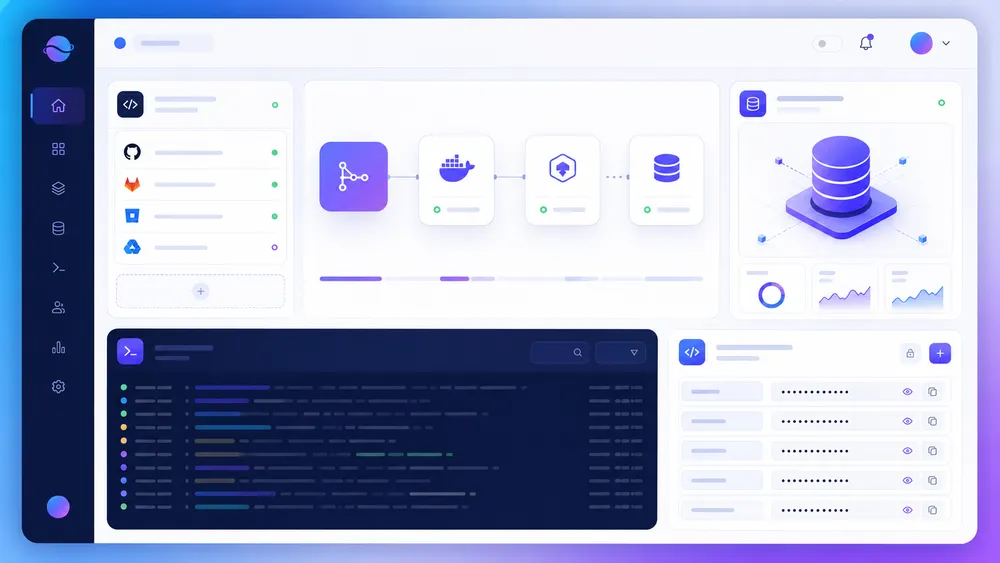
Railway offers deployment from GitHub, Docker or templates, environment variable management, databases, logs, monitoring, domains, volumes, scaling and several regions depending on the plans and configurations. Its main value is bringing these building blocks together in a simple interface to speed up the move from code to production.
Railway is appreciated because it combines several features that developers often have to assemble themselves on a VPS or a traditional cloud platform.
The first important feature is deployment from GitHub. You connect your account, choose a repository, then Railway can build and deploy the application. This simplifies continuous delivery for small projects and teams that want an experience close to push to deploy.
The second is template support. Railway states in its documentation that its marketplace offers more than 650 templates created by the community and by Railway. This makes it possible to start quickly with a known stack instead of configuring everything from scratch.
The third is Docker support. If your application requires a specific configuration, you can use a Docker image or a Dockerfile. This is important for less standard projects, custom stacks or applications that do not perfectly fit automatic detectors.
The fourth is environment variable management. This is essential for modern applications, because API keys, database URLs, secrets, tokens and configuration values should not be hard-coded in the repository. Railway’s documentation explains that variables can be defined from the Variables tab of a service, with a form or a RAW editor to paste a .env or JSON file.
The fifth is the management of databases and associated services. Railway allows you to add services inside a project, which makes it easier to create a simple architecture : backend + database + worker, for example. This is often more comfortable for a solo developer than an architecture scattered across several tools.
The sixth is access to logs. When an application fails during build, crashes at startup or returns a server error, logs are essential. Railway gives access to deployment and runtime logs, which helps fix errors quickly.
The seventh is scaling. Railway highlights more advanced resource capabilities on paid plans, with different limits depending on the plan. The official pricing page mentions, for example, higher resource ceilings for Pro than for Hobby, as well as differences in replicas, storage, support, log history and availability targets.
Finally, Railway also provides a CLI. The documentation indicates that the railway up command lets you deploy simply from the terminal, with code built through Railpack or a Dockerfile and logs displayed in real time.
Deploying from GitHub : Railway’s biggest strength

GitHub deployment is one of Railway’s biggest assets. It allows you to connect a repository, automatically build the application and put it online without complex server configuration. For a developer who wants to publish an MVP or an API quickly, it is often much simpler than a manual VPS.
Deployment from GitHub has become a standard expectation for modern platforms. Railway meets this need well. You keep your code on GitHub, connect the repository to Railway, then let the platform handle the build and launch.
This is a very practical approach for developers who already work with Git. It reduces manual operations, lowers the risk of errors and makes deployment more reproducible. Instead of sending files via FTP or manually running SSH commands, you work with a more modern workflow.
For small teams, it also improves readability. Everyone can see which repository powers which service. Changes are tracked in Git. Build errors appear in the logs. And if you structure your project properly, you can separate production, staging and testing.
Railway is not the only platform to offer this kind of experience. Vercel, Netlify, Render, Koyeb and DigitalOcean App Platform also do it. But Railway stands out for its backend simplicity. While Vercel is often the natural choice for Next.js and modern frontend projects, Railway is more comfortable when your project includes an API, a database, a worker or several connected services.
For a full-stack project, the approach can be very effective : Vercel for the frontend, Railway for the backend, or Railway alone if the application is coherent within a single environment. The right choice depends on the stack and performance needs.
Railway and databases

Railway allows you to add databases and associated services inside a project, which simplifies launching a full-stack application. It is practical for an MVP or an API with PostgreSQL, but you need to think about backups, data size, region, security and storage cost before using it for a critical production environment.
A modern application often needs a database. On a VPS, this means installing PostgreSQL or MySQL, configuring access, securing the service, managing backups, updates and restoration. On Railway, the experience is simpler : you add a database to the project and retrieve the required connection variables.
This is one of the reasons Railway appeals to developers creating MVPs. You do not need to spend a day configuring the basic infrastructure. You can focus on the product.
But simplicity does not mean absence of responsibility. A database remains a critical component. Before going to production, you need to answer several questions :
| Question | Why it matters |
|---|---|
| Where is the data stored ? | GDPR, latency, contractual obligations |
| Are backups configured ? | Recovery after an error or incident |
| How do you restore a database ? | A backup alone is not enough |
| Who has access to the variables ? | Security and governance |
| What is the storage cost ? | The database can grow over time |
| What is the migration strategy ? | Avoid lock-in or panic if you need to leave |
For a personal project, these questions may seem heavy. For a company, they are essential. An application that handles user accounts, payments, orders, customer data or sensitive information should never depend on a database without a clear backup strategy.
Railway can be a good choice, but it must be treated as a real cloud environment, not as a simple playground.
Railway in France : can you use it with confidence ?

Yes, Railway can be used from France to develop and deploy applications. For a personal project, an MVP or a non-sensitive service, usage is straightforward. For a French company or a project processing personal data, you need to check the DPA, available regions, subprocessors, GDPR obligations and contractual requirements.
Railway in France is not just about access to the service. The real issue is compliance and hosting context. From France, you can use Railway as a cloud platform. But depending on your project, that may not be enough.
If your application does not process sensitive personal data, if it is used for a demo, a prototype or a lightweight internal tool, Railway may be more than enough. You still need to apply security best practices : clean secrets, limited access rights, updates, logs, backups and deletion of unnecessary data.
If your application processes personal data from European users, you need to think like a serious technical and editorial owner. GDPR is not simply about asking “is my tool American or European ?”. It imposes a logic of purpose limitation, data minimization, security, information, data processing agreements and control over transfers. Railway provides a Data Processing Addendum, which is a document to review if you use the platform to process personal data.
You should also consult Railway’s Trust Center to assess the available security, privacy and compliance information. The Trust Center indicates that Railway centralizes security and privacy information there, with the option to request access to sensitive documentation.
For a French use case, the right approach is therefore pragmatic :
| Use case | Can Railway be suitable ? | Verification level |
|---|---|---|
| Personal prototype | Yes | Low |
| Student project | Yes | Low |
| SaaS MVP without sensitive data | Yes | Medium |
| Client API with user accounts | Yes, with caution | Medium to high |
| Health data | Avoid without legal analysis | Very high |
| Sensitive financial data | Check in depth | Very high |
| Public administration | Unlikely without specific requirements | Very high |
| French sovereign project | Compare with French alternatives | Very high |
This is where Scalingo and Clever Cloud become interesting. Scalingo highlights a European PaaS and DBaaS, with pricing starting at €7.20 per container/month for application runtimes and €3.60 per month for databases according to its official page.
Clever Cloud presents itself as a managed platform built for production, with monitoring, automatic updates, high availability and regulatory compliance ; its homepage also mentions ISO/IEC 27001:2022, HDS, GDPR compliance and a SecNumCloud zone available on request through Cloud Temple.
This does not mean Railway is bad for France. It means the choice depends on the level of requirement. To move fast, Railway is excellent. For a sovereignty strategy, you need to compare.
Is Railway suitable for GDPR ?

Railway can fit into a GDPR approach if you configure your project properly and if the contractual documents match your use case. But GDPR suitability does not depend only on Railway : it also depends on the data processed, the region, subprocessors, your retention periods, your security measures and your own compliance.
It is tempting to look for a simple answer : is Railway GDPR-compliant, yes or no ? In reality, the question is more complex. GDPR does not simply certify a tool for all uses. It governs data processing activities. Two companies can use the same cloud service with very different risk levels.
For a demo site without user accounts, the GDPR topic will be limited. For a SaaS that stores names, emails, invoices, activity histories and business data, the topic becomes central.
Before using Railway for a French project with personal data, check at least the following :
| Point to check | Why |
|---|---|
| Signed or applicable DPA | Frame the controller/processor relationship |
| Subprocessors | Understand who may process the data |
| Hosting region | Control location and latency |
| Security measures | Protect access, secrets and data |
| Backups | Prevent loss or corruption |
| Data deletion | Respect retention periods |
| Team access | Limit permissions |
| Logging | Audit actions and incidents |
| Transfers outside the EU | Identify contractual risks |
Railway provides a public DPA that supplements its terms of service for relevant customers. This is a good point, but it is not automatic validation for every project. For a sensitive application, the documents should be reviewed by a competent person, especially if you process health data, children’s data, financial data, HR data or strategic customer data.
For an MVP or a small non-sensitive tool, Railway can be a good choice. For a French company with strong requirements, compare Railway with Scalingo, Clever Cloud, OVHcloud, Outscale, Scaleway or a more controlled architecture.
Is Railway reliable for a production application?
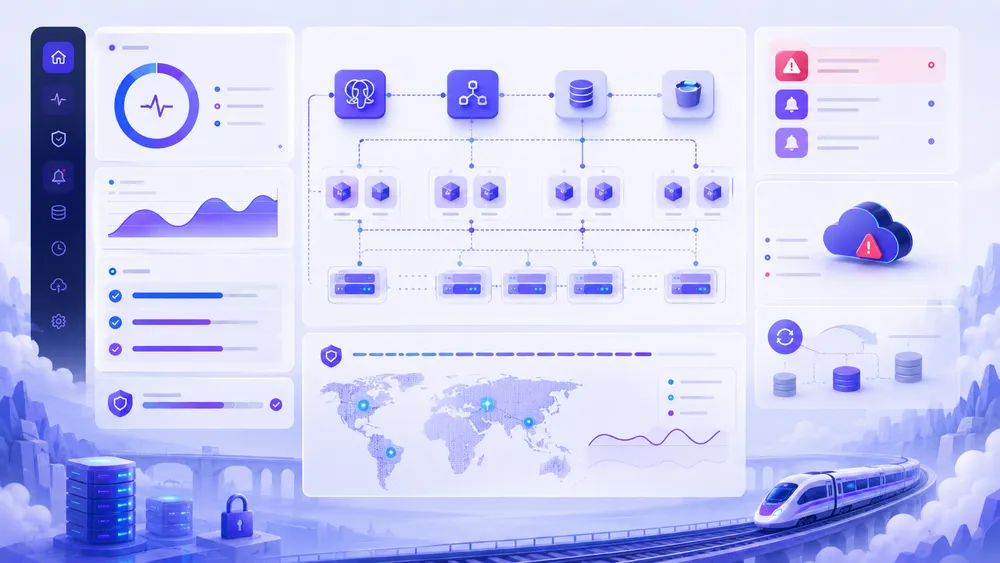
Railway can be used for production applications, but you need to apply best practices : monitoring, backups, alerts, cost limits, restore tests and a migration plan. The Railway incident in May 2026 reminds us that no cloud platform is invulnerable, even when it automates many things for developers.
Reliability is the most serious topic in this review. A platform can be pleasant, fast and modern, but if your application generates revenue or serves real users, the question becomes : what happens if there is an outage?
Railway indicates different availability targets depending on the plan on its pricing page. The Hobby plan mentions a 99.9% availability target, while the Pro plan mentions 99.99%. The same page also specifies differences in support and log history : community support and 7 days of logs for Hobby, Railway support and 30 days of logs for Pro.
These elements are useful, but they are not enough to define your real level of availability. Your application can go down for several reasons : a bug in your code, a failed migration, a deleted environment variable, an overloaded database, an unavailable external dependency, a blocked invoice, a configuration error, a platform incident or an underlying cloud incident.
On May 19, 2026, Railway published a report stating that Google Cloud had incorrectly placed its production account in suspended status as part of an automated action, causing a platform-wide disruption for infrastructure hosted on GCP. Railway’s blog also indicates that the platform experienced an outage related to that suspension, which reminds us that a PaaS itself depends on underlying infrastructure.
Should we conclude that Railway is unreliable? No. All cloud platforms can experience incidents, including the largest ones. But we should conclude that a critical application should never rely on a vague belief such as “the platform handles everything”.
To run an application in production on Railway, apply at least this checklist :
| Measure | Why |
|---|---|
| External monitoring | Check the application from outside |
| Uptime alerts | Be notified quickly |
| Automatic backups | Protect the data |
| Restore tests | Make sure backups are usable |
| Cost limits | Avoid surprises |
| Sufficient logs | Diagnose incidents |
| Staging environment | Test before production |
| Deployment documentation | Avoid depending on one person |
| Migration plan | Be able to leave if necessary |
| Dependency status | Monitor Railway, database and external APIs |
Railway can therefore be a good choice for production, but not in an improvised way. If your application is a small SaaS, a client tool or a revenue-generating API, choose the right plan, configure backups, monitor costs and document your procedures.
Railway vs Render vs Fly.io vs Vercel vs Netlify : which one should you choose?
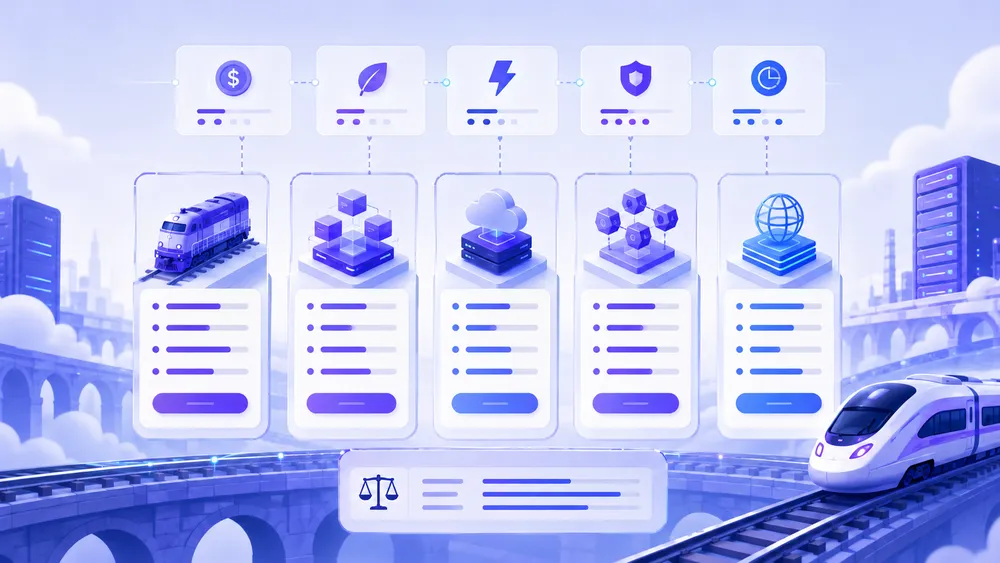
Railway is the best choice if you want to quickly deploy a backend, an API or a full-stack application with a database. Render is often easier to understand for a team that wants clearly separated services. Fly.io is more powerful for distributed deployments. Vercel and Netlify remain better for modern frontends, static sites and Jamstack projects.
The right choice depends less on the platform name and more on your project type. In reality, these tools overlap, but they do not all have the same core purpose.
Railway is very strong for backends and full-stack applications that need to move fast. Render is close, but with a more structured logic by service type.
Fly.io often requires more technical maturity, but it is very interesting if you want to deploy close to users or work with lightweight machines. Vercel is the natural choice for Next.js and modern frontends. Netlify is excellent for static sites, Jamstack, fast deployments and frontend workflows.
Here is the decision table to keep in mind :
| Platform | Best use case | Main strength | Main limitation |
|---|---|---|---|
| Railway | API, backend, MVP, simple SaaS, database | Very fast deployment, simple developer experience | Usage-based cost to monitor |
| Render | Web services, workers, simple production apps | Clear offer, service-based logic | Less fluid than Railway for some very fast projects |
| Fly.io | Distributed apps, containers, workloads close to users | Global machines, powerful technical approach | Higher learning curve |
| Vercel | Next.js, frontend, edge, modern sites | Excellent frontend experience | Less natural for classic long-running backends |
| Netlify | Static sites, Jamstack, frontend, serverless functions | Simplicity, CDN, previews, web workflows | Less oriented toward full backend |
| Coolify | Self-hosting on VPS | Control, controlled server cost | You manage more of the infrastructure |
| Heroku | Historic PaaS deployment | Simplicity and ecosystem | Pricing and alternatives to compare |
Render indicates on its official page a Hobby plan at $0/month plus compute, a Pro plan at $25/month plus compute, and a Scale plan at $499/month plus compute. This makes it a serious alternative to Railway if you want a modern PaaS with a readable offer structure for production apps.
Vercel highlights a free Hobby plan and a Pro plan at $20/month, with additional billing depending on the usage of certain resources. It is an excellent choice for frontend projects, but not always the simplest or most cost-effective option for a classic long-running backend.
Netlify offers a Free plan at $0, a Personal plan at $9/month and a Pro plan at $20/month, with a credit-based logic since its 2026 pricing changes. It is a very good option for static sites, Git deployments, previews and Jamstack projects.
Fly.io works with a usage-based infrastructure model : machines, persistent storage, bandwidth and support depending on your needs. Its official page emphasizes pay-as-you-go pricing, possible reservations and global deployments.
Railway vs Render : which one should you choose?
Choose Railway if you want to launch a backend, an API or an MVP very quickly with little configuration. Choose Render if you prefer a more service-structured approach that is easier to explain to a team or a client. Both are good alternatives to Heroku, but Railway often feels faster at the start.
Railway and Render are probably the two most directly comparable platforms for a developer looking for a modern alternative to Heroku. Both allow you to deploy web services, connect GitHub, manage environment variables, add databases and simplify production deployment.
The difference lies in the experience. Railway gives a feeling of freedom and speed. You create a project, add services, connect the building blocks, and the whole thing looks like a cloud workspace. This is pleasant for a solo developer, an early-stage startup or a freelancer who wants to move fast.
Render is often easier to understand for teams that want to think in separate services : web service, worker, cron job, database, static site. This logic can be more reassuring when you need to document an architecture or hand the project over to other developers.
For an MVP, Railway can be more appealing. For a client project that needs to remain understandable in six months, Render can be more comfortable. That is why the choice should not be dogmatic.
If your priority is “I want to deploy now”, Railway often wins. If your priority is “I want a readable PaaS architecture with clearly categorized services”, Render deserves to be compared. You can read the full analysis in our dedicated article on Render.
Railway vs Heroku : is Railway a real alternative?
Yes, Railway can be a modern alternative to Heroku for many projects. It takes up the idea of simple deployment without server management, but with a more current experience and an approach adapted to modern stacks. Heroku remains well-known and mature, but Railway, Render, Fly.io or Koyeb are often more attractive for new projects.
Heroku was the reference for simple PaaS deployment for a long time. For many developers, “deploying on Heroku” meant putting an app online without becoming a system administrator. Railway follows that same logic, but with a more modern, more visual experience that is more oriented toward multi-service projects.
Railway’s value is that it answers a classic frustration among former Heroku users : finding a simple platform again, but with a better sense of control over services, variables, databases and deployments. For a developer used to Heroku, Railway will not be difficult to understand.
The real question is cost and long-term stability. Heroku remains a recognized platform with a mature ecosystem, but its price/flexibility ratio is often criticized by developers looking for alternatives. Railway can be more pleasant for launching, but you need to monitor the bill and the resources.
For a new project, Railway, Render or Fly.io are often more interesting to compare before automatically choosing Heroku. For a project already on Heroku, you need a more careful analysis : add-ons used, database, variables, workers, files, buildpacks, domains, logs, backups and real cost. Our guide to Heroku and its best alternatives completes this analysis well.
Railway vs Vercel : backend or frontend?
Vercel is generally better for a Next.js frontend, a modern website or an edge-oriented web application. Railway is often more suitable for a backend, an API, a database, a worker or a more traditional full-stack architecture. The two can be used together : Vercel for the frontend, Railway for the backend.
Railway and Vercel are sometimes compared, but they do not answer exactly the same need. Vercel is strongly associated with Next.js, fast frontend deployments, previews, global CDN and the developer experience on the web interface side. Railway is more general-purpose on the backend side.
If you are building a marketing website, documentation, a modern blog, a frontend-oriented Next.js app or a SaaS interface, Vercel may be the most natural choice. The Hobby plan is free for personal projects, and the Pro plan starts at $20/month according to the official page.
If your project relies on a long-running API, a worker, a PostgreSQL database, a bot, a Python service or a backend that must run continuously, Railway may be more appropriate. You avoid twisting your architecture to fit into a very frontend-oriented model.
The best compromise is often hybrid : Vercel hosts the frontend, Railway hosts the API and the database. This allows you to benefit from the strengths of each tool. But this approach also adds complexity : two platforms, two bills, two dashboards, two logging systems and two places to monitor.
For a simple project, one platform may be enough. For a more serious SaaS, separating frontend and backend can be a better architecture. Our detailed review of Vercel will help you choose if your project is heavily oriented toward Next.js or frontend.
Railway vs Netlify : two different use cases
Netlify is mainly recommended for static sites, Jamstack projects, frontends, forms, serverless functions and web publishing workflows. Railway is more suitable for backends, APIs and applications that need persistent services. For a showcase website or a static blog, Netlify is often better ; for an API or a SaaS, Railway is more relevant.
Netlify is an excellent platform, but it is not the same tool as Railway. Netlify shines when your project looks like a modern website : static frontend, site generator, JavaScript framework, branch previews, forms, serverless functions and global CDN.
Railway shines when your project needs a running backend, a worker, a database, connected services and a more complete application logic. For a simple landing page, Railway would often be too heavy. For an API with a PostgreSQL database, Netlify would often feel less natural.
Netlify indicates on its pricing page a Free plan at $0, a Personal plan at $9/month and a Pro plan at $20/month. Its page also highlights deployments from Git or API, deploy previews, custom domains with SSL and the global CDN.
The choice can be summarized simply. If you are publishing a website, documentation, a landing page or a Jamstack project, look at Netlify. If you are deploying an API, a backend, a full-stack app or a persistent service, look at Railway. To go further, you can read our article on Netlify.
Railway vs Fly.io : simplicity vs distributed power
Railway is simpler for launching an application quickly. Fly.io is more powerful for deploying distributed applications across several regions, working with lightweight machines and optimizing proximity to users. Railway is better suited to beginners and MVPs ; Fly.io is better suited to developers who want more technical control.
Fly.io is a very interesting platform, but it often requires more technical maturity than Railway. While Railway tries to simplify the experience as much as possible, Fly.io focuses on machines, regions, private networking, global deployment and fine-grained resource control.
Fly.io’s official page explains that billing is usage-based, depending on the components required by the application. Its documentation also specifies that Fly Machines are billed according to the CPU/RAM preset, with an additional cost for extra RAM.
Fly.io becomes especially interesting if you have users in several regions and latency matters. The platform lists regions such as Paris, Amsterdam, Frankfurt, London, Toronto, Tokyo, Singapore or Sydney in its pricing documentation.
For a French developer, this is a notable point : being able to deploy close to European users can reduce latency. But this power comes with added complexity. You need to better understand machines, volumes, networking, regions, bandwidth costs and deployment strategies.
Railway is therefore preferable if you want to move fast and stay within a more guided interface. Fly.io is preferable if you know why you need distributed machines, network control and a more advanced architecture.
Railway vs Coolify : managed PaaS or self-hosting?
Railway is a managed platform : you pay to simplify deployment and delegate part of the infrastructure. Coolify is a self-hosted solution : you keep more control, often with a more predictable server cost, but you must manage more maintenance, security, backups and incidents.
Coolify does not play exactly in the same category as Railway. Railway is a cloud service. Coolify is a platform you install on your own server to get an experience close to a self-hosted PaaS.
With Railway, you save time. You do not have to install the platform, maintain the server, manage system updates, manually configure the reverse proxy or supervise the base infrastructure. You pay for that simplicity.
With Coolify, you gain control. You can choose your VPS, your provider, your region, your budget and your configuration. You can host several projects on a properly sized server. But you also take back part of the technical responsibility.
The question to ask is simple : do you want to delegate the infrastructure or control it?
For a technical freelancer, Coolify can become very cost-effective if several small projects run on the same VPS. For a SaaS builder who wants to focus on the product, Railway may be more efficient at the beginning. For a company that wants to control its infrastructure while keeping a modern deployment experience, Coolify can be a very interesting option, provided it has the internal skills.
Our guide to Coolify, its installation and our review completes this choice well.
How to deploy an application on Railway?
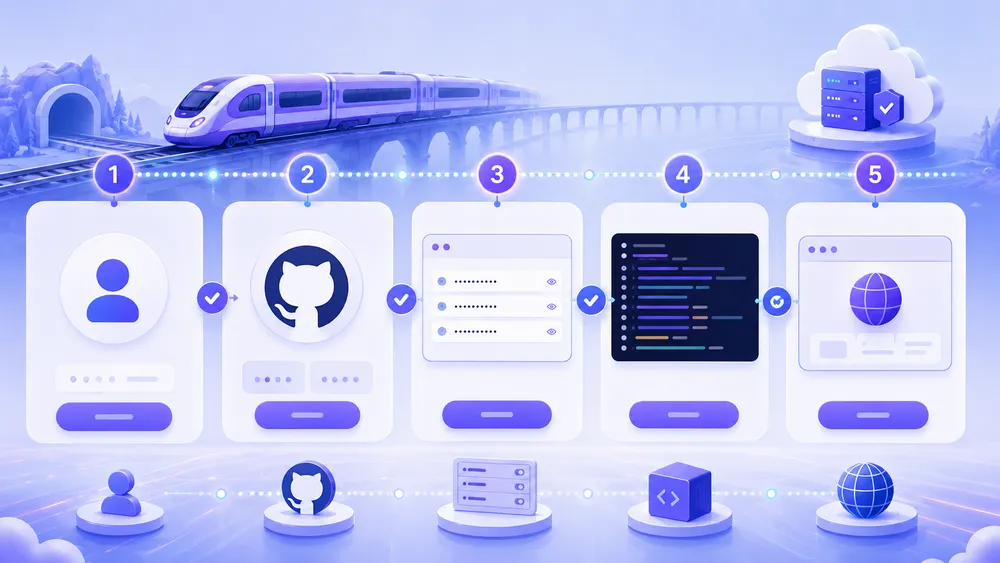
To deploy an application on Railway, create an account, connect your GitHub repository, choose the project to deploy, add environment variables, check the logs, configure a domain and monitor consumption. The process is designed to be fast, but serious production deployment also requires backups, monitoring and a rollback plan.
Deployment on Railway follows a fairly simple logic. Even though each stack has its own details, the general workflow remains accessible.
Step 1 : create a Railway account
Start by creating a Railway account. For a test, the free plan or available trial may be enough. For a project intended to stay online, quickly look at the Hobby or Pro plans to avoid building your architecture on a temporary limit.
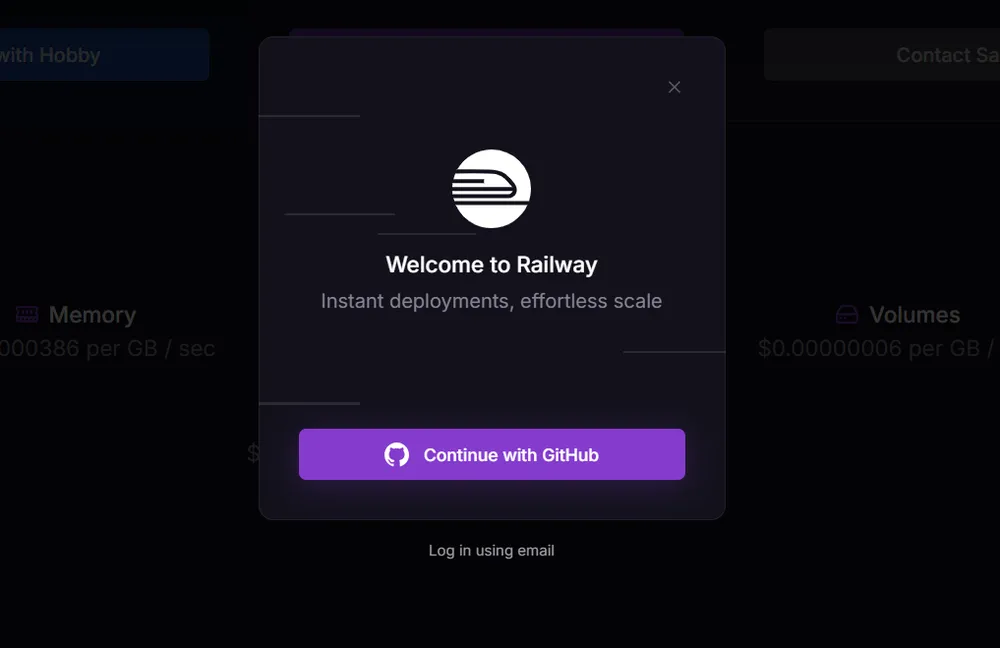
Before even deploying, define your goal : test, demo, MVP, light production or critical application. This choice influences resources, plan, backups and the level of monitoring.
Step 2 : connect GitHub
The simplest method is to connect your GitHub account. Railway can then access the selected repository and launch a deployment. The official documentation states that Railway allows you to deploy from GitHub, from a Docker image or from a template, which covers most modern projects.
Make sure your repository contains the right files : package.json, requirements.txt, Dockerfile, build configuration or the required instructions depending on your stack. A project that works locally but has poorly defined scripts can fail during the build.
Step 3 : add environment variables
Environment variables are essential. Never store your secrets directly in the code. Add API keys, database URLs, tokens, session secrets, SMTP settings and production variables in the Railway interface.
Also check that your application clearly separates development and production. A common mistake is to use a local configuration in production, or to forget a critical variable.
Step 4 : add a database if needed
If your application needs PostgreSQL or another data service, add it to the project. Railway simplifies this step, but you still need to think about what comes next : backups, migrations, restoration and security.
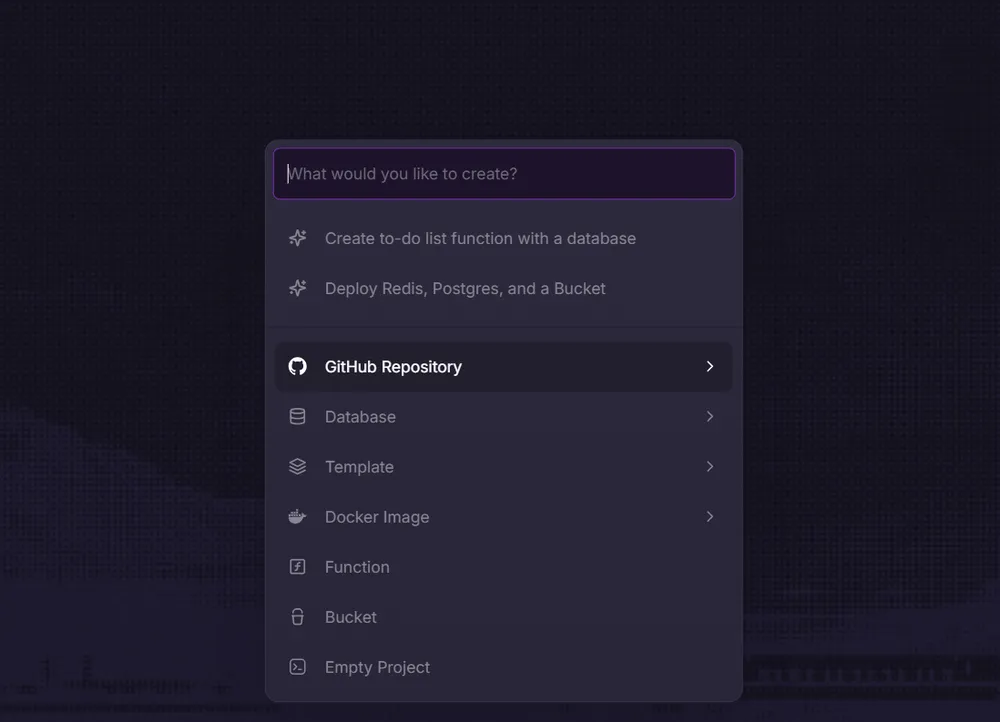
For an MVP, you can move fast. For a client application, document migrations and test restoration before truly relying on the database.
Step 5 : read the logs and fix errors
After the first deployment, read the logs. They will tell you whether the build failed, whether the port is misconfigured, whether a variable is missing, whether the database is unreachable or whether the application crashes at startup.
This is often the step where beginners discover the difference between “it works on my computer” and “it works in production”. Railway simplifies a lot, but it does not automatically fix application configuration errors.
Step 6 : configure the domain
Once the app is working, configure a custom domain. Check SSL, redirects, the canonical URL and the variables linked to your public domain. If the application exposes an API, also test CORS, webhooks and callback URLs.
Step 7 : monitor costs and availability
Before sharing the application widely, check resource usage. Monitor CPU, RAM, storage, traffic, active services and forgotten environments. Add external monitoring to know whether the application actually responds from outside.
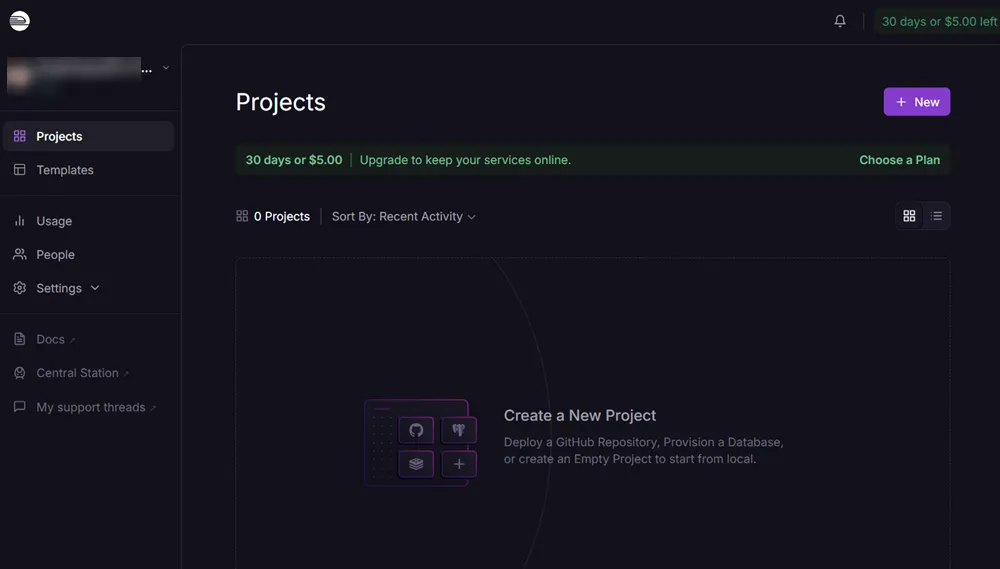
This final step is often overlooked. Yet it is what turns a simple deployment into the real beginning of production.
The advantages of Railway
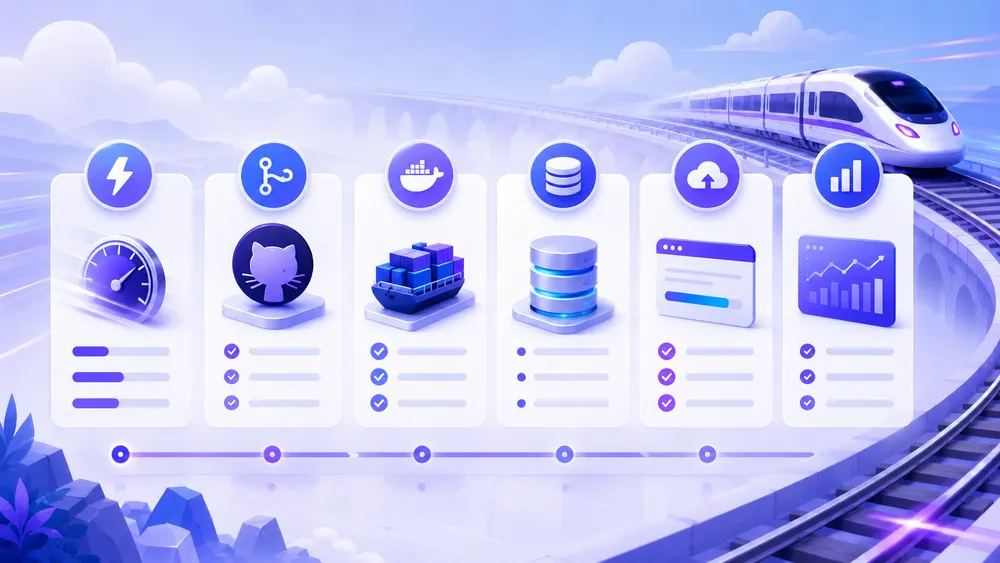
Railway’s main advantages are deployment speed, interface simplicity, GitHub integration, templates, integrated databases, Docker support, accessible logs and a very smooth developer experience. To launch an MVP or an API quickly, Railway saves a lot of time.
The first advantage of Railway is speed. You can put an application online without going through all the classic server configuration. For a solo developer, this time saving is huge.
The second advantage is the developer experience. Railway is pleasant to use. Projects, services, variables, logs and deployments are presented clearly. This makes the platform more accessible than many more complex cloud solutions.
The third advantage is flexibility. Railway is not limited to a single framework. You can deploy different stacks, use Docker, connect GitHub, add services and organize a complete project.
The fourth advantage is its value for MVPs. When launching a product, you want to test an idea, not build a perfect infrastructure. Railway lets you launch, measure, fix and iterate.
The fifth advantage is its alignment with modern use cases. Many current projects combine backend, database, API, jobs, webhooks and external services. Railway fits this logic well.
The disadvantages of Railway
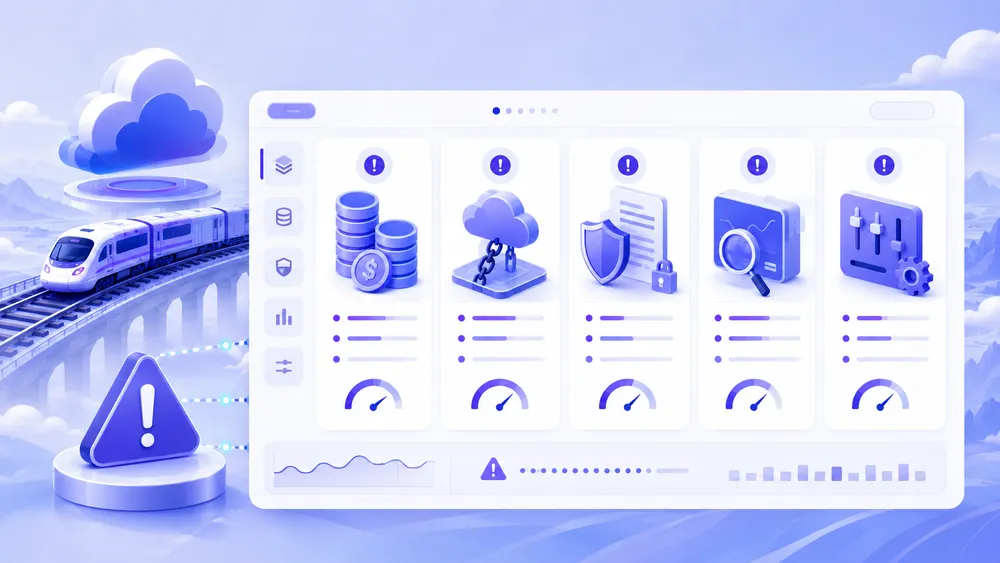
Railway’s main disadvantages are the bill you need to monitor, dependency on a third-party platform, compliance questions for some French projects, support limits depending on the plan, and the need to build your own real production strategy. Railway simplifies deployment, but it does not replace good architecture.
The first disadvantage is usage-based cost. This model can be advantageous, but it requires vigilance. If you come from fixed-price hosting, you need to change your mindset. On Railway, what matters is not only the plan price, but the real consumption.
The second disadvantage is platform dependency. The more you use Railway services, the more you need to prepare for a possible migration. This is not a reason to avoid Railway, but it is a reason to keep your code portable, document variables and avoid choices that are too difficult to reproduce elsewhere.
The third disadvantage concerns sensitive French projects. Railway can be compatible with some use cases, but for strong sovereignty, localization or compliance requirements, a European or French alternative may be more reassuring.
The fourth disadvantage is production. Railway allows you to go online, but you still need to manage backups, alerts, application security, errors, migrations and cost monitoring. No PaaS removes these responsibilities.
The fifth disadvantage is support. Plans do not all provide the same level of assistance. Railway indicates on its pricing page that the Hobby plan has community support, while the Pro plan includes Railway support.
Railway is therefore simple, but not magical. It is an excellent platform for moving fast, as long as you remain rigorous.
The best alternatives to Railway
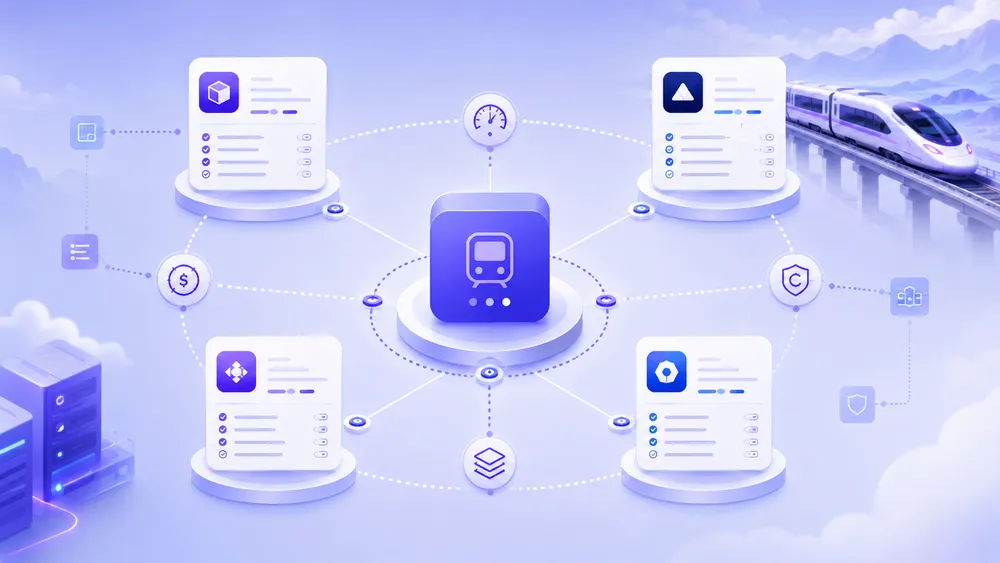
The best alternatives to Railway are Render, Fly.io, Vercel, Netlify, DigitalOcean App Platform, Koyeb, Scalingo, Clever Cloud and Coolify. Render is the most direct competitor. Vercel and Netlify are better for frontend projects. Fly.io is more technical. Scalingo and Clever Cloud are interesting for Europe and France. Coolify is suitable for self-hosting.
Render
Render is probably the most obvious alternative to Railway. It is suitable for developers who want to deploy web services, databases, workers and static sites with a clear structure. Its Hobby plan at $0/month plus compute and its Pro plan at $25/month plus compute make it a serious option for projects that want to start without too much friction.
Choose it if you want a modern alternative to Heroku with a more classic service-based organization.
Fly.io
Fly.io is a more technical alternative. It is interesting if you want to deploy applications in several regions, reduce latency or work with lightweight machines. The platform bills based on usage and offers a globally oriented infrastructure model.
Choose it if you need control, regions close to users and a distributed architecture.
Vercel
Vercel is the alternative to consider if your project is mainly frontend, especially with Next.js. Its deployment experience, previews, CDN and integration with the modern JavaScript ecosystem are excellent. The Pro plan is listed at $20/month.
Choose it for a modern frontend, a Next.js app or a SaaS interface strongly focused on web performance.
Netlify
Netlify is ideal for static sites, Jamstack, frontends and modern editorial workflows. Its Free, Personal and Pro plans make it easy to get started, with Git deployments, previews, CDN and functions.
Choose it for a marketing site, a static blog, documentation or a frontend web project.
DigitalOcean App Platform
DigitalOcean App Platform is an interesting alternative for developers who want a managed platform backed by a well-known cloud provider. The official page mentions a free tier for static sites, as well as a paid tier starting at $5/month. It also mentions GitHub/GitLab, automatic HTTPS, custom domains, global CDN and DDoS mitigation for free static sites.
Choose it if you like the DigitalOcean ecosystem and want a more classic approach to managed cloud.
Koyeb
Koyeb is an interesting alternative for intensive applications, APIs and modern workloads. Its official pricing page lists a Pro plan at $29/month plus compute and a Scale plan at $299/month plus compute, with included compute depending on the plan.
Choose it if you are looking for a powerful, modern platform oriented toward demanding workloads.
Scalingo
Scalingo is particularly interesting for French or European projects. Its official page highlights a European PaaS and DBaaS, with application runtimes starting at €7.20 per container/month and databases starting at €3.60 per month, based on 30 days of full consumption.
Choose it if you want a European alternative that is more aligned with certain compliance, hosting and local support needs.
Clever Cloud
Clever Cloud is another serious French/European alternative. Its pricing page explains that the price depends on the size and number of instances or databases, with billing by the second. The homepage also highlights automated deployment from Git, automatic scalability and tools such as API, CLI and a Terraform provider.
Choose it if you want a European managed platform with a strong production orientation.
Coolify
Coolify is the alternative to consider if you want to keep control over your infrastructure. Instead of paying for a managed platform like Railway, you install Coolify on a VPS and deploy your applications with an experience closer to a PaaS.
Choose it if you have the technical skills, several small projects to host, or if you want to reduce recurring costs in exchange for more responsibility. To go further, read our guide to Coolify.
Is Railway worth it for a French developer?

Yes, Railway is worth it for a French developer who wants to quickly deploy an application, an API, a bot or an MVP without managing a server. It is a very relevant solution for learning, testing and launching fast. For a sensitive, regulated project or one that depends heavily on data location, you should compare it with European alternatives.
For a French developer, Railway solves a real problem : simplifying deployment. Many projects remain stuck between local development and production because deployment seems too technical. Railway reduces that barrier.
It is very suitable for a freelancer who wants to deliver a demo, a student who wants to publish a project, a SaaS builder who wants to validate an idea, or a small team that wants to move faster than with a manually configured VPS.
But Railway should not be chosen only because it is pleasant to use. You need to check the estimated monthly cost, GDPR needs, support level, backup strategy and migration plan. A good cloud decision is based on real usage, not just the first impression.
Our recommendation is simple :
| Your situation | Recommendation |
|---|---|
| You are launching an MVP | Railway is an excellent choice |
| You are deploying a simple API | Railway is very relevant |
| You are hosting a Next.js frontend | Compare with Vercel |
| You are publishing a static site | Compare with Netlify |
| You want an alternative to Heroku | Compare Railway and Render |
| You want European hosting | Compare Scalingo and Clever Cloud |
| You want to control your VPS | Look at Coolify |
| You have a critical app | Add monitoring, backups, support and a plan B |
Our final verdict : should you choose Railway in 2026?
Railway is one of the best choices in 2026 for quickly deploying an MVP, an API, a backend or a full-stack application without managing a server. It is simple, modern and efficient. However, you still need to monitor the bill, document your architecture, check GDPR obligations and plan a production strategy before hosting a critical project on it.
Our verdict is positive : Railway is worth it, especially if your priority is to launch quickly. It is a platform that makes you want to create, test and publish. For many developers, that is exactly what they need.
Railway is particularly recommended if you are in one of these situations :
- You are developing an MVP and want to put it online quickly.
- You are creating an API or backend for a web or mobile project.
- You want to host a bot or worker without managing a server.
- You want a modern alternative to Heroku.
- You are looking for a platform that is more backend-oriented than Vercel or Netlify.
- You accept monitoring usage-based pricing.
- You do not have strong sovereignty or French hosting requirements.
Railway is less recommended if you are in one of these situations :
- You want a completely fixed and predictable bill.
- You host very sensitive data.
- You clearly need French or European hosting as a priority.
- You want to control the entire infrastructure.
- You do not want to monitor cloud resources at all.
- You only want to host a classic WordPress site.
- You want a pure frontend platform for a static site.
The best strategy is often to use Railway at the right time. For launching, testing and validating, Railway is excellent. When the project grows, you can stay on Railway if the cost, reliability and compliance remain good. Otherwise, you can migrate to Render, Fly.io, Scalingo, Clever Cloud, DigitalOcean or a self-hosted infrastructure with Coolify.
The last sentence seems cut off after “Railway n’est donc pa”. Paste the remaining part and I’ll translate it in the same style.
