

Vercel Review : Pricing, Tutorial and Best Alternatives in 2026
Vercel is one of the most popular cloud platforms for deploying modern websites, Next.js applications, SaaS interfaces and, increasingly, applications that integrate artificial intelligence. Its promise is simple : connect a Git repository, deploy in seconds, get a production URL, automatically create preview environments and benefit from optimized infrastructure without managing servers yourself.
In 2026, Vercel is no longer seen only as a hosting platform for frontend developers. It is now officially presented as an “AI Cloud” platform designed to build, deploy and scale web applications, agentic workloads and AI-powered applications. The platform makes it possible to deploy static sites, full-stack applications, SaaS products, microfrontends, AI agents and projects connected to databases, CMSs, analytics tools or storage services through its marketplace.
But Vercel is not necessarily the best choice for every project. Its developer experience is excellent, especially with Next.js, but its costs can increase with usage, its advanced services require a clear understanding of billing, and some French companies need to carefully check GDPR, security, data location and dependency on a US-based platform.
In this guide, we will see what Vercel is, what it is used for, how much it costs, why it is so closely linked to Next.js, what its advantages and limitations are, and when it is better to choose an alternative such as Netlify, Cloudflare Pages, Render, Railway or a more traditional cloud infrastructure.
What is Vercel ?

Vercel is a cloud platform that allows you to build, deploy, host and scale modern web applications. It is best known for its integration with Next.js, automatic deployment from Git, branch previews, global CDN, serverless functions, performance tools and AI services. It is a highly appreciated solution among frontend developers, SaaS startups and teams that want to ship fast.
Vercel is a developer-focused deployment platform. In practice, it turns a project stored in a GitHub, GitLab or Bitbucket repository into a publicly accessible web application. When a developer pushes code, Vercel can automatically build the project, generate a preview URL, run the build steps and then publish a production version.
This approach is very popular with modern teams because it avoids much of the traditional complexity of web hosting. Instead of manually configuring a server, a reverse proxy, an SSL certificate, a CI/CD pipeline, a CDN and deployment scripts, Vercel brings these elements together into a unified workflow.
Vercel is especially popular in the JavaScript and React ecosystem. Its link with Next.js is central : Next.js is a full-stack React framework maintained by Vercel, and the official documentation states that deploying Next.js on Vercel works without configuration, with improvements for scalability, availability and global performance.
So, it is a platform that helps developers quickly put modern web applications online without having to manage the infrastructure themselves. For a developer, Vercel is more like a turnkey production environment, with build, preview, CDN, functions, observability, environment variables, domains, logs and integrations.
The platform is not limited to Next.js. It can also be used with other frameworks and site generators such as Nuxt, SvelteKit, Astro, Remix, Vue, React, Angular or static projects. But its strongest competitive advantage remains its native integration with Next.js and its positioning around high-performance web applications.
What is Vercel used for ?

Vercel is used to quickly deploy a website or web application without directly managing a server. The platform is suitable for :
- static sites,
- Next.js applications,
- landing pages,
- SaaS,
- dashboards,
- headless e-commerce,
- AI applications and prototypes.
Its main value is simplifying the transition from code to production through an automated Git workflow.
Vercel is first used to host fast websites. This can be a blog, a showcase website, a marketing landing page, documentation, a product interface or a statically generated site. In these cases, Vercel can deliver very good performance because static files can be served through a global CDN.
The platform is also used to deploy more dynamic web applications. With Next.js, for example, a project can use server-side rendering, static generation, Incremental Static Regeneration, API routes and server components. Vercel supports these rendering modes and simplifies their deployment, which avoids having to maintain complex infrastructure.
Vercel is also used by teams that work with pull requests. Each change can generate a preview URL. This allows a developer, designer, client or marketing manager to check a new version before it goes into production. For web agencies, product teams and startups, this feature is very useful because it makes approvals smoother.
Another use case : SaaS products. A customer dashboard, an admin interface, a user portal or a B2B application can be deployed on Vercel, especially if the backend is separate or connected to external services. Vercel can host the frontend, manage serverless functions and connect to a database, an API, a headless CMS or an authentication service.
Vercel is also interesting for headless e-commerce. In this model, the online store is not necessarily tied to a CMS or a traditional e-commerce platform on the frontend side. The site can be built with Next.js, then connected to Shopify, Stripe, Sanity, Contentful, WooCommerce via API or other services. The goal is to get a fast, customizable interface optimized for conversion.
Finally, Vercel is strongly positioning itself around AI applications. Its documentation describes AI Gateway as a unified API that provides access to hundreds of models through a single endpoint, with budgets, usage tracking, load balancing and fallbacks. This allows developers to build AI applications while avoiding managing multiple separate model integrations.
What is the link between Vercel and Next.js ?
Next.js is a full-stack React framework maintained by Vercel. It can be self-hosted or deployed on other platforms, but Vercel offers an optimized, almost configuration-free experience for Next.js projects. It is the most natural combination for developers who want to quickly deploy a modern, high-performance and scalable React application.
To understand Vercel, you need to understand its connection with Next.js. Next.js is a framework based on React that allows developers to build modern web applications with several rendering modes : static pages, server-side rendering, hybrid rendering, API routes, server components, incremental generation, image optimization and advanced routing.
Vercel is the company that maintains Next.js. This does not mean that Next.js only works on Vercel. You can deploy a Next.js application on a VPS, Docker, AWS, Google Cloud, Azure, Netlify, Render, Railway or other platforms. But Vercel is generally the environment where new Next.js features are best integrated and easiest to use.
The official documentation is clear : Next.js works with self-hosting, but deployment on Vercel is “zero-configuration” and adds improvements for scalability, availability and global performance. Vercel can also generate preview URLs for each pull request, which makes teamwork much easier.
This close relationship creates an advantage, but also raises an important question : do you absolutely need to use Vercel for Next.js ? The answer is no. For a small personal project, an MVP, a marketing website or a frontend SaaS application, Vercel is often an excellent choice. For a project with specific infrastructure constraints, a heavy backend, strong data sovereignty requirements or a very tight budget, you need to compare.
The main advantage of Vercel with Next.js is simplicity. A project can be imported from GitHub, automatically detected, built and published without complex configuration. Environment variables can be added in the dashboard. Preview deployments are automatic. Build errors are visible in the logs. A custom domain can be connected from the interface.
The second advantage is performance. Vercel supports important optimizations such as Next.js Image Optimization. Its documentation states that images are optimized on demand when deployed on Vercel, which can improve loading times and Core Web Vitals.
The third advantage is the developer experience. Vercel was designed for a modern Git workflow : you code, commit, push, and the platform deploys. For a team working with branches, pull requests and frequent validations, this approach is very efficient.
The limitation, however, is the risk of dependency. The more a project uses Vercel-specific features, the harder it can become to migrate elsewhere. This is not necessarily a problem if the platform meets the project’s needs, but it is something to anticipate from the start.
Is Vercel only a web host ?

No, Vercel is not just a web hosting provider. It is a cloud platform focused on application development. It combines hosting, CI/CD, CDN, previews, serverless functions, frontend optimizations, monitoring, marketplace, security and AI services. This approach makes it more of a modern deployment platform than a traditional web host.
Comparing Vercel to traditional web hosting can be misleading. A traditional shared hosting service is mainly used to store files, run PHP, manage a database and make a site accessible. This is the typical model for a WordPress site, a small showcase website or a classic PHP/MySQL project.
Vercel works differently. The platform is designed for modern applications built with frontend and full-stack frameworks. The entry point is not a cPanel dashboard or an FTP server, but a Git repository. Deployment is not a manual file transfer, but an automated pipeline that builds the project with every change.
This difference matters when choosing the right solution. If you want to host a classic WordPress site with a theme, plugins and a MySQL database, Vercel is generally not the simplest choice. A specialized WordPress host will be more suitable. However, if you are building a Next.js frontend connected to a headless CMS, an API or an external backend, Vercel becomes much more relevant.
Vercel is also closer to an application delivery platform than to a simple host. It integrates features that would otherwise require several separate services : continuous deployment, previews, automatic SSL certificates, CDN, DDoS protection, Web Application Firewall, logs, monitoring, environment variable management and integrations.
The official pricing page highlights, even from the free Hobby plan, repository import, fast deployment, automatic CI/CD, Web Application Firewall, automated global CDN, Fluid Compute, DDoS mitigation and traffic and performance insights. The Pro plan adds included usage credit, advanced spend management, team collaboration, faster builds and cold start prevention.
This combination of features explains why Vercel is so popular. For a small team, it can replace several technical building blocks. For a large company, it can standardize frontend deployments at scale. For an independent developer, it makes it possible to publish a professional project without spending hours on infrastructure.
But this simplicity comes at a price : you have to accept the platform’s rules. Usage limits, additional costs, billing structure and architecture choices must be understood before launching a critical project. Vercel simplifies infrastructure, but it does not remove the need to design your application properly.
What types of projects is Vercel recommended for ?

Vercel is recommended for Next.js projects, modern static sites, fast landing pages, SaaS interfaces, dashboards, prototypes, headless e-commerce sites and frontend AI applications. It is less suitable for classic WordPress sites, very heavy backends, applications that require fully controlled infrastructure or projects where every usage cost must be strictly predictable.
Vercel is a very good choice for a modern marketing website. If you are creating a landing page, a sales page, a SaaS website or an institutional site with Next.js, Astro or a static framework, the platform allows you to deploy quickly and get a solid performance base. For a startup or agency, it is often simpler than managing a server.
Vercel is also recommended for Next.js applications. This is its core market. A project with dynamic pages, server-side rendering, static generation, API routes, optimized images and branch previews is typically a use case where Vercel brings real value. The experience is smooth, configuration is minimal, and the platform’s features closely follow the evolution of Next.js.
For product teams, Vercel is useful thanks to previews. Each pull request can generate a testable version. A designer can check an interface, a client can approve a page, an SEO manager can inspect rendering, and a developer can fix issues before production. This workflow avoids many back-and-forth exchanges.
For AI applications, Vercel is also becoming relevant. With AI Gateway and AI SDK, the platform aims to become a deployment and orchestration layer for AI interfaces. If you are building a chatbot, a content generator, a document analysis tool or an interface connected to several models, Vercel can simplify integration, cost tracking and fallbacks.
However, Vercel is not always the best choice for a heavily used traditional backend. An application with long server-side processing, persistent jobs, long-lived connections, a strongly stateful architecture or specific network requirements may be more comfortable on Render, Railway, Fly.io, AWS, Google Cloud, Azure, OVHcloud or a properly configured VPS.
Vercel is also not the obvious choice for a traditional WordPress site. There are headless architectures where WordPress acts as a CMS and Next.js as the frontend, but this setup is more complex than a classic WordPress site hosted by a specialist provider. For a simple WordPress blog, a local business website or a standard small WooCommerce store, optimized WordPress hosting is often more rational.
Finally, Vercel should be evaluated carefully for projects that are very sensitive to cost. The platform is very comfortable at the beginning, but like many modern clouds, it combines subscription and usage-based billing. The more traffic, builds, compute, images, functions or additional services increase, the more you need to monitor the bill.
What are the main advantages of Vercel ?

The main advantages of Vercel are fast deployment, excellent integration with Next.js, automatic previews, global CDN, the simplicity of the Git workflow, performance optimizations and integrated AI services. The platform allows a team to move from code to production very quickly, with less server configuration.
The first advantage of Vercel is speed. A project can be connected from a Git repository, built automatically and published in a few minutes. For a developer, this experience feels like removing much of the usual friction between local development and production.
The second advantage is the quality of the workflow. Automatic previews change the way teams work. Instead of sharing a screenshot or asking a client to wait for a production release, every change can be tested through a dedicated URL. This improves collaboration between developers, designers, marketing teams and clients.
The third advantage is integration with Next.js. Since Vercel maintains Next.js, the platform offers strong compatibility with its advanced features. This is especially useful for teams that want to quickly benefit from changes in the React ecosystem without spending too much time on infrastructure.
The fourth advantage is performance. Vercel offers a global CDN, image optimization, caching mechanisms, ISR with Next.js and monitoring tools. When used properly, the platform can help achieve good loading times, especially for statically generated sites or well-optimized pages.
The fifth advantage is its AI orientation. With AI Gateway, Vercel makes it possible to access many models through a single endpoint, track usage, manage budgets and set up fallbacks between providers. For teams building AI products, this layer can reduce technical complexity.
The sixth advantage is reduced maintenance. You do not have to manage system updates, SSL certificates, CDN configuration or much of the deployment pipeline yourself. For a small team, this can represent a considerable time saving.
These advantages explain why Vercel is often chosen by startups, independent developers, web agencies and product teams. The platform allows them to focus on the product rather than the infrastructure. But to use it properly, you also need to understand its limits, especially around pricing, technical control, compliance and backend architecture.
How much does Vercel cost in 2026 ?

Vercel offers a free Hobby plan, a Pro plan starting at $20 per month, and an Enterprise plan available by quote. The actual cost then depends on usage : traffic, compute, bandwidth, image optimization, storage, functions, analytics, security or AI services. For a professional project, you therefore need to look at both the subscription and the included limits and additional costs.
Vercel pricing is one of the most important points to understand before choosing the platform. At first glance, the offer seems simple : a free plan to start, a Pro plan for professional projects, then an Enterprise plan for organizations with advanced needs. But like many modern cloud platforms, Vercel combines a monthly subscription with usage-based billing.
The Hobby plan is free. It is designed for personal projects, prototypes, tests, portfolios, small sites or experiments. The official page states that it includes repository import, fast deployment, automatic CI/CD, a Web Application Firewall, automated global CDN, Fluid Compute, DDoS mitigation and traffic and performance insights.
The Pro plan is listed at $20 per month, with additional usage possible. It notably adds $20 of included usage credit, advanced spend management, team collaboration, free viewer seats, faster builds, fewer queues and features related to cold start prevention.
The Enterprise plan is intended for companies that need advanced security, SLA, support, access control, SCIM, directory sync, managed WAF, multi-region compute and failover. Vercel notably displays a 99.99% SLA in its Enterprise pricing table.
The key point is simple : the starting price is not enough to evaluate the real cost. A project that consumes little can remain very economical. A project with a lot of traffic, many images, many requests, frequent functions, many builds or AI services can cost more than expected. This is why you should enable alerts, track metrics and configure spending limits whenever possible.
For a showcase website, a landing page or a small Next.js project, Vercel can remain very affordable. For a fast-growing SaaS, you need a more serious estimate : monthly visitors, average page weight, volume of optimized images, number of builds per day, number of API calls, serverless usage, log volume, storage and possible AI services.
This is also where comparing with other solutions becomes useful. For some projects, a platform such as Netlify may be more suitable, especially if the team is looking for a close alternative in frontend experience. CritiquePlus also offers a dedicated guide to Netlify to compare the two approaches in more detail.
Conversely, if the goal is to keep more control over the infrastructure, a self-hosted solution can become interesting. In that case, you should look at tools such as Dokploy or Coolify, which make it possible to deploy applications on your own VPS. CritiquePlus has already published a guide on Dokploy, its installation, pricing and review, as well as a complete article on Coolify, its installation and benefits. These alternatives require more configuration, but they can reduce dependency on a proprietary platform.
Is Vercel free ?

Yes, Vercel is free with its Hobby plan, but this plan is mainly suited for personal projects, tests and prototypes. For a commercial project, a team, a client application or a SaaS product, the Pro plan usually becomes more appropriate. The free plan is therefore excellent for learning, but not always enough for professional use.
The free Vercel plan is one of the reasons behind its popularity. It allows a developer to test an idea, publish a portfolio, deploy an open-source project or learn Next.js without immediately entering a credit card. For a student, freelance developer or technical content creator, it is an excellent entry point.
But free does not mean there are no constraints. The Hobby plan is not intended to replace professional infrastructure for every use case. If the project becomes commercial, if several people need to collaborate, if traffic grows significantly or if the application consumes a lot of resources, it becomes necessary to move to a higher plan.
This is an important point for freelancers and agencies. A client project should not be launched on a free plan without thinking about the terms of use, account ownership, billing, support, security and maintenance. For a client website, it is better to decide from the start who owns the Vercel account, who pays for the subscription, who receives billing alerts and who intervenes in case of an incident.
For personal projects, the Hobby plan remains very attractive. It makes it possible to create fast deployments, test frameworks, learn Git workflows and publish prototypes online. For CritiquePlus, it is also a good educational recommendation : start with Hobby to learn, then move to Pro when the project becomes serious.
What hidden costs or limits should you watch out for ?

The main costs to watch on Vercel concern bandwidth, edge requests, image optimization, ISR reads and writes, Blob storage, functions, builds, massive redirects, security services and AI services. Vercel is easy to use, but you need to monitor usage to avoid an unexpected bill.
The main risk with Vercel is not the entry price. The risk is underestimating the project’s real consumption. A modern application can generate much more usage than expected : automatically transformed images, regenerated pages, API requests, international traffic, frequent previews, repeated builds, file storage or calls to AI models.
The official pricing page details several elements included and then billed beyond the limits. For example, the Pro plan includes 1 TB of Fast Data Transfer, then additional usage starts at $0.15 per GB. Image transformations include 5,000 transformations per month, then are billed from $0.05 per 1,000 transformations. Blob storage includes 1 GB, then can be billed per additional GB.
These amounts can remain low for a small site. But they become significant for an application that receives a lot of traffic, serves many images or generates a large number of dynamic pages. This is especially true for e-commerce projects, media websites, SaaS platforms and applications that use a lot of personalized content.
You also need to monitor features that make developers’ lives easier but can generate usage : automatic previews, frequent builds, multiple branches, image optimization, serverless functions and logs. Each building block is useful, but the whole system must be observed.
A good practice is to create a technical budget before going into production. You need to estimate expected traffic, average page weight, number of images, build frequency, API calls and storage volumes. Then, after launch, you need to check these assumptions in the Vercel dashboard.
For a fixed-budget project, another approach is to compare Vercel with a self-hosted solution on a VPS. This option requires more technical skills, but it can sometimes provide a more predictable cost. To choose a suitable server, you can consult the CritiquePlus comparison of the best VPS providers in France, then combine it with a tool such as Dokploy or Coolify if you want to keep control over deployment.
Vercel review : what are the limitations ?

The main limitations of Vercel are cost at scale, dependency on the platform, the complexity of certain backend use cases, the need to monitor billing and compliance questions for sensitive projects. Vercel greatly simplifies deployment, but it does not replace serious thinking about architecture.
The first limitation is cost. Vercel is very appealing at the beginning, but the price can increase with traffic and usage. This is not necessarily a flaw : a cloud platform logically bills the resources consumed. But it requires discipline. An application that scales without monitoring can generate a higher bill than expected.
The second limitation is ecosystem dependency. The more a project uses Vercel-specific features, the more work migration to another platform can require. This is not blocking for every project. Many teams accept this dependency because they gain speed. But it needs to be clearly recognized.
The third limitation concerns backend needs. Vercel is excellent for modern frontends, serverless functions and performance-oriented web applications. However, for long-running processing, persistent workers, long-lived connections, self-managed databases or a strongly stateful architecture, a more backend-oriented platform may be more appropriate.
The fourth limitation concerns compliance and data sovereignty. For a French project handling personal data, you need to check the DPA, subprocessors, regions, logs, third-party services, potential transfers and the company’s internal requirements. Vercel provides security and compliance documentation, but each project must be assessed according to its legal and technical context.
The fifth limitation is educational. Vercel makes deployment so simple that a beginner developer may sometimes forget the fundamentals : cache, security, environment variables, HTML rendering, server-side errors, usage costs, monitoring and rollback. Simplicity should not replace understanding.
For teams that want to avoid this dependency, a self-hosted alternative may be more relevant. Dokploy and Coolify are designed to meet this need : keeping a modern deployment experience while using your own VPS. This requires more maintenance, but gives more control. The CritiquePlus guides on Dokploy and Coolify are useful resources to explore this option.
Is Vercel good for SEO ?

Yes, Vercel can be excellent for SEO if the site is well designed. It can serve fast pages, generate HTML with Next.js, optimize images and improve the user experience. But Vercel does not guarantee rankings : content, architecture, internal linking, tags, performance and indexability remain essential.
Vercel can provide a very strong technical foundation for SEO, especially with Next.js. A site can use static generation to publish fast pages, server-side rendering for dynamic content, ISR to update certain pages without a full rebuild, and image optimization to reduce media weight.
For Google, the central point remains content accessibility. A page must contain useful, indexable, structured and accessible text. If the main content is rendered in HTML and if the title tags, meta description, Hn structure, canonical tag, structured data and internal links are clean, Vercel does not create any particular SEO issue.
The trap would be believing that Vercel automatically improves search rankings. A fast platform does not compensate for weak content, poorly understood search intent, missing sources, weak internal linking or a confusing site architecture. SEO still depends on the real usefulness of the page.
For an editorial website, Vercel could work well in a headless architecture : content in a CMS, Next.js frontend, static or hybrid pages, clean internal linking, JSON-LD schemas, optimized images and strong performance. But if the site already works well on WordPress, the potential gain should be compared with the complexity of a migration.
Vercel is also interesting for AI search engines, provided the content is easy to extract. Paragraphs should be standalone, answers should be direct, sources should be visible, dates should be clear, tables should be readable and important data should be present in the HTML. This is exactly the logic to follow for Google AI Overviews, ChatGPT Search, Perplexity or Claude Search.
In practice, Vercel is good for SEO if the team follows these rules : server-side rendered or statically generated content, fast loading times, clean URLs, XML sitemap, correct robots.txt, canonical tag, structured data, compressed images, descriptive ALT text, internal linking and no essential content loaded only on the client side.
Is Vercel suitable for AI applications ?

Yes, Vercel is increasingly suitable for AI applications. The platform offers AI Gateway, AI SDK and tools to build, deploy and monitor interfaces that use AI models. It is especially interesting for TypeScript, React and Next.js developers who want to integrate several models without managing a complex architecture.
Vercel has strongly positioned itself around AI. Its AI Gateway gives access to many models through a unified API, with a single endpoint, budgets, usage tracking, load balancing and fallbacks. The goal is to simplify the creation of applications that use several model providers without multiplying technical integrations.
For a startup or independent developer, this approach is attractive. Instead of writing different logic for each model provider, the application can go through an abstraction layer. This can make testing easier, reduce integration time and improve resilience if a model becomes unavailable or too expensive.
Vercel is also consistent for AI interfaces built with Next.js. Many modern AI applications are web interfaces : chatbots, internal assistants, content generators, document analysis tools, analytics dashboards, business copilots or AI-enhanced forms. For these use cases, Vercel can host the interface and orchestrate part of the server-side calls.
But here again, you need to monitor costs. AI applications can consume many resources : model calls, tokens, logs, file storage, embeddings, asynchronous processing, vector databases and analytics. Vercel can simplify development, but the application’s business model must include these expenses from the start.
For an AI prototype, Vercel is a very good choice. For an AI product in production, you need to define a clear architecture : which models, which budgets, which fallbacks, what data is sent, what privacy rules apply, which logs are kept and which providers are used. This is especially important for French companies subject to GDPR or sector-specific constraints.
How to deploy a Next.js project on Vercel ?
To deploy a Next.js project on Vercel, you need to connect a GitHub, GitLab or Bitbucket repository, import the project into Vercel, check the build commands, add the environment variables, launch the deployment, then test the preview URL and the production domain. Vercel automatically detects Next.js and offers an almost configuration-free deployment.
Deployment on Vercel is one of the platform’s biggest strengths. A Next.js project can be put online very quickly, even by a developer who does not want to manage a server, Nginx, Docker or a complete CI/CD pipeline themselves.
Before getting started, you should ideally have :
- a working Next.js project locally ;
- a GitHub, GitLab or Bitbucket repository ;
- a Vercel account ;
- the necessary environment variables ;
- a working build command ;
- a domain name, if the project needs to be officially published.
The first step is to push the project to GitHub, GitLab or Bitbucket. Vercel works very well with a Git workflow : with every push, the platform can launch a new build. This is what makes it possible to automatically create previews for branches or pull requests.
Next, you need to log in to Vercel and choose “Add New Project”. The platform displays the available repositories. Then you simply select the Next.js project repository. In most cases, Vercel automatically detects the framework, the build command and the output directory. This is what makes the experience very simple for Next.js projects.
After importing the project, you need to check the build settings. For a classic Next.js project, the command is often :
npm run build
or, depending on the package manager used :
pnpm build
yarn build
If the project uses environment variables, you need to add them in the Vercel settings before launching the deployment. This is an important step. An application may work locally but fail in production if an API key, a database URL or an authentication variable is missing.
Common examples of variables :
DATABASE_URLNEXT_PUBLIC_SITE_URLNEXT_PUBLIC_API_URLAUTH_SECRETOPENAI_API_KEYSTRIPE_SECRET_KEYRESEND_API_KEY
You also need to pay attention to the difference between public variables and private variables. In Next.js, a variable that starts with NEXT_PUBLIC_ can be exposed in the browser. Secret keys should therefore never use this prefix.
Once the settings are verified, Vercel launches the first build. If everything goes well, the platform generates a production URL. It can also create preview URLs for future changes. This system is very useful for testing a new page, a redesign, a feature or a fix before publication.
After the first deployment, you need to test several elements :
- the homepage ;
- dynamic pages ;
- forms ;
- API calls ;
- images ;
- redirects ;
- SEO tags ;
- 404 pages ;
- mobile performance ;
- errors in the logs.
For an article or an editorial website, you should also check that the main content is properly rendered in HTML. This is essential for Google, but also for AI search engines that do not always render JavaScript like a full browser.
If the project needs to use a custom domain, you simply add the domain in Vercel, then configure the DNS with the registrar. Vercel provides the necessary instructions depending on the type of domain. After DNS propagation, the site can be accessible through its official domain with HTTPS.
In practice, the recommended workflow is as follows :
- Develop locally.
- Push the code to Git.
- Let Vercel create a preview.
- Test the preview.
- Merge into the main branch.
- Deploy to production.
- Monitor logs, performance and costs.
This simplicity explains why Vercel is often chosen for Next.js projects. But it does not remove the need to seriously test the application. A fast deployment is not necessarily a robust deployment. For a client project or a SaaS application, you need a real quality checklist before going live.
Is Vercel reliable and secure ?

Vercel provides security measures suited to modern web applications : DDoS protection, WAF, encryption, access controls, logs, SOC 2 Type 2 compliance and GDPR documentation. However, the platform operates under a shared responsibility model : Vercel secures the infrastructure, but the team remains responsible for the code, data, API keys, dependencies and configuration.
Security is an important criterion, especially for a professional application. Vercel provides dedicated documentation on security and compliance. The company states that it supports measures such as DDoS mitigation, data encryption and SOC 2 Type 2 compliance.
Vercel also states that it supports GDPR compliance and specifies in its Data Processing Addendum that it maintains data protection policies, processing documentation and procedures related to security incidents involving personal data.
This does not mean that every project hosted on Vercel is automatically GDPR compliant. Compliance also depends on what you collect, store, transmit and log. A simple showcase website with little personal data does not have the same requirements as a B2B SaaS, an HR platform, a healthcare tool or an application that processes sensitive data.
For a French or European project, several points must be checked before production :
- what personal data is collected ;
- where the data is stored ;
- which subprocessors are involved ;
- what data appears in the logs ;
- which API keys are used ;
- what data is sent to AI providers ;
- what retention policy is applied ;
- what GDPR legal basis is used ;
- whether a DPA must be signed ;
- whether a DPIA is required.
The shared responsibility model is essential. Vercel can secure the infrastructure, but it cannot automatically fix an API key exposed in the frontend, a poor authorization rule, a vulnerable dependency or a misconfigured database. The development team must therefore maintain real security discipline.
Best practices to apply on Vercel :
- never expose secrets in the code ;
- use environment variables ;
- limit API key permissions ;
- enable two-factor authentication ;
- remove former team members ;
- check logs after every deployment ;
- monitor dependencies ;
- limit personal data in logs ;
- document subprocessors ;
- update packages regularly.
Vercel has also experienced security incidents, like any major cloud platform. This does not mean you should avoid it, but you should follow official bulletins, monitor dependencies and document risks. For sensitive projects, security monitoring should be part of maintenance.
Vercel vs Netlify, Cloudflare Pages, Render, Railway, Dokploy and Coolify
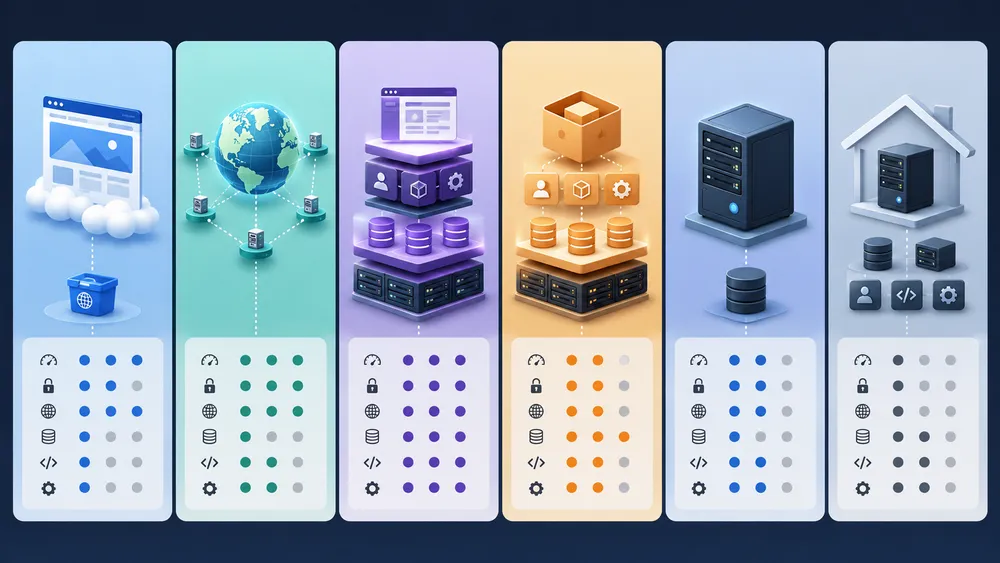
Vercel is often the best choice for Next.js and modern frontend applications. Netlify is a close alternative for Jamstack sites and marketing/dev teams. Cloudflare Pages is interesting for edge performance and costs. Render and Railway are better suited for backends and persistent services. Dokploy and Coolify are more suitable if you want to self-host your applications on a VPS.
Vercel is not alone in its market. The best alternative depends on the type of project, budget, technical skills and level of control you want.
| Solution | Best use case | Main advantage | Main limitation |
|---|---|---|---|
| Vercel | Next.js, modern frontend, AI apps, lightweight SaaS | Excellent developer experience | Cost and platform dependency |
| Netlify | Jamstack, static sites, marketing/dev teams | Simple workflow and previews | Less natural than Vercel for some advanced Next.js use cases |
| Cloudflare Pages | Static sites, edge, Workers | Cloudflare network and competitive costs | Sometimes more technical architecture |
| Render | APIs, web services, workers, databases | Good PaaS/backend balance | Less frontend-specialized than Vercel |
| Railway | Full-stack apps, prototypes, databases | Very fast modern Heroku-like experience | Billing needs to be monitored |
| Dokploy | Self-hosting on VPS | Control + relative simplicity | Server maintenance to manage |
| Coolify | Open-source self-hosting | Open-source alternative to Vercel/Heroku | Requires DevOps skills |
Netlify is probably the most direct alternative to Vercel for a frontend project. Netlify’s official pricing page presents a free plan, a Personal plan at $9/month and a Pro plan at $20/month. Netlify also highlights deployment from Git or API, deploy previews, custom domains with SSL, functions, AI models, Netlify database, blob storage and a global CDN.
To go deeper into this comparison, you can read the CritiquePlus guide dedicated to Netlify. This is the most natural internal link to place in an article about Vercel, because both platforms answer similar needs : hosting a modern website, deploying from Git, collaborating with previews and avoiding direct server management.
Cloudflare Pages is another interesting option. Cloudflare presents Pages as a Jamstack platform for frontend developers, with Git integration, collaboration, performance on Cloudflare’s edge network and dynamic features through Cloudflare Workers. Pages Functions are billed like Cloudflare Workers requests, and Cloudflare states that the Workers Paid plan starts with a minimum charge of $5/month.
Cloudflare Pages is especially interesting if you are already in the Cloudflare ecosystem : DNS, CDN, WAF, Workers, R2, D1, KV or Durable Objects. It is a very good option for static sites, edge functions and projects where costs need to remain controlled.
Render is more focused on backend and persistent services. Its official pricing page highlights free static sites, web services with HTTP/2 and TLS, Redis-compatible services, cron jobs, databases and compute pricing prorated by the second. Render can be more suitable than Vercel for a classic API, a worker, a long-running service or an application that needs an always-on backend.
Railway is appreciated for its simplicity. Its official pricing page mentions a 30-day free trial with $5 in credits, then a starter offer at $1 per month, with up to 1 vCPU, 0.5 GB of RAM per service and 0.5 GB of volume storage on the basic offer. Railway is often chosen for full-stack prototypes, APIs, databases and projects that want a modern Heroku-like experience.
Finally, Dokploy and Coolify follow a different logic : not depending on a proprietary platform, but deploying yourself on a VPS. This approach requires more work, but gives you more control over costs, infrastructure, backups and server location. To explore this path, you can read the CritiquePlus articles on Dokploy and Coolify.
If you choose Dokploy or Coolify, the choice of VPS becomes central. You need to compare data center location, CPU performance, RAM, NVMe storage, bandwidth, backups, support and compliance. The CritiquePlus guide on VPS providers in France naturally completes this article, because it helps you choose the base infrastructure for a self-hosted alternative to Vercel.
Which Vercel alternative should you choose for your project ?

Choose Vercel for Next.js and modern frontends, Netlify for a Jamstack site or a marketing/dev team, Cloudflare Pages for edge performance and cost, Render for backend services, Railway to quickly prototype a full-stack app, and Dokploy or Coolify if you want to self-host on a VPS with more control.
The choice becomes fairly simple if you start from the actual project rather than the popularity of the tool.
For a professional Next.js website, Vercel often remains the first choice. The platform is optimized for this framework and makes deployment much simpler. If you want to publish quickly, collaborate with previews and stay close to the Next.js ecosystem, Vercel is hard to beat.
For a static site, documentation, a landing page or a Jamstack site that does not need advanced Next.js optimizations, Netlify can be just as relevant. Its approach is clear, its deployment experience is solid and its positioning remains very strong on the frontend side.
For a project where cost, edge network and DNS/CDN integration are priorities, Cloudflare Pages deserves a serious comparison. This is especially true if you already use Cloudflare to manage the domain, cache, security or Workers.
For an API, a backend, a worker or an application that needs to run continuously, Render may be more logical. Vercel can handle functions and compute, but Render is often more natural for persistent services, databases or classic backend architectures.
For a full-stack prototype with a database, API and interface, Railway is very comfortable. It is a good solution for testing an idea quickly without configuring a full infrastructure.
For a company, agency or developer who wants to avoid lock-in, Dokploy and Coolify are two serious options. The price can become more predictable, especially if the infrastructure runs on a well-sized VPS. However, you must accept managing updates, server security, backups, certificates, system errors and monitoring.
A simple rule can help :
- you want the best Next.js experience : choose Vercel ;
- you want a simple frontend alternative : look at Netlify ;
- you want to benefit from the Cloudflare edge : look at Cloudflare Pages ;
- you have a classic backend : look at Render ;
- you want to prototype a complete app : look at Railway ;
- you want to keep server control : look at Dokploy or Coolify on a VPS.
Should you use Vercel in 2026 ?

Yes, Vercel is an excellent choice in 2026 for a Next.js project, a SaaS MVP, a high-performance landing page, a modern frontend interface or an AI application. However, you should compare alternatives if the budget is strict, the backend is heavy, data sovereignty is a priority or the team wants to fully control the infrastructure.
Vercel remains one of the best platforms for quickly publishing modern web applications. Its main strength is removing a lot of friction. For a product team, freelancer or startup, this can be a real competitive advantage : less time spent on infrastructure, more time spent on the product.
The platform is especially recommended if you use Next.js. The integration is excellent, the documentation is rich, previews are very useful and the deployment experience is hard to match. For a marketing website, a SaaS MVP, a frontend application or an AI interface, Vercel is often a rational choice.
But you should not use it automatically. Before choosing Vercel, ask yourself these questions :
- Does the project really use Next.js or a modern framework ?
- Is the expected traffic predictable ?
- Can the cloud budget evolve with usage ?
- Does the project need a long-running backend ?
- Is the processed data sensitive ?
- Does the team accept a dependency on Vercel ?
- Would a self-hosted alternative be more cost-effective ?
- Does the client understand the billing model ?
- Are spending alerts configured ?
- Is the exit plan documented ?
If most answers are positive, Vercel is probably a very good choice. If several answers raise risks, you need to compare it with Netlify, Cloudflare Pages, Render, Railway, Dokploy or Coolify.
For CritiquePlus, Vercel is a very powerful, modern and pleasant platform to use. It is not magic, it is not always the cheapest option, and it is not necessarily suitable for projects that require full infrastructure control.
FAQ
Is Vercel free ?
Yes. Vercel offers a free Hobby plan for personal projects, tests and prototypes. For professional use, a team, a client project or a commercial application, the Pro or Enterprise plan is generally more suitable.
Is Vercel paid for a commercial website ?
In most cases, yes. A commercial project should generally use an offer suited to professional use. You need to check the official terms, usage limits and collaboration needs before launching a client website or SaaS.
Is Vercel better than Netlify ?
Vercel is often better for Next.js, while Netlify remains highly relevant for Jamstack sites, landing pages, marketing workflows and more generic frontend projects. The right choice depends on the framework, budget, traffic and team needs.
Can you use Vercel with WordPress ?
Yes, but mainly in a headless architecture. WordPress can act as the CMS, while Vercel hosts the Next.js frontend. For a classic WordPress site with a theme and plugins, traditional WordPress hosting is generally simpler.
Can you host an API on Vercel ?
Yes, Vercel can manage functions and API routes, especially with Next.js. However, for a heavy, persistent API or long-running processing, a platform such as Render, Railway, a VPS or a classic cloud service may be more suitable.
Is Vercel good for SEO ?
Yes, if the site is well built. Vercel can serve fast pages and HTML generated server-side or statically. But SEO mainly depends on content, architecture, indexability, tags, internal linking and user experience.
Is Vercel suitable for AI applications ?
Yes. Vercel offers AI Gateway and tools to build AI applications with several models through a unified API. AI Gateway provides access to hundreds of models through a single endpoint with integrated budgets, monitoring and fallbacks.
Is Vercel GDPR compliant ?
Vercel states that it supports GDPR compliance and provides a DPA. But final compliance depends on the project : data collected, third-party services, logs, regions, subprocessors and configuration. For a sensitive French project, a legal and technical review is required.
What is the best open-source alternative to Vercel ?
Coolify is one of the most popular open-source alternatives for self-hosting applications on your own server. Dokploy is also an interesting option for deploying on a VPS with a simpler experience than a full manual setup.
Should you choose Vercel or a VPS ?
Choose Vercel if you want to move fast, especially with Next.js. Choose a VPS if you want more control, more predictable costs and infrastructure you fully manage. A VPS requires more skills, but it can be more flexible in the long run.
Final verdict : our Vercel review
Vercel is one of the best deployment platforms for modern web applications, especially with Next.js. It offers an excellent developer experience, very practical previews, a strong performance foundation and an increasingly strong AI orientation. Its main drawback is the need to monitor costs, compliance and the level of dependency on the platform.
Vercel is an excellent choice if you are looking for a fast, modern and pleasant platform to use. For a Next.js developer, the experience is very smooth. For a startup, it makes it possible to launch an MVP quickly. For an agency, it makes client approvals easier. For a product team, it improves the development workflow. For an AI application, it now offers interesting building blocks such as AI Gateway.
Our review is therefore positive, but not blind. Vercel is not necessarily the most economical solution at scale. It is also not the most sovereign or controllable option. And it is not the best choice for every backend.
The best use of Vercel is clear : use the platform when its simplicity creates more value than its cost and dependency. If you are launching a Next.js project, a landing page, a lightweight SaaS, a headless frontend or an AI interface, Vercel deserves to be tested first.
However, if you need full control, fixed costs, a persistent backend or controlled French infrastructure, you should compare it with a VPS, Dokploy, Coolify, Render, Railway or Cloudflare Pages.
Start with Vercel if you want to move fast with Next.js, but keep a clear view of costs, security, GDPR and alternatives. This approach allows you to benefit from the power of Vercel without falling into poorly anticipated dependency.
