

Render review 2026 : should you use Render.com to deploy an application?
Render is one of the cloud platforms that has gained popularity among developers, SaaS creators, startups, and teams that want to deploy an application without manually managing a server. Instead of configuring a VPS, Nginx, Docker, SSL certificates, restarts, backups, and monitoring by hand, Render offers a simpler approach : connect a Git repository, choose a service type, define a few commands, then let the platform build, deploy, and run the application.
But is Render really worth it in 2026 ? The answer depends a lot on your project. For a prototype, an API, a Node.js, Python, Django, FastAPI, Rails application, or a SaaS MVP, Render can be an excellent solution. For a classic WordPress site, an application that is very sensitive to costs, or an infrastructure that requires full control, a VPS or a self-hosted solution may be more relevant.
In 2026, Render offers a cloud platform for deploying applications, agents, APIs, static sites, workers, cron jobs, PostgreSQL databases, and Redis-compatible Key Value services. Render presents its platform as an intuitive infrastructure for scaling an application from its first users to high traffic growth.
In this article, we will see what Render actually allows you to do, how much the platform costs, what the limits of the free plan are, which use cases it is interesting for, and which alternatives you should consider before choosing it.
Render review 2026 : what you need to know quickly
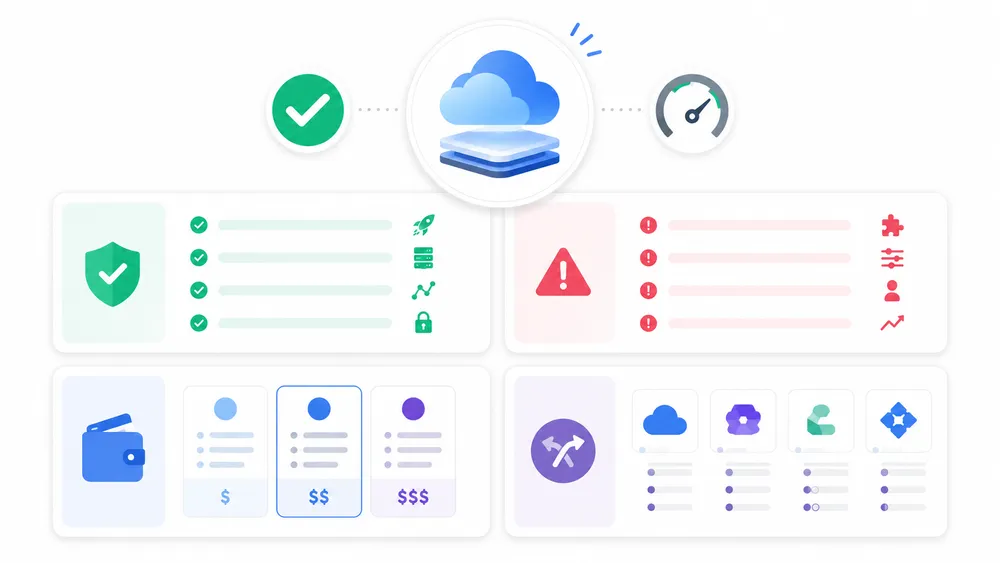
Render is a very good platform for quickly deploying a web application, an API, a backend, a SaaS MVP, or an AI prototype without directly administering a server. Its main value is simplicity : Git connection, automatic deployment, managed TLS, backend services, Postgres databases, and scaling. However, the free plan remains limited and should not be used for a production application.
Render is especially interesting if you are coming from Heroku and looking for a modern, clearer, and more developer-oriented alternative. If that is your case, you can also read our dedicated guide on Heroku, its pricing, and its alternatives. Render takes part of Heroku’s promise : simplifying the deployment of web applications, while adding a more current experience around managed services, Git, Docker, previews, private networking, and databases.
The main advantage of Render is that it reduces friction. You do not need to manually provision a machine, install a reverse proxy, manage TLS certificates, configure restart scripts, or create the entire hosting architecture yourself. Render can host dynamic applications written with frameworks such as Express, Django, or FastAPI, and can build then redeploy the code after each push to a linked Git branch.
Its main drawback comes from its PaaS model. You save time, but you also accept depending on Render’s rules, pricing, limits, and regions. For a professional project, you therefore need to look carefully at compute costs, bandwidth, databases, backups, domains, logs, and compliance needs.
Render is recommended for developers, freelancers, startups, and product teams that want to deploy quickly without heavy DevOps work. For a simple static site, Netlify or Vercel may be more natural. For self-hosted infrastructure, Dokploy, Coolify, or a VPS often remain more flexible.
What is Render ?
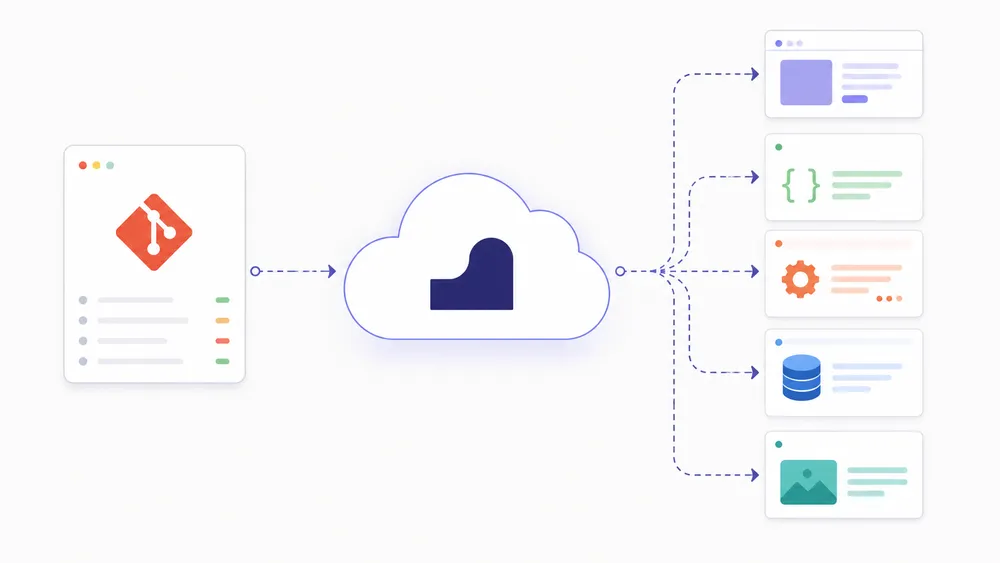
Render is a PaaS cloud platform that allows you to deploy applications, static sites, APIs, workers, cron jobs, PostgreSQL databases, and Key Value services without directly managing the server infrastructure. It acts as an intermediary between your code and the cloud : you connect your Git repository, Render builds the application, runs it, and manages several technical aspects such as TLS, networking, and redeployments.
Render sits between two worlds. On one side, there is traditional hosting, such as a VPS, where you control almost everything, but also have to configure everything. On the other side, there are highly specialized platforms such as Vercel or Netlify, which are excellent for frontend and static sites. Render targets a broader space : dynamic web applications, backends, APIs, databases, workers, scheduled tasks, and internal services.
In practice, Render allows you to create several types of services. The most important are :
- Web Services
- Static Sites
- Private Services
- Background Workers
- Cron Jobs
- Workflows
- Render Postgres and Render Key Value
Render describes Web Services as the most common type for dynamic applications receiving public HTTP traffic, for example an Express, FastAPI, or Rails application.
This versatility is one of Render’s biggest strengths. You can host a FastAPI API, a Django application, a Node.js backend, a Rails app, a static site, a Celery worker, a cron job, or a PostgreSQL database in the same environment. For a solo developer or a small team, this is comfortable : the infrastructure is more coherent than a collection of scattered services.
However, one common confusion should be avoided : Render.com is not Render Network, the RENDER crypto token, or 3D rendering software. In this article, we are talking specifically about Render.com, the cloud platform for developers.
What is Render used for in practice ?

Render is used to put an application or technical service online without configuring the entire infrastructure by hand. It can host a backend, an API, a SaaS product, a static site, a PostgreSQL database, a Redis-compatible cache, a worker, or a scheduled task. It is a practical solution for quickly turning a Git repository into an application accessible online.
Render becomes useful as soon as your project goes beyond a simple HTML file. For example, if you have a Node.js API with Express, a Python application with FastAPI, a Django project, a Ruby on Rails application, or a backend that needs to receive HTTP requests, a Render Web Service may be suitable.
Render states that its Web Services can host applications written in different languages and frameworks, including Node.js, Python, Go, Rust, Ruby, and Elixir according to its pricing and documentation pages.
Render can also be used to host static sites. In this case, it is close to Netlify or Vercel : you connect a repository, Render builds the site and serves it through a global CDN. Render static sites benefit from automatic deployments from Git, custom domains, and managed TLS certificates.
For more complete applications, Render can host several building blocks of the same architecture. You can have a static frontend, a backend API, a PostgreSQL database, a background worker, and a cron job. Render also offers Private Services, which are not publicly exposed and can communicate with other Render services over a regional private network.
This approach is interesting for SaaS projects, internal tools, AI agent prototypes, mobile app backends, dashboards, automation tools, or business APIs. For a classic WordPress project, however, Render is generally not the most obvious choice.
WordPress requires fine management of persistent files, media, the database, cache, and updates. A managed WordPress host or a properly configured VPS will often be more suitable.
How does Render work ?

Render works by creating services from a Git repository, a Dockerfile, or a configuration. You choose the service type, the region, the build and start commands, then Render builds and launches the application.
The platform can then automatically redeploy whenever the repository is modified and manage TLS, domains, logs, and certain scaling options.
The way Render works is based on a simple logic : you start from your code, choose the right service, then let Render handle the build and execution phase. For a first deployment, Render generally asks you to connect a GitHub, GitLab, or Bitbucket repository, select a service type such as Web Service or Static Site, then configure the information required to build and launch the application.
The official documentation explains that Render creates a service that retrieves, builds, and runs your code.
In the case of a FastAPI application, for example, Render recommends creating a Web Service, connecting the repository, then entering a build command such as pip install -r requirements.txt and a start command such as uvicorn main:app --host 0.0.0.0 --port $PORT. Once the deployment is complete, the service becomes accessible through an onrender.com URL.
Render can also use Docker. If your project contains a Dockerfile, the platform can build the image with BuildKit, store the images in a secure private registry, and deploy the service. Render states that Docker services also benefit from zero-downtime deployments, just like services using a native runtime.
The platform also manages deployments with a continuity-first approach. When a new version of the code is pushed, Render attempts to build the project. If the build fails, the deployment is canceled and the previous version continues to run. If the build succeeds, Render launches a new instance before switching traffic.
This does not mean that Render removes all technical responsibilities. You still need to manage your code, your environment variables, your secrets, your database migrations, your dependencies, your application monitoring, and your costs. Render simplifies infrastructure, but it does not replace good development discipline.
What types of services can you deploy on Render ?
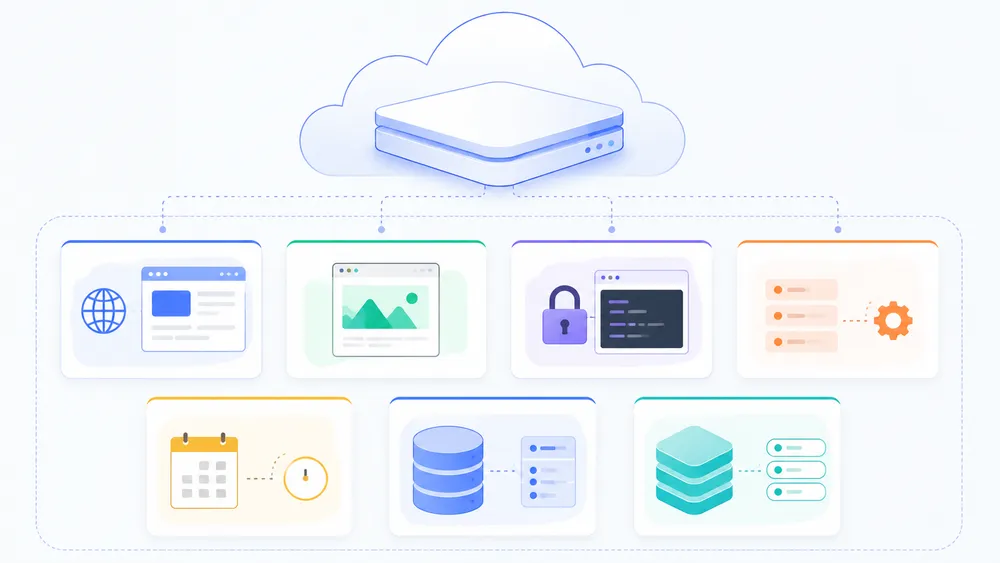
Render allows you to deploy several types of services :
- Web Services for public applications
- Static Sites for frontends
- Private Services for internal services
- Background Workers for continuous tasks
- Cron Jobs for scheduled tasks
- Workflows for distributed executions
- Render Postgres for relational databases
- Render Key Value for cache or job queues
Web Services are the core of Render. They are used to host dynamic applications that receive public HTTP traffic. An Express API, a FastAPI application, a Django backend, or a Rails project falls into this category. Render gives each Web Service a public onrender.com URL, with the option to add a custom domain.
Static Sites are designed for precompiled sites : HTML, CSS, JavaScript, frontend frameworks, documentation, static blogs, or statically generated React/Vue/Svelte applications. Render serves these sites through a global CDN, without server-side logic on Render’s side.
Private Services are similar to Web Services, but they are not accessible from the Internet. They are used to host internal components : a search engine, a private business service, an internal API, or a microservice that should only communicate with other Render services.
Background Workers run continuous tasks without exposing a URL. They are suitable for queues, asynchronous processing, email sending, report generation, or Celery/Sidekiq jobs.
Cron Jobs launch a command or script at a scheduled interval. They are useful for synchronizing data, cleaning a database, generating exports, or regularly calling an API.
Workflows are a more advanced option, still presented as a public beta in the documentation, for distributed tasks, agents, ETL pipelines, or on-demand background jobs.
Finally, Render offers Render Postgres for relational databases and Render Key Value, compatible with many Redis clients, for cache or job queues. Free Postgres databases expire after 30 days, while paid instances benefit from continuous backups with point-in-time recovery depending on the plan.
Is Render free ?

Yes, Render offers a free plan, but it should be seen as a way to test the platform, create personal projects, or preview the developer experience. It is not suitable for a production application, especially because free Web Services spin down after 15 minutes of inactivity and free PostgreSQL databases expire after 30 days.
The Render Hobby plan is free and, according to Render documentation, allows you to create certain services at no cost : Web Services, Render Postgres databases, and Render Key Value instances. Static sites can also be deployed for free. However, Render specifies that free instances have significant limitations and should not be used for production applications.
The best-known limitation concerns spin down. A free Web Service goes to sleep after 15 minutes without incoming traffic. When a new request arrives, the service wakes up, but this restart takes about one minute. During that time, Render may display a loading page in the browser.
This limitation significantly changes the user experience. For a portfolio, an internal prototype, or a technical test, it is not necessarily a blocker. For an API used by clients, a SaaS application, a chatbot, an AI agent, or a mobile app backend, this delay on the first load can become problematic.
Another important limitation : local files should not be considered persistent on a free service. Render explains that changes to the local file system, such as uploaded images or a local SQLite database, can be lost during a redeploy, restart, or spin down. To store data durably, you need to use a database or a suitable storage service.
Render also grants 750 free instance hours per workspace per month. If these hours are used up, free Web Services are suspended until the beginning of the following month.
In short : Render’s free plan is useful for learning, testing, showing a demo, or hosting a small personal project. But for a serious project, you should plan for a paid offer.
Render pricing 2026 : how much does Render cost ?
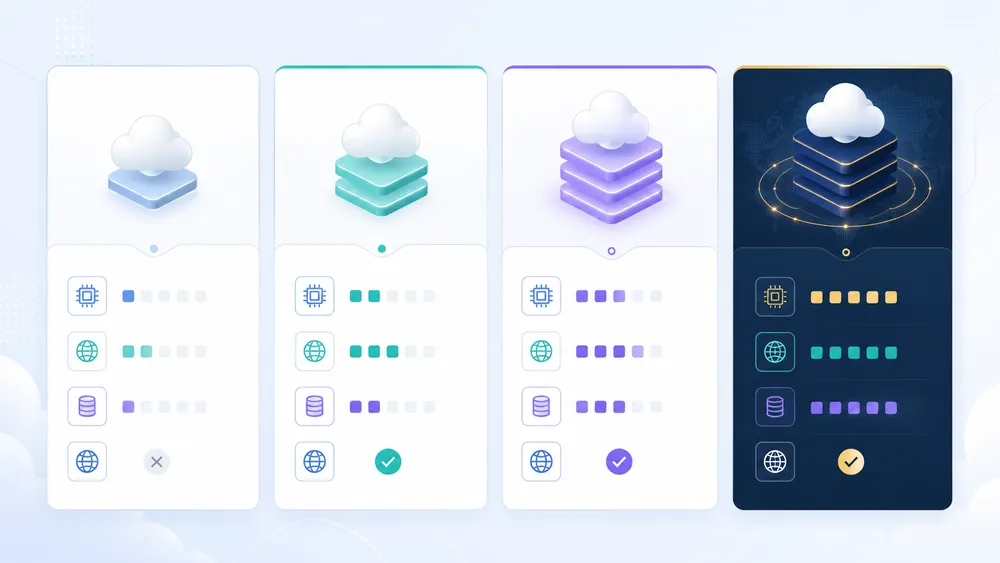
In 2026, Render offers four workspace plans : Hobby at $0/month + compute, Pro at $25/month + compute, Scale at $499/month + compute, and Enterprise with custom pricing. On top of these fees, you may need to add service costs, databases, storage, bandwidth, additional domains, cron jobs, workflows, or network options.
Render changed its workspace plans on April 23, 2026. The new plans are Hobby, Pro, Scale, and Enterprise. Render states that these new plans remove per-seat fees, add self-service compliance features, and change the billing of outbound bandwidth and custom domains.
Here are the main plans displayed by Render :
| Render plan | Workspace price | Recommended use |
|---|---|---|
| Hobby | $0/month + compute | Personal projects, prototypes, tests |
| Pro | $25/month + compute | Production applications and small teams |
| Scale | $499/month + compute | Teams with advanced governance and compliance needs |
| Enterprise | Custom pricing | Large organizations, contractual SLAs, advanced support |
Render also displays separate compute pricing. For Web Services, Private Services, and Background Workers, instances range from the Free plan at $0/month to paid instances such as Starter at $7/month, Standard at $25/month, Pro at $85/month, and beyond, depending on RAM and CPU.
For Render Postgres, the free plan is limited to 30 days. Paid plans start with Basic-256mb at $6/month, then Basic-1gb at $19/month, Basic-4gb at $75/month, and more powerful Pro plans.
Bandwidth also deserves attention. The Hobby plan includes 5 GB per month, then charges $0.15 per additional GB. The Pro plan includes 25 GB per month, and the Scale plan includes 1 TB per month, with the same overage rate displayed for public plans.
Important ! Render can seem very affordable at first, but the real cost depends on the architecture. An application with a Starter Web Service, a paid Postgres database, persistent storage, additional domains, and bandwidth can quickly exceed the simple workspace price.
What are the advantages of Render ?

Render has three major advantages :
- it simplifies deployment
- it centralizes several technical building blocks
- it avoids a large part of the DevOps work required on a traditional server
For a solo developer, a startup, or a small team, it is above all a time saver. You can start from a Git repository, create a service, configure environment variables, add a database, and get an application accessible online without manually configuring Nginx, Docker Compose, TLS, firewall rules, or restart scripts.
Deployment simplicity
The first advantage of Render.com is its deployment simplicity. The platform allows you to deploy from GitHub, GitLab, or Bitbucket, and Render can rebuild and redeploy the application automatically after each push to the configured branch.
This workflow is especially practical for fast-moving projects, because the team can focus on the code rather than server administration. Render also highlights deployments, previews, rollbacks, monitoring, scaling, and private networking as integrated features of its platform.
Versatility
The second advantage is versatility. Render is not only used to host a static site. It can run Web Services, Static Sites, Private Services, Background Workers, Cron Jobs, Workflows, Render Postgres databases, and Render Key Value services.
This variety makes it possible to build a complete architecture on the same platform, without multiplying providers from the beginning of the project. Render describes these service types in its official documentation, with distinct use cases depending on whether the application needs to receive public traffic, run in the background, remain private, or execute a scheduled task.
Better backend application management experience
The third advantage is comfort for backend applications. While Vercel and Netlify are often preferred for modern frontends, Render is more natural for hosting an API, a Django backend, a Rails application, a FastAPI service, an Express server, or a long-running worker.
Vercel remains very strong for frontend applications, especially Next.js projects, but its serverless functions do not always replace a real persistent backend service. Vercel’s documentation also indicates that Vercel functions cannot act as a WebSocket server, which may lead some real-time projects toward a more serverful platform such as Render, Fly.io, Railway, or a VPS.
Deployment
Render also offers a deployment region in Frankfurt, which is important for a French or European audience. Choosing a European region can reduce latency for users located in France, Belgium, Switzerland, Luxembourg, or nearby countries.
Render’s documentation currently lists five deployment regions : Oregon, Ohio, Virginia, Frankfurt, and Singapore.
Docker support
Another positive point : Render supports Docker. This is an important advantage if your application needs a specific environment, system dependencies, or a configuration that goes beyond standard runtimes. With Docker, you can better control the runtime environment while still benefiting from Render’s deployment layer.
Finally, Render can reduce complexity for projects that combine several components. For example, a SaaS MVP can use a frontend, a backend, a PostgreSQL database, a worker for emails, and a cleanup cron job. On a VPS, this architecture requires serious configuration. On Render, it can be created more quickly, even though you still need to monitor costs, limits, and security best practices.
What are the disadvantages of Render ?
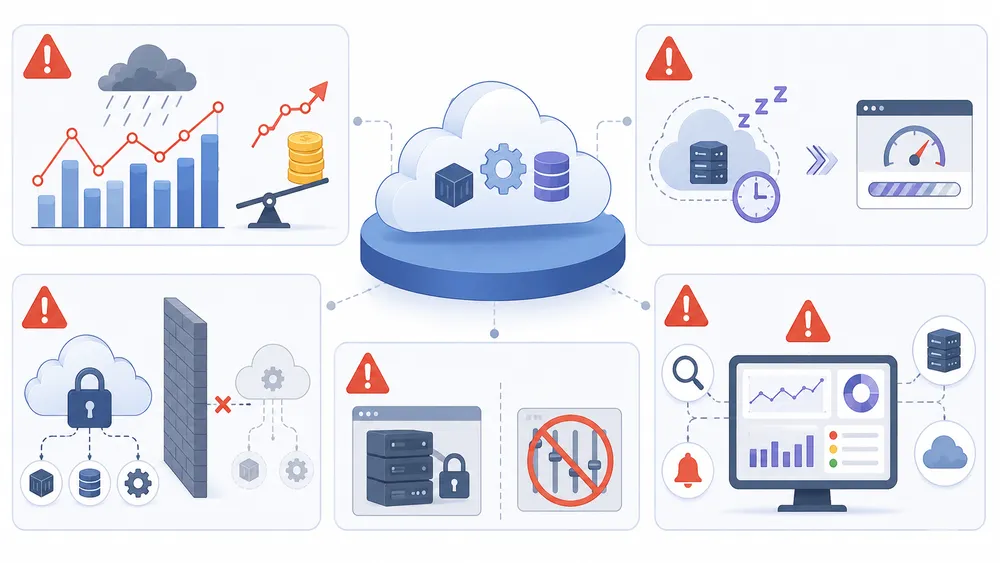
Render is not perfect. Its main disadvantages are the limits of the free plan, costs that can increase with usage, dependence on a proprietary platform, and weaker infrastructure control than with a VPS. Render greatly simplifies deployment, but that simplicity has a price : you must accept the platform’s rules.
A very limited free plan
The first disadvantage concerns the Render free plan. It is useful for testing, learning, or presenting a demo, but it is not suitable for production. Free instances have significant limitations, and Render explicitly states that they should not be used for production applications.
Free Web Services go to sleep after 15 minutes without incoming traffic and can take about one minute to respond when they wake up again.
This behavior can be acceptable for a portfolio, a test bot, or a small demo. It is much less acceptable for an application used by customers, a critical internal dashboard, an API called by a mobile application, or an AI agent that needs to respond quickly. If you want an always-available application, you need to move to a paid instance.
Free databases
The second disadvantage concerns free Render Postgres. Free databases are practical for experimentation, but they expire after 30 days and have fixed storage of 1 GB. Render also indicates that Postgres database storage is billed separately on paid plans, at a fixed rate per GB per month.
The real cost
The third point to watch is the real cost. At first glance, Render pricing may seem simple : a free plan, instances starting at a few dollars, and readable workspace plans. But a real project can combine several elements : web service, Postgres database, storage, bandwidth, custom domain, worker, cron job, logs, metrics, backups, and team features.
Render introduced new workspace plans on April 23, 2026, with Hobby, Pro, Scale, and Enterprise plans, the removal of per-seat fees on some plans, and an update to outbound bandwidth and custom domain billing.
Vendor lock-in
The fourth disadvantage is vendor lock-in. With Render.com, you do not directly manage the infrastructure. This is comfortable, but it means your architecture depends on Render’s regions, limits, pricing, incidents, build rules, network options, and available features.
If your project grows or has specific constraints, migrating to a VPS, Kubernetes, AWS, Google Cloud, Azure, Fly.io, or a self-hosted solution can require significant work.
System control
The fifth disadvantage is system control. On a VPS, you can configure the server, processes, network, storage, backups, and monitoring tools very precisely. On Render, many elements are abstracted. This is exactly what makes the platform simple, but it is also what can frustrate advanced developers.
If your priority is full control and fixed costs, you should compare Render with a VPS. You can read our guide to VPS providers in France to evaluate this option. If you want to keep a PaaS experience while self-hosting your services, Coolify and Dokploy are also relevant alternatives.
Is Render suitable for production ?

Render can be suitable for production, but not with just any configuration. For a serious project, you need to use paid instances, choose a consistent region, configure environment variables properly, plan for a paid database, monitor logs, manage backups, and define a scaling strategy. The free plan should remain reserved for tests, prototypes, and personal projects.
For a small SaaS application, an API, or a startup backend, Render can provide a solid foundation. Paid services do not spin down, unlike free web services. Render also highlights features such as zero-downtime deployments, rollbacks, monitoring, private networking, TLS certificates, and previews.
Production, however, requires more than a “Deploy” button. You need to check several elements :
- application resilience
- error handling
- secret security
- database migrations
- backups
- supervision
- billing limits
Render can make hosting easier, but it does not replace a real production deployment methodology.
For a French or European application, the Frankfurt region is generally the most logical choice if most users are located in Europe. This alone does not guarantee perfect performance, but it avoids hosting the origin in the United States when it is not necessary. Render indicates that its services can be deployed in several regions, including Frankfurt in Germany.
For databases, you need to be especially careful. A free Postgres database that expires after 30 days has no place in a production architecture. For a real application, you need to use a paid database with suitable backups, monitor storage, and anticipate data growth.
Render in production is a credible option for small teams that want to move fast. But it must be used as a serious cloud platform, not as permanent free hosting.
Is Render secure ?

Render offers several important security guarantees : managed TLS, private networking, secret management, SOC 2 Type 2 compliance, ISO 27001, and compliance documentation. These elements are reassuring for a startup or a product team, but they do not remove the need to secure your application, API keys, access rights, dependencies, and data.
Render states that its platform complies with several security frameworks, including SOC 2 Type 2 and ISO 27001. These certifications are important because they show that a third party has audited certain security and information management controls. Render also provides compliance documents through its Document Center, depending on the plans and access conditions.
For applications that handle sensitive data, you need to look beyond compliance badges. You should verify your industry requirements, data location, backup handling, administrator access, encryption, logs, subprocessors, and the required contracts. In Europe, GDPR compliance also depends on your own usage, not only on the cloud provider.
Render also offers a private network to allow services to communicate with one another without exposing them directly to the Internet. This is useful for separating a public API, a database, a worker, and an internal service. An architecture where only the necessary components are public reduces the attack surface.
Environment variable management is another important point. Never put API keys, tokens, passwords, or secrets directly in the source code. Use environment variables and, for more complex architectures, environment groups to centralize and synchronize certain secrets.
Render highlights its Environment Groups to manage secrets across services and avoid risky practices such as poorly synchronized .env files or hardcoded keys.
Our opinion : Render is secure enough for many modern web projects, provided the application is properly configured. Security does not depend only on Render. It also depends on your code, dependencies, access rights, database, and operational discipline.
Is Render performant ?
Render can deliver good performance for web applications, APIs, and backend services, but results depend heavily on the instance chosen, the region, the code, the database, and the traffic. The free plan can give a poor impression because of spin down. To evaluate Render properly, you need to test a paid instance, in the right region, with a realistic application.
The most important point is not to confuse free-plan slowness with the platform’s real performance. On free services, waking up after inactivity can take about one minute. This delay is not representative of an always-on paid instance. Render specifies that paid services do not spin down.
For a French audience, the Frankfurt region should be tested first. A backend hosted in Europe will generally respond faster to European users than a backend hosted on the U.S. West Coast, all else being equal. Render lets you choose a region among Oregon, Ohio, Virginia, Frankfurt, and Singapore.
Performance also depends on the type of application. A static site or precompiled frontend application can often be very fast on Vercel, Netlify, or Render. A backend API, however, must be evaluated with concrete metrics :
- average response time
- p95
- p99
- CPU usage
- memory
- database queries
- potential cold start time
- behavior during traffic spikes
Best alternatives to compare with Render
Render vs Vercel : which one should you choose ?
Render is often better for persistent backends, APIs, workers, and full-stack applications that require a classic server service. Vercel is generally more natural for modern frontends, Next.js sites, interface previews, static pages, and frontend-oriented teams. The right choice therefore depends on the core of your project.
If your project is mainly a Next.js site, a frontend application, or a web experience strongly tied to the Vercel ecosystem, Vercel often remains the most obvious choice. Its Hobby plan is free for personal projects, and the Pro plan starts at $20/month with an associated resource and usage model.
If your project relies on a long-running API, a Python backend, a worker, a cron job, or a PostgreSQL database on the same platform, Render may be more comfortable. Render can host persistent backend services and does not limit the architecture to a serverless model. This is an important point for applications that use WebSockets, background jobs, long connections, or regular server-side processing.
In practice, here is a simple rule : choose Vercel for a modern frontend centered on Next.js ; choose Render for a backend, an API, a server-side full-stack application, or an MVP that needs to combine a web service, a worker, and a database.
To explore this comparison on the Vercel side, you can read our guide on Vercel, review and pricing.
Render vs Netlify : which one should you choose ?
Render and Netlify do not address exactly the same need. Netlify is very strong for static sites, frontends, Jamstack deployments, forms, serverless functions, and marketing or frontend teams. Render is better suited for persistent backends, APIs, Postgres databases, workers, and complete application services.
Netlify offers a Free plan at $0, a Personal plan at $9/month, a Pro plan at $20/month, and a custom Enterprise offer. Netlify also announced in April 2026 that its Pro plan now includes unlimited members for $20/month, which can be interesting for teams that want to collaborate without per-seat billing.
If you publish a static blog, a landing page, documentation, a frontend application, or a marketing site, Netlify may be simpler and more specialized. If you need to host a complete backend with a database, workers, and scheduled tasks, Render is generally more suitable.
Render vs Heroku : which one should you choose ?
Render is one of the most credible modern alternatives to Heroku. Heroku remains a mature, well-known, and widely used platform, but its pricing model can become expensive for some small teams. Render aims to offer a similar experience in terms of simplicity, with a more current approach around Git, managed services, and full-stack architecture.
Heroku bills its dynos across several tiers. Basic dynos are listed at $7/month, Standard-1X at $25/month, Standard-2X at $50/month, and Performance dynos can reach several hundred dollars per month depending on resources.
Render can be interesting for developers who liked Heroku’s simplicity but are looking for a newer platform or a different pricing model. Both solutions remain close in philosophy : reducing infrastructure work so teams can deploy faster. The difference then comes down to pricing, add-ons, databases, regions, limits, developer experience, and team needs.
If you are hesitating between the two, compare your real architecture above all. A simple API with a Postgres database does not cost the same as an application with multiple workers, staging, previews, long log retention, backups, and high bandwidth. For a dedicated analysis, read our article on Heroku, review and alternatives.
Render vs Railway : which one should you choose ?
Render and Railway are two platforms highly appreciated by developers who want to deploy applications quickly without managing low-level infrastructure. Railway is often perceived as very quick to get started with and very pleasant for prototypes. Render often feels more reassuring for teams that want a clear structure around services, databases, workers, regions, and production plans.
Railway uses a model based on subscription and usage. Railway’s documentation indicates that the Hobby plan costs $5/month and includes $5 of usage credit, while the Pro plan costs $20/month and includes $20 of credits. The real cost then depends on CPU, memory, storage, and egress usage.
The main difference is often psychological and operational. Railway offers a very smooth experience, sometimes faster to start with. Render gives a more structured impression for organizing production services. For a small personal project, Railway can be attractive.
For a team that wants managed Postgres databases, separate services, regions, compliance options, and a more explicit architecture, Render may be preferable.
The right choice depends on your tolerance for usage-based billing. Usage-based platforms can be economical at first, but they require alerts, limits, and monitoring. A traffic increase, a poorly optimized loop, or a worker that runs too much can increase the bill.
Render vs Dokploy and Coolify : managed PaaS or self-hosted ?
Render is a managed cloud platform. Dokploy and Coolify are solutions that let you recreate a deployment experience close to a PaaS, but on your own server. The difference is important : with Render, you pay for managed simplicity ; with Dokploy or Coolify, you gain control, but you must manage the server.
If you choose Render, you do not have to directly administer the operating system, the network layer, the reverse proxy, or part of TLS management. It is simpler, but less controllable. If you choose Dokploy or Coolify, you can install your platform on a VPS, choose your provider, control costs more closely, and keep control over the infrastructure.
Self-hosting can be very interesting for technical developers, agencies, projects with several small apps, or teams that want to avoid strong dependency on a proprietary PaaS. However, it requires more rigor : server updates, backups, security, monitoring, firewall, availability, restoration, and incident management.
To go further, read our guide on Dokploy.
Render vs VPS : which option should you choose ?
Render is simpler than a VPS, but a VPS offers more control and can cost less in the long term for some projects. The choice depends on your profile. If you want to deploy quickly without managing infrastructure, Render is more comfortable. If you know how to administer a server and want to control costs, networking, and services precisely, a VPS may be more logical.
A VPS gives you access to a virtual machine. You can install Docker, Dokploy, Coolify, Nginx, Caddy, PostgreSQL, Redis, your backend, your workers, and your scripts. This freedom is powerful, but it comes with full responsibility. Poor configuration can lead to security vulnerabilities, outages, data loss, or unstable performance.
Render hides a large part of this complexity. You lose control, but you save time. It is often the right compromise for a SaaS creator, an early-stage startup, or a developer who wants to validate a product quickly. For a stable, controlled project, with several services and strong sensitivity to monthly cost, a properly configured VPS can become more interesting.
Comparison : Render, Vercel, Netlify, Heroku, Railway, VPS
| Solution | Best use case | Strength | Main limitation |
|---|---|---|---|
| Render | Backend, API, SaaS, workers, Postgres | Good balance between simplicity and backend architecture | Limited free plan, costs to monitor |
| Vercel | Frontend, Next.js, modern sites | Very smooth frontend deployment | Less suited to persistent backends |
| Netlify | Static sites, Jamstack, frontends | Excellent for marketing and static sites | Less natural for a complete backend architecture |
| Heroku | Classic web apps, teams used to PaaS | Mature and well-known platform | Potentially high cost |
| Railway | Prototypes, fast apps, developer projects | Very simple and fast experience | Usage-based billing to monitor |
| VPS | Full control, fixed cost, self-hosting | Maximum flexibility | Server administration required |
Which use cases is Render recommended for ?

Render is recommended for dynamic web applications, APIs, SaaS MVPs, AI prototypes, mobile app backends, workers, cron jobs, internal tools, and projects that need a managed Postgres database. It is less recommended for classic WordPress sites, purely static sites, or projects that require very fine server control.
The first ideal use case is the SaaS MVP. If you want to test an idea quickly, Render allows you to deploy a functional application without building the entire infrastructure. You can create a backend, connect a database, add a worker, and test the product with real users.
The second use case is the backend API. A Node.js, FastAPI, Django, Rails, or Go API can be deployed fairly simply on Render. This type of project benefits a lot from the PaaS logic, because the main need is to have a reliable HTTP service connected to a database and easy to redeploy.
The third use case is the AI prototype. Many modern AI projects need an API, a worker, a database, and sometimes vector storage or PostgreSQL extensions. Render can suit this type of architecture, provided you carefully monitor costs and resources. Render notably mentions use cases related to agents, workflows, pipelines, and AI applications in its documentation and recent content.
The fourth use case is the internal tool. For a small team, Render can host a dashboard, an internal API, an automation service, or a business tool without creating a complete infrastructure. Private Services can be useful when certain components should not be publicly exposed.
The fifth use case is the mobile app backend. A mobile application often needs an API, a database, scheduled tasks, email sending, or workers. Render can group these elements into an environment that is simpler than a manually administered VPS.
Which projects is Render not the best choice for ?
Render is not the best choice for every project. If you want to host a simple static site, Vercel or Netlify may be more suitable. If you want to host a classic WordPress site, specialized WordPress hosting or a VPS will often be more relevant. If you need full control over the infrastructure, Render may be too abstract.
For a WordPress site, Render can technically be used in some scenarios, but it is not the simplest path. WordPress requires persistent management of media files, plugins, cache, database, updates, and sometimes more traditional server access. A managed WordPress host or a properly configured VPS will often be more comfortable.
For a simple static site, Render works, but Netlify and Vercel have strong specialization in this segment. If your project is documentation, a static blog, a landing page, or a frontend without a complex backend, you should compare the deployment experience, free limits, serverless functions, and costs before choosing.
For an advanced infrastructure, Render can also become limiting. Some projects need complex multi-region deployment, very fine network configuration, advanced system access, specific services, heavy regulatory constraints, or Kubernetes architectures. In these cases, Render can be useful at the beginning, but not final destination.
Our opinion after analysis : is Render a good choice in 2026 ?
Render is a good choice in 2026 if you want to quickly deploy a backend application, an API, a SaaS product, or a prototype without managing the entire infrastructure yourself. Its positioning is clear : more complete than a purely frontend platform, simpler than a VPS, and more modern in developer experience than a historical PaaS. But you still need to look at the limits of the free plan, the real costs, and the dependency on the platform.
For us, our opinion remains nuanced : Render is recommended, but not universal. It is an excellent option for quickly launching a product, testing an idea, deploying an API, or structuring a small application architecture. It is less relevant for WordPress, simple static sites, or projects where server control and fixed costs are priorities.
The best way to decide is to start from your real project. If your priority is deployment speed, Render is clearly worth testing. If your priority is the lowest possible cost, compare it with a VPS. If your priority is frontend, look at Vercel or Netlify. If your priority is self-hosting with a PaaS-like experience, look at Dokploy or Coolify.
How to deploy an application on Render ?

Deploying an application on Render means connecting a Git repository, creating a service, configuring the build and start commands, adding environment variables, then launching the deployment. Render can deploy from GitHub, GitLab, Bitbucket, a public Git URL, or a prebuilt Docker image. This is one of the platform’s strengths : quickly turning a repository into an application accessible online.
For a first test, the simplest scenario is to deploy a small Node.js, FastAPI, Django, Rails, or Go API. The principle remains similar from one framework to another : Render retrieves the code, installs the dependencies, builds the project if necessary, then launches the start command. Services can be redeployed automatically every time the code changes, and Render indicates that all service types are redeployed without interruption, except when they use a persistent disk.
Here are the recommended steps for a clean deployment :
Prepare the Git repository
Your application must be available on GitHub, GitLab, Bitbucket, or in a public Git repository. Before connecting it to Render, make sure the project contains a clear dependency file, for example package.json, requirements.txt, pyproject.toml, Gemfile, or a Dockerfile.
Create a Web Service
In the Render dashboard, create a new Web Service. This is the service type to choose for a dynamic application or an HTTP API. Render allows you to deploy a web service from a linked Git repository, a public Git URL, or a Docker image.
Choose the region
For a French or European audience, the Frankfurt region is generally the most logical choice. Render currently lists several regions, including Oregon, Ohio, Virginia, Frankfurt, and Singapore. This decision can influence latency, especially if your application frequently communicates with a database or an external API.
Configure the build and start commands
A Node.js application can use a build command such as npm install or npm run build, then a start command such as npm start. A Python API can use pip install -r requirements.txt, then a command such as uvicorn main:app --host 0.0.0.0 --port $PORT. The important point is to use the port provided by Render through the $PORT variable.
Add environment variables
Environment variables are used to configure the application according to the environment : development, staging, or production. They should contain API keys, database URLs, secrets, tokens, and sensitive settings, rather than being written directly into the code.
Render documents this logic in its dedicated page on environment variables and secrets.
Create a Render Postgres database if needed
If your application uses a relational database, you can create a Render Postgres database from the dashboard, then connect the internal or external URL to your application. Render explains that database creation happens through the dashboard, with a name, database, user, and storage options depending on the selected plan.
Add a custom domain
For a professional project, avoid keeping only the onrender.com URL. Render allows you to add a custom domain name from the service settings. The platform also provides managed TLS certificates to secure HTTPS traffic.
Test the deployment
After the first deployment, check the logs, the public URL, the environment variables, the database migrations, HTTP errors, performance, and behavior after a redeployment. This is the step where you distinguish a simple successful test from a truly reliable production deployment.
Can you deploy a Docker application on Render ?
Render supports Docker, which allows you to deploy applications that require a more controlled environment than native runtimes. You can either use a prebuilt image from a registry such as Docker Hub, or ask Render to build the image from the Dockerfile present in the repository. This is useful for projects with system dependencies, a custom stack, or a more portable architecture.
The choice between Docker and a native runtime depends on the project. For a small standard Node.js or Python API, the native runtime is often simpler. For an application that needs specific system packages, a reproducible environment, a specific binary, or a complex configuration, Docker is more reassuring.
Docker is also interesting if you want to reduce dependency on Render. A well-containerized application can be moved more easily to Fly.io, a VPS, Dokploy, Coolify, Kubernetes, or another cloud provider. This does not guarantee an instant migration, but it is a good practice to avoid locking the entire architecture into one platform’s conventions.
How to use Render Postgres ?

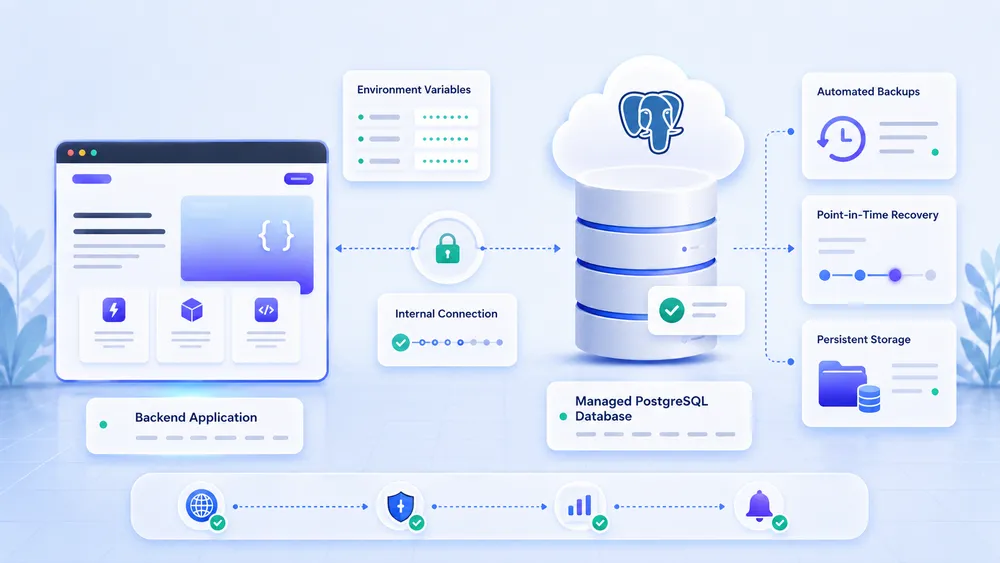
Render Postgres allows you to add a managed PostgreSQL database to an application hosted on Render. It is a practical option for a backend, an API, a SaaS product, or an internal tool that needs a relational database without managing PostgreSQL directly on a server. For a production project, you should prioritize a paid database with suitable backups and storage.
Render presents Render Postgres as a managed PostgreSQL database solution capable of adapting to different workloads. The platform allows you to create a database from the dashboard, then retrieve the connection information to integrate it into the application.
The critical point concerns the free plan. Free PostgreSQL databases are useful for testing, but they are not suitable for production. Render indicates that free services are available to preview the platform, and the documentation specifies that some free services, including Render Postgres, are subject to limitations.
For a serious project, you need to plan for a paid database. This makes it easier to manage durability, backups, storage, data growth, and restoration needs. An application can be well deployed, but become fragile if its database relies on a temporary or overly limited offer.
How we tested Render ?
For us, at CritiquePlus, the ideal methodology consists of deploying a small application, measuring configuration ease, checking the limits of the free plan, adding a Postgres database, testing a custom domain, and comparing the experience with Vercel, Netlify, Heroku, Railway, Dokploy, Coolify, and a VPS.
| Tested criterion | What to check |
|---|---|
| Deployment | Time between connecting the Git repository and getting a working URL |
| Configuration | Simplicity of environment variables, commands, and logs |
| Database | Postgres creation, connection, migration, and free plan limits |
| Performance | Response time from Europe, cold behavior, stability |
| Production | Domain, TLS, redeployment, logs, backups, scaling |
| Pricing | Cost of a real project with web service, database, storage, and bandwidth |
| Alternatives | Comparison with Vercel, Netlify, Heroku, Railway, VPS, and self-hosted solutions |
Is Render better than its alternatives ?
Render is not systematically better than its alternatives. It is better for some backend projects, APIs, workers, and SaaS MVPs. Vercel is often more suitable for modern frontends, Netlify for static and Jamstack sites, Heroku for teams used to historical PaaS platforms, Railway for fast prototypes, while Dokploy, Coolify, and VPS solutions are better suited to users who want more control.
For a frontend-oriented project, comparison with Vercel and Netlify is essential. Vercel and Netlify offer a highly optimized experience for frontend sites, previews, static deployments, and Jamstack workflows. Render can host static sites, but its main advantage remains stronger on the backend and application services side.
For a classic backend project, comparison with Heroku is natural. Heroku remains well-known and mature, but Render offers a modern alternative with a clear developer experience and several integrated services. The choice will mainly depend on the real cost, add-ons, region, team habits, and project maturity level.
For a self-hosted project, Dokploy and Coolify become very relevant. These solutions allow you to recreate a PaaS-like experience on a server you control. They require more skills, but can reduce vendor dependency and give you more control over costs.
For a project where fixed pricing, sovereignty, or technical control are priorities, a VPS provider in France may be more suitable. A VPS requires more maintenance, but it gives maximum freedom over the system, network, backups, services, and installed tools.
FAQ
Is Render free ?
Yes, Render offers a free plan, notably through the Hobby plan and some free services such as web services, Render Postgres, and Render Key Value. But this offer is mainly used to test the platform or host personal projects. Free services have important limits and should not be used for a production application.
Why is my Render application slow on first load ?
A free Render application can be slow on first load because free web services go to sleep after a period of inactivity. When a new user arrives, the service needs to wake up, which can cause a delay before the response. To avoid this behavior, you need to use an always-on paid instance.
Is Render suitable for production ?
Yes, Render can be suitable for production with a paid configuration, a consistent region, a durable database, backups, monitoring, secure environment variables, and cost monitoring. The free plan is useful for testing, but it should not be considered a production foundation.
Is Render better than Vercel ?
Render is better than Vercel for some persistent backends, APIs, workers, and application services. Vercel often remains better for modern frontends, Next.js sites, and highly optimized frontend experiences. The choice therefore depends on the architecture : pure frontend or complete backend.
Is Render better than Netlify ?
Render is often more suitable than Netlify for backend applications, APIs, Postgres databases, and workers. Netlify is generally more natural for static sites, Jamstack frontends, landing pages, and marketing projects. Both tools can coexist in a modern web architecture.
Is Render better than Heroku ?
Render is a modern alternative to Heroku, especially for developers who want a simple PaaS experience, backend services, Git deploy, and a newer platform. Heroku remains mature and well-known, but it can be more expensive depending on the architecture. The best choice depends on the real project and its monthly costs.
Can you host WordPress on Render ?
It is possible to host WordPress in some technical scenarios, but Render is not the most natural choice for WordPress. Managed WordPress hosting or a properly configured VPS will often be simpler for managing media, plugins, updates, cache, backups, and persistent files.
Can you use Docker on Render ?
Yes, Render supports Docker. You can deploy a prebuilt image from a registry or build an image from a Dockerfile present in the repository. Docker is useful when your application requires a custom environment or stronger portability between providers.
Which Render region should you choose for France ?
For a French or European audience, the Frankfurt region is generally the most logical. It brings the infrastructure closer to European users and can reduce latency compared with a U.S. region. However, you should test performance with your real application, because the region is only one factor among others.
What is the best alternative to Render ?
The best Render alternative depends on the project. For frontend, choose Vercel or Netlify. For a historical PaaS, look at Heroku. For a fast developer-oriented experience, Railway is relevant. For more control, look at Dokploy, Coolify, or a VPS.
Final verdict : should you choose Render in 2026 ?
Render deserves to be chosen in 2026 if you want to quickly deploy a web application, an API, a backend, a SaaS MVP, or an AI prototype without managing the entire infrastructure. The platform is clear, modern, and complete enough for many developer projects. Its main advantage is offering a good compromise between simplicity, versatility, and managed backend services.
The Render free plan is useful for testing, but its limits are strong. For production, you need to plan for paid services, a durable database, cost monitoring, and a real security configuration. Render simplifies hosting, but it does not remove responsibilities related to code, data, access, and performance.
Render is recommended for developers, startups, freelancers, and product teams that want to move fast without heavy DevOps work. It is less recommended for WordPress, simple static sites, projects that are very sensitive to cost, or architectures that require full server control.
