

YouChat AI: What It Is, How to Use It, and Whether It’s Still Worth Trying
YouChat AI is an AI chat and search experience associated with You.com, a company focused on real-time web intelligence for AI. In simple terms, YouChat lets users ask questions in natural language and get AI-generated answers that can be connected to web results, citations, and fresh information. That makes it different from a basic chatbot that only relies on a model’s training data.
The important detail is that the name YouChat AI can be confusing. Some people use it to refer to You.com Chat, while search results may also show third-party apps or websites using similar names. Before signing in, downloading an app, or paying for anything, users should check whether they are using the official You.com service or a separate app from another developer.
As of 2026, You.com positions itself less as a simple consumer chatbot and more as a web search API platform for AI agents, developers, and enterprises. Its homepage describes the product as Web Search APIs for AI that can search the web, extract clean content, and generate grounded answers for agents and LLMs.
That does not mean YouChat AI is irrelevant. It means the product has evolved. If you are looking for a ChatGPT alternative, a Perplexity alternative, or an AI search engine that can help with web research, summaries, writing, and source-backed answers, YouChat AI is still worth understanding. But it should be evaluated with realistic expectations: verify sources, avoid sensitive data, and compare it with stronger general-purpose AI tools before making it your default assistant.
What is YouChat AI ?

YouChat AI is best understood as the AI chat and search experience connected to You.com. It allows users to ask questions, receive AI-generated responses, and use web-connected answers for research, writing, brainstorming, and productivity. Unlike a traditional search engine, YouChat can respond conversationally instead of only showing a list of links.
YouChat AI is an AI chatbot with search capabilities. It is useful when you want fast answers, current information, summaries of web content, or follow-up questions in a conversational format. It is not a perfect source of truth, and its answers should be checked when accuracy matters.
The official You.com website currently emphasizes real-time web intelligence, Search API, Contents API, Research API, and Finance Research API. Its documentation says developers can access real-time Search, Content, and Research APIs, with Search returning real-time LLM-ready web and news results, Research performing multi-step search and synthesis, and Contents retrieving clean HTML or Markdown from webpages.
For regular users, the key takeaway is that YouChat AI is not just another chatbot name. It belongs to a broader product direction: AI systems that can search, extract, synthesize, and ground responses in web data. That makes YouChat most relevant for people who care about fresh information, AI search, and source-backed answers.
YouChat AI vs You.com: are they the same thing?

YouChat AI and You.com are closely related, but they are not always presented in the same way. You.com is the company and platform. YouChat is the AI chat experience historically associated with that platform. Today, the official site navigation still includes a Chat entry, while the company’s public messaging strongly highlights its API platform and web intelligence products.
This distinction matters because users searching for YouChat AI may land on different types of pages. Some pages may be official You.com pages. Others may be app store listings, browser extensions, older blog posts, or unrelated tools using similar wording. A user who wants the official You.com AI chatbot should confirm the domain, developer name, privacy policy, and account flow before entering personal information.
A simple way to think about it is:
- You.com is the platform and company.
- YouChat is the chat/search assistant experience people associate with You.com.
- YouChat AI is the keyword people type into Google when they want to find or understand that assistant.
- Third-party apps named YouChat AI may not be the same service.
That last point is important for safety. If an app uses the name YouChat AI, it does not automatically mean it is operated by You.com. Users should check the developer name, official links, reviews, permissions, privacy policy, and whether the app connects to the official You.com ecosystem.
What happened to YouChat AI?

YouChat AI became known during the early wave of AI search tools, when users were looking for alternatives to ChatGPT that could access the web and cite sources. Since then, You.com has moved deeper into AI infrastructure, enterprise search, and APIs for developers building agents and retrieval systems.
The clearest sign of that shift is the current You.com homepage, which describes the company as The Leading Web Search APIs for AI and says its tools can search the web, extract clean content, and generate grounded answers for agents and LLMs.
The company also raised $100 million in Series C funding at a $1.5 billion valuation in September 2025. In that announcement, You.com said it was building infrastructure for the Agentic Era and described its transition toward APIs and enterprise-grade AI systems.
For users, that evolution has two consequences.
- First, YouChat AI should not be reviewed only as a simple chatbot. It should be understood as part of You.com’s AI search and web intelligence stack.
- Second, some old articles about YouChat may no longer describe the product accurately. If a guide only explains the 2023 version of YouChat AI, it may miss the current direction of You.com, its API pricing, its enterprise features, and its emphasis on search-grounded AI.
How does YouChat AI work?
YouChat AI works by combining a conversational interface with search and web intelligence. Instead of forcing users to type keywords and open ten blue links, an AI chat interface can interpret a question, generate a direct answer, and continue the conversation with follow-up prompts.
The key idea is AI search. In a classic search engine, the user receives a list of results and has to inspect pages manually. In an AI search engine, the system can retrieve information, extract relevant context, summarize it, and present an answer in natural language. When done well, this saves time. When done poorly, it can create confident but inaccurate summaries. That is why citations and source checking matter.
You.com describes its APIs as tools for real-time web intelligence. The official documentation says its Search API returns structured web and news results, while its Research API performs multi-step reasoning by searching, reading, and synthesizing sources into a cited answer.
For a regular user, the workflow is usually simple:
- You ask a question.
- The AI interprets the request.
- The system uses available context, web search, or retrieval tools.
- It produces a conversational answer.
- You ask follow-up questions to refine the result.
- You verify important claims by opening the sources.
- This makes YouChat AI useful for questions like:
- “What are the best AI search engines?”
- “Summarize this topic in simple terms.”
- “Compare YouChat AI with ChatGPT.”
- “Find recent information about a company.”
- “Explain this technical concept for beginners.”
- “Draft an email based on these facts.”
- “Give me sources for this answer.”
The strongest use case is not creative writing alone. The strongest use case is search-backed productivity: asking questions where freshness, sources, and context matter.
What can YouChat AI do?

YouChat AI can help with research, writing, summarization, brainstorming, coding questions, comparisons, and general productivity. Its main value is the ability to combine conversational answers with web-connected information, especially when a user wants something more direct than a traditional Google search.
For example, a student might use YouChat AI to understand a concept before reading the original sources. A marketer might use it to compare software tools. A developer might use it to research an API or troubleshoot a concept. A journalist or blogger might use it to gather background information, then verify each claim manually.
The most useful YouChat AI features are usually:
- Search-backed answers, for questions that need recent or verifiable information.
- Summarization, for turning long pages or complex topics into shorter explanations.
- Follow-up questions, for refining the answer without starting over.
- Source checking, when citations or links are available.
- Writing assistance, for outlines, drafts, emails, social posts, and explanations.
- Coding help, for understanding concepts, generating snippets, or debugging ideas.
- Comparison support, for comparing tools like ChatGPT, Perplexity, Gemini, and Claude.
However, users should not treat YouChat AI as automatically correct. Any AI system can misunderstand context, cite weak sources, miss recent changes, or summarize a source inaccurately. For medical, legal, financial, academic, or business-critical decisions, users should verify the original sources and consult qualified professionals when needed.
That is not a weakness unique to YouChat. It is a general limitation of AI chatbots and generative search engines.
How to use YouChat AI step by step
Using YouChat AI is straightforward, but getting good answers depends on how you prompt it and how carefully you verify the output.
Start by going to the official You.com website or the official You.com Chat entry from the navigation as shown on this capture.
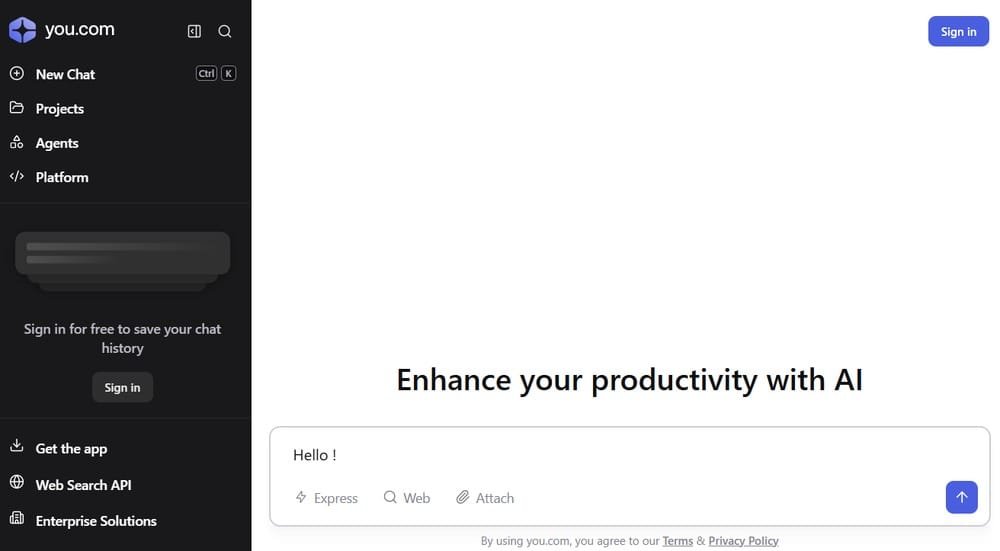
Because the phrase YouChat AI can be used by unrelated apps, avoid clicking random download links until you have confirmed that the site or app is connected to the official You.com service.
Then create an account or sign in if required. You.com’s privacy policy says that when users sign up for an account, the service may ask for information such as name and email address.
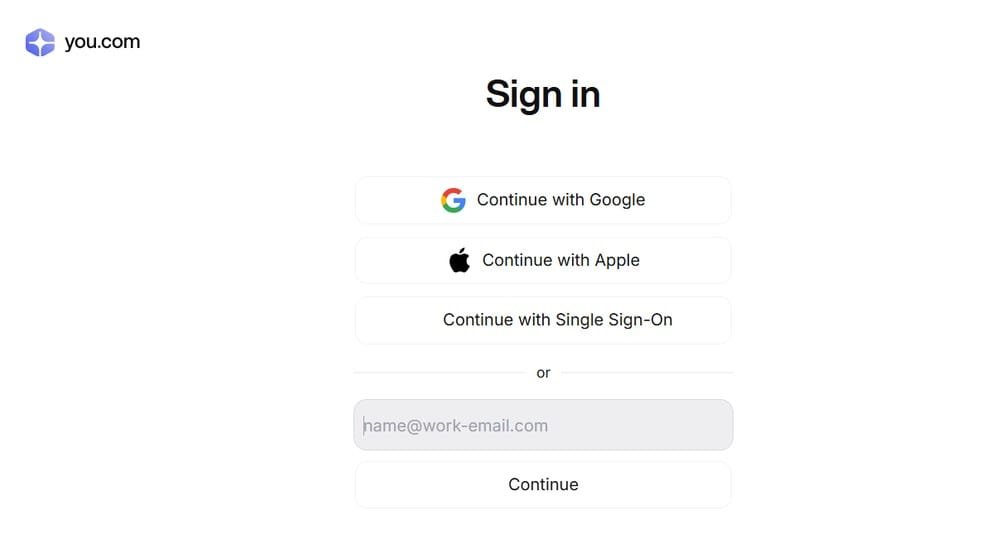
Once inside the chat interface, type a clear question. For simple questions, a short prompt may be enough. For better answers, add context, format, audience, and the type of output you want.
Weak prompt:
“Tell me about YouChat.”
Better prompt:
“Explain YouChat AI in simple terms for a beginner. Include what it is, how it compares with ChatGPT, whether it is free, and what users should know about privacy.”
For research, ask for sources directly.
Example:
“Compare YouChat AI, Perplexity AI, and ChatGPT Search for web research. Include strengths, weaknesses, pricing considerations, and sources.”
For writing, give the audience and format.
Example:
“Create a 1,000-word beginner-friendly guide about AI search engines for US readers. Use short paragraphs, include a comparison table, and avoid hype.”
For fact-checking, ask the tool to separate facts from assumptions.
Example:
“List the claims in this answer that require verification. For each claim, tell me what source I should check.”
After receiving an answer, do not stop there. Read the answer critically. Open the cited sources when available. Check publication dates. Look for the original source instead of relying only on summaries. If the answer includes a price, product feature, legal statement, security claim, or statistic, verify it on the official website.
A good workflow is:
- Ask your question.
- Request a concise answer.
- Ask for sources.
- Open the official source.
- Ask follow-up questions.
- Save or rewrite the answer in your own words.
- Verify facts before publishing or acting on them.
This workflow turns YouChat AI from a simple answer generator into a research assistant. The difference is important. A chatbot can make you faster, but verification is what makes the output reliable.
How to write better prompts for YouChat AI
The quality of YouChat AI answers depends heavily on prompt quality. A vague prompt usually produces a generic answer. A specific prompt gives the system more context and makes the output easier to use.
A strong prompt usually includes five elements: task, context, audience, format, and constraints.
- Task: what you want the AI to do.
- Context: what the AI needs to know.
- Audience: who the answer is for.
- Format: table, bullet list, tutorial, summary, email, comparison, or checklist.
- Constraints: length, tone, sources, examples, or things to avoid.
Here is a practical template:
“Act as a [role]. Help me [task]. The context is [context]. The audience is [audience]. Format the answer as [format]. Include [constraints].”
Example for productivity:
“Act as a writing assistant. Turn this rough idea into a clear article outline about AI search engines. The audience is small business owners. Use H2 and H3 headings. Include a section on safety and a FAQ.”
Example for learning:
“Explain YouChat AI like I’m new to AI. Use simple language, give three examples, and explain when I should use Google Search instead.”
Example for SEO:
“Create an SEO brief for the keyword YouChat AI. Include search intent, related keywords, article structure, FAQ, internal links, and comparison opportunities.”
The best prompts for YouChat AI are direct but not overloaded. If the answer is too broad, ask follow-up questions. If the answer is too shallow, ask for examples. If the answer makes claims without sources, ask for official references. If the answer sounds confident but vague, ask what might be uncertain or outdated.
Is YouChat AI free?
YouChat AI may offer free access depending on the current account flow, but users should verify the latest limits and upgrade options directly on You.com before relying on any pricing claim. AI product pricing changes often, and old articles may show outdated information.
The official public pricing page (As seen the 25/06/2026) currently focuses on You.com’s Web Search API pricing, not only a consumer chatbot plan. It lists Search API at $5 per 1,000 calls, Contents API at $1 per 1,000 pages, and Research API starting at $12 per 1,000 calls. It also mentions a $100 free credit to get started, SOC 2 certification, and “No model training” on that pricing page.
This distinction is important. YouChat AI pricing and You.com API pricing are not necessarily the same thing. A casual user asking “Is YouChat AI free?” usually wants to know whether they can use the chat tool without paying. A developer asking about You.com pricing may be looking for API costs, request limits, credits, and enterprise terms.
Before subscribing or upgrading, check:
- Whether you are on the official You.com website.
- Whether you are paying for consumer chat features or API usage.
- Which model access, limits, or features are included.
- Whether your plan includes ads or different privacy terms.
- Whether there are usage caps, rate limits, or fair-use restrictions.
- Whether the price is monthly, annual, or usage-based.
YouChat AI can be tried as a web-connected AI assistant, but pricing and free limits should be checked on the official You.com pricing or upgrade page at the time you sign up.
Is YouChat AI safe?
YouChat AI can be safe for general research and productivity when used carefully, but users should not enter sensitive personal information, confidential documents, passwords, financial details, medical information, private business data, or regulated information into any AI chatbot unless they fully understand the privacy terms and have the right plan for that use.
You.com’s privacy policy explicitly tells users not to include sensitive personal information in prompts, including information subject to increased legal protections such as personal financial data, health information, government identification numbers, ethnicity, sexual orientation, political affiliations, or information where unauthorized disclosure could cause serious harm.
The same policy says You.com collects information users provide, account information such as name and email when signing up, device information, usage information, telemetry for abuse and security monitoring, and payment information when users purchase services.
You.com also says it supports customer compliance with privacy laws including GDPR and CCPA, and its security page displays SOC 2 Type 2 Compliant.
That is useful, but it does not mean users should treat YouChat AI like a private vault. The practical rule is simple: if you would not paste the information into a normal website form, do not paste it into an AI chatbot.
Safe examples include:
- Asking for a summary of a public topic.
- Drafting a generic email.
- Comparing public software features.
- Learning a concept.
- Creating a checklist.
- Brainstorming content ideas.
Risky examples include:
- Uploading a private contract.
- Entering a Social Security number.
- Sharing medical records.
- Pasting confidential client data.
- Adding private API keys or passwords.
- Sharing unreleased business strategy.
Using YouChat AI safely is less about fear and more about data hygiene. Treat it as a useful online AI assistant, not as a guaranteed confidential advisor.
YouChat AI privacy: what users should know
The most important privacy point is that YouChat AI is an online service. Like other online AI tools, it may collect account information, usage data, device information, telemetry, prompts, content, and payment-related information depending on how the user interacts with the service.
You.com’s privacy policy says the service uses collected information to provide, maintain, improve, personalize, and secure services; communicate with users; process payments; prevent fraud; and carry out compliance purposes.
The policy also says You.com uses various LLM providers, including OpenAI, Anthropic, and Google, as service providers.
For users, this means three things.
- First, do not assume every answer is generated only by one model. AI services can route prompts through different providers, systems, or retrieval layers.
- Second, do not enter sensitive information unless the service terms, privacy policy, and your plan clearly allow your use case.
- Third, if privacy is a major concern, compare YouChat AI with alternatives based on data retention, enterprise controls, admin features, model training policies, and compliance needs.
For everyday use, YouChat AI can be a helpful tool for public information. For confidential work, users should slow down and read the privacy policy, terms, and plan details before using it.
YouChat AI vs ChatGPT vs Perplexity vs Gemini vs Claude
YouChat AI is best compared with other AI assistants based on what you actually want to do. If your main goal is web research, source-backed answers, and fast discovery, YouChat AI belongs in the same conversation as Perplexity AI and ChatGPT Search. If your goal is broad productivity, writing, coding, image generation, file analysis, or app integrations, ChatGPT, Gemini, and Claude may be stronger depending on your workflow.
The biggest difference is positioning. You.com currently emphasizes real-time web intelligence, APIs, search grounding, content extraction, and research workflows for AI systems. Its docs say the Search API returns real-time web and news results, the Contents API retrieves clean HTML or Markdown from webpages, and the Research API searches, reads, and synthesizes sources into cited answers.
ChatGPT is broader. OpenAI’s official pricing page lists free and paid plans, including Go, Plus, Pro, Business, and Enterprise, with paid tiers adding higher access, advanced reasoning, image generation, deep research, agent mode, memory, projects, tasks, custom GPTs, and Codex usage depending on the plan.
Perplexity AI is one of the clearest competitors for users who want an answer engine with citations. Its enterprise page describes a secure platform that can work across files and tools for tasks, deep research, and complex projects, while its Pro page positions paid plans around higher usage and top performance.
Gemini is strongest for users already inside Google’s ecosystem. Google’s subscription pages list Google AI Plus, Google AI Pro, and Google AI Ultra, with higher tiers connected to more Gemini access, cloud storage, and Google app integrations. Google also says Gemini Apps use compute-based limits that depend on prompt complexity, models, features, and chat length.
Claude is strongest for long-form writing, reasoning, coding workflows, and document-heavy tasks. Anthropic’s official pricing page lists Free, Pro, Max, Team, and Enterprise tiers, and its help center describes Pro at $20/month and Max tiers designed for heavier usage.
| Tool | Best for | Main strength | Main limitation |
|---|---|---|---|
| YouChat AI / You.com | AI search, research, source-backed answers | Web intelligence and search grounding | Product naming can be confusing; consumer plan details must be verified |
| ChatGPT | General productivity, writing, coding, files, images, agents | Broadest assistant experience | Not always the best default for source-first research |
| Perplexity AI | Research with citations | Fast cited answers and discovery | Can still require manual source verification |
| Gemini | Google ecosystem users | Google apps, storage, multimodal AI | Usage limits and features vary by plan |
| Claude | Long writing, reasoning, coding, documents | Strong writing and reasoning workflows | Heavy usage can require higher paid plans |
For a normal user, the recommendation is simple: use YouChat AI when you want a search-oriented AI assistant; use ChatGPT when you want the most versatile assistant; use Perplexity when citations are your top priority; use Gemini if you live in Google apps; and use Claude for long-form thinking, drafting, coding, and document work.
YouChat AI pros and cons
YouChat AI has several advantages, especially for users who care about AI search rather than only chatbot conversation. Its strongest value is that it is tied to You.com’s web intelligence stack, which is designed around search, content extraction, research, and grounded answers.
The first advantage is freshness. A search-connected AI assistant can be more useful than a static chatbot when the user needs recent information. That matters for software pricing, AI product updates, company news, regulations, market changes, and technical documentation.
The second advantage is speed. Instead of opening multiple tabs and scanning pages manually, users can ask a question and receive a synthesized answer. This makes YouChat AI useful for early-stage research, topic discovery, comparison shopping, software evaluation, and content planning.
The third advantage is follow-up conversation. Traditional search often forces users to reformulate queries manually. A conversational search assistant can answer the first question, then handle clarifications like “make it simpler,” “compare it with ChatGPT,” “give me sources,” or “turn this into a checklist.”
The fourth advantage is developer relevance. You.com now clearly targets developers and enterprises building AI agents. Its official pricing page lists Search API, Contents API, and Research API, with the Search API priced at $5 per 1,000 calls and the Contents API at $1 per 1,000 pages.
The drawbacks are just as important.
The first drawback is brand confusion. The phrase YouChat AI may point users toward official You.com pages, older reviews, app store listings, or unrelated third-party tools. This makes trust and navigation harder than with brands like ChatGPT or Perplexity.
The second drawback is product evolution. Because You.com now emphasizes AI search APIs and infrastructure, some users looking for a simple consumer chatbot may need to check whether the current experience matches the older YouChat reviews they find online.
The third drawback is verification. Even when an AI answer includes sources, users still need to open those sources and check whether they truly support the claim. Generative search can summarize, but summarization is not the same as proof.
The fourth drawback is privacy. You.com’s privacy policy tells users not to enter sensitive personal information in prompts, which is a reminder that YouChat AI should not be treated as a place for confidential, regulated, or highly personal data.
Who should use YouChat AI?
YouChat AI is a good fit for users who want a fast, search-connected assistant for public information. It is especially useful for students, creators, marketers, bloggers, researchers, developers, and professionals who need quick explanations, summaries, comparisons, and source discovery.
Students can use YouChat AI to understand difficult topics before reading textbooks or primary sources. The best use case is not copying answers, but building a clearer first understanding of a subject. A student might ask for a beginner explanation, key terms, opposing viewpoints, or a reading list.
Creators and bloggers can use YouChat AI for research briefs, article outlines, competitor comparisons, FAQ ideas, and source discovery. For example, a writer preparing an article about AI search engines can ask YouChat to compare You.com, Perplexity, ChatGPT Search, Gemini, and Claude, then manually verify every pricing and feature claim.
Marketers can use it to compare SaaS tools, summarize product pages, draft email angles, or build keyword clusters. The most useful prompts are specific: “Compare these tools for a small business owner,” “create a checklist,” or “extract decision criteria from these sources.”
Developers can use You.com’s API products if they are building RAG systems, AI agents, search tools, or knowledge workflows. The official docs describe use cases around data APIs, real-time search, content extraction, SDKs, CLI, MCP tools, and API access for AI applications.
Professionals can use YouChat AI for non-sensitive research, meeting preparation, brainstorming, and summarizing public information. However, they should avoid uploading private client data, contracts, internal strategy documents, unreleased financial information, medical records, or personal identifiers unless their organization has reviewed the service terms and approved the workflow.
YouChat AI is not the best choice for every user. If you mainly want image generation, ChatGPT or Gemini may be better. If you want polished long-form writing, Claude may be stronger. If you want a research-first interface with a strong citation habit, Perplexity may feel more natural. If you want Google app integration, Gemini is the obvious option.
Best YouChat AI alternatives
The best YouChat AI alternatives are ChatGPT, Perplexity AI, Google Gemini, Claude, Microsoft Copilot, and Brave Search AI. The right choice depends on whether you care most about research, writing, coding, citations, privacy, price, or app integrations.
ChatGPT is the best overall alternative for most users. It is strong for writing, brainstorming, coding, file analysis, image generation, custom assistants, memory, projects, and general productivity. OpenAI’s pricing page lists multiple plans, including free access and paid tiers with expanded capabilities, which makes it suitable for casual users, power users, and businesses.
Perplexity AI is the best alternative for users who want a research-oriented answer engine. It is designed around asking questions and getting cited answers quickly. This makes it useful for students, journalists, researchers, analysts, and professionals who want faster source discovery.
Google Gemini is the best alternative for people who already use Gmail, Google Docs, Google Drive, Google Photos, Android, or other Google services. Google’s AI subscription pages connect Gemini features with Google One storage and paid AI tiers, which makes the product attractive for users who want AI inside their existing Google workflow.
Claude is the best alternative for long-form writing, reasoning, document analysis, and coding-heavy workflows. Anthropic’s pricing page and help center describe tiers from Free to Pro, Max, Team, and Enterprise, with Max designed for heavier individual usage.
Microsoft Copilot is useful for people who live in Microsoft 365, Windows, Edge, Word, Excel, PowerPoint, Outlook, and Teams. It is less of a direct YouChat AI alternative for open web research, but it can be more useful inside office productivity workflows.
Brave Search AI and other AI search tools may also be useful for users who want alternative search experiences. They are worth testing if your priority is privacy, independent search indexes, or a different approach to answer generation.
For most readers, the best practical setup is to use more than one tool. Use YouChat AI or Perplexity for search-backed discovery, ChatGPT for general work, Claude for long writing and reasoning, and Gemini for Google-connected tasks.
YouChat AI limitations
The main limitation of YouChat AI is that it is still an AI system. It can generate useful answers, but it can also misunderstand a question, overgeneralize, miss context, cite weak sources, or produce an answer that sounds more certain than it should.
The second limitation is source quality. Search-connected AI is only as useful as the information it retrieves and how accurately it summarizes that information. If the source is outdated, biased, thin, or promotional, the AI answer may inherit those weaknesses.
The third limitation is ambiguity. Because YouChat AI can refer to the official You.com experience or to third-party tools using similar names, users need to verify where they are signing in. This matters for privacy, billing, app permissions, customer support, and data handling.
The fourth limitation is pricing clarity. You.com’s public pricing page is currently strongly oriented toward API products, with clear prices for Search API and Contents API, but users looking for consumer chatbot limits should still verify the live upgrade page before publishing or purchasing.
The fifth limitation is privacy. You.com’s privacy policy warns users not to enter sensitive personal information into prompts, which is a practical reminder that AI chatbots should not be used as secure storage for private data.
These limitations do not make YouChat AI useless. They define how to use it responsibly: ask clear questions, request sources, check official pages, avoid sensitive information, and compare the answer with other tools when accuracy matters.
Final verdict: is YouChat AI worth it?

YouChat AI is worth trying if you want a search-connected AI assistant and you care about web research, fresh information, and source-backed answers. It is especially interesting because You.com has evolved beyond a simple chatbot into a broader web intelligence and API platform for AI agents, developers, and enterprises.
For casual users, the biggest reason to try YouChat AI is convenience. It can help answer questions, summarize topics, compare tools, and speed up research. For developers and technical teams, the bigger reason is You.com’s Search API, Contents API, and Research API, which are designed for grounding AI systems in real-time web data.
However, YouChat AI should not be treated as the automatic best AI chatbot. ChatGPT is stronger as a general-purpose assistant, Perplexity is very strong for cited research, Gemini is better for Google ecosystem users, and Claude is often excellent for long-form reasoning and writing.
The best verdict is balanced: YouChat AI is not the most famous AI assistant, but it remains relevant for people who want an AI search engine rather than just a chatbot. Try it for research, compare the output with competitors, verify the sources, and avoid entering sensitive information.
FAQ
Does YouChat AI cite sources?
YouChat AI and You.com’s research products are designed around web-connected answers and source-backed research. The official Research API documentation says it searches, reads, and synthesizes information into a cited answer. Users should still open sources manually and verify important claims.
Is YouChat AI better than ChatGPT?
YouChat AI may be better than ChatGPT for specific search-oriented tasks, but ChatGPT is usually stronger as a general-purpose AI assistant. Use YouChat AI for web-connected research and source discovery. Use ChatGPT for broader productivity, writing, coding, file analysis, image generation, and reusable workflows.
Is YouChat AI better than Perplexity?
YouChat AI and Perplexity are both relevant for AI-powered search. Perplexity is more clearly positioned as a research answer engine, while You.com has shifted heavily toward web intelligence APIs and AI infrastructure. The better choice depends on whether you want a consumer research tool or a broader search technology platform.
Does YouChat AI have an app?
You.com lists iOS and Android app options in its official navigation and security page footer, but users should verify the developer before downloading any app called YouChat AI. Similar app names may not always refer to the official You.com service.
Can YouChat AI replace Google Search?
YouChat AI should not fully replace Google Search for every task. It can make research faster by summarizing information and answering follow-up questions, but users should still open original sources, compare results, and use traditional search when they need broad discovery, local results, shopping pages, maps, or official documents.
Can YouChat AI replace ChatGPT?
YouChat AI can replace ChatGPT only for some research-focused use cases. It is better viewed as a complementary tool. Use YouChat AI for search-backed discovery and use ChatGPT, Claude, or Gemini when you need broader creative work, long-form writing, coding, document analysis, or ecosystem integrations.
What are the best YouChat AI alternatives?
The best YouChat AI alternatives are ChatGPT, Perplexity AI, Google Gemini, Claude, Microsoft Copilot, and Brave Search AI. Choose ChatGPT for versatility, Perplexity for cited research, Gemini for Google apps, Claude for long-form reasoning, and Copilot for Microsoft 365 workflows.
Methodology
This YouChat AI review is based on official product pages, pricing pages, documentation, privacy materials, and comparison criteria relevant to US users in 2026. Pricing, limits, and features can change quickly in the AI market, so readers should verify the latest information on official websites before subscribing, publishing product comparisons, or using the tool for business-critical workflows.
The evaluation focuses on five criteria: search capability, source quality, ease of use, pricing clarity, and privacy risk. It does not assume that AI-generated answers are automatically correct. The recommended workflow is to use YouChat AI for research acceleration, then verify important claims against official sources before making decisions.
Conclusion
YouChat AI is still relevant, but not for the same reason it became popular. It is no longer just “another AI chatbot.” It is part of You.com’s broader push into AI search, web intelligence, content extraction, and research APIs for agents and AI applications.
For everyday users, YouChat AI is worth testing if you want quick, web-connected answers and a different experience from ChatGPT or Perplexity. For developers, You.com is worth watching because its API products are clearly designed for retrieval, grounding, and agentic search workflows.
The main caution is simple: verify everything important. Check sources, confirm pricing, avoid sensitive prompts, and make sure you are using the official You.com service rather than an unrelated app with a similar name.
Used this way, YouChat AI can be a practical research assistant, a useful AI search engine, and a credible alternative to larger AI tools for specific search-backed tasks.
