
ChatGPT Go, Plus, Pro or Business : which plan should you choose in 2026 ?
Choosing the right ChatGPT subscription is no longer as simple as it used to be. Between ChatGPT Free, ChatGPT Go, ChatGPT Plus, ChatGPT Pro, ChatGPT Business and ChatGPT Enterprise, OpenAI now offers several access levels that do not target the same users, the same budgets or the same professional needs.
ChatGPT Go is suitable for regular users who want to pay as little as possible. ChatGPT Plus remains the best choice for most advanced users. ChatGPT Pro is designed for intensive users who quickly reach the limits of Plus, while ChatGPT Business becomes the logical choice as soon as a team handles data, internal files or professional workflows.
But the best plan does not depend only on price. It also depends on how often you use ChatGPT, the level of reasoning you expect, the volume of files you need to analyze, image generation, access to Deep Research, agent mode, Codex, memory, projects, custom GPTs, privacy needs and the possible presence of ads.
In this comparison, we will analyze the differences between ChatGPT Go, Plus, Pro and Business with one clear goal: helping you choose the most cost-effective subscription for your profile. The pricing and feature information mentioned in this guide was verified using OpenAI’s official pages and OpenAI Help available on June 6, 2026. However, OpenAI notes that some prices may vary depending on country, currency and local billing method.
Which ChatGPT subscription should you choose?

ChatGPT Plus is the best choice for most regular users because it offers a strong balance between price, advanced models, file analysis, image generation, memory, projects, custom GPTs and productivity tools. ChatGPT Go is more affordable, Pro targets intensive usage, and Business is better for teams that need a secure and manageable workspace.
If you use ChatGPT a few times a week to write, rephrase, summarize or ask simple questions, the free plan may be enough. It lets you discover the tool without commitment, but its limits become visible as soon as you use files, images, long conversations or complex requests.
If you use ChatGPT almost every day but have a tight budget, ChatGPT Go becomes interesting. OpenAI positions it as a more accessible plan than Plus, with more messages, more uploads, more image creation and longer memory than the free plan.
If you use ChatGPT for work, content creation, coding, document analysis, idea generation, research or automating part of your productivity, ChatGPT Plus remains the most balanced plan. OpenAI says Plus provides access to higher limits, advanced reasoning, image generation, file analysis, Deep Research when available, and the creation and use of custom GPTs.
If you are a researcher, developer, analyst, entrepreneur, consultant, trainer or very intensive user, ChatGPT Pro may be justified. OpenAI now distinguishes between Pro tiers at $100 and $200 per month, with limits significantly higher than Plus. The $100 tier targets users who want Pro capabilities with lower volume, while the $200 tier remains the highest usage level.
Finally, if you are a company, agency, newsroom, small business or team using ChatGPT with internal data, ChatGPT Business is often more relevant than several separate Plus accounts. The Business plan includes a collaborative workspace, admin controls, SAML SSO, MFA, member management and organization data excluded from training by default.
Here is the simplest choice depending on your profile:
| Profile | Recommended plan | Why |
|---|---|---|
| Occasional user | ChatGPT Free | Enough to test the tool and ask simple questions |
| Small budget, regular use | ChatGPT Go | More messages, files, images and memory than Free |
| Student, freelancer, creator, employee | ChatGPT Plus | Best balance between price and advanced features |
| Intensive developer, analyst or researcher | ChatGPT Pro | Higher quotas, Pro models, intensive usage |
| Small business, agency, team | ChatGPT Business | Collaboration, security, administration, protected data |
| Large enterprise | ChatGPT Enterprise | Advanced security, support, governance, custom pricing |
ChatGPT pricing in 2026 : how much do Go, Plus, Pro and Business cost?
OpenAI lists ChatGPT Go from $8 per month, ChatGPT Plus at $20 per month, ChatGPT Pro with tiers at $100 and $200 per month, and ChatGPT Business at $25 per user per month with monthly billing, or $20 per user per month with annual billing in most countries. Prices may vary depending on country and currency.
The first mistake to avoid is comparing only monthly prices without looking at usage limits. An $8 subscription can be excellent if you mainly use ChatGPT to write, learn, generate a few images or analyze a few files. But it can become frustrating if you quickly reach the limits or need advanced tools such as Deep Research, agent mode, projects or stronger reasoning capabilities.
OpenAI introduced ChatGPT Go as an $8 per month plan in the United States, with localized pricing in some markets. In the same context, OpenAI listed ChatGPT Plus at $20 per month and ChatGPT Pro at $200 per month. Since then, OpenAI has also documented Pro tiers with a $100 tier and a $200 tier depending on usage needs.
For ChatGPT Business, OpenAI states in its help center that the price is $25 per user per month with monthly billing, or $20 per user per month with annual billing in most countries. The Business plan requires at least 2 standard ChatGPT seats.
It is also important to distinguish ChatGPT from the OpenAI API. A ChatGPT Go, Plus, Pro or Business subscription does not automatically provide API credits. OpenAI specifies that API usage is billed separately, independently from ChatGPT subscriptions. This is an important point for developers, agencies and companies that want to integrate OpenAI into an application, website or automated workflow.
| Plan | Official indicative price | Who is it for? | Main strength | Main limitation |
|---|---|---|---|---|
| ChatGPT Free | $0 | Discovery, occasional use | Free | Lower limits |
| ChatGPT Go | $8/month | Regular use on a small budget | More comfort than Free | May include ads |
| ChatGPT Plus | $20/month | Advanced individual user | Best balance | Lower limits than Pro |
| ChatGPT Pro 100 | $100/month | Sustained professional use | Pro features with higher quotas | Expensive for light use |
| ChatGPT Pro 200 | $200/month | Intensive use | Maximum usage level | High cost |
| ChatGPT Business | $25/user/month or $20 annually | Teams, small businesses, agencies | Security and collaboration | Minimum 2 users |
| ChatGPT Enterprise | Custom pricing | Large organizations | Advanced governance | Non-public pricing |
For an individual user, the real comparison is often between Go, Plus and Pro. For an organization, the relevant comparison is more often Plus vs Business, or Business vs Enterprise. The right subscription is not necessarily the most powerful one: it is the one that matches your real usage.
Comparison table of ChatGPT Go vs ChatGPT Plus plans
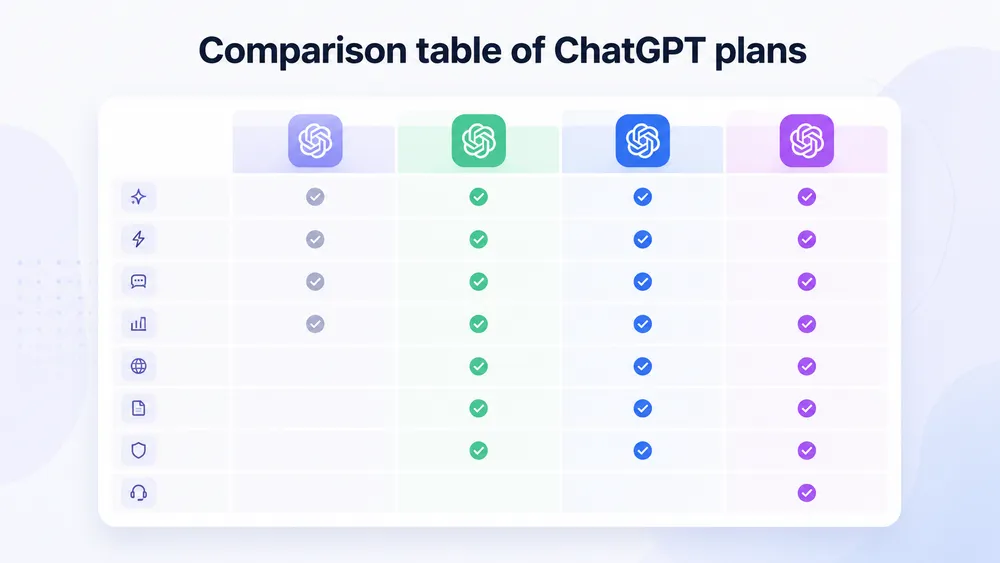
ChatGPT Go adds comfort compared with Free, ChatGPT Plus adds advanced features that are useful every day, ChatGPT Pro significantly increases limits for intensive users, and ChatGPT Business adds the team layer: collaborative workspace, administration, security, SSO, MFA and organization data not used for training by default.
Here is a summary table to understand the key differences between the main ChatGPT plans.
| Criterion | Free | Go | Plus | Pro | Business |
|---|---|---|---|---|---|
| Target use | Discovery | Affordable regular use | Advanced individual use | Intensive use | Team use |
| Price | Free | From $8/month | $20/month | $100 or $200/month | From $20 to $25/user/month |
| Messages | Limited | Higher than Free | Extended | Much higher | Team use with adapted limits |
| Files | Limited | More uploads | Extended uploads | Very high uploads | Uploads in a professional workspace |
| Images | Limited and slower | More creations | More advanced creation | Faster and higher volume | Included depending on workspace |
| Advanced reasoning | Limited | More affordable access | More complete | Pro models | Models suited to work |
| Deep Research | Limited | More restricted than Plus | Extended depending on availability | Maximum | Available in the workspace |
| Agent mode | Not a priority | Limited or depending on availability | Extended | Maximum | Available depending on configuration |
| Projects | No or limited | Not a priority | Yes | Yes, with higher limits | Yes, in a team context |
| Custom GPTs | Limited | Depending on included features | Creation and use | Advanced creation and use | Workspace GPTs |
| Ads | Possible | Possible | No | No | No |
| Organization data excluded from training by default | Not applicable | Not applicable | Not applicable for individual account | Not applicable for individual account | Yes |
| Team administration | No | No | No | No | Yes |
| SSO / MFA | No | No | No | No | Yes |
This table shows that the plans do not only increase in price: they also follow different logics. Free and Go are designed for individual access. Plus and Pro are designed for advanced individual productivity. Business and Enterprise are designed for collective use, security, compliance and administration.
Another important criterion is advertising. OpenAI states that ads may appear for Free and Go users in countries where the test is deployed, while Plus, Pro, Business, Enterprise and Edu accounts remain ad-free. OpenAI also specifies that ads do not influence ChatGPT’s responses and are separate from the chat model.
For an individual, this means Go can remain very interesting if you accept possible advertising in exchange for a lower price. For a professional, creator or company, the absence of ads can become a matter of comfort, image and focus. In that case, Plus, Pro or Business are more coherent choices.
ChatGPT Free: who is the free plan enough for?

ChatGPT Free is enough if you use AI occasionally to ask questions, rephrase text, find simple ideas or test the tool. However, the free plan quickly becomes limited for professional use, file analysis, images, long conversations, deep research or repetitive workflows.
The free plan remains the best entry point for discovering ChatGPT. It helps you understand how an AI assistant works, test the quality of its answers, learn how to write better prompts and evaluate whether the tool has a real place in your daily life.
It is the right choice if you use ChatGPT for simple requests: explaining a concept, correcting a short text, translating a sentence, generating a few title ideas, preparing a list, rephrasing an email or getting occasional help. For light use, paying for a subscription is not always necessary.
The limit appears when ChatGPT becomes a work tool. As soon as you start giving it files, tables, PDFs, briefs, meeting notes or long requests, the limits of the free plan become more visible. OpenAI presents the Free plan as having limited access to messages, uploads, image generation, memory, context, Deep Research and Codex.
ChatGPT Free may also be less comfortable during periods of high demand. Paid users generally benefit from more stable access, higher limits and more advanced features. OpenAI describes ChatGPT Plus in particular as an offer with priority access during high-traffic periods, faster response speeds and higher limits.
You also need to consider advertising. OpenAI states that ads may appear for Free users in some countries where the test is deployed. If you use ChatGPT to work, write, study or think during long sessions, this detail can matter.
In short, stay on ChatGPT Free if you are still discovering the tool. Move to Go or Plus if you use ChatGPT every week. Move to Plus, Pro or Business if ChatGPT starts replacing part of your work tools.
ChatGPT Go : is the cheaper plan worth it ?

ChatGPT Go is worth it if you want more messages, more uploads, more image generation and longer memory than the free plan, without paying the price of ChatGPT Plus. It is the most logical plan for regular users on a small budget, but it remains less suitable for advanced professional use.
ChatGPT Go is probably the most interesting subscription for users who found ChatGPT Plus too expensive. It sits between Free and Plus: more comfortable than the free plan, but less complete than Plus. OpenAI presents it as an offer that provides more access to GPT-5.5 Instant, more messages, more uploads, more image creation and longer memory than the free plan.
The positioning is clear: Go is made for users who want to use ChatGPT more often without necessarily needing all the advanced features of Plus. It is a good choice for a student, employee, beginner creator, budget-conscious freelancer or personal user who wants a more available AI assistant.
In practical terms, ChatGPT Go can be enough to write emails, prepare revision notes, summarize simple documents, generate content ideas, create a few images, improve texts, organize notes or ask regular questions. For this type of use, paying for Plus is not always essential.
OpenAI also states that ChatGPT Go includes higher limits than Free for chat and tools, but that these limits may vary depending on system conditions to ensure a smooth experience for all users. This is an important point: exact quotas may evolve and should not be presented as fixed if OpenAI does not publish them clearly.
Go does have several limitations. First, it is not designed as the most advanced plan. OpenAI explains that ChatGPT Plus is intended for advanced users, with broader access to reasoning models, Deep Research and agent mode. Go gives more access to popular features, but Plus remains more complete for complex tasks.
Second, Go may include ads. OpenAI indicates that ads may appear on Free and Go plans, while Plus, Pro, Business, Enterprise and Edu are ad-free. This is not necessarily a blocker for personal use, but it can bother a user who works several hours a day with ChatGPT.
Finally, Go does not replace a professional plan. If you work with client data, internal documents, HR information, financial figures or confidential content, the topic is no longer only price. You also need to look at privacy guarantees, admin settings and the usage framework. In that case, Business is often more coherent than an individual account.
Our view: ChatGPT Go is an excellent paid entry-level option. It is more interesting than Free for regular use, but it should not be presented as a “cheaper Plus.” It is rather an intermediate plan for users who want more comfort without moving into advanced usage.
ChatGPT Plus : the best choice for regular use ?
ChatGPT Plus remains the best compromise for most users who work regularly with AI. It costs $20 per month and offers broader access to advanced models, reasoning, file analysis, image generation, voice conversations, Deep Research when available, and the creation and use of custom GPTs.
ChatGPT Plus is the plan to choose if ChatGPT has become a daily productivity tool. It is especially suitable for freelancers, content creators, advanced students, consultants, marketers, writers, occasional developers, trainers, entrepreneurs and employees who want to save time without paying for a Pro subscription.
The main difference with ChatGPT Go lies in access to advanced capabilities. Go gives more comfort than Free, but Plus targets users who need more reasoning, more stability, faster responses and more complete tools. OpenAI notably states that ChatGPT Plus includes priority access during high-demand periods, faster response speeds, higher GPT-5.5 limits, access to advanced reasoning models, image generation, file analysis and custom GPTs.
For editorial use, ChatGPT Plus is often enough. It can help prepare an article outline, rephrase an introduction, analyze a file, create a FAQ, compare content angles, generate title ideas or produce briefs. For SEO use, it can also help transform GSC data, analyze search intent, prepare clusters or produce prompt variations.
For a student, Plus becomes useful when usage goes beyond the occasional simple question. Summarizing PDFs, preparing study notes, creating quizzes, explaining complex concepts or organizing a dissertation requires more comfort than the free plan. For a freelancer, the value is even clearer: if ChatGPT saves you a few hours per month, the subscription can quickly pay for itself.
Plus is not the best choice for everyone, however. If you use ChatGPT only once or twice a week, Go or Free may be enough. If you often reach the limits, work on intensive code, long research or complex tasks, Pro becomes more coherent. If you work in a team with internal data, Business is preferable.
Our view: ChatGPT Plus is the plan to recommend by default to a serious individual user. It is neither the cheapest nor the most powerful, but it offers the best balance between cost, power, simplicity and versatility.
ChatGPT Pro : who is it for ?

ChatGPT Pro is aimed at users who truly depend on ChatGPT for complex, frequent or high-stakes work. The Pro tiers include Pro models, Codex, Deep Research, image creation, memory and file uploads. The difference between Pro 100 and Pro 200 is mainly about usage limits.
ChatGPT Pro should not be seen as a simple “improved Plus.” It is a subscription for users who already reach Plus limits or who use AI in contexts where the time saved is clearly worth the monthly price. OpenAI presents Pro as a plan for people who rely on AI to carry out complex, critical or high-stakes work.
The target profiles are fairly specific: developers who use Codex regularly, researchers who run long analyses, consultants preparing complex deliverables, data analysts, growth teams, course creators, highly active entrepreneurs or users who chain together many work sessions every day.
The key point is that both Pro tiers provide access to the same core capabilities. OpenAI states that both Pro tiers include advanced features, but that the main difference is usage quotas. Pro 100 offers limits 5 times higher than Plus, while Pro 200 offers limits 20 times higher than Plus. The Pro 200 plan remains the highest usage level.
| Use case | Is Plus enough? | When does Pro become useful? |
|---|---|---|
| Regular web writing | Yes | Rarely |
| Analyzing a few PDFs | Yes | If volumes are very high |
| Occasional development | Yes | If Codex is used intensively |
| Long research | Sometimes | Yes |
| Automating complex workflows | Sometimes | Yes |
| Several hours of use per day | Limited | Yes |
| Team use | No | Business rather than Pro |
The question to ask is simple : do you reach Plus limits several times a week? If the answer is no, Pro is likely too expensive. If the answer is yes, Pro can become profitable, especially if ChatGPT replaces part of your research, coding, analysis or production time.
It is also important to remember that Pro is not a team plan. Even though Pro is powerful, it is still designed for an individual user. An agency, small business or newsroom should not multiply Pro accounts without considering Business, because Business provides administration, security and collaboration features that Pro does not replace.
Our view: ChatGPT Pro is relevant for users who already know why Plus is no longer enough. If you are still hesitating, start with Plus, measure your real limits for one month, then move to Pro only if the blockage is frequent.
ChatGPT Business : why choose it for a team ?

ChatGPT Business is the best choice for a team, agency or small business that wants to use ChatGPT in a professional setting. It adds a shared workspace, centralized administration, security controls, SAML SSO, MFA, member management and organization data not used for training by default.
ChatGPT Business solves a different problem than Plus or Pro. With Plus, each user has their own individual account. With Business, the company has an organized, manageable workspace that is better suited to collective use.
This matters as soon as several people use ChatGPT within the same organization. Without a Business workspace, it becomes difficult to manage access, employee departures, security settings, shared content, internal GPTs or usage rules. A company should not only ask “how much does the subscription cost?” but also “who controls the data and access?”
OpenAI states that ChatGPT Business is a self-service plan designed for organizations and companies that want to adopt ChatGPT as a team, available from 2 users. For larger organizations, OpenAI directs users toward ChatGPT Enterprise.
The Business plan is especially useful for SEO agencies, consulting firms, marketing teams, support teams, HR departments, newsrooms, startups, creative studios, training organizations and small businesses. It helps standardize usage instead of letting every employee work inside their own individual account.
Privacy is one of the major arguments. OpenAI states that, by default, inputs and outputs from products intended for professional users, including ChatGPT Business, ChatGPT Enterprise and the API, are not used to train models. Organizations can choose to share data explicitly, but they are excluded by default.
For a team, this difference is decisive. A Plus account may suit a freelancer who controls their own data. A company that handles client briefs, internal data, business documents, HR processes or financial information should prioritize a more robust framework.
Business is not always necessary. A one-person business can remain on Plus or Pro. However, as soon as there are several users, shared documents or client data, Business becomes more coherent. The cost per user can even make more sense than several poorly controlled individual subscriptions.
Our view: ChatGPT Business is the right choice as soon as ChatGPT becomes a team tool. It provides less of a “magic power boost” and more of a professional framework: security, control, governance and collaboration.
ChatGPT Go, Plus, Pro or Business : which one should you choose for your profile ?
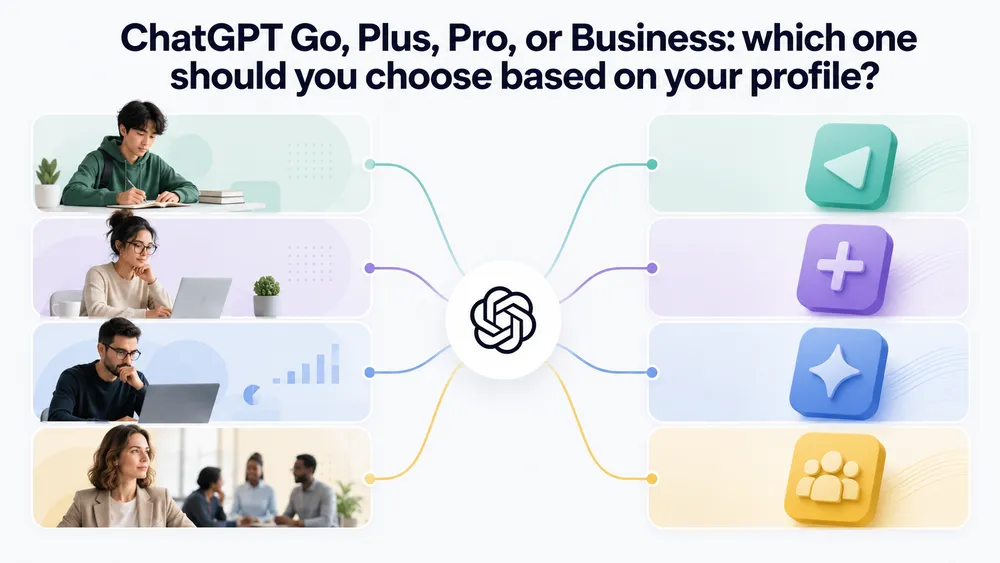
The right plan depends on how often you use ChatGPT, your budget, the complexity of your tasks and your privacy needs. Go is suited to small budgets, Plus to most advanced users, Pro to intensive usage, and Business to teams that want to work in an administered environment.
Here is the simplest recommendation:
| User profile | Recommended plan | Why |
|---|---|---|
| Curious user or beginner | Free | Test ChatGPT without paying |
| Student on a small budget | Go | More messages and files than Free |
| Advanced student | Plus | File analysis, reasoning, productivity |
| Freelancer | Plus | Best value for money |
| Content creator | Plus | Text, images, ideas, workflows |
| Occasional developer | Plus | Enough to learn, fix and prototype |
| Intensive developer | Pro | Codex and higher limits |
| Consultant or analyst | Plus or Pro | Depending on file volume and research |
| SEO agency | Business | Collaboration, client data, shared GPTs |
| Small business | Business | Administration and privacy |
| Large enterprise | Enterprise | Advanced governance and dedicated support |
To decide quickly, use this rule:
- If ChatGPT is a discovery tool, stay on Free.
- If ChatGPT is a regular personal tool but your budget is limited, choose Go.
- If ChatGPT is an individual work tool, choose Plus.
- If ChatGPT is a critical tool used several hours per day, choose Pro.
- If ChatGPT is used by several people with professional data, choose Business.
The best decision also means avoiding overpaying too early. Many users can start with Plus, measure their usage for one month, then move to Pro only if the limits are genuinely blocking. Conversely, a team should avoid starting with individual accounts if it already knows it will handle client or internal data.
Security and privacy : which plan should you choose for sensitive data ?

For personal use, privacy settings can reduce the use of your conversations for training. For professional use, Business or Enterprise is preferable, because OpenAI states that data submitted to business offerings, including ChatGPT Business, is not used to improve models by default.
Privacy should not be treated as a minor detail. Many users choose a ChatGPT plan based only on price, then copy client documents, contracts, internal tables, HR data or business information into it. That is a mistake.
On individual services, OpenAI states that content submitted to ChatGPT and other consumer services may be used to improve model performance depending on the user’s settings. Users can manage some data controls, but this remains an individual framework.
On business offerings, the logic is different. OpenAI specifies that content submitted by customers to business offerings, such as the API, ChatGPT Business and ChatGPT Enterprise, is not used by default to improve models, unless there is an explicit opt-in.
You therefore need to distinguish four levels of risk:
| Data type | Acceptable plan | Recommendation |
|---|---|---|
| General question | Free, Go, Plus | No particular risk |
| Non-sensitive personal text | Go or Plus | Check settings |
| Non-confidential professional document | Plus or Business | Business is preferable in a team |
| Client, HR, legal or financial data | Business or Enterprise | Avoid individual accounts |
| Highly sensitive data | Enterprise + internal policy | Frame usage strictly |
For a small business, the best practice is to create a simple internal rule: no confidential data should be copied into an unmanaged individual account. Team members should know which types of documents can be analyzed, which content must be anonymized and which uses are prohibited.
Our view: Plus is excellent for personal productivity, but Business is more suitable as soon as usage involves company data. The choice therefore depends not only on price, but also on the level of responsibility.
ChatGPT Plus or Business for a small business ?

A small business can start with ChatGPT Plus to test use cases individually, but it should move to ChatGPT Business as soon as several employees use the tool with internal or client documents. Business helps centralize access, strengthen privacy and structure AI usage within the company.
For a small business, the real risk is not always paying too much. The real risk is having several scattered individual accounts, with no clear policy, no visibility and no control. A salesperson may use ChatGPT to rephrase proposals, a writer may analyze briefs, a support agent may prepare replies, a manager may summarize documents, but nobody knows exactly where the data goes.
ChatGPT Business helps professionalize this usage. It does not replace an internal policy, but it provides a healthier foundation: workspace, user management, separation between individual and organization usage, security and control.
A small business can therefore proceed in stages. First, identify use cases: writing, support, document analysis, SEO, training, reporting, automation. Then test with a small pilot group. Finally, move to Business if usage becomes regular and collective.
For an SEO or marketing agency, Business is especially relevant. Teams often handle briefs, Search Console exports, editorial calendars, client data, content strategies and competitive information. Centralizing usage inside a Business workspace is cleaner than letting each consultant use their own Plus account.
Does a ChatGPT subscription include the OpenAI API ?
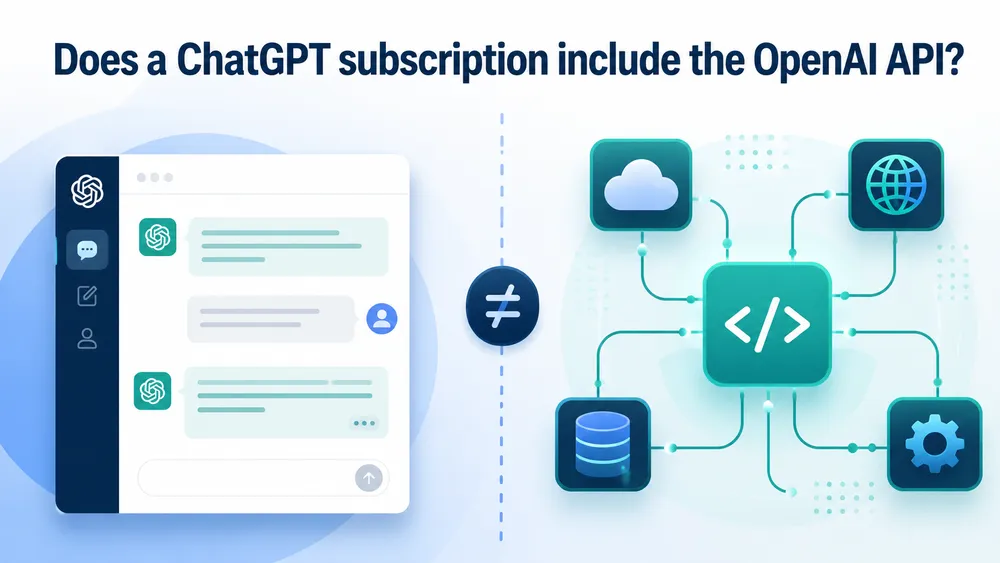
No, a ChatGPT Go, Plus, Pro or Business subscription does not replace OpenAI API billing. OpenAI states that API usage is separate and billed independently. This is an essential point for developers, agencies and companies that want to integrate OpenAI into an application or automated workflow.
This confusion is common. ChatGPT is the user interface: you chat with the AI in a web, mobile app or desktop app. The OpenAI API is used to integrate models into software, a website, a customer chatbot, an automation or a business application.
A Plus or Pro subscription can be excellent for working inside ChatGPT, but it does not provide unlimited API credits. If you are developing an internal tool, a client chatbot, a WordPress extension or an automation connected to OpenAI, you need to consult the separate API pricing.
FAQ
Which ChatGPT subscription should you choose in 2026?
For most regular users, ChatGPT Plus is the best choice. It offers a good balance between price, advanced features, file analysis, image generation, reasoning and productivity. ChatGPT Go is suited to small budgets, Pro to intensive users, and Business to teams.
What is the difference between ChatGPT Go and ChatGPT Plus?
ChatGPT Go gives more access than Free to popular features such as messages, files, images and memory. ChatGPT Plus goes further with broader access to reasoning models, Deep Research, agent mode and advanced features.
Is ChatGPT Plus still worth it?
Yes, ChatGPT Plus is still worth it for an individual user who uses ChatGPT almost every day. It remains the best compromise between price and power, especially for writing, analyzing files, generating images, thinking, occasional coding or creating custom GPTs.
Is ChatGPT Pro worth the price?
ChatGPT Pro is worth the price if you regularly reach the limits of Plus or use ChatGPT for complex, intensive or high-stakes work. If your usage remains moderate, Plus is enough in most cases.
What is the difference between ChatGPT Pro 100 and Pro 200?
Both Pro tiers include the same core capabilities. The difference mainly concerns usage limits: Pro 100 offers 5 times more usage than Plus, while Pro 200 offers 20 times more usage than Plus.
Is ChatGPT Business more secure than ChatGPT Plus?
For an organization, yes. ChatGPT Business is better suited to teams because business data is not used to train models by default, and the workspace offers administration and security features.
Does ChatGPT Go include ads?
OpenAI states that ads may appear for Free and Go users in countries where the ad test is deployed. Plus, Pro, Business, Enterprise and Edu subscribers do not see ads in ChatGPT.
Is Sora included with ChatGPT Go ?
No. OpenAI states that access to Sora is not included with ChatGPT Go and is available starting with ChatGPT Plus.
Can you cancel ChatGPT Plus or Pro at any time ?
Yes. OpenAI states that users can change or cancel their subscription from account settings. After cancellation, access remains available until the end of the billing period.
Conclusion
The best ChatGPT subscription depends on your real usage, not only on the displayed price. To test the tool, ChatGPT Free is enough. For regular use on a small budget, ChatGPT Go is the most economical choice. To work seriously with AI every day, ChatGPT Plus remains the best compromise. For intensive users who exceed Plus limits, ChatGPT Pro becomes relevant. For a team, agency or small business, ChatGPT Business is the most coherent plan.
Our final recommendation is simple: start by identifying how often you use ChatGPT, your needs for files, images, reasoning, research, code and privacy. If you are alone and use ChatGPT every day, choose Plus. If Plus limits you too often, move to Pro. If several people in your organization use ChatGPT, choose Business instead of multiplying individual accounts.
In 2026, ChatGPT is no longer just a chatbot. It is a productivity, research, creation and automation tool. The right subscription is the one that gives you enough power without making you pay for capabilities you do not use.